TAI BUI
Back to curriculum
BuildPython

Multimodal Agents and Computer-Use (Capstone)

The 2026 frontier product is a multimodal agent that reads screenshots, clicks buttons, navigates web UIs, fills forms, and completes workflows end-to-end. SeeClick and CogAgent (2024) proved the GUI-grounding primitive. Ferret-UI added mobile. ChartAgent introduced visual tool-use for charts. VisualWebArena and AgentVista (2026) are the benchmarks the frontier chases, and even Gemini 3 Pro and Claude Opus 4.7 score ~30% on AgentVista's hard tasks. This capstone pulls together the threads of Phase 12: perception (high-res VLM), reasoning (LLM with tool use), grounding (coordinate output), long-horizon memory, and evaluation.

TIME: ~240 minutesPREREQUISITES: Phase 12 · 05 (LLaVA), Phase 12 · 09 (Qwen-VL JSON), Phase 14 (Agent Engineering)

Learning Objectives

  • Design a multimodal agent loop: perceive → reason → act → observe → repeat.
  • Build a GUI grounding output schema (click coordinates, type text, scroll, drag) the VLM can emit as JSON.
  • Compare screenshot-only agents vs accessibility-tree agents vs hybrid agents.
  • Set up a multimodal agent benchmark evaluation on a small VisualWebArena slice.

The Problem

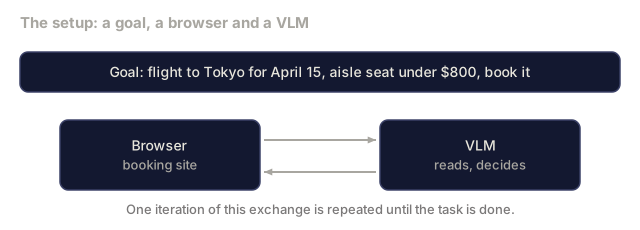
A booking-site workflow: "find me a flight to Tokyo for April 15, aisle seat under $800, book it."

A multimodal agent needs to:

  1. Take a screenshot of the browser.
  2. Parse the screenshot + URL + goal into a plan.
  3. Emit a structured action: click (at x,y), type "Tokyo" (at element E), scroll down, select (radio button).
  4. Apply the action to the browser.
  5. Observe the new state (next screenshot).
  6. Repeat until the task is done.

Each step is a multimodal VLM call. The VLM output must be parseable JSON. Errors compound across steps, so recovery matters.
Warm-up0/3
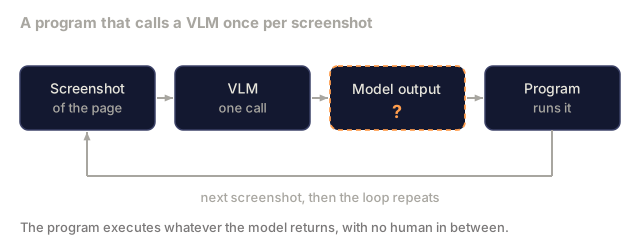
1. A program calls a VLM in a loop, once per screenshot, and executes whatever the model returns. Which output design is most reliable?Warm-up
A loop of four boxes. A screenshot of the page goes to a VLM, the VLM produces a model output drawn as a dashed question box, a program runs that output, and an arrow returns to the next screenshot.
Schematic of the setup in the question.
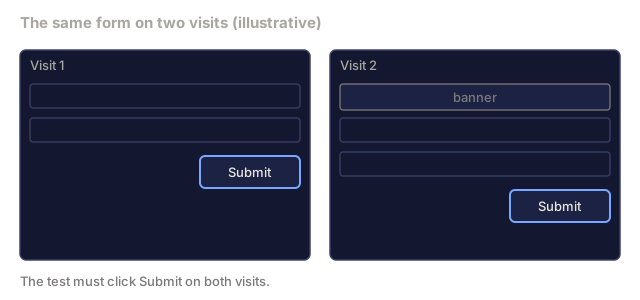
2. A browser test must click the same Submit button on a page whose layout shifts between visits. What is the most stable way to find the button?Warm-up
Two mock form pages side by side. Visit 1 has two input fields and a Submit button near the bottom right. On visit 2 a banner has appeared at the top, so the fields and the Submit button sit lower.
Typed mockup, not a real site.
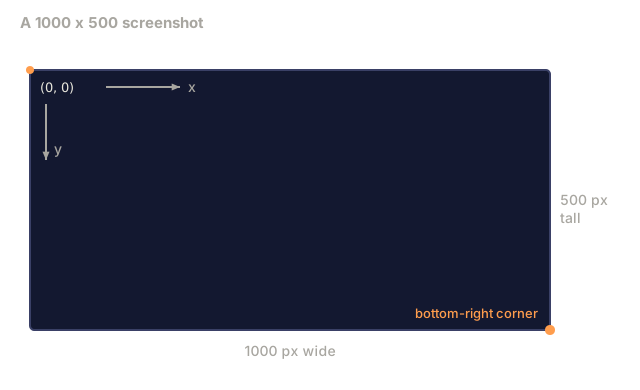
3. A screenshot is 1000 pixels wide and 500 tall. The origin is the top-left corner and y grows downward. Which point is nearest the bottom-right corner?Warm-up
A rectangle for a 1000 by 500 pixel screenshot. The top-left corner is marked as the origin (0, 0) with one arrow pointing right for x and one pointing down for y. The sides are labelled 1000 px wide and 500 px tall, and the bottom-right corner carries an orange dot.
Drawn at 0.52 scale.
Check: The Problem0/2
1. Which sequence matches one iteration of a multimodal agent loop?Explain
A goal bar reading flight to Tokyo for April 15, aisle seat under $800, book it. Below it a Browser box for the booking site and a VLM box, joined by one arrow each way with no labels.
Goal wording is from the lesson's Problem section.
2. Why does the loop take a new screenshot after every action instead of planning all steps up front?Explain
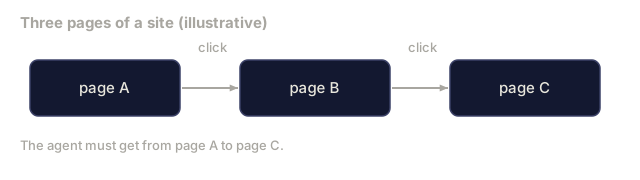
Three boxes labelled page A, page B and page C joined by arrows labelled click. A note says the agent must get from page A to page C.
Typed, illustrative page names.

The Concept

GUI grounding, the primitive

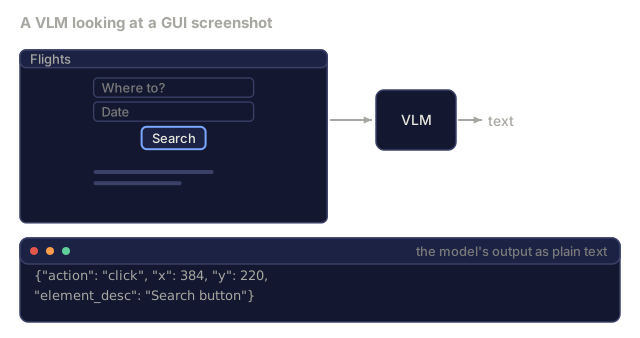
GUI grounding is: given a screenshot and a natural language instruction, output the (x, y) coordinate to click (or other action).

SeeClick (arXiv:2401.10935) was the first open result at scale: fine-tune a VLM on synthetic + real GUI data, output coordinates as plain text tokens. Works.

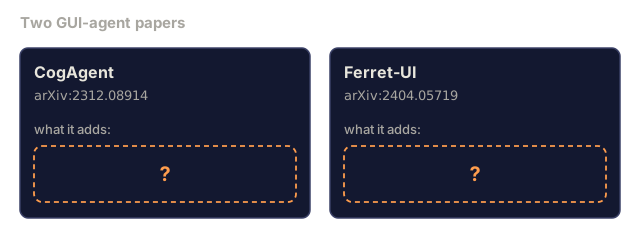
CogAgent (arXiv:2312.08914) added 1120x1120 high-resolution encoding for dense UIs. Score: ~84% on web navigation.

Ferret-UI (arXiv:2404.05719) focuses on mobile UIs, integrates with iOS accessibility data.

Output format is usually JSON:

json
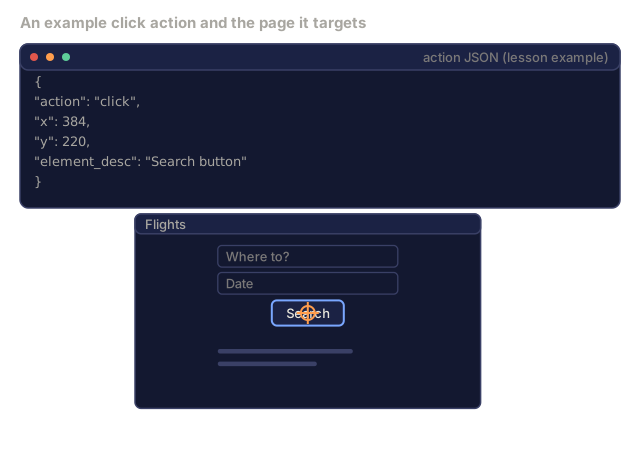
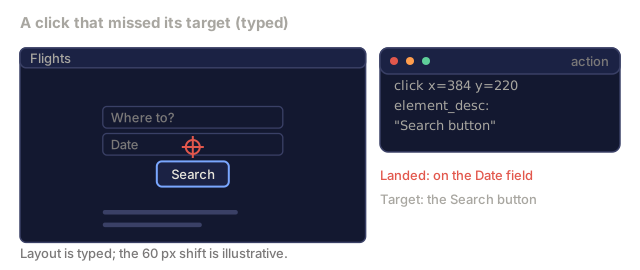
{"action": "click", "x": 384, "y": 220, "element_desc": "Search button"}

The element_desc helps recovery: if coordinates drift between screenshots, the semantic hint lets the system re-ground.

Action schemas

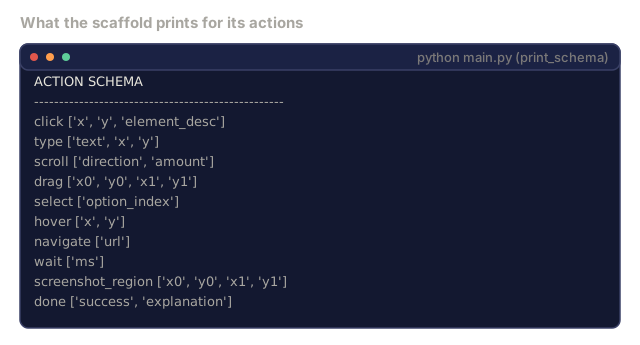
A typical action schema has 6-10 action types:

  • click: (x, y)
  • type: (text, x?, y?)
  • scroll: (direction, amount)
  • drag: (x0, y0, x1, y1)
  • select: (option_index)
  • hover: (x, y)
  • navigate: (url)
  • wait: (ms)
  • done: (success, explanation)

The agent emits one action per step. The browser wrapper executes and returns the new state.

Screenshot-only vs accessibility-tree

Two input modes:

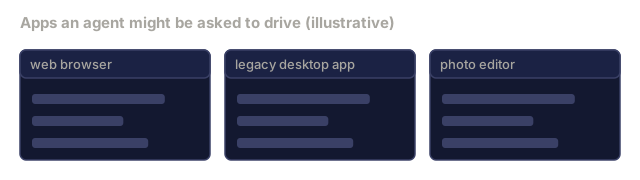
  • Screenshot-only: full image, no structural info. Most general; works on any app.
  • Accessibility tree: structured DOM / iOS accessibility info. Much more reliable for grounding; works where the tree is available.
  • Hybrid: both, with the tree as a reliable grounder for atomic actions and the screenshot for semantic context.

Production agents use hybrid when possible. Browser automation (Selenium + accessibility) always has the tree, and desktop apps sometimes do.

Long-horizon memory

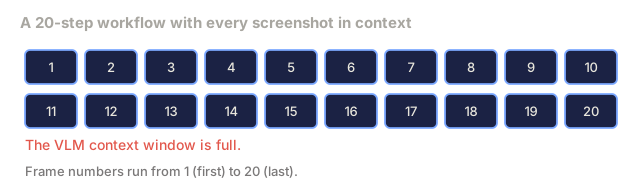
A 20-step workflow generates 20 screenshots. The VLM's context fills up fast. Three compression strategies:

  • Summary-chain: after every 5 steps, summarize what has happened, drop old screenshots.
  • Skip-frame: keep the first, last, and every 3rd screenshot.
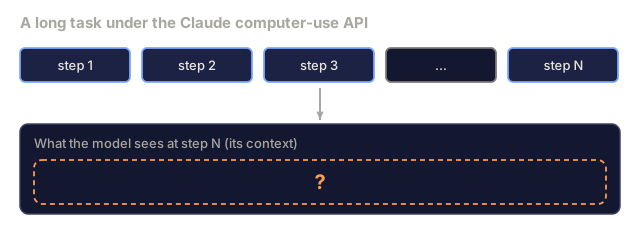
  • Tool-recorded log: execute actions, keep a text log of what was done; don't re-look at old screenshots.

Claude's computer-use API uses the log pattern. Simpler, more reliable.

Visual tool use

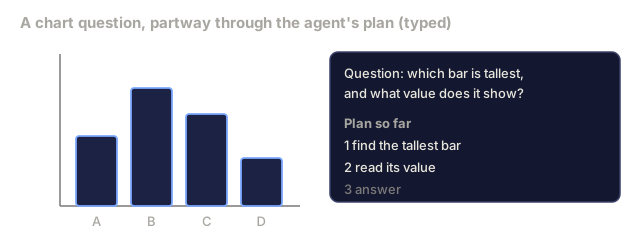
ChartAgent (arXiv:2510.04514) introduces visual tool use for chart understanding: crop, zoom, OCR, call external detection. The agent can output "crop to region (100, 200, 300, 400) then call OCR" as a tool call. The tool returns text; the VLM continues reasoning.

This pattern generalizes: set-of-mark prompting, region annotation, and external detection tools all fit the same "output a tool call, receive a structured response" schema.

The 2026 benchmarks

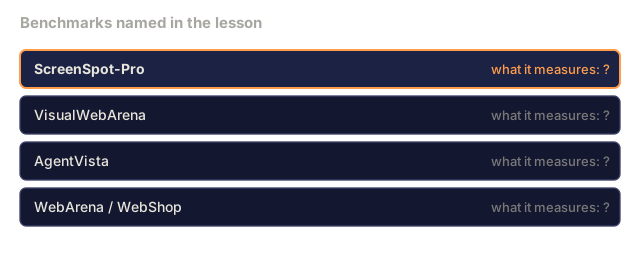
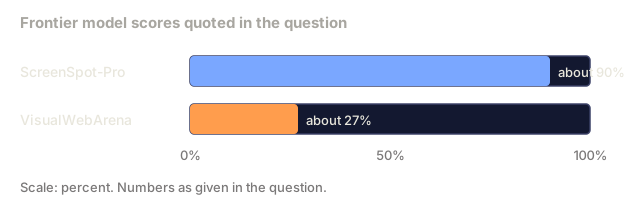
  • ScreenSpot-Pro. GUI grounding on ~1k web screenshots. Open SOTA Qwen2.5-VL-72B ~85%. Frontier ~90%.
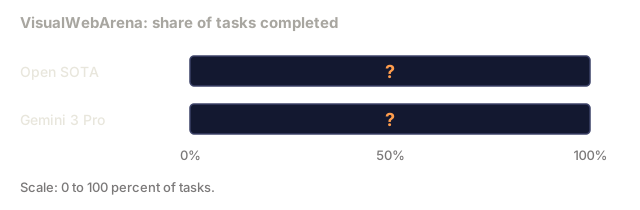
  • VisualWebArena. End-to-end web tasks (shop, forum, classifieds). Open SOTA ~20%. Gemini 3 Pro ~27%.
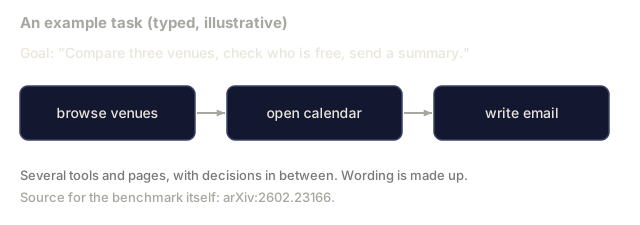
  • AgentVista (arXiv:2602.23166). The hardest 2026 benchmark. Realistic workflows across 12 domains. Frontier models score 27-40%; open models 10-20%.
  • WebArena / WebShop. Older benchmarks; saturated by frontier.

Why it's still hard

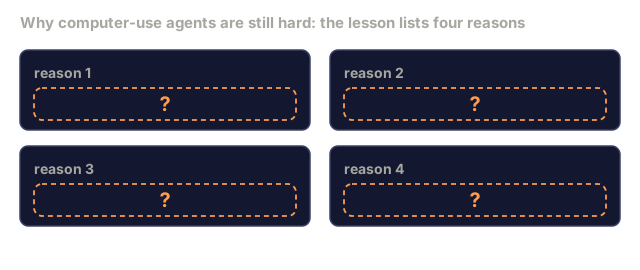
Agent performance bottlenecks:

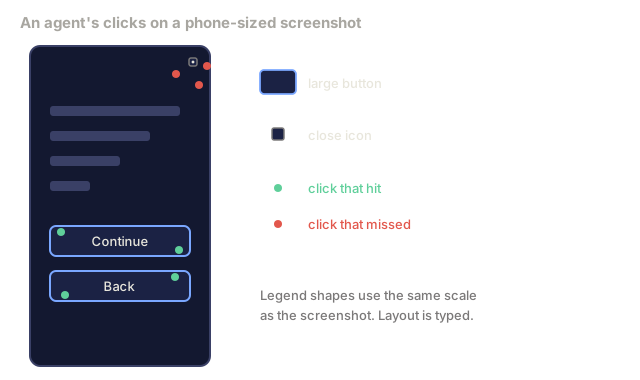
  1. Visual grounding at fine scale. "Click the small X" fails often at mobile resolution.
  2. Long-horizon planning. After 10 actions, the agent drifts from the goal.
  3. Error recovery. When a click fails (wrong button), detecting + recovering is rarely trained data.
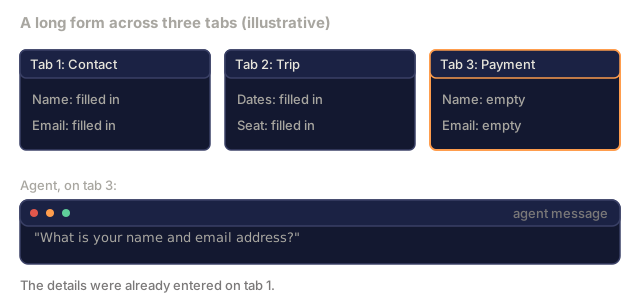
  4. Cross-page context. Jumping between tabs or long forms loses state.

Research directions: memory architectures, explicit replanning, multimodal verification (screenshot match for action success).

The capstone build-it

The capstone task: build a computer-use agent that:

  1. Reads the HTML + screenshot of a booking-site mock page.
  2. Plans a multi-step sequence: search → select → fill form → submit.
  3. Emits JSON actions matching the action schema.
  4. Evaluates on a fixed 10-task slice.

The scaffold in main.py is a starting point you can extend toward a real browser.
Check: The Concept0/24
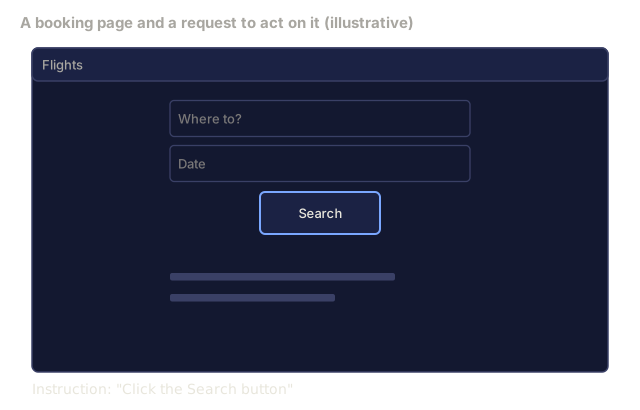
1. What is GUI grounding?Define
A mock booking page with a Flights title bar, two input fields labelled Where to and Date, and a Search button. A line below reads: Instruction, Click the Search button.
Typed page layout. Only the instruction text echoes the lesson's example.
2. What is an action schema in a computer-use agent?Define
A terminal listing the scaffold's ten action names, each with its parameter list: click, type, scroll, drag, select, hover, navigate, wait, screenshot_region and done.
Captured by calling print_schema() from main.py.
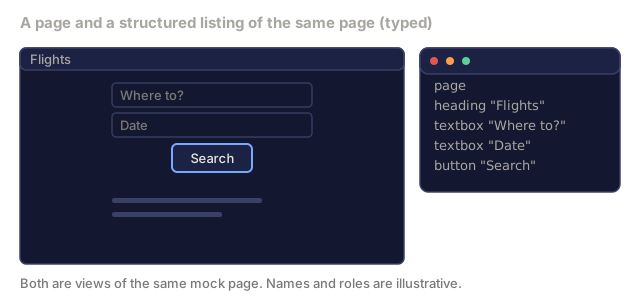
3. What is an accessibility tree?Define
A small mock booking page on the left and, on the right, an indented text outline of the same page with a page root, a heading Flights, two textboxes Where to and Date, and a button Search.
Typed illustration, not output from a real browser.
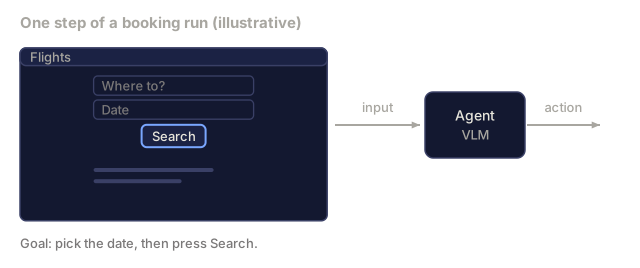
4. What is a hybrid agent?Define
A small mock booking page with an arrow labelled input to a box labelled Agent VLM, and an arrow labelled action leaving it. Below, the goal reads pick the date, then press Search.
Typed mockup.
5. What does visual tool use, as in ChartAgent, let the agent do mid-plan?Define
A bar chart with four unlabelled-value bars A to D on the left, where bar B is tallest. On the right, a question card and a three-step plan: find the tallest bar, read its value, answer.
Typed chart and plan, illustrative.
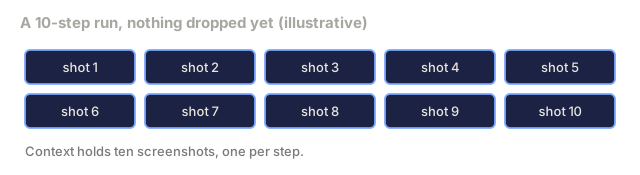
6. What is a summary-chain?Define
Ten blue chips in two rows of five, labelled shot 1 to shot 10, for the screenshots of a ten-step run that are all in context.
Typed schematic.
7. What is VisualWebArena?Define
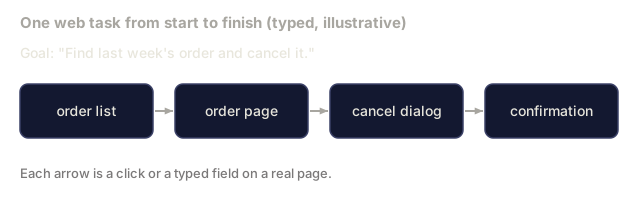
A task goal, Find last week's order and cancel it, above four boxes joined by arrows: order list, order page, cancel dialog, confirmation.
Typed illustration.
8. What is AgentVista?Define
A task goal, Compare three venues, check who is free, send a summary, above three boxes joined by arrows: browse venues, open calendar, write email.
Typed illustration of one task.
9. Which model was the first open result at scale to show GUI grounding by emitting click coordinates as plain text tokens?Explain
A small mock booking page, an arrow into a VLM box, and below it the VLM's output shown as plain text: a click JSON with x 384, y 220 and element_desc Search button.
Typed page; the JSON is the lesson's example.
10. Which statement correctly distinguishes CogAgent from Ferret-UI?Explain
Two cards side by side. The first is CogAgent with arXiv 2312.08914, the second is Ferret-UI with arXiv 2404.05719. Each has a dashed box with a question mark under the heading what it adds.
Paper ids are from the lesson's Further Reading.
11. What is the element_desc field in the example click action for?Explain
The lesson's click action JSON with action click, x 384, y 220 and element_desc Search button, above a small mock booking page with an orange crosshair on its Search button.
Typed page; the JSON is from the lesson.
12. An accessibility tree grounds actions more reliably than pixels. Why do agents still use screenshot-only mode?Explain
Three simple window mockups side by side labelled web browser, legacy desktop app and photo editor, each with a title bar and a few grey content bars.
Typed mockups.
13. Which memory pattern does the Claude computer-use API use for long-horizon tasks?Explain
A row of chips for steps 1, 2, 3, an ellipsis and step N. An arrow leads to a box titled what the model sees at step N, which holds a dashed question mark.
Schematic of the setup.
14. A 20-step workflow has filled the VLM context with screenshots. You decide to keep the first frame, the last frame, and every 3rd frame between them. Which strategy is this?Explain
Twenty blue chips numbered 1 to 20 in two rows of ten, representing a 20-step workflow in which every screenshot is in context. A red note says the context window is full.
Typed schematic.
15. How do open models compare with Gemini 3 Pro on VisualWebArena?Explain
Two horizontal bar tracks labelled Open SOTA and Gemini 3 Pro on a 0 to 100 percent scale, each empty with a question mark, for VisualWebArena task completion.
Empty tracks; the scale is the only given.
16. Which description matches ScreenSpot-Pro?Explain
A list of four benchmark names from the lesson: ScreenSpot-Pro, VisualWebArena, AgentVista and WebArena / WebShop. ScreenSpot-Pro is highlighted, and each row ends with the words what it measures and a question mark.
Names only, in the lesson's order.
17. Which of these is one of the four reasons computer-use agents are still hard?Explain
Four cards in a two by two grid labelled reason 1 to reason 4, each with a dashed question-mark box.
The lesson says there are four.
18. An agent fills a long form across three tabs, and by the third tab it asks again for details it already entered. Which bottleneck is this?Analyze
Three tab mockups: Contact with name and email filled in, Trip with dates and seat filled in, and Payment with name and email empty. Below, the agent's message on tab 3 asks for the name and email address.
Typed scenario.
19. An agent hits large buttons reliably but keeps missing a tiny close icon on a phone-sized screenshot. Which bottleneck does this match?Analyze
A phone-sized screenshot mockup with two large buttons and a tiny close icon at the top right. Green dots from clicks sit on the large buttons, and red dots from missed clicks scatter around the close icon. A legend shows large button, close icon, click that hit and click that missed.
Typed scenario matching the question's description.
20. Frontier models reach about 90% on ScreenSpot-Pro but only about 27% on VisualWebArena. What is the best reading?Analyze
Two horizontal bars on a 0 to 100 percent scale. ScreenSpot-Pro is at about 90% and VisualWebArena at about 27%.
Figures from the question and the lesson's benchmark list.
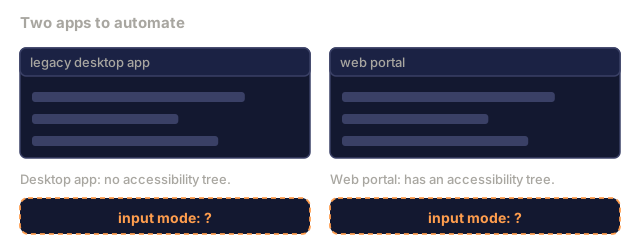
21. A team must automate a legacy desktop app with no accessibility tree and a web portal that has one. Which input mode fits?Design
Two window mockups. The legacy desktop app is noted as having no accessibility tree and the web portal as having one. Under each is a dashed box reading input mode, question mark.
Typed mockups; the notes restate the question.
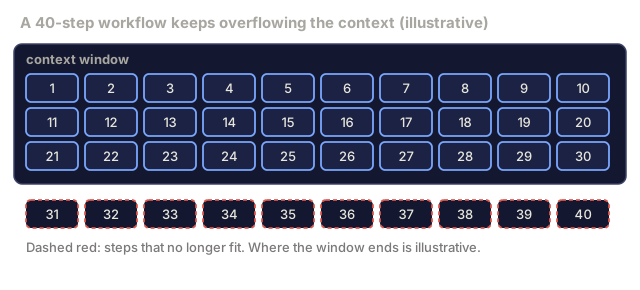
22. A 40-step workflow keeps overflowing the context window. Following the lesson's hybrid recommendation, what do you keep in context?Design
A large box labelled context window holds blue chips for steps 1 to 30. Below it, red dashed chips for steps 31 to 40 sit outside, marked as steps that no longer fit.
Typed schematic; the limit position is illustrative.
23. You add recovery for a click that did not land on its target. Which design uses the lesson's ideas?Design
A mock booking page whose Search button has moved down, with a red crosshair on the Date field above it. Beside it, the click action x 384 y 220 with element_desc Search button, and notes that the click landed on the Date field while the target was the Search button.
Typed scenario.
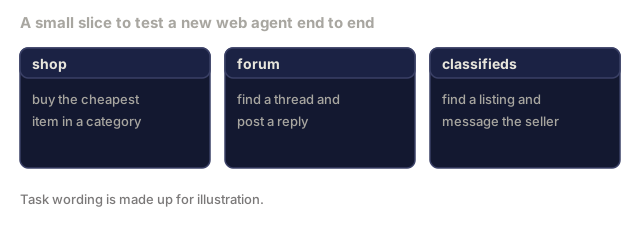
24. You must test a new web agent end to end on a small slice of shop, forum and classifieds tasks. Which benchmark fits?Design
Three task cards labelled shop, forum and classifieds. Shop: buy the cheapest item in a category. Forum: find a thread and post a reply. Classifieds: find a listing and message the seller.
Typed illustration of task kinds from the question.

Use It

code/main.py is the capstone scaffold:

  • Action schema definition (10 actions).
  • Mock browser state as a dataclass.
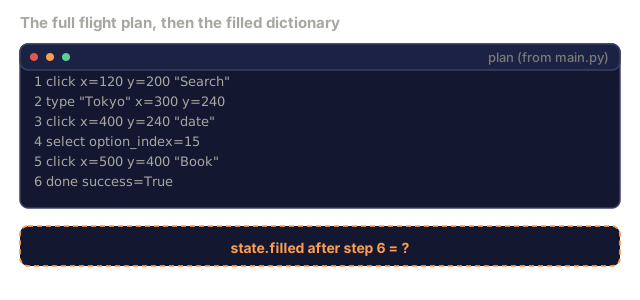
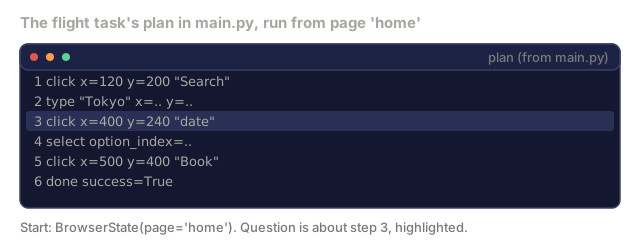
  • Task loop: each task carries a fixed plan, apply_action runs each step, and the final page is checked against the expected one.
  • 2 sample tasks (flight booking, password reset) as the mini-benchmark. Extending it to 10 is part of the capstone.
  • A printed benchmark snapshot and memory-strategy summary. The script does not measure these.
  • No error-recovery hook yet. Exercise 4 adds one.
Check: Use It0/8
1. In main.py, the flight task runs its plan through apply_action. What is state.page right after the third step, the click whose element_desc is 'date'?Apply
A terminal listing the six steps of the flight plan: click Search, type Tokyo, click date, select, click Book, done. The type and select lines show dots in place of their numbers. Step 3, the click on date, is highlighted. A note says the run starts from page home.
Lines drawn from main.py's flight plan; the type and select numbers are left out.
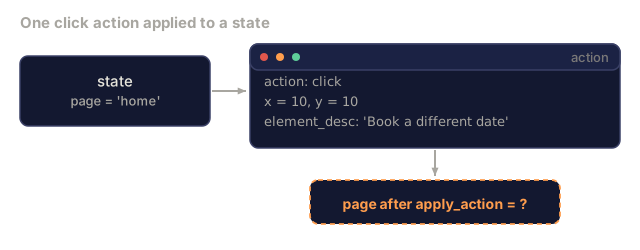
2. A click action with element_desc 'Book a different date' and x=10, y=10 runs through apply_action from the 'home' page. What page results?Apply
A state box with page equal to home and an action box with a click at x 10 and y 10 whose element_desc is Book a different date. An arrow leads to a dashed box that asks for the page after apply_action.
Values from the question.
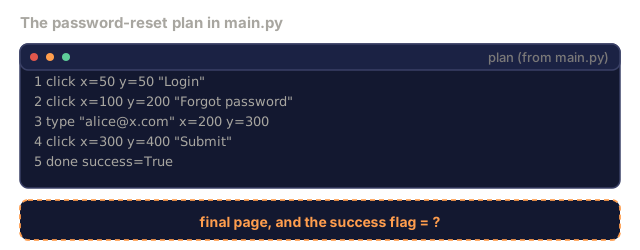
3. Running the password-reset task in main.py, what do the final page and success flag come out as?Apply
A terminal listing the five steps of the password-reset plan: click Login, click Forgot password, type alice@x.com, click Submit, done. Below it, a dashed box asks for the final page and the success flag.
Plan lines drawn from main.py.
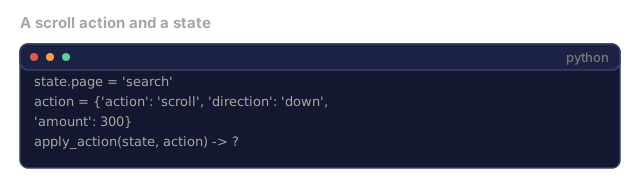
4. What does apply_action return for {'action': 'scroll', 'direction': 'down', 'amount': 300} on a state whose page is 'search'?Apply
A terminal with a state whose page is search, a scroll action with direction down and amount 300, and a call apply_action(state, action) whose result is a question mark.
Values from the question.
5. After the full flight-booking plan runs in main.py, what does state.filled hold?Apply
A terminal listing the six flight-plan steps, with a dashed box below asking for state.filled after step 6.
Plan lines drawn from main.py.
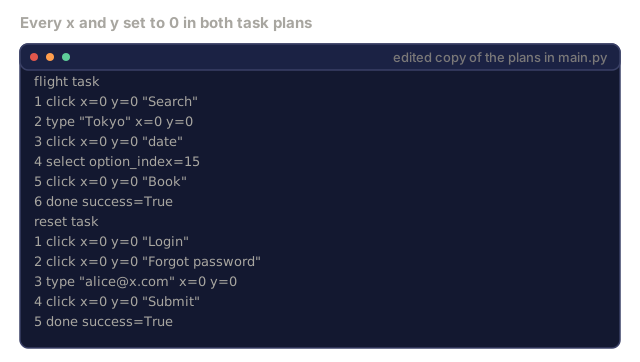
6. You set every x and y in the scaffold's task plans to 0 and rerun main.py. The score does not change. What does that show?Analyze
A terminal listing both task plans from main.py with every x and y changed to 0: the flight task with six steps and the reset task with five steps.
Typed edit of main.py's plans; only the numbers x and y differ.
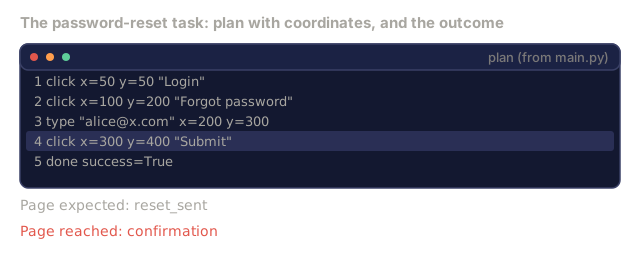
7. In the password-reset trace the last click, 'Submit', sends the page to confirmation instead of reset_sent. What explains this?Analyze
A terminal listing the reset plan with the last click, Submit at x 300 y 400, highlighted. Below, the expected page reset_sent and the page reached, confirmation.
Plan lines from main.py; the outcome is stated in the question.
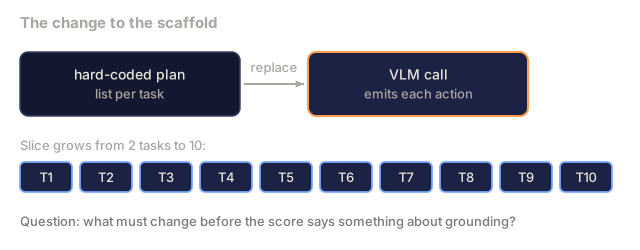
8. You replace the scaffold's hard-coded plan with a VLM call and grow the slice to 10 tasks. What must change before the score says anything about grounding?Design
A box for the hard-coded plan list per task, an arrow labelled replace, and a box for a VLM call that emits each action. Below, ten chips T1 to T10 for a slice of ten tasks.
Schematic of the change in the question.

Ship It

This lesson produces outputs/skill-multimodal-agent-designer.md. Given a computer-use product (domain, action set, evaluation target), designs the full agent loop, memory strategy, grounding mode, and expected benchmark score.

Author's Note

I'd run main.py first, then read apply_action. It is short, and it shows how thin the scaffold is. The toy "VLM" is a hard-coded plan list per task, and apply_action picks the next page by substring-matching element_desc. The x and y values are never read for clicks, so the flight task passes without any grounding at all. The password-reset task fails: its last click matches Submit in element_desc, which sends the page to confirmation instead of reset_sent. A real agent has to earn those coordinates, and that is the gap I'd close first: swap the plan for a model call, then check that the click lands on the element it described.

The benchmark is 2 tasks, not 10, and the leaderboard table is printed text rather than anything the script measures. The script prints score: 1/2, and that number says more about the toy page-transition rules than about any agent. Treat it as "the loop runs." Two other gaps are visible in the code: ACTION_SCHEMA lists screenshot_region, but apply_action has no branch for it (or for scroll, drag, hover, navigate, or wait), so those actions silently do nothing. And run_task has no failure path, so a wrong click (like the reset task's last one) just carries on to the next step.

For memory I'd start with the hybrid the script lists as best: action log, the last two screenshots, and a summary. It's only a printed line here, so exercise 3 is where you'd find out whether it holds up.

Exercises

  1. Extend the action schema with a screenshot_region tool (crop + zoom). What tasks benefit?

  2. Read AgentVista (arXiv:2602.23166). Describe the hardest task category and why frontier models still fail.

  3. Long-horizon memory compression: design a summary-chain with ≤4 screenshots kept live, any number logged.

  4. Build an error-recovery hook: on action failure (button not found), what does the agent do next?

  5. Compare screenshot-only Claude 4.7 to hybrid screenshot + accessibility-tree Qwen2.5-VL on 10 web tasks. Which wins on which tasks?

Key Terms

TermWhat people sayWhat it actually means
GUI grounding"Click coordinates"Model outputs (x,y) for the target of an instruction on a screenshot
Action schema"Tool definitions"JSON description of valid actions (click, type, scroll, drag)
Accessibility tree"Structured DOM"Machine-readable UI hierarchy from browser/iOS APIs
Hybrid agent"Screenshot + tree"Uses both image and structured info; more reliable than either alone
Visual tool use"Zoom/crop/detect"Agent calls external vision tools (OCR, detection) mid-plan
Summary-chain"Memory compression"Periodic text summaries replace long screenshot history
VisualWebArena"E2E web bench"2024 benchmark for end-to-end web tasks
AgentVista"2026 hard bench"12-domain realistic workflows; even Gemini 3 Pro scores ~30%

Further Reading

Code

Ships With