3D Gaussian Splatting from Scratch
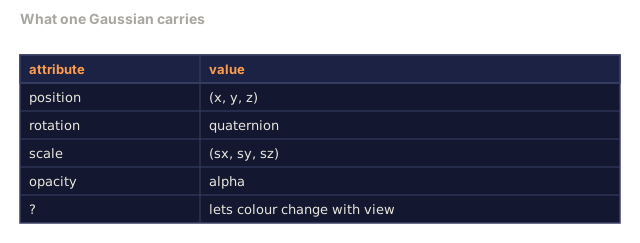
A scene is a cloud of millions of 3D Gaussians. Each one carries a position, orientation, scale, opacity, and a colour that shifts with viewing direction. Rasterise them, backprop through the rasterisation, done.
Learning Objectives
- Explain why 3D Gaussian Splatting replaced NeRF as the production default for photorealistic 3D reconstruction in 2026
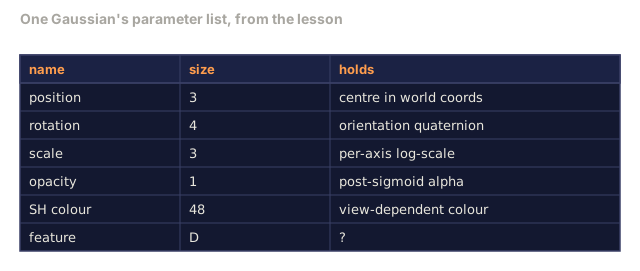
- State the six per-Gaussian parameters (position, rotation quaternion, scale, opacity, spherical harmonics colour, optional feature) and how many floats each contributes
- Implement a 2D Gaussian splatting rasterizer from scratch using `alpha` compositing, then show how the 3D case projects to the same loop
- Use `nerfstudio`, `gsplat`, or `SuperSplat` to reconstruct a scene from 20-50 photos and export to the `KHR_gaussian_splatting` glTF extension or the OpenUSD 26.03 `UsdVolParticleField3DGaussianSplat` schema
The Problem
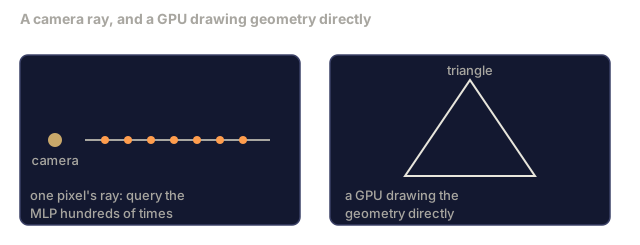
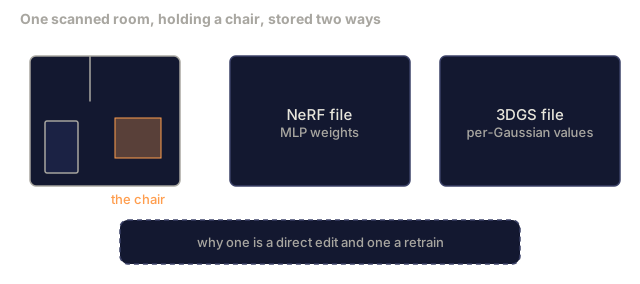
A NeRF stores a scene as the weights of an MLP. Every rendered pixel costs hundreds of MLP queries along a ray, so training takes hours and rendering takes seconds. Worse, the weights aren't editable: move a chair inside the scene and you have to retrain from scratch.
3D Gaussian Splatting (Kerbl, Kopanas, Leimkühler, Drettakis, SIGGRAPH 2023) replaced all of that. A scene becomes an explicit set of 3D Gaussians. Rendering is GPU rasterisation at 100+ fps. Training takes minutes. Editing is direct: translate a subset of Gaussians and you've moved the chair. By 2026 the Khronos Group has ratified a glTF extension for Gaussian splats, OpenUSD 26.03 ships a Gaussian splat schema, Zillow and Apartments.com render real estate with them, and most new research papers on 3D reconstruction are variants on the core 3DGS idea.
The mental model is simple. The math has enough moving parts that most introductions start at rasterisation and skip past the projections and spherical harmonics entirely. This lesson builds the whole thing: a 2D version first, then the 3D extension.
The Concept
What a Gaussian carries
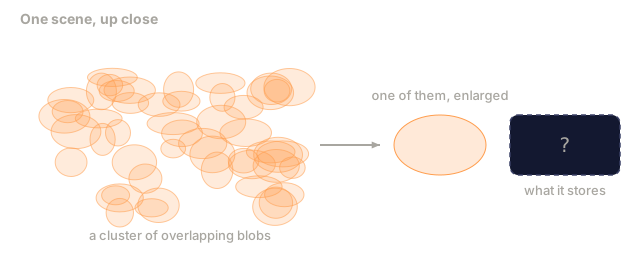
One 3D Gaussian is a parametric blob in space with these attributes:
position         mu         (3,)    centre in world coordinates
rotation         q          (4,)    unit quaternion (a 4-number rotation encoding that avoids gimbal lock) for orientation
scale            s          (3,)    log-scales per axis (exponentiated at render time)
opacity          alpha      (1,)    post-sigmoid opacity [0, 1]
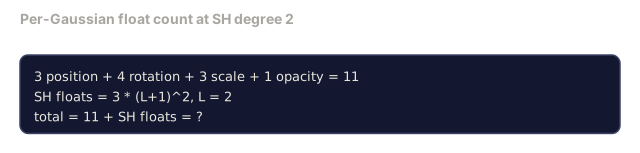
SH coefficients  c_lm       (3 * (L+1)^2,)   view-dependent colour
feature (opt.)   f          (D,)    optional per-Gaussian embedding (e.g. a distilled CLIP/language feature for tasks like LangSplat or Gaussian Grouping); D = 0 in the base model
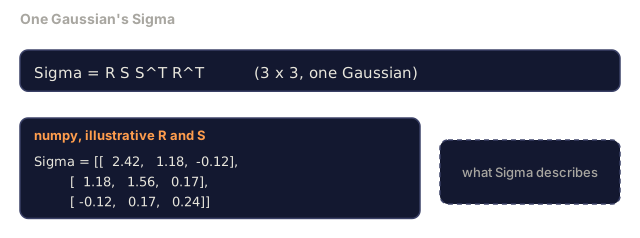
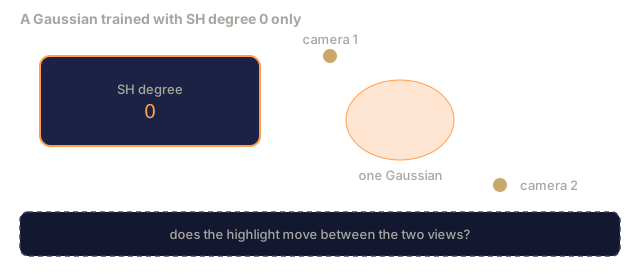
Rotation and scale combine into a 3x3 covariance: Sigma = R S S^T R^T, the shape of the Gaussian in 3D. Spherical harmonics let the colour change with viewing direction (specular highlights, subtle sheen, view-dependent glow) without storing per-view textures. With SH degree 3 you get 16 coefficients per colour channel: 48 floats per Gaussian for colour alone.
A scene typically has 1-5 million Gaussians. Each stores roughly 60 floats: 3 for position, 4 for rotation, 3 for scale, 1 for opacity, 48 for SH colour, and the optional feature vector, which is zero-length unless a task adds one. At 4 bytes per float, that works out to about 1.2 GB for a five-million-Gaussian scene (5M x 60 x 4 bytes). It is far bigger than a NeRF's few megabytes of MLP weights, and that is the price of an explicit representation that renders in real time with no network call per pixel.
Rasterisation, not ray marching

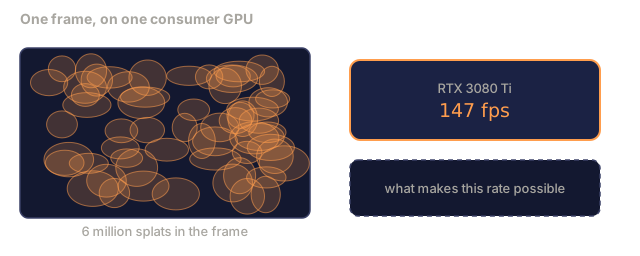
Five steps, all GPU-friendly. No MLP query per pixel. A single RTX 3080 Ti renders 6 million splats at 147 fps.
The projection step
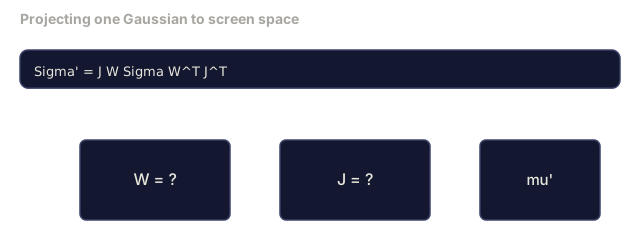
The 3D Gaussian at world position mu with 3D covariance Sigma projects to a 2D Gaussian at screen position mu' with 2D covariance Sigma':
mu' = project(mu)
Sigma' = J W Sigma W^T J^T          (2 x 2)

W = viewing transform (rotation + translation of camera)
J = Jacobian (matrix of partial derivatives) of the perspective projection at mu'
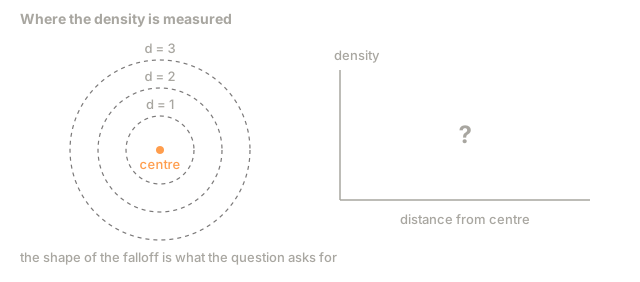
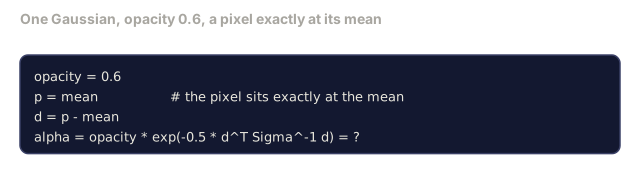
The 2D Gaussian's footprint is an ellipse whose axes are the eigenvectors of Sigma'. Every pixel inside that ellipse receives the Gaussian's contribution, weighted by exp(-0.5 * (p - mu')^T Sigma'^-1 (p - mu')).
The alpha-compositing rule
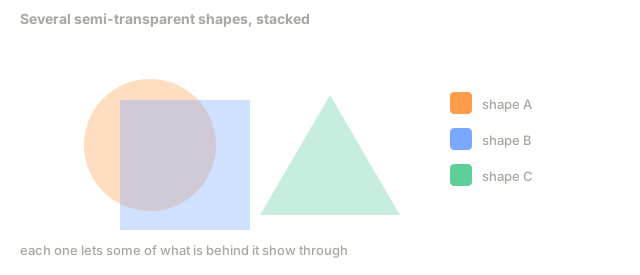
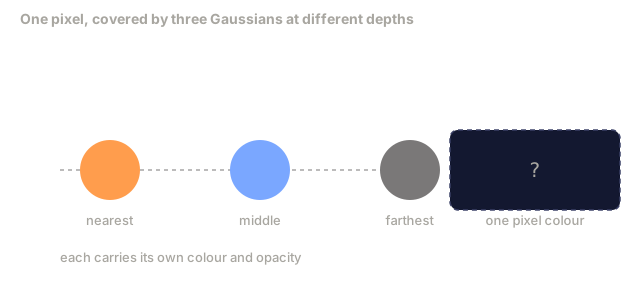
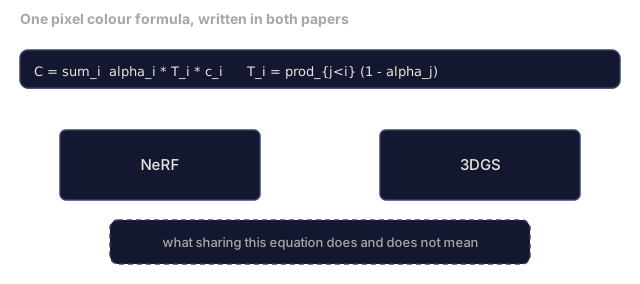
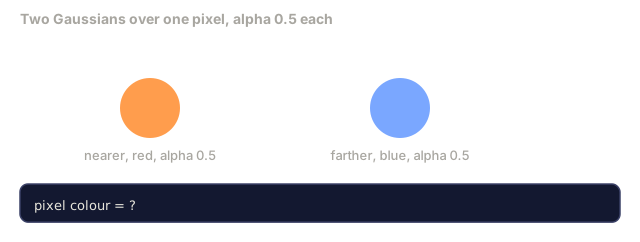
For one pixel, the Gaussians that cover it are sorted front-to-back, nearest first, which is what the transmittance term below assumes (back-to-front gives the same image with a different recurrence). Colour is composited with the same equation as every semi-transparent rasteriser since the 1980s:
C_pixel = sum_i alpha_i * T_i * c_i

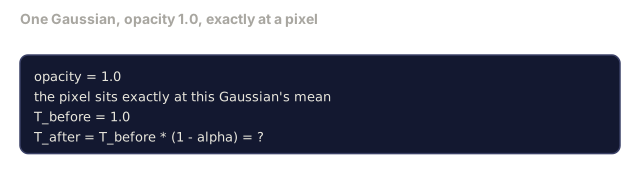
T_i = prod_{j < i} (1 - alpha_j)       transmittance up to i
alpha_i = opacity_i * exp(-0.5 * d^T Sigma'^-1 d)   local contribution
c_i = eval_SH(SH_i, view_direction)    view-dependent colour
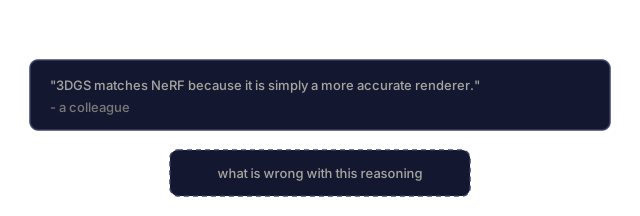
This is the same equation as NeRF's volumetric render, just over an explicit sparse set of Gaussians instead of dense samples along a ray. That identity is why rendered quality matches NeRF: both integrate the same radiance-field equation.
Why this is differentiable
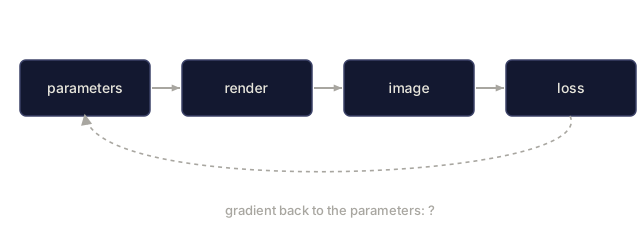
Every step (projection, tile assignment, alpha compositing, SH evaluation) is differentiable with respect to the Gaussian parameters. Given a ground-truth image, compute the rendered pixel loss, backprop through the rasteriser, and update every (mu, q, s, alpha, c_lm) by gradient descent. Over roughly 30,000 iterations the Gaussians settle into the right positions, scales, and colours.
Densification and pruning
A fixed set of Gaussians cannot cover a complex scene, so training includes two adaptive mechanisms:
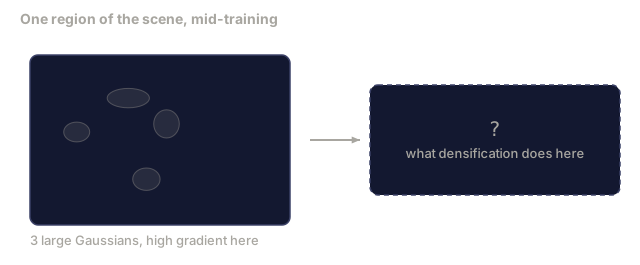
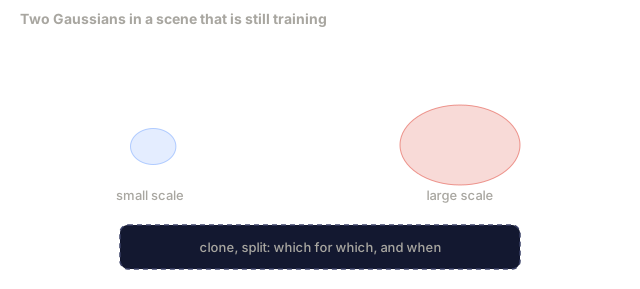
- Clone a Gaussian at its current position when its gradient magnitude is high but its scale is small: the reconstruction needs more detail here.
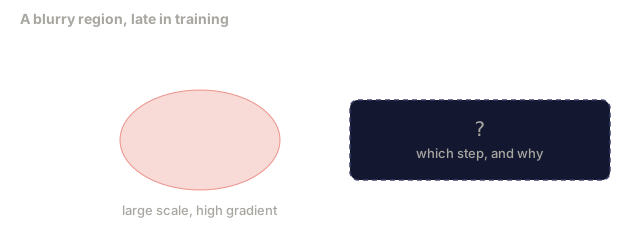
- Split a large-scale Gaussian into two smaller ones when its gradient is high: one big Gaussian is too smooth to fit the region.
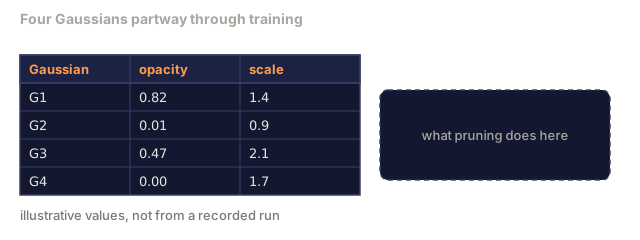
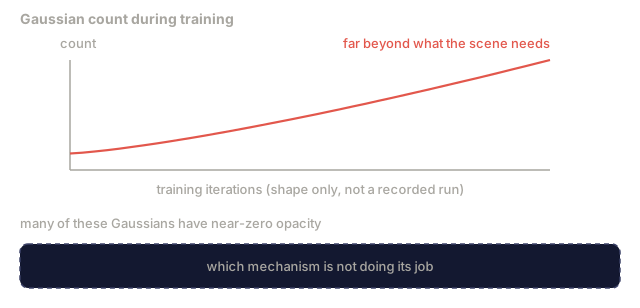
- Prune Gaussians whose opacity drops below a threshold: they aren't contributing anything.
Densification runs every N iterations. A scene typically grows from roughly 100k initial Gaussians (seeded from SfM points) to 1-5M by the end of training.
Spherical harmonics in one paragraph
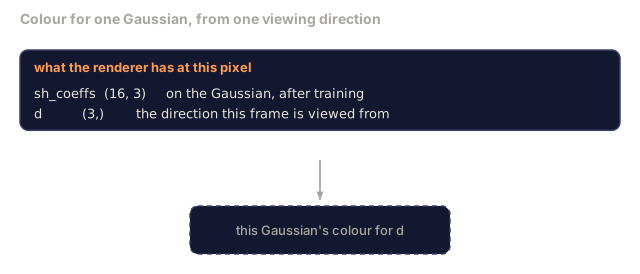
View-dependent colour is a function c(direction) on the unit sphere. Spherical harmonics are the sphere's Fourier basis. Truncate at degree L and you get (L+1)^2 basis functions per channel. Evaluating the colour for a new view is a dot product between the learned SH coefficients and the basis evaluated at the viewing direction. Degree 0 = one coefficient = constant colour. Degree 3 = 16 coefficients = enough to capture Lambertian shading, specular, and mild reflection. 3D Gaussian Splatting papers use degree 3 by default.
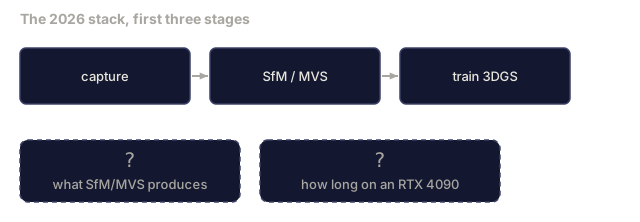
The 2026 production stack
1. Capture         smartphone / DJI drone / handheld scanner
2. SfM / MVS       structure-from-motion / multi-view stereo (COLMAP or GLOMAP) derives camera poses + sparse points
3. Train 3DGS      nerfstudio / gsplat / inria official / PostShot (~10-30 min on RTX 4090)
4. Edit            SuperSplat / SplatForge (clean floaters, segment)
5. Export          .ply -> glTF KHR_gaussian_splatting or .usd (OpenUSD 26.03)
6. View            Cesium / Unreal / Babylon.js / Three.js / Vision Pro
4D and generative variants
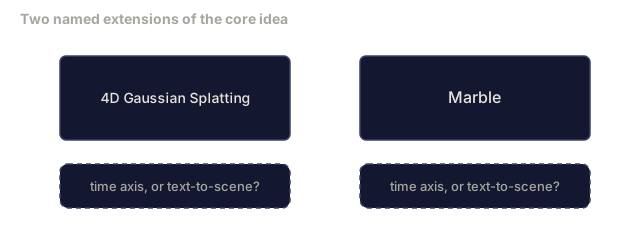
- 4D Gaussian Splatting: Gaussians as functions of time, used for volumetric video (Superman 2026, A$AP Rocky's "Helicopter").
- Generative splats: text-to-splat models (Marble by World Labs) that hallucinate entire scenes.
- 3D Gaussian Unscented Transform: NVIDIA NuRec's variant for autonomous driving simulation.

Build It
Step 1: A 2D Gaussian
We first build a 2D rasteriser. The 3D case reduces to it after projection.
import torch
import torch.nn as nn
import torch.nn.functional as F


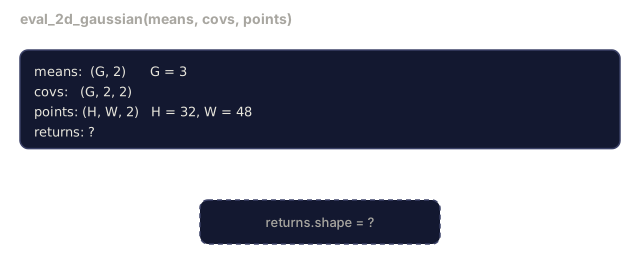
def eval_2d_gaussian(means, covs, points):
    """
    means:  (G, 2)      centres
    covs:   (G, 2, 2)   covariance matrices
    points: (H, W, 2)   pixel coordinates
    returns: (G, H, W)  density at every pixel for every Gaussian
    """
    G = means.size(0)
    H, W, _ = points.shape
    flat = points.view(-1, 2)
    inv = torch.linalg.inv(covs)
    diff = flat[None, :, :] - means[:, None, :]
    d = torch.einsum("gpi,gij,gpj->gp", diff, inv, diff)
    density = torch.exp(-0.5 * d)
    return density.view(G, H, W)
einsum does the quadratic form diff^T Sigma^-1 diff for every (Gaussian, pixel) pair.
Step 2: 2D splatting rasteriser
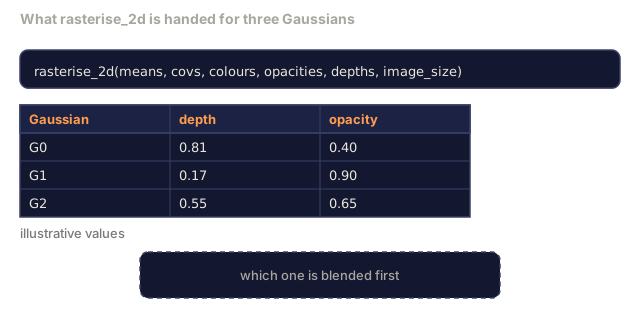
Alpha-compositing front-to-back. Depth in 2D is meaningless, so we use a learned per-Gaussian scalar for order.
def rasterise_2d(means, covs, colours, opacities, depths, image_size):
    """
    means:     (G, 2)
    covs:      (G, 2, 2)
    colours:   (G, 3)
    opacities: (G,)     in [0, 1]
    depths:    (G,)     per-Gaussian scalar used for ordering
    image_size: (H, W)
    returns:   (H, W, 3) rendered image
    """
    H, W = image_size
    yy, xx = torch.meshgrid(
        torch.arange(H, dtype=torch.float32, device=means.device),
        torch.arange(W, dtype=torch.float32, device=means.device),
        indexing="ij",
    )
    points = torch.stack([xx, yy], dim=-1)

    densities = eval_2d_gaussian(means, covs, points)
    alphas = opacities[:, None, None] * densities
    alphas = alphas.clamp(0.0, 0.99)

    order = torch.argsort(depths)
    alphas = alphas[order]
    colours_sorted = colours[order]

    T = torch.ones(H, W, device=means.device)
    out = torch.zeros(H, W, 3, device=means.device)
    for i in range(means.size(0)):
        a = alphas[i]
        out += (T * a)[..., None] * colours_sorted[i][None, None, :]
        T = T * (1.0 - a)
    return out
This isn't fast (a real implementation uses tile-based CUDA kernels), but it's exactly the right math, and it's fully differentiable.
Step 3: A trainable 2D splat scene
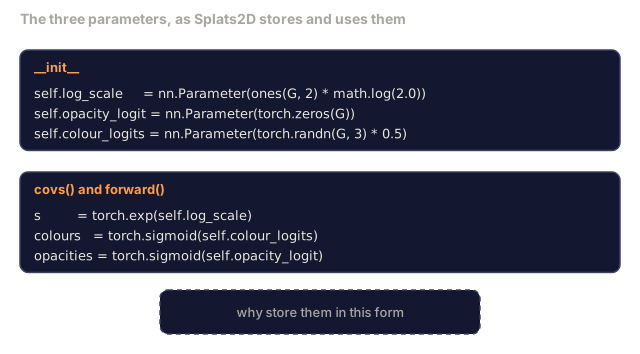
class Splats2D(nn.Module):
    def __init__(self, num_splats=128, image_size=64, seed=0):
        super().__init__()
        g = torch.Generator().manual_seed(seed)
        H, W = image_size, image_size
        self.means = nn.Parameter(torch.rand(num_splats, 2, generator=g) * torch.tensor([W, H]))
        self.log_scale = nn.Parameter(torch.ones(num_splats, 2) * math.log(2.0))
        self.rot = nn.Parameter(torch.zeros(num_splats))  # single angle in 2D
        self.colour_logits = nn.Parameter(torch.randn(num_splats, 3, generator=g) * 0.5)
        self.opacity_logit = nn.Parameter(torch.zeros(num_splats))
        self.depth = nn.Parameter(torch.rand(num_splats, generator=g))

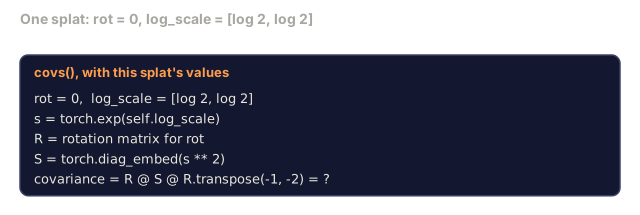
    def covs(self):
        s = torch.exp(self.log_scale)
        c, si = torch.cos(self.rot), torch.sin(self.rot)
        R = torch.stack([
            torch.stack([c, -si], dim=-1),
            torch.stack([si, c], dim=-1),
        ], dim=-2)
        S = torch.diag_embed(s ** 2)
        return R @ S @ R.transpose(-1, -2)

    def forward(self, image_size):
        covs = self.covs()
        colours = torch.sigmoid(self.colour_logits)
        opacities = torch.sigmoid(self.opacity_logit)
return rasterise_2d(self.means, covs, colours, opacities, self.depth, image_size)log_scale, opacity_logit, and colour_logits are all unconstrained parameters mapped through the right activation at render time. This is the standard pattern for every 3DGS implementation.
Step 4: Fit 2D Gaussians to a target image
import math
import numpy as np

def make_target(size=64):
    yy, xx = np.meshgrid(np.arange(size), np.arange(size), indexing="ij")
    img = np.zeros((size, size, 3), dtype=np.float32)
    # Red circle
    mask = (xx - 20) ** 2 + (yy - 20) ** 2 < 10 ** 2
    img[mask] = [1.0, 0.2, 0.2]
    # Blue square
    mask = (np.abs(xx - 45) < 8) & (np.abs(yy - 40) < 8)
    img[mask] = [0.2, 0.3, 1.0]
    return torch.from_numpy(img)


target = make_target(64)
model = Splats2D(num_splats=64, image_size=64)
opt = torch.optim.Adam(model.parameters(), lr=0.05)

for step in range(200):
    pred = model((64, 64))
    loss = F.mse_loss(pred, target)
    opt.zero_grad(); loss.backward(); opt.step()
    if step % 40 == 0:
        print(f"step {step:3d}  mse {loss.item():.4f}")
Over 200 steps the 64 Gaussians settle into the two shapes. That's the entire idea: gradient descent on explicit geometric primitives.
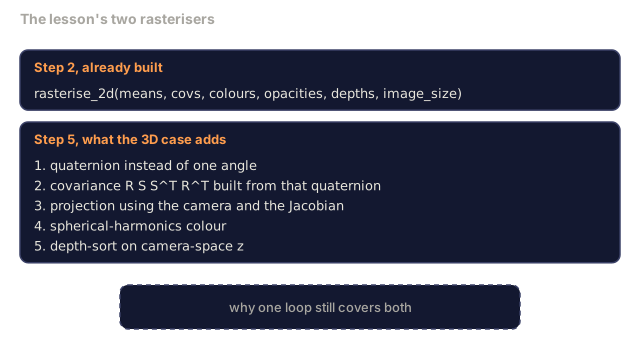
Step 5: From 2D to 3D
The 3D extension keeps the same loop. The additions:
- Per-Gaussian rotation is a quaternion instead of a single angle.
- Covariance is
R S S^T R^TwithRbuilt from the quaternion andS = diag(exp(log_scale)). - Projection
(mu, Sigma) -> (mu', Sigma')uses the camera extrinsics and the Jacobian of the perspective projection atmu. - Colour becomes a spherical-harmonics expansion; evaluate it at the viewing direction.
- Depth-sort is from actual camera-space z instead of a learned scalar.
Every production implementation (gsplat, inria/gaussian-splatting, nerfstudio) does exactly this on the GPU with tile-based CUDA kernels.
Step 6: Spherical harmonics evaluation
The SH basis up to degree 3 has 16 terms per channel. Evaluation:
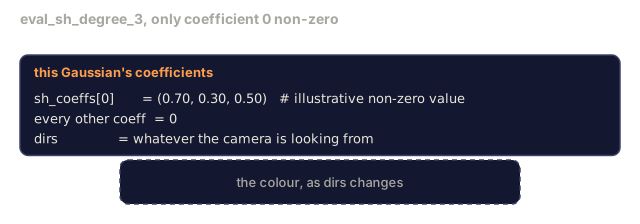
def eval_sh_degree_3(sh_coeffs, dirs):
    """
    sh_coeffs: (..., 16, 3)   last dim is RGB channels
    dirs:      (..., 3)       unit vectors
    returns:   (..., 3)
    """
    C0 = 0.282094791773878
    C1 = 0.488602511902920
    C2 = [1.092548430592079, 1.092548430592079,
          0.315391565252520, 1.092548430592079,
          0.546274215296039]
    x, y, z = dirs[..., 0], dirs[..., 1], dirs[..., 2]
    x2, y2, z2 = x * x, y * y, z * z
    xy, yz, xz = x * y, y * z, x * z

    result = C0 * sh_coeffs[..., 0, :]
    result = result - C1 * y[..., None] * sh_coeffs[..., 1, :]
    result = result + C1 * z[..., None] * sh_coeffs[..., 2, :]
    result = result - C1 * x[..., None] * sh_coeffs[..., 3, :]

    result = result + C2[0] * xy[..., None] * sh_coeffs[..., 4, :]
    result = result + C2[1] * yz[..., None] * sh_coeffs[..., 5, :]
    result = result + C2[2] * (2.0 * z2 - x2 - y2)[..., None] * sh_coeffs[..., 6, :]
    result = result + C2[3] * xz[..., None] * sh_coeffs[..., 7, :]
    result = result + C2[4] * (x2 - y2)[..., None] * sh_coeffs[..., 8, :]

    # degree 3 terms omitted here for brevity; full 16-coefficient version in the code file
    return result
Learned sh_coeffs store the "colour in every direction" for that Gaussian. At render time you evaluate against the current view direction and get a 3-vector RGB.
Use It
For real 3DGS work, use gsplat (Meta) or nerfstudio:
pip install nerfstudio gsplat
ns-download-data example
ns-train splatfacto --data path/to/data
splatfacto is nerfstudio's 3DGS trainer. The run takes 10-30 minutes on an RTX 4090 for a typical scene.
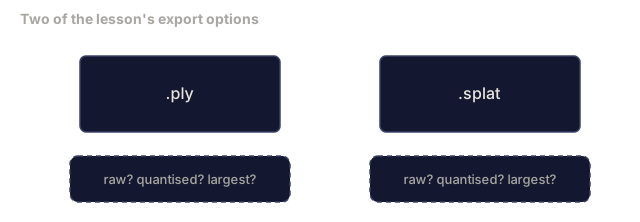
Export options that matter in 2026:
.ply: raw Gaussian cloud (portable, largest file)..splat: PlayCanvas / SuperSplat quantised format.- glTF
KHR_gaussian_splatting: Khronos standard, portable across viewers (Feb 2026 RC). - OpenUSD
UsdVolParticleField3DGaussianSplat: USD-native, for NVIDIA Omniverse and Vision Pro pipelines.
For 4D / dynamic scenes, 4DGS and Deformable-3DGS extend the same machinery with time-varying means and opacities.
Ship It
This lesson produces:
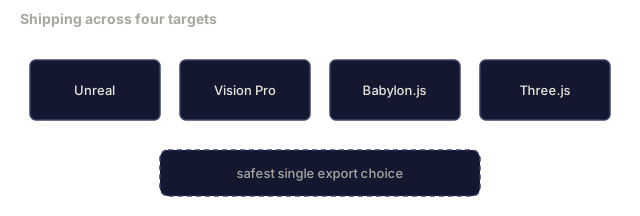
outputs/prompt-3dgs-capture-planner.md: a prompt that plans a capture session (number of photos, camera path, lighting) for a given scene type.outputs/skill-3dgs-export-router.md: a skill that picks the right export format (.ply/.splat/ glTF / USD) given the downstream viewer or engine.
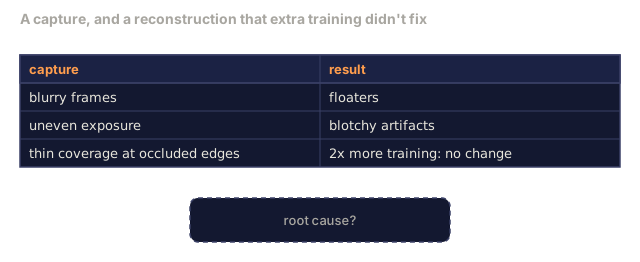
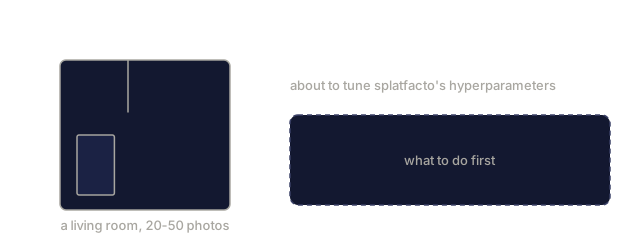
The part of this pipeline nobody warns you about is capture quality. Once you've reconstructed one clean scene, it's tempting to assume the model did the work. It didn't: blurry frames, inconsistent exposure between shots, and thin coverage around occluded edges show up later as floaters and blotchy artifacts that no amount of extra training time fixes, because the optimizer is only as good as the SfM points and camera poses it started from.
Before touching splatfacto's hyperparameters, walk the capture path twice: once for coverage, once for overlap. That habit fixes more scenes than any densification tuning I've ever done.
Exercises
- (Easy) Run the 2D splat trainer above on a different synthetic image. Vary
num_splatsin[16, 64, 256]and plot MSE vs step for each. Identify the point of diminishing returns. - (Medium) Extend the 2D rasteriser to support per-Gaussian RGB colours that depend on a scalar "view angle" through a degree-2 harmonic. Train on a pair of target images and verify the model reconstructs both.
- (Hard) Clone
nerfstudioand trainsplatfactoon a 20-photo capture of any scene you have (desk, plant, face, room). Export to glTFKHR_gaussian_splattingand open it in a viewer (Three.jsGaussianSplats3D, SuperSplat, Babylon.js V9). Report training time, number of Gaussians, and rendered fps.
Key Terms
| Term | What people say | What it actually means |
|---|---|---|
| 3DGS | "Gaussian splats" | Explicit scene representation as millions of 3D Gaussians with per-Gaussian position, rotation, scale, opacity, SH colour |
| Covariance | "Shape of the Gaussian" | Sigma = R S S^T R^T; orientation and anisotropic scale of one Gaussian |
| Alpha compositing | "Layered blend" | Same equation as NeRF's volumetric render, now over an explicit sparse set |
| Densification | "Clone and split" | Adaptive addition of new Gaussians where reconstruction is under-fit |
| Pruning | "Delete low-opacity" | Remove Gaussians that have collapsed to near-zero opacity during training |
| Spherical harmonics | "View-dependent colour" | Fourier basis on the sphere; stores colour as a function of viewing direction |
| Splatfacto | "nerfstudio's 3DGS" | The easiest path to training 3DGS in 2026 |
KHR_gaussian_splatting | "glTF standard" | Khronos 2026 extension that makes 3DGS portable across viewers and engines |
Further Reading
- 3D Gaussian Splatting for Real-Time Radiance Field Rendering (Kerbl et al., SIGGRAPH 2023): the original paper
- gsplat (Meta/nerfstudio): production-quality CUDA rasteriser
- nerfstudio Splatfacto: reference training recipe
- Khronos KHR_gaussian_splatting extension: the 2026 portable format
- OpenUSD 26.03 release notes:
UsdVolParticleField3DGaussianSplatschema - THE FUTURE 3D State of Gaussian Splatting 2026: industry overview
Code
- main.py (python, 142 lines)