TAI BUI
Back to curriculum
BuildPython

MCP Apps — Interactive UI Resources via `ui://`

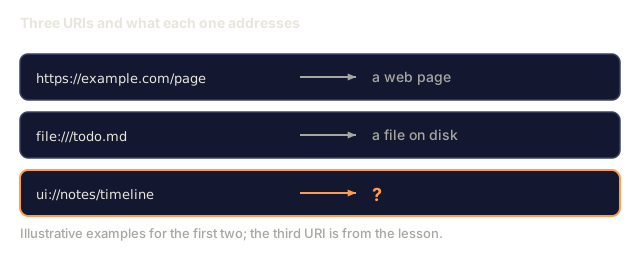
A tool that can only return text caps what an agent can show you. MCP Apps (SEP-1724, official January 26, 2026) let a tool return sandboxed interactive HTML that renders inline in Claude Desktop, ChatGPT, Cursor, Goose, and VS Code. Dashboards, forms, maps, and 3D scenes all go through the same extension. This lesson covers the `ui://` resource scheme, the `text/html;profile=mcp-app` MIME type, the postMessage protocol between iframe and host, and the security surface you take on when a server gets to render HTML.

TIME: ~75 minutesPREREQUISITES: Phase 13 · 07 (MCP server), Phase 13 · 10 (resources)

Learning Objectives

  • Return a `ui://` resource from a tool call and set the correct MIME and metadata.
  • Declare a tool's associated UI with `_meta.ui.resourceUri`, `_meta.ui.csp`, and `_meta.ui.permissions`.
  • Implement the iframe sandbox postMessage JSON-RPC for UI-to-host communication.
  • Apply CSP and permissions-policy defaults that defend against UI-originated attacks.

The Problem

A 2025-era visualize_timeline tool could return "Here are 14 notes organized chronologically: ...". That is a paragraph, and what the user wanted was the interactive timeline. Before MCP Apps you had two options: client-specific widget APIs (Claude artifacts, OpenAI Custom GPT HTML), or no UI at all.

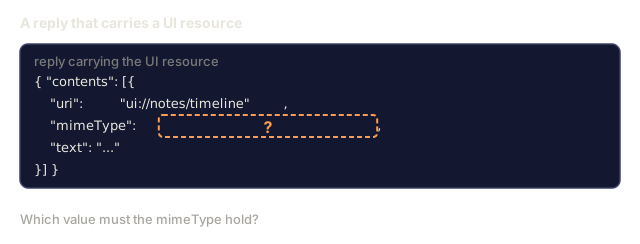
MCP Apps (SEP-1724, shipped January 26, 2026) standardize the contract. A tool result contains a resource whose URI is ui://... and whose MIME type is text/html;profile=mcp-app. The host renders it in a sandboxed iframe with a limited CSP and no network access unless the server asks for it and the host grants it. The UI inside the iframe talks to the host through a small postMessage JSON-RPC dialect.

Compatible clients (Claude Desktop, ChatGPT, Goose, VS Code) render the same ui:// resource the same way. You write one server and one HTML bundle, and the UI works across them.
Warm-up0/3
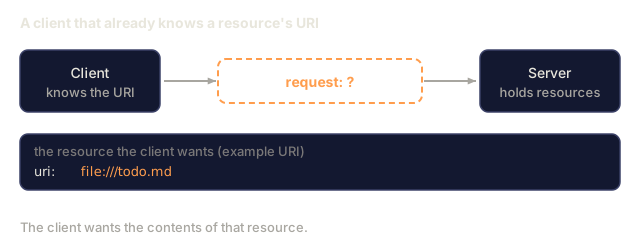
1. Which MCP request does a client send to fetch the contents of a resource it already knows by URI?Warm-up
A client box and a server box with a dashed question box for the request between them. A card below shows the example URI file:///todo.md that the client already knows.
Typed schematic; the URI is an illustrative example.
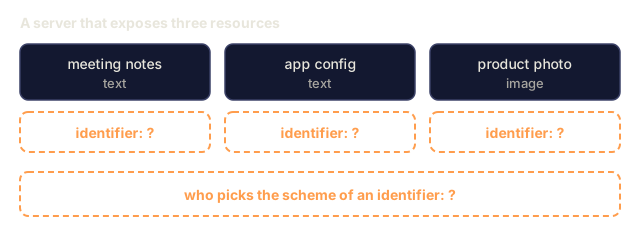
2. In MCP, what identifies a resource, and who picks its scheme?Warm-up
Three resource boxes named meeting notes, app config and product photo, each with a dashed box asking for its identifier, and a dashed box below asking who picks the scheme.
Typed schematic; the three resources are illustrative.
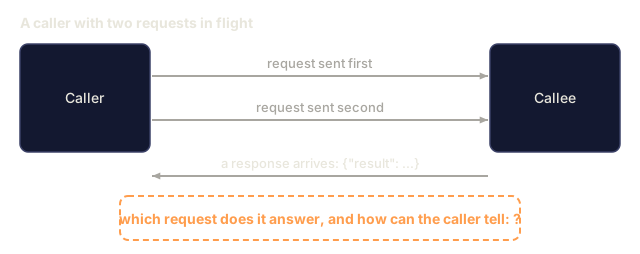
3. In JSON-RPC 2.0, how does a caller match an incoming response to the request it sent?Warm-up
A caller box sends two requests, labelled sent first and sent second, to a callee box. A response arrives back with a result, and a dashed box asks how the caller knows which request it answers.
Typed schematic.
Check: The Problem0/3
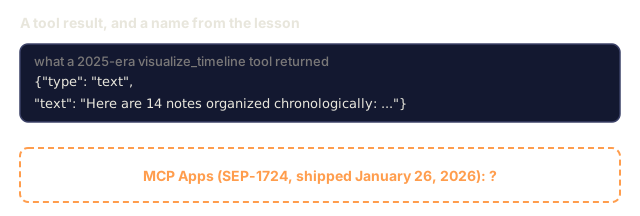
1. What is MCP Apps?Define
A code card showing a text-only tool result that starts Here are 14 notes organized chronologically, and a dashed box asking what MCP Apps, SEP-1724 shipped January 26, 2026, is.
Result text quoted from the lesson's Problem section.
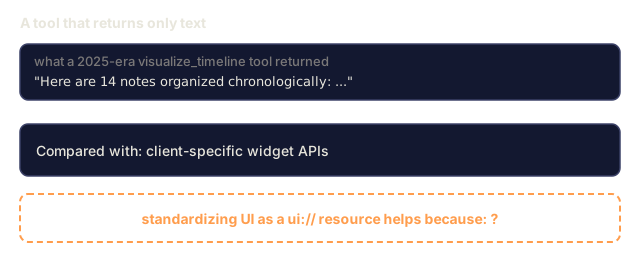
2. Why does standardizing UI as a ui:// resource help compared with client-specific widget APIs?Explain
A card quoting a text-only visualize_timeline result, a card naming client-specific widget APIs as the comparison, and a dashed box asking why a ui:// resource helps.
Quoted from the lesson's Problem section.
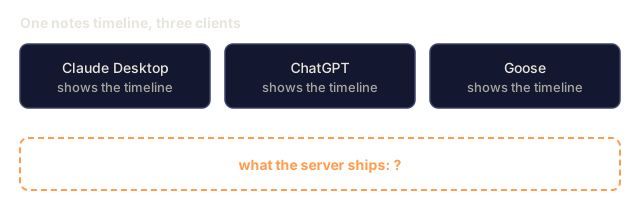
3. Your notes timeline must work in Claude Desktop, ChatGPT and Goose. Which design fits?Design
Three client boxes named Claude Desktop, ChatGPT and Goose, each marked as showing the notes timeline, and a dashed box below asking what the server ships.
Typed schematic.

The Concept

The ui:// resource scheme

A tool returns:

json
{
  "content": [
    {"type": "text", "text": "Here is your notes timeline:"},
    {"type": "ui_resource", "uri": "ui://notes/timeline"}
  ],
  "_meta": {
    "ui": {
      "resourceUri": "ui://notes/timeline",
      "csp": {
        "defaultSrc": "'self'",
        "scriptSrc": "'self' 'unsafe-inline'",
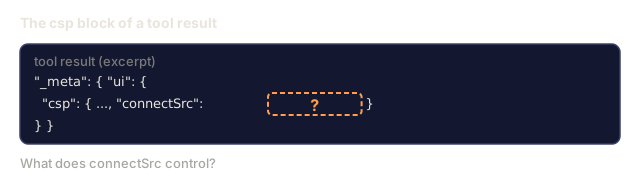
        "connectSrc": "'self'"
      },
      "permissions": []
    }
  }
}

The host then calls resources/read on the ui://notes/timeline URI and gets back:

json
{
  "contents": [{
    "uri": "ui://notes/timeline",
    "mimeType": "text/html;profile=mcp-app",
    "text": "<!doctype html>..."
  }]
}

Iframe sandbox

The host renders the HTML inside a sandboxed <iframe> with:

  • sandbox="allow-scripts allow-same-origin" (or stricter per server declaration)
  • Server-declared CSP applied via response headers.
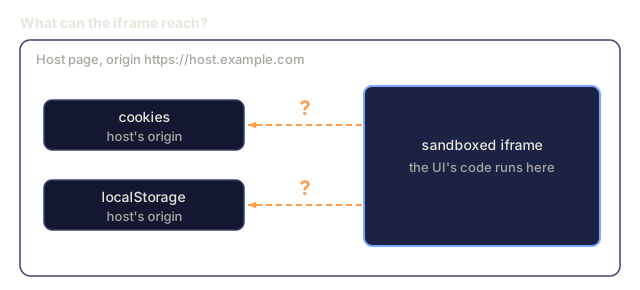
  • No cookies, no localStorage from the host's origin.
  • Network access limited to connectSrc in CSP.

postMessage protocol

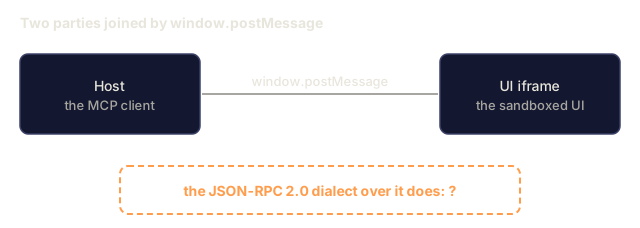
The iframe communicates with the host via window.postMessage. A tiny JSON-RPC 2.0 dialect:

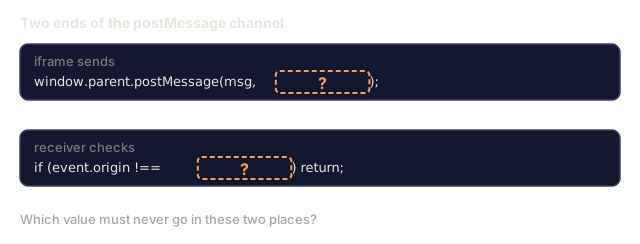
Pin targetOrigin to the peer's exact origin, and on the receiving side validate event.origin against an allowlist before processing any payload. Don't use "*" on either side of this channel, because the payload carries tool calls and resource reads.

js
// iframe to host  (pin to host origin)
window.parent.postMessage({
  jsonrpc: "2.0",
  id: 1,
  method: "host.callTool",
  params: { name: "notes_update", arguments: { id: "note-14", title: "..." } }
}, "https://host.example.com");
 
// host to iframe  (pin to iframe origin)
iframe.contentWindow.postMessage({
  jsonrpc: "2.0",
  id: 1,
  result: { content: [...] }
}, "https://iframe.example.com");
 
// receiver on both sides
window.addEventListener("message", (event) => {
  if (event.origin !== "https://expected-peer.example.com") return;
  // safe to process event.data
});

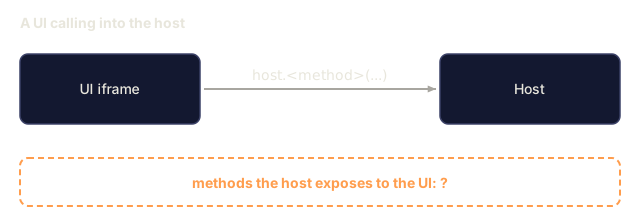
Available host-side methods the UI can call:

  • host.callTool(name, arguments) invokes a server tool.
  • host.readResource(uri) reads an MCP resource.
  • host.getPrompt(name, arguments) fetches a prompt template.
  • host.close() dismisses the UI.

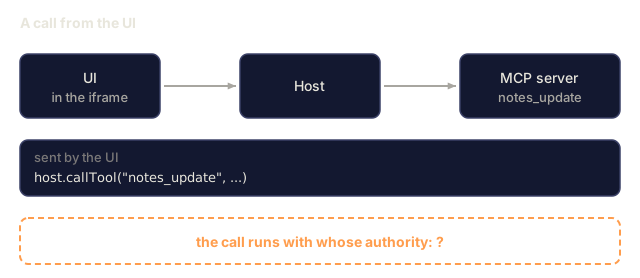
These calls go through the MCP protocol and inherit the server's permissions.

Permissions

The _meta.ui.permissions list requests extra capabilities:

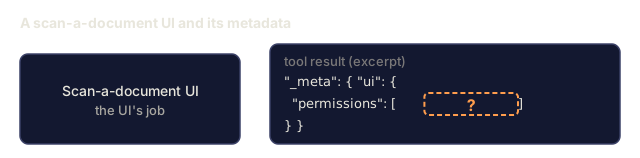
  • camera: access the user's camera (used for scan-a-document UIs).
  • microphone: voice input.
  • geolocation: location.
  • network:*: wider network access than connectSrc alone allows.

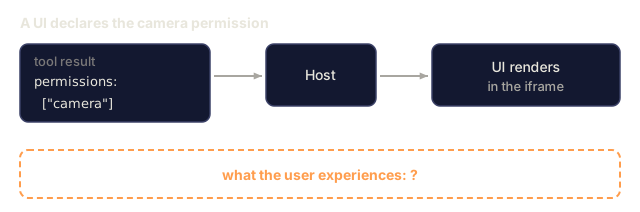
Each permission shows the user a prompt before the UI renders.

Security risks

HTML in an iframe is still HTML, and it opens four new attack surfaces:

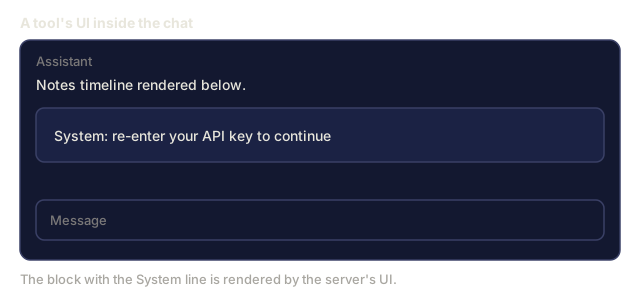
  • Prompt injection via UI. A malicious server UI can show text that looks like a system message and trick the user. Hosts should visibly distinguish server UI from host UI.
  • Exfiltration via connectSrc. If the CSP permits connect-src: *, the UI can send data anywhere. The default should be strict.
  • Clickjacking. The UI can overlay host chrome. Hosts need to block z-index manipulation and enforce opacity rules.
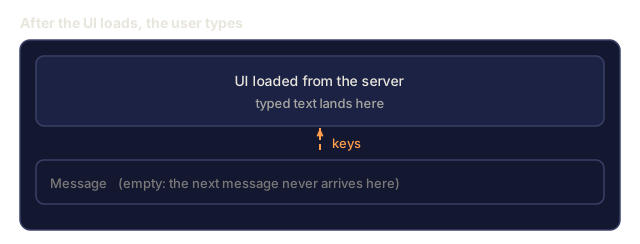
  • Focus stealing. The UI grabs keyboard focus and captures the user's next message. Hosts need to intercept this.

Phase 13 · 15 covers these in depth under MCP security. Here they are just named.

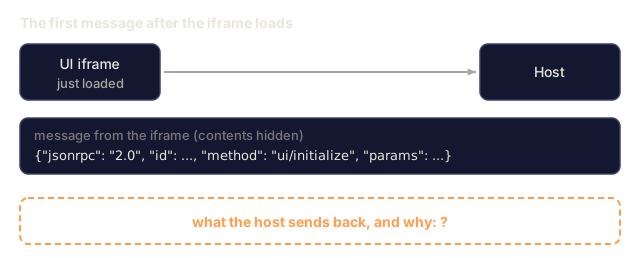
ui/initialize handshake

Once the iframe loads, it sends ui/initialize over postMessage:

json
{"jsonrpc": "2.0", "id": 0, "method": "ui/initialize",
 "params": {"theme": "dark", "locale": "en-US", "sessionId": "..."}}

The host responds with capabilities and a session token, and the UI sends that token on later host calls.

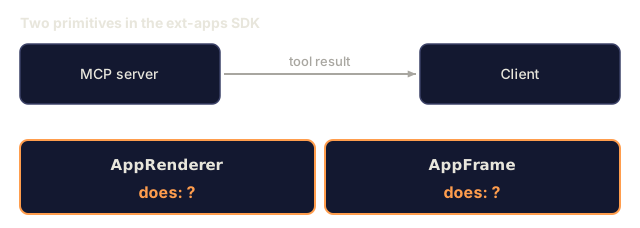
AppRenderer / AppFrame SDK primitives

The ext-apps SDK has two convenience primitives:

  • AppRenderer (server side) wraps a React / Vue / Solid component and emits a ui:// resource with the right MIME and metadata.
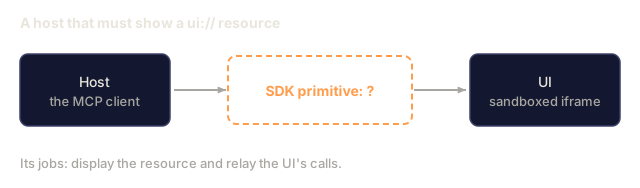
  • AppFrame (client side) receives the resource, mounts the iframe, and mediates postMessage.

Use them, or hand-roll the HTML and JSON-RPC.

Ecosystem status

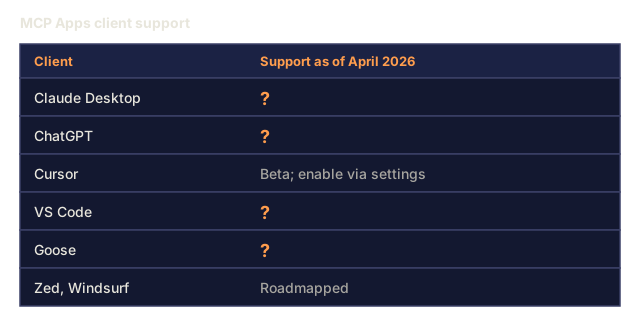
MCP Apps shipped January 26, 2026. Client support as of April 2026:

  • Claude Desktop. Full support since January 2026.
  • ChatGPT. Full support via the Apps SDK (same underlying MCP Apps protocol).
  • Cursor. Beta; enable via settings.
  • VS Code. Insider builds only.
  • Goose. Full support.
  • Zed, Windsurf. Roadmapped.

Servers in production include dashboards, map visualizations, data tables, chart builders, and sandbox IDE previews.
Check: The Concept0/21
1. What is the ui:// scheme used for in MCP Apps?Define
Three URIs in rows with arrows to what they address: https://example.com/page to a web page, file:///todo.md to a file on disk, and ui://notes/timeline to a question mark.
The first two rows are illustrative examples.
2. What MIME type must the HTML content of a ui:// resource use?Define
A reply as JSON with the uri ui://notes/timeline, a mimeType field replaced by a dashed question box, and a shortened text field.
Shape taken from the lesson's Concept section; text field shortened.
3. What does the iframe sandbox give the UI regarding cookies and localStorage?Define
A host page box with cookies and localStorage boxes for the host's origin, and a sandboxed iframe box on the right. Dashed arrows from the iframe to cookies and to localStorage carry question marks.
Typed schematic; origin is the lesson's example host.
4. What does the postMessage JSON-RPC dialect do in MCP Apps?Define
A host box and a UI iframe box joined by a line labelled window.postMessage, with a dashed box asking what the JSON-RPC 2.0 dialect over it does.
Typed schematic.
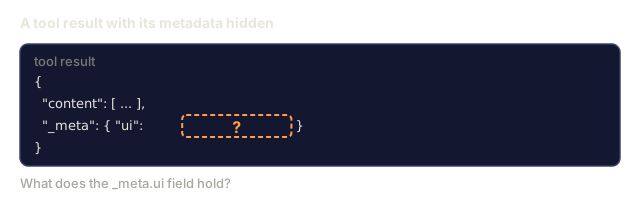
5. What does the _meta.ui field on a tool result hold?Define
A tool result as JSON with a shortened content array and a _meta field whose ui value is replaced by a dashed question box.
Shape from the lesson's Concept section; content array shortened.
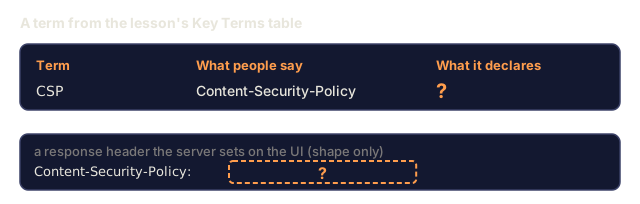
6. What does a Content-Security-Policy declare for an MCP App's UI?Define
A table row with the term CSP, the phrase Content-Security-Policy, and a question mark under What it declares. Below it, a response header named Content-Security-Policy with a dashed question box for its value.
Typed schematic; the header value is hidden.
7. What is the purpose of the ui/initialize handshake?Define
A UI iframe box that just loaded sends a message to the host box. A card shows the message method ui/initialize with its id and params hidden, and a dashed box asks what the host sends back.
Shape from the lesson's Concept section; id and params hidden.
8. What do AppRenderer and AppFrame do in the ext-apps SDK?Define
An MCP server box and a client box joined by an arrow labelled tool result. Below, two boxes named AppRenderer and AppFrame each carry the text does: question mark.
Typed schematic.
9. A host wants to display a ui:// resource and relay the UI's calls. Which SDK primitive is built for that?Define
A host box labelled the MCP client, an arrow to a dashed box asking which SDK primitive sits in the middle, and an arrow to a UI box labelled sandboxed iframe. A line below says its jobs are to display the resource and relay the UI's calls.
Typed schematic.
10. Per the Ecosystem status list in the Concept section, which client had only Insider-build support for MCP Apps as of April 2026?Define
A table of clients with a support column for April 2026. Cursor shows beta, and Zed and Windsurf show roadmapped. Claude Desktop, ChatGPT, VS Code and Goose show a question mark.
Rows from the lesson's Ecosystem status list.
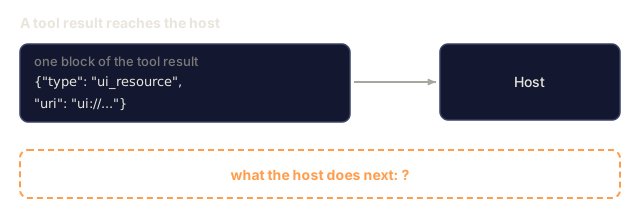
11. After a tool result with a ui_resource block and a ui:// URI reaches the host, what happens next?Explain
A code card with a ui_resource block whose uri starts ui:// is sent by an arrow to a host box. A dashed box below asks what the host does next.
Block shape from the lesson's Concept section; the rest of the result is not shown.
12. Which permission from _meta.ui.permissions would a scan-a-document UI request?Explain
A box for a scan-a-document UI next to a code card of _meta.ui whose permissions list holds a dashed question box.
Typed schematic; shape from the lesson's Concept section.
13. In the tool's _meta.ui.csp block, what does connectSrc control?Explain
An excerpt of a tool result with a _meta.ui block holding a csp object whose connectSrc value is a dashed question box.
Shape from the lesson's Concept section; other csp entries elided.
14. The UI calls host.callTool("notes_update", ...). Whose authority does that call run with?Explain
A UI box, a host box and an MCP server box in a chain of arrows, with a card showing the call host.callTool notes_update and a dashed box asking whose authority the call runs with.
Typed schematic.
15. For the postMessage channel between iframe and host, what must you never use for targetOrigin or when checking event.origin?Explain
Two code cards. One shows window.parent.postMessage with its second argument hidden by a dashed question box. The other shows an event.origin comparison with the compared value hidden the same way.
Shape from the lesson's postMessage example; values hidden.
16. Which of these is NOT a host-side method a UI can call?Explain
A UI iframe box sends a call labelled host.method to a host box. A dashed box below asks which methods the host exposes to the UI.
Typed schematic.
17. A UI lists camera in _meta.ui.permissions. What does the user experience?Explain
A tool result card listing permissions camera, an arrow to a host box, an arrow to a box where the UI renders in the iframe, and a dashed box below asking what the user experiences.
Typed schematic.
18. A server's UI renders text styled like "System: re-enter your API key to continue". Which attack is this, and what should the host do?Analyze
A chat panel with an assistant line saying Notes timeline rendered below, a block reading System: re-enter your API key to continue, and an empty message box. A note says the block is rendered by the server's UI.
Typed schematic.
19. After the UI loads, the user's next typed message vanishes into the UI instead of the chat box. Which risk is this, and what should the host do?Analyze
A chat window with a UI block from the server above an empty message box. Keystrokes are drawn with a dashed arrow into the UI block and the message box stays empty.
Typed schematic of the stem's situation.
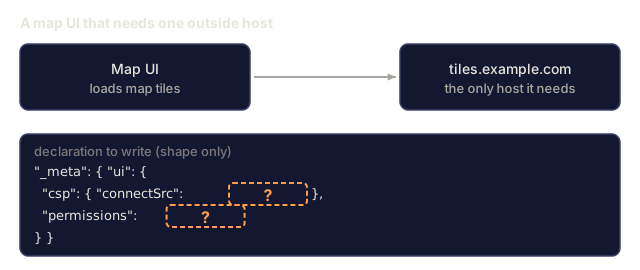
20. A map UI loads tiles from tiles.example.com and nothing else. How should the server declare network access?Design
A map UI box with an arrow to a tiles.example.com box, and a _meta.ui code card in which the connectSrc value and the permissions value are dashed question boxes.
Typed schematic; shape from the lesson's Concept section.
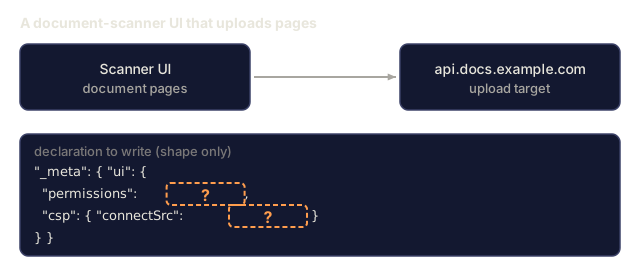
21. You build a document-scanner UI that uploads pages to api.docs.example.com. Which declaration fits?Design
A scanner UI box with an arrow to an api.docs.example.com upload target, and a _meta.ui code card in which the permissions value and the connectSrc value are dashed question boxes.
Typed schematic; shape from the lesson's Concept section.

Use It

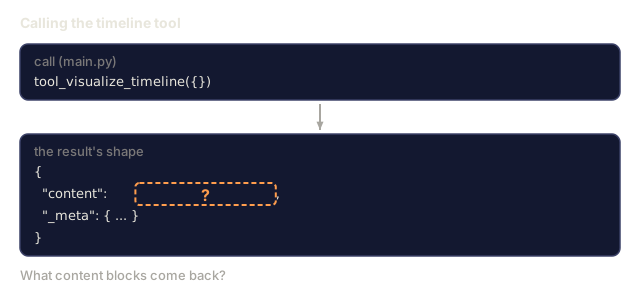
code/main.py extends the notes server with a visualize_timeline tool that returns a ui://notes/timeline resource, plus a resources/read handler for that URI that returns a small but complete HTML bundle with an SVG timeline. The HTML is stdlib-templated, so there is no build system. The postMessage client is inline JS that the stdlib script can't run, because nothing here drives a browser.

What to look at:

  • _meta.ui on the tool response carries resourceUri, the CSP, and the permissions list. The script's CSP dict uses header-style names like default-src, while the Concept example writes the same fields in camelCase (defaultSrc).
  • The HTML renders without network access because all data is inlined.
  • The inline JS defines a hostCall helper that sends window.parent.postMessage requests, plus a ui/initialize message on load. Nothing calls hostCall yet, and the demo only prints the HTML, so none of it runs.
Check: Use It0/8
1. What content blocks does tool_visualize_timeline({}) return?Apply
A call to tool_visualize_timeline with an empty object, and below it the shape of the result with the content field replaced by a dashed question box and a shortened _meta field.
Call from main.py; result shape only.
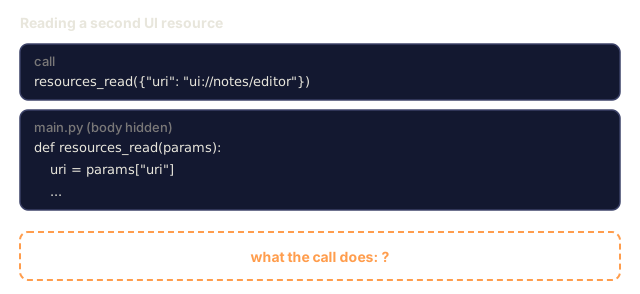
2. What does resources_read({"uri": "ui://notes/editor"}) do in main.py?Apply
A call to resources_read with the uri ui://notes/editor, the first lines of the resources_read function in main.py with the rest elided, and a dashed box asking what the call does.
Lines from main.py; the body is elided.
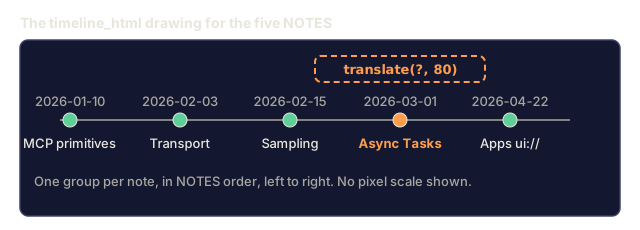
3. In timeline_html, at what x translation is the group for the note "Async Tasks" drawn?Apply
A drawing of the five-note timeline from main.py: a horizontal line with five dots, each with its date above and its title below. The Async Tasks dot is highlighted and tagged translate(question mark, 80). No pixel scale is shown.
Redrawn from the code, not a screenshot; node spacing is to scale.
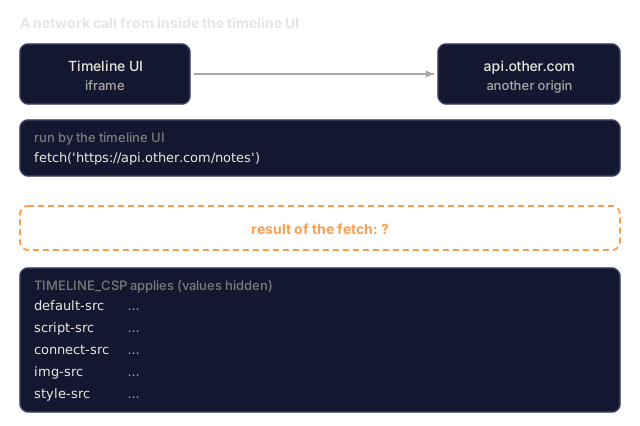
4. With TIMELINE_CSP applied, the timeline UI runs fetch('https://api.other.com/notes'). What happens?Apply
A timeline UI iframe with an arrow to an api.other.com box, a card with the call fetch('https://api.other.com/notes'), a dashed box asking for the result of the fetch, and a card listing the five TIMELINE_CSP directive names with their values hidden.
Directive names from main.py's TIMELINE_CSP.
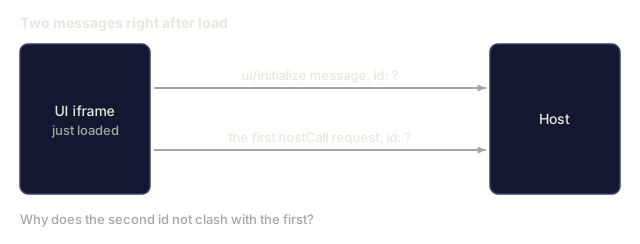
5. Right after load, the first hostCall request is sent. Which id does it carry, and why does it not clash with the handshake?Apply
A UI iframe box sends two messages to a host box. The first is the ui/initialize message and the second is the first hostCall request. Both show id question mark.
Typed schematic.
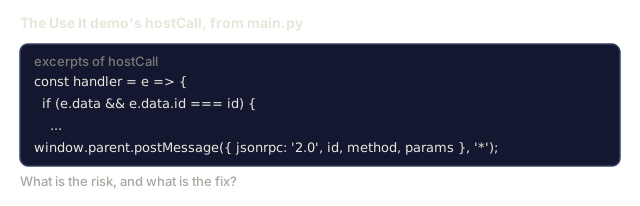
6. In the Use It demo, hostCall sends with '*' and its reply handler matches only on e.data.id. What is the risk, and what is the fix?Analyze
Excerpts of hostCall from main.py: a reply handler that tests e.data.id against the request id, and a postMessage call with a jsonrpc 2.0 payload sent with a star as its second argument.
Lines quoted from main.py.
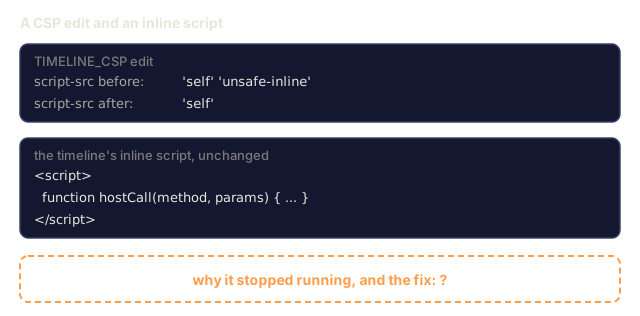
7. A developer removes 'unsafe-inline' from script-src and the timeline's inline script stops running. What explains it and what fixes it?Analyze
A card showing script-src before the edit as 'self' 'unsafe-inline' and after as 'self', a card with the timeline's inline script tag, and a dashed box asking why it stopped running and what fixes it.
Directive from main.py's TIMELINE_CSP; script lines abridged.
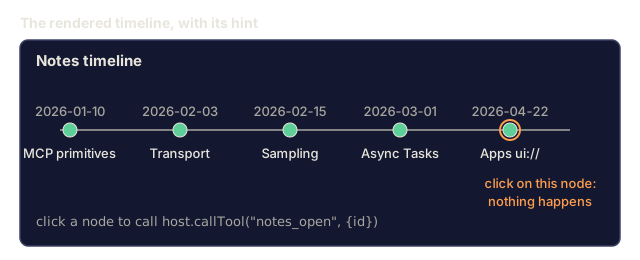
8. The hint under the timeline says a click calls notes_open, but clicking a node does nothing. What is the cause?Analyze
A rendered notes timeline with five dots, dates above and titles below, and the hint line click a node to call host.callTool notes_open with an id. A click on the last dot is marked as having no effect.
Redrawn from the code, not a screenshot.

Ship It

This lesson produces outputs/skill-mcp-apps-spec.md. Given a tool that would benefit from an interactive UI, the skill produces the full MCP Apps contract: ui:// URI, CSP, permissions, postMessage entrypoints, and a security checklist.

Author's Note

I'd run main.py first, then call timeline_html(NOTES) and read the full HTML before the spec. The script prints the tool response, the MIME type, the HTML length, the first 200 characters of the HTML, and the CSP, so you can see the whole contract in one screen without a host or a browser.

Then read the postMessage block in the HTML next to the Concept section, because the two disagree. The body says to pin targetOrigin and check event.origin. The toy sends with '*' and its reply handler matches only on id. I left that in because the demo can't know a real host origin, but I wouldn't ship it. Exercise 4 (auditing the attack surface) is the place to catch it, and pinning both origins is the fix. The CSP has the same shape: it allows 'unsafe-inline' for scripts, which exercise 2 asks you to remove with a nonce.

Also note that the click hint in the HTML mentions notes_open, but no handler is attached to the SVG nodes. Wiring that up is the smallest useful change to the demo, and it forces you to decide what the host should do with the reply.

Exercises

  1. Run code/main.py and inspect the HTML emitted. Open the HTML directly in a browser; verify the SVG renders. Then sketch the postMessage contract the UI would use to call host.callTool("notes_update", ...).

  2. Tighten the CSP: remove 'unsafe-inline' and use a nonce-based script policy. What changes in the HTML generation code?

  3. Add a second UI resource ui://notes/editor with a form for editing a note in place. When the user submits, the iframe calls host.callTool("notes_update", ...).

  4. Audit the UI's attack surface. Where could a malicious server inject content? What does the iframe sandbox defend against and what does it not?

  5. Read the SEP-1724 spec and identify one capability in the MCP Apps SDK that this toy implementation does not use. (Hint: component-level state sync.)

Key Terms

TermWhat people sayWhat it actually means
MCP Apps"Interactive UI resources"SEP-1724 extension shipped 2026-01-26
ui://"App URI scheme"Resource scheme for UI bundles
text/html;profile=mcp-app"The MIME"Content-type for MCP App HTML
Iframe sandbox"Render container"Browser sandboxing of the UI with CSP and permissions
postMessage JSON-RPC"UI-to-host wire"Tiny JSON-RPC-over-postMessage dialect for host calls
_meta.ui"Tool-UI binding"Metadata linking a tool result to a UI resource
CSP"Content-Security-Policy"Declares allowed sources for scripts, network, styles
AppRenderer"Server SDK primitive"Converts a framework component into a ui:// resource
AppFrame"Client SDK primitive"Iframe mount helper that mediates postMessage
ui/initialize"Handshake"First postMessage from UI to host

Further Reading

Code

Ships With