Why Multi-Agent?
One agent eventually hits a wall. Past that point, the fix is usually more agents, not a bigger one.
Learning Objectives
- Identify the single-agent ceiling (context overflow, mixed expertise, sequential bottleneck) and explain when splitting into multiple agents is the right move
- Compare orchestration patterns (pipeline, parallel fan-out, supervisor, hierarchical) and select the right one for a given task structure
- Design a multi-agent system with clear role boundaries, shared state, and a communication contract
- Analyze the tradeoffs of multi-agent complexity (latency, cost, debugging difficulty) versus single-agent simplicity
The Problem
You built a single agent in Phase 14. It works. It can read files, run commands, call APIs, and reason about results. Then you point it at a real codebase: 200 files, three languages, tests that depend on infrastructure, and a requirement to research external APIs before writing code.
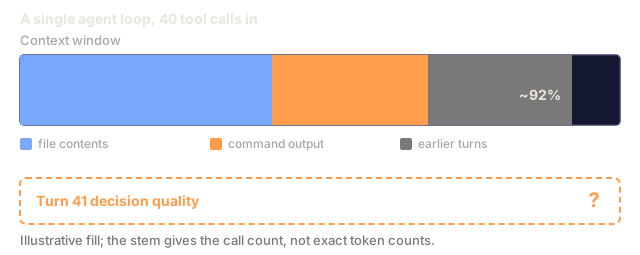
The agent chokes. Not because the LLM is dumb, but because the task exceeds what one agent loop can handle. The context window fills up with file contents. The agent forgets what it read 40 tool calls ago. It tries to be a researcher, a coder, and a reviewer all at once, and does all three poorly.
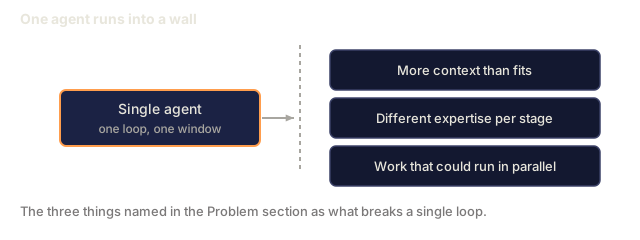
This is the single-agent ceiling. You hit it every time a task requires:
- More context than fits in one window: reading 50 files blows past 200k tokens
- Different expertise at different stages: research requires different prompting than code generation
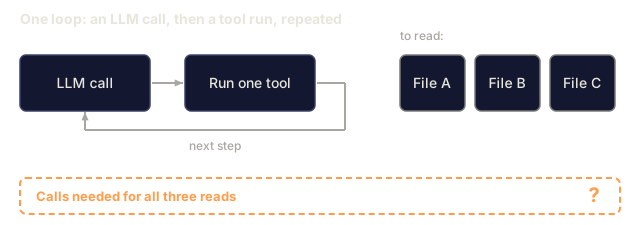
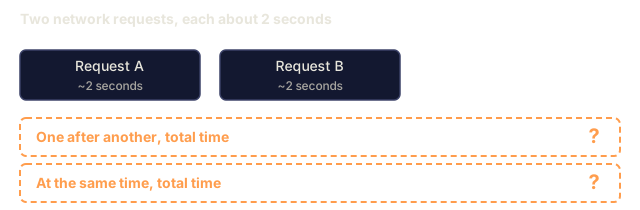
- Work that can happen in parallel: why read three files sequentially when you can read them simultaneously?
The Concept
The Single-Agent Ceiling
A single agent is one loop, one context window, one system prompt. Picture it:
┌─────────────────────────────────────────┐
│            SINGLE AGENT                 │
│                                         │
│  ┌───────────────────────────────────┐  │
│  │         Context Window            │  │
│  │                                   │  │
│  │  research notes                   │  │
│  │  + code files                     │  │
│  │  + test output                    │  │
│  │  + review feedback                │  │
│  │  + API docs                       │  │
│  │  + ...                            │  │
│  │                                   │  │
│  │  ██████████████████████ FULL ███  │  │
│  └───────────────────────────────────┘  │
│                                         │
│  One system prompt tries to cover       │
│  research + coding + review + testing   │
│                                         │
│  Result: mediocre at everything         │
└─────────────────────────────────────────┘
Three things break:
-
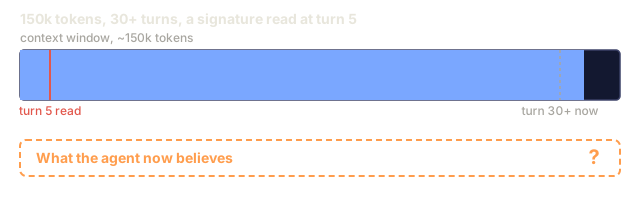
Context saturation: tool results pile up. By turn 30, the agent has consumed 150k tokens of file contents, command outputs, and prior reasoning. Critical details from turn 5 get lost.
-
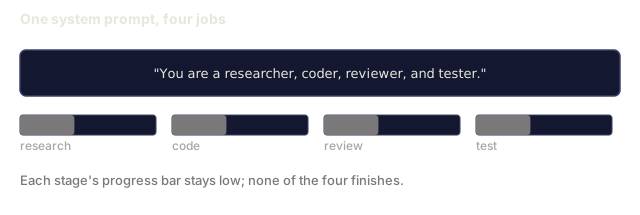
Role confusion: a system prompt that says "you are a researcher, coder, reviewer, and tester" produces an agent that half-researches, half-codes, and never finishes reviewing.
-
Sequential bottleneck: the agent reads file A, then file B, then file C. Three serial LLM calls. Three serial tool executions. No parallelism.
The Multi-Agent Solution
Split the work. Give each agent one job, one context window, and one system prompt tuned for that job:
┌──────────────────────────────────────────────────────────┐
│                    ORCHESTRATOR                          │
│                                                          │
│  "Build a REST API for user management"                  │
│                                                          │
│         ┌──────────┬──────────┬──────────┐               │
│         │          │          │          │               │
│         ▼          ▼          ▼          ▼               │
│   ┌──────────┐ ┌──────────┐ ┌──────────┐ ┌──────────┐  │
│   │RESEARCHER│ │  CODER   │ │ REVIEWER │ │  TESTER  │  │
│   │          │ │          │ │          │ │          │  │
│   │ Reads    │ │ Writes   │ │ Checks   │ │ Runs     │  │
│   │ docs,    │ │ code     │ │ code     │ │ tests,   │  │
│   │ finds    │ │ based on │ │ quality, │ │ reports  │  │
│   │ patterns │ │ research │ │ finds    │ │ results  │  │
│   │          │ │ + spec   │ │ bugs     │ │          │  │
│   └─────┬────┘ └────┬─────┘ └────┬─────┘ └────┬─────┘  │
│         │           │            │             │         │
│         └───────────┴────────────┴─────────────┘         │
│                          │                               │
│                     Merge results                        │
└──────────────────────────────────────────────────────────┘
Each agent has:
- A focused system prompt ("You are a code reviewer. Your only job is finding bugs.")
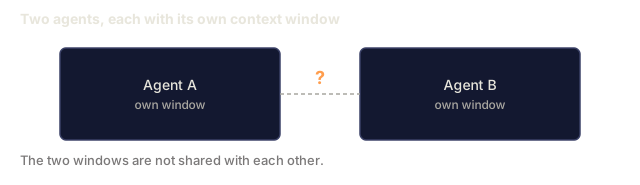
- Its own context window (not polluted by other agents' work)
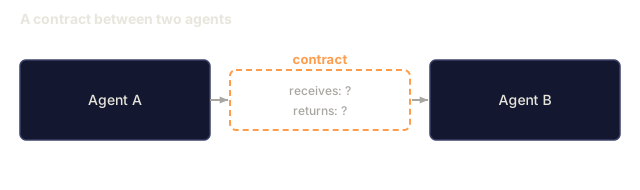
- A clear input/output contract (receives research notes, outputs code)
Real Systems That Do This
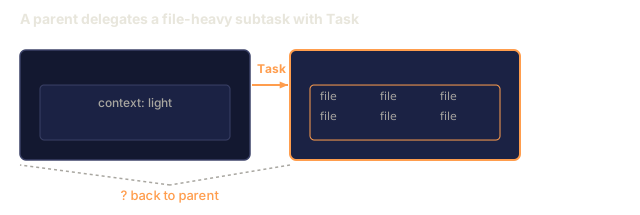
Claude Code subagents: when Claude Code spawns a subagent with Task, it creates a child agent with a scoped task. The parent keeps its context clean. The child does focused work and returns a summary.
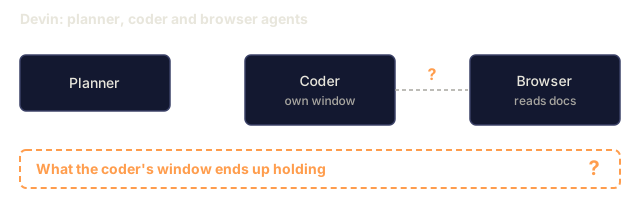
Devin: runs a planner agent, a coder agent, and a browser agent. The planner breaks work into steps. The coder writes code. The browser researches documentation. Each has separate context.
Multi-agent coding teams (SWE-bench): top-performing systems on SWE-bench use a researcher that reads the codebase, a planner that designs the fix, and a coder that implements it. Single-agent systems score lower.
ChatGPT Deep Research: spawns multiple search agents in parallel, each exploring a different angle, then synthesizes results.
The Spectrum
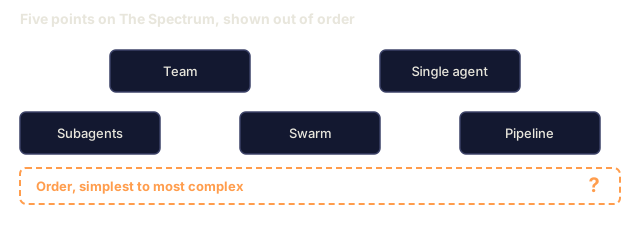
Multi-agent is a spectrum, not a switch:
SIMPLE ──────────────────────────────────────────── COMPLEX

 Single        Sub-         Pipeline      Team         Swarm
 Agent         agents

 ┌───┐       ┌───┐        ┌───┐───┐    ┌───┐───┐    ┌─┐┌─┐┌─┐
 │ A │       │ A │        │ A │ B │    │ A │ B │    │ ││ ││ │
 └───┘       └─┬─┘        └───┘─┬─┘    └─┬─┘─┬─┘    └┬┘└┬┘└┬┘
               │                │        │   │       ┌┴──┴──┴┐
             ┌─┴─┐          ┌───┘───┐    │   │       │shared │
             │ a │          │ C │ D │  ┌─┴───┴─┐    │ state │
             └───┘          └───┘───┘  │  msg   │    └───────┘
                                       │  bus   │
 1 loop      Parent +      Stage by    │       │    N peers,
 1 context   child tasks   stage       └───────┘    emergent
                                       Explicit      behavior
                                       roles
Single agent: one loop, one prompt. Good for simple tasks.
Subagents: a parent spawns children for focused subtasks. The parent maintains the plan. Children report back. This is what Claude Code does.
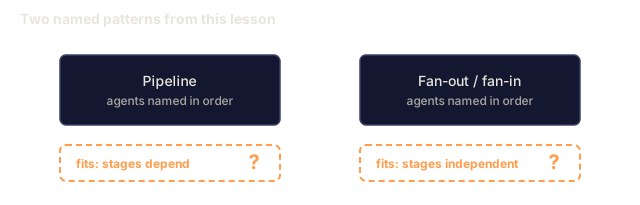
Pipeline: agents run in sequence. Agent A's output becomes Agent B's input. Good for staged workflows: research -> code -> review -> test.
Team: agents run in parallel with a shared message bus. Each has a role. An orchestrator coordinates. Good when different skills are needed simultaneously.
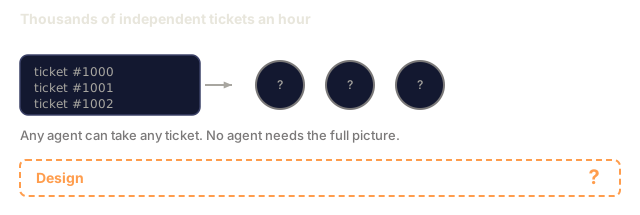
Swarm: many identical or near-identical agents with shared state. No fixed orchestrator. Agents pick up work from a queue. Good for high-throughput parallel tasks.
The Four Multi-Agent Patterns
Pattern 1: Pipeline
Input ──▶ Agent A ──▶ Agent B ──▶ Agent C ──▶ Output
          (research)  (code)      (review)
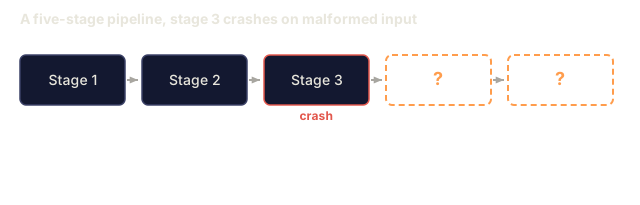
Each agent transforms the data and passes it forward. Simple to reason about. Failure in one stage blocks the rest.
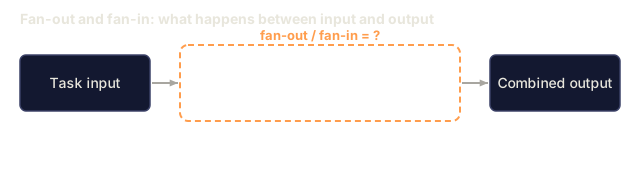
Pattern 2: Fan-out / Fan-in
                ┌──▶ Agent A ──┐
                │              │
Input ──▶ Split ├──▶ Agent B ──├──▶ Merge ──▶ Output
                │              │
                └──▶ Agent C ──┘
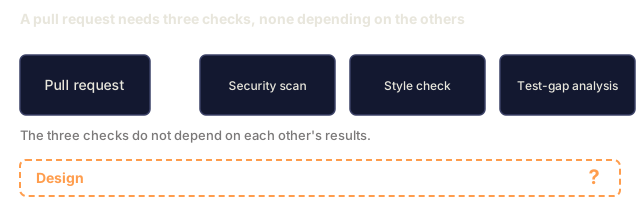
Split work across parallel agents, then merge results. Good for tasks that decompose into independent subtasks.
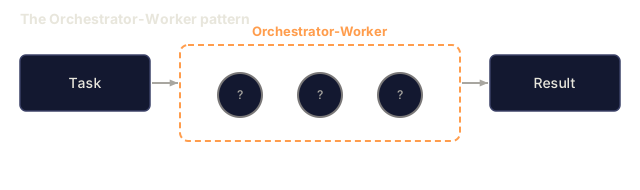
Pattern 3: Orchestrator-Worker
                    ┌──────────┐
                    │  Orch.   │
                    └──┬───┬───┘
                  task │   │ task
                 ┌─────┘   └─────┐
                 ▼               ▼
           ┌──────────┐   ┌──────────┐
           │ Worker A │   │ Worker B │
           └──────────┘   └──────────┘
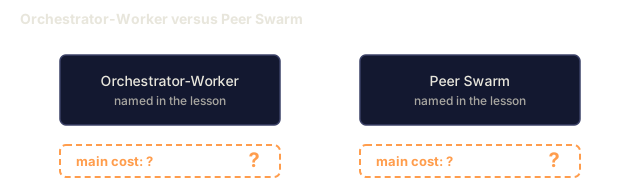
A smart orchestrator decides what to do, delegates to workers, and synthesizes results. The orchestrator is itself an agent with tools for spawning workers.
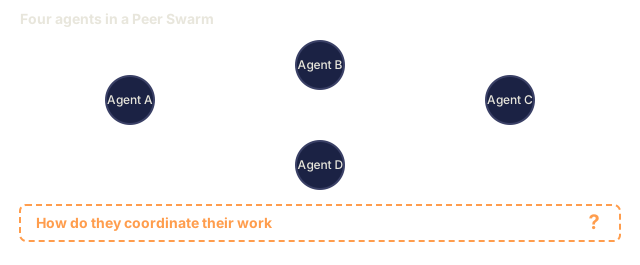
Pattern 4: Peer Swarm
         ┌───┐ ◄──── msg ────▶ ┌───┐
         │ A │                  │ B │
         └─┬─┘                  └─┬─┘
           │                      │
      msg  │    ┌───────────┐     │ msg
           └───▶│  Shared   │◄────┘
                │  State    │
           ┌───▶│  / Queue  │◄────┐
           │    └───────────┘     │
      msg  │                      │ msg
         ┌─┴─┐                  ┌─┴─┐
         │ C │ ◄──── msg ────▶ │ D │
         └───┘                  └───┘
No central orchestrator. Agents communicate peer-to-peer. Decisions emerge from interaction. Harder to debug, but scales to many agents.
When NOT to Use Multi-Agent
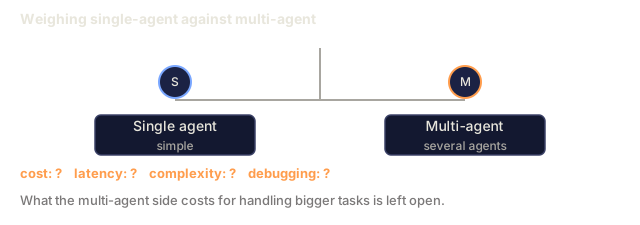
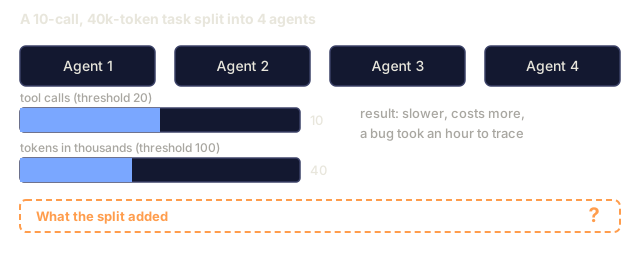
Multi-agent adds complexity. Each message between agents is another place for something to fail. Debugging goes from "read one conversation" to "trace messages across five agents."
Stay single-agent when:
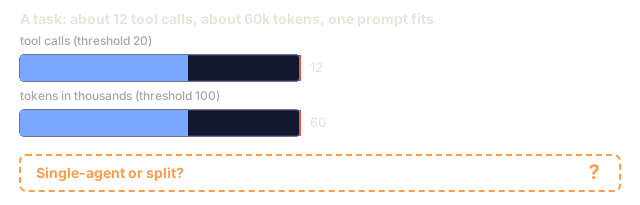
- The task fits in one context window (under ~100k tokens of working data)
- You do not need different system prompts for different stages
- Sequential execution is fast enough
- The task is simple enough that splitting it adds more overhead than value
The complexity cost:
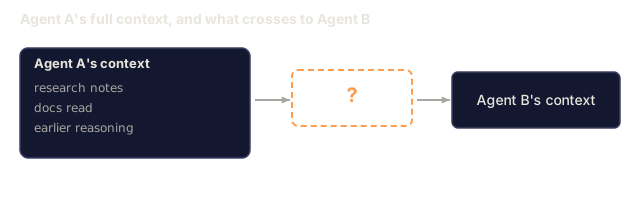
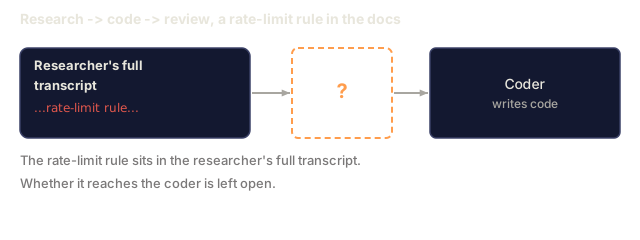
- An agent boundary is a lossy compression step: agent A's full context gets summarized into a message for agent B
- Coordination logic (who does what, when, in what order) is its own source of bugs
- Latency increases: N agents means at least N serial LLM calls, and more if they need to talk back and forth
- Cost multiplies: each agent burns tokens independently
Rule of thumb: if a task takes fewer than 20 tool calls and fits in 100k tokens, keep it single-agent.
Build It
Step 1: The Overloaded Single Agent
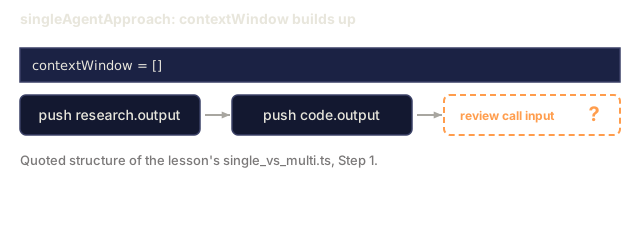
Here is a single agent trying to do everything. It has one massive system prompt and one context window holding research, code, and reviews:
type AgentResult = {
  content: string;
  tokensUsed: number;
  toolCalls: number;
};

async function singleAgentApproach(task: string): Promise<AgentResult> {
  const systemPrompt = `You are a full-stack developer. You must:
1. Research the requirements
2. Write the code
3. Review the code for bugs
4. Write tests
Do ALL of these in a single conversation.`;

  const contextWindow: string[] = [];
  let totalTokens = 0;
  let totalToolCalls = 0;

  const research = await fakeLLMCall(systemPrompt, `Research: ${task}`);
  contextWindow.push(research.output);
  totalTokens += research.tokens;
  totalToolCalls += research.calls;

  const code = await fakeLLMCall(
    systemPrompt,
    `Given this research:\n${contextWindow.join("\n")}\n\nNow write code for: ${task}`
  );
  contextWindow.push(code.output);
  totalTokens += code.tokens;
  totalToolCalls += code.calls;

  const review = await fakeLLMCall(
    systemPrompt,
    `Given all previous context:\n${contextWindow.join("\n")}\n\nReview the code.`
  );
  contextWindow.push(review.output);
  totalTokens += review.tokens;
  totalToolCalls += review.calls;

  return {
    content: contextWindow.join("\n---\n"),
    tokensUsed: totalTokens,
    toolCalls: totalToolCalls,
  };
}
Problems with this approach:
- The context window grows with every stage. By the review step, it contains research notes, code, and prior reasoning.
- The system prompt is generic. It cannot be tuned for each stage.
- Nothing runs in parallel.
Step 2: Specialist Agents
Now split it. Each agent gets one job:
type SpecialistAgent = {
  name: string;
  systemPrompt: string;
  run: (input: string) => Promise<AgentResult>;
};

function createSpecialist(name: string, systemPrompt: string): SpecialistAgent {
  return {
    name,
    systemPrompt,
    run: async (input: string) => {
      const result = await fakeLLMCall(systemPrompt, input);
      return {
        content: result.output,
        tokensUsed: result.tokens,
        toolCalls: result.calls,
      };
    },
  };
}

const researcher = createSpecialist(
  "researcher",
  "You are a technical researcher. Read documentation, find patterns, and summarize findings. Output only the facts needed for implementation."
);

const coder = createSpecialist(
  "coder",
  "You are a senior TypeScript developer. Given requirements and research notes, write clean, tested code. Nothing else."
);

const reviewer = createSpecialist(
  "reviewer",
  "You are a code reviewer. Find bugs, security issues, and logic errors. Be specific. Cite line numbers."
);
Each specialist has a focused prompt. Each gets a clean context window with only the input it needs.
Step 3: Coordinate Through Messages
Wire the specialists together with explicit message passing:
type AgentMessage = {
  from: string;
  to: string;
  content: string;
  timestamp: number;
};

async function multiAgentApproach(task: string): Promise<AgentResult> {
  const messages: AgentMessage[] = [];
  let totalTokens = 0;
  let totalToolCalls = 0;

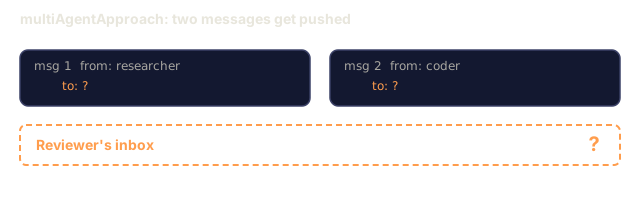
  const researchResult = await researcher.run(task);
  messages.push({
    from: "researcher",
    to: "coder",
    content: researchResult.content,
    timestamp: Date.now(),
  });
  totalTokens += researchResult.tokensUsed;
  totalToolCalls += researchResult.toolCalls;

  const coderInput = messages
    .filter((m) => m.to === "coder")
    .map((m) => `[From ${m.from}]: ${m.content}`)
    .join("\n");

  const codeResult = await coder.run(coderInput);
  messages.push({
    from: "coder",
    to: "reviewer",
    content: codeResult.content,
    timestamp: Date.now(),
  });
  totalTokens += codeResult.tokensUsed;
  totalToolCalls += codeResult.toolCalls;

  const reviewerInput = messages
    .filter((m) => m.to === "reviewer")
    .map((m) => `[From ${m.from}]: ${m.content}`)
    .join("\n");

  const reviewResult = await reviewer.run(reviewerInput);
  messages.push({
    from: "reviewer",
    to: "orchestrator",
    content: reviewResult.content,
    timestamp: Date.now(),
  });
  totalTokens += reviewResult.tokensUsed;
  totalToolCalls += reviewResult.toolCalls;

  return {
    content: messages.map((m) => `[${m.from} -> ${m.to}]: ${m.content}`).join("\n\n"),
    tokensUsed: totalTokens,
    toolCalls: totalToolCalls,
  };
}
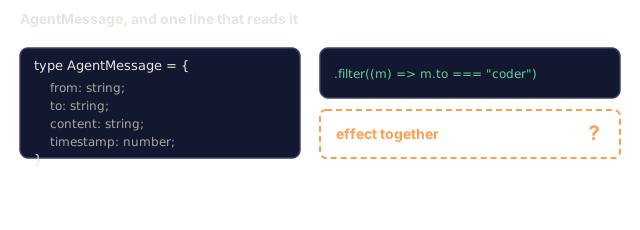
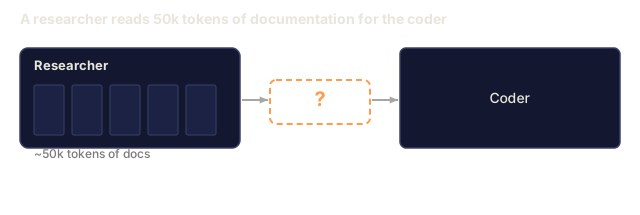
Each agent receives only the messages addressed to it, so the researcher's 50k tokens of documentation reading never enter the reviewer's context. What crosses the boundary is whatever the researcher chose to write down.
Step 4: Compare
async function compare() {
  const task = "Build a rate limiter middleware for an Express.js API";

  console.log("=== Single Agent ===");
  const single = await singleAgentApproach(task);
  console.log(`Tokens: ${single.tokensUsed}`);
  console.log(`Tool calls: ${single.toolCalls}`);

  console.log("\n=== Multi-Agent ===");
  const multi = await multiAgentApproach(task);
  console.log(`Tokens: ${multi.tokensUsed}`);
  console.log(`Tool calls: ${multi.toolCalls}`);
}
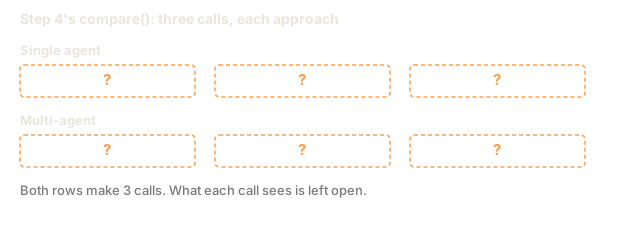
Both versions make three LLM calls here. The difference is what each call sees: the single agent re-sends its accumulated context at every stage, while each specialist gets only its own input. In this toy, the stubbed fakeLLMCall (see single_vs_multi.ts) estimates tokens from string length plus 500 per call and returns a placeholder string, so the numbers show how input size moves, not whether quality improves. With real models, a specialized prompt should help each stage, but you have to measure that.
Use It
This lesson produces a reusable prompt for deciding when to go multi-agent. See outputs/prompt-multi-agent-decision.md.
I'd run single_vs_multi.ts before trusting any number in it. fakeLLMCall returns a placeholder string, estimates tokens as input length divided by four plus 500, and picks a random tool-call count between one and five. What the output shows is how input size changes between designs, not how good the result is. The file also goes a step past the Build It snippets: multiAgentFanOut runs the researcher and a requirements analyst under Promise.all, which is the shape Exercise 3 asks for. The file also calls the Step 3 function multiAgentPipeline rather than multiAgentApproach.
My bet is that the line worth rereading is the .filter((m) => m.to === "coder") that builds each agent's input. That filter is the whole context-isolation story. The coder sees what was addressed to it and nothing else, and anything the researcher left out of its message is gone, which is the lossy handoff from the concept section.
I'd also read the tail of the fan-out version with suspicion. The reviewer runs on codeResult.content directly and its message is never pushed onto messages, so the returned transcript has no review in it, while the pipeline version does log one. Fix that when you do Exercise 3.
Exercises
- Add a fourth specialist: a "tester" agent that receives code from the coder and review feedback from the reviewer, then writes tests
- Modify the pipeline so the reviewer can send feedback back to the coder for a revision loop (max 2 rounds)
- Convert the sequential pipeline into a fan-out: run the researcher and a "requirements analyzer" agent in parallel, then merge their outputs before passing to the coder
Key Terms
| Term | What people say | What it actually means |
|---|---|---|
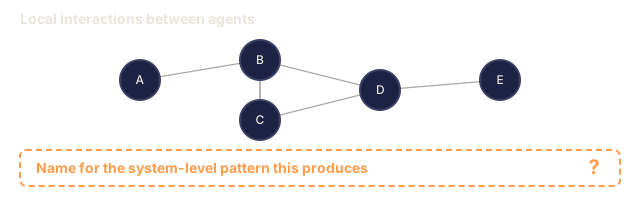
| Swarm | "A hive mind of AI agents" | A set of peer agents with shared state and no fixed leader. Behavior emerges from local interactions. |
| Orchestrator | "The boss agent" | An agent whose tools include spawning and managing other agents. It plans and delegates but may not do the actual work. |
| Coordinator | "The traffic cop" | A non-agent component (often just code, not an LLM) that routes messages between agents based on rules. |
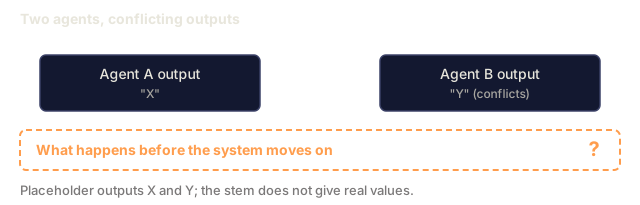
| Consensus | "The agents agree" | A protocol where multiple agents must reach agreement before proceeding. Used when conflicting outputs need resolution. |
| Emergent behavior | "The agents figured it out themselves" | System-level patterns that arise from agent interactions but were not explicitly programmed. Can be useful or harmful. |
| Fan-out / fan-in | "Map-reduce for agents" | Splitting a task across parallel agents (fan-out), then combining their results (fan-in). |
| Message passing | "Agents talk to each other" | The communication mechanism between agents: structured data sent from one agent to another, replacing shared context windows. |
Further Reading
- The Landscape of Emerging AI Agent Architectures: survey of multi-agent patterns
- AutoGen: Enabling Next-Gen LLM Applications: Microsoft's multi-agent conversation framework
- Claude Code subagents documentation: how Claude Code delegates with Task
- CrewAI documentation: role-based multi-agent framework
Code
- single_vs_multi.ts (typescript, 259 lines)