Scaling: Distributed Training, FSDP, DeepSpeed
Your 124M model trained on one GPU. At 7 billion parameters the model no longer fits in memory, and the data would take weeks on a single machine. Past that point you split the work across GPUs or you don't train.
Learning Objectives
- Explain the three types of parallelism (data, tensor, pipeline) and when each is necessary based on model and cluster size
- Simulate data-parallel gradient averaging and a tensor-parallel column split in numpy, and check both against a single-device result
- Calculate the memory budget for a given model size (weights + optimizer states + gradients + activations) to determine the minimum hardware
- Estimate the pipeline bubble fraction for a given stage and micro-batch count and show how more micro-batches shrink it
- Compare DDP, FSDP, and DeepSpeed ZeRO by per-GPU memory to decide how many GPUs a model needs
The Problem
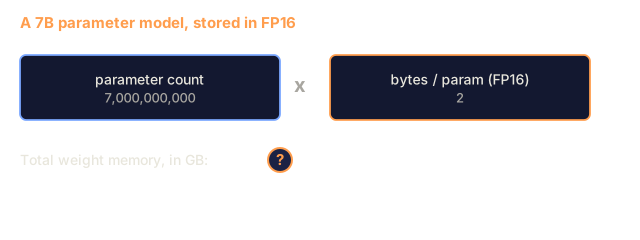
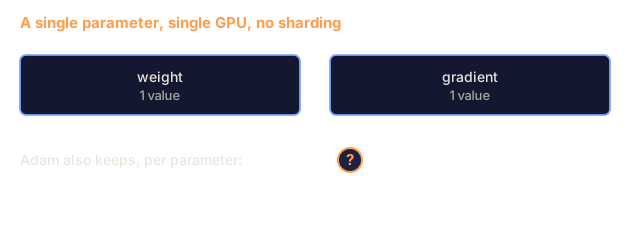
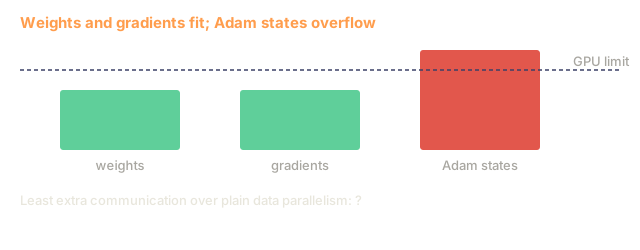
A 7B parameter model in FP16 needs 14GB just for the weights. Adam optimizer stores two additional copies of every parameter (first and second moment estimates). That is another 28GB. Gradients during backpropagation add 14GB more. You are at 56GB before a single activation is stored.
An NVIDIA A100 has 80GB of memory.
That is 56GB of 80GB used, which leaves 24GB for activations, the intermediate values computed during the forward pass that must be kept alive for backpropagation. For a 2048-token sequence with a 4096-dimensional model, a single layer's activations use about 64MB. With 32 layers, you need 2GB per sample. A batch size of 8 requires 16GB. You have 24GB. A batch size of 12 blows up.
Now try 70B parameters. Weights alone: 140GB in FP16. Does not fit on one GPU. You need at least 2 A100s (2 x 80GB = 160GB) just to hold the weights. Add optimizer states and gradients and you need far more: 3+ GPUs minimum, and realistically 8-16 depending on sharding strategy.
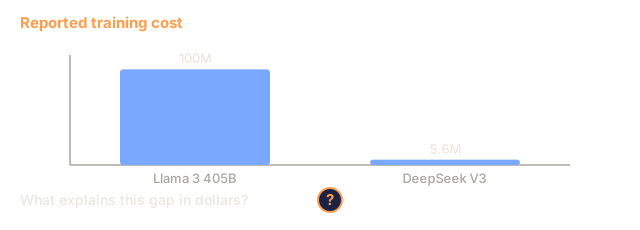
Llama 3 405B was trained on 16,384 NVIDIA H100 GPUs. The training run cost an estimated $100 million in compute. DeepSeek V3 trained a comparable model for roughly $5.6 million by changing the architecture (Mixture of Experts means only a fraction of parameters activate per token) and by training more efficiently.
This lesson covers the four strategies that make large-scale training possible: data parallelism, tensor parallelism, pipeline parallelism, and fully sharded data parallelism. You will simulate data, tensor, and pipeline parallelism in numpy and model FSDP's memory savings in a calculator, so the mechanics are clear before you touch a distributed training framework.
The Concept
Why Distribution is Required
Here is the memory math for real models. Each number comes straight from parameter count times bytes per parameter.
| Model | Params | Weights (FP16) | Adam States | Gradients (FP16) | Total (no activations) |
|---|---|---|---|---|---|
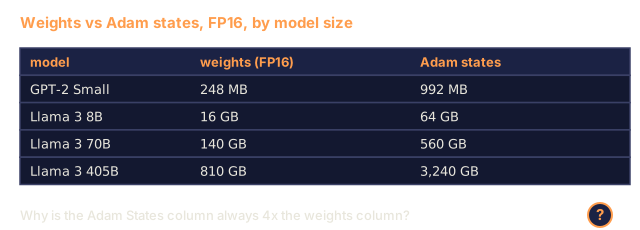
| GPT-2 Small | 124M | 248 MB | 992 MB | 248 MB | 1.5 GB |
| Llama 3 8B | 8B | 16 GB | 64 GB | 16 GB | 96 GB |
| Llama 3 70B | 70B | 140 GB | 560 GB | 140 GB | 840 GB |
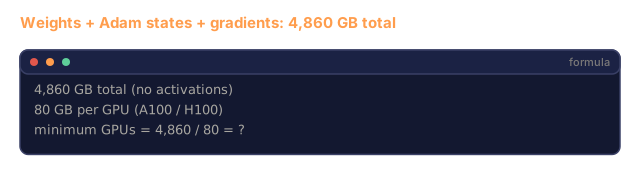
| Llama 3 405B | 405B | 810 GB | 3,240 GB | 810 GB | 4,860 GB |
The "Adam States" column is the killer. Adam stores a running mean (m) and a running variance (v) for every parameter, both in FP32. For a 70B model, that is 70B x 4 bytes x 2 = 560GB. The optimizer alone needs seven A100s.
A single H100 has 80GB. Llama 3 405B needs at least 61 H100s to hold the weights, optimizer, and gradients. Add activations and the number grows further. Meta used 16,384 GPUs because the job needed them.
Data Parallelism
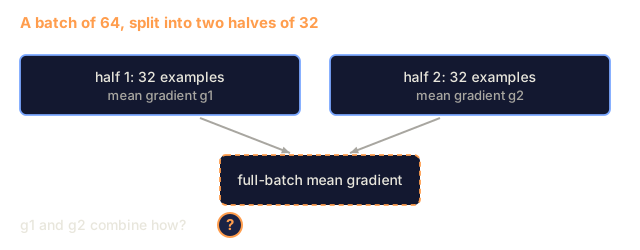
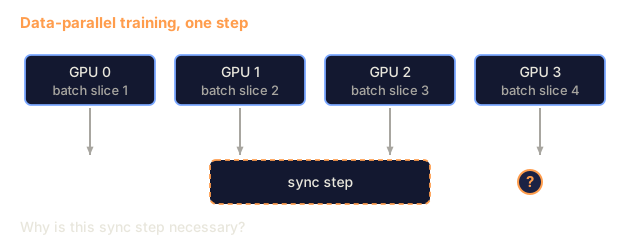
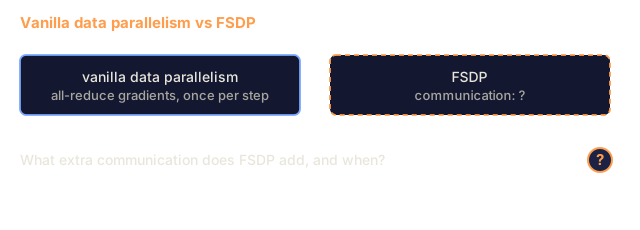
The simplest distributed strategy. Copy the entire model to N GPUs. Split each training batch into N equal parts. Each GPU runs a forward and backward pass on its shard of the data. After the backward pass, average the gradients across all GPUs. Every GPU updates its copy of the weights with the same averaged gradients, keeping all copies in sync.
The good: Throughput scales close to linearly. N GPUs process N times more data per step. Communication is limited to gradient averaging, which overlaps with computation.
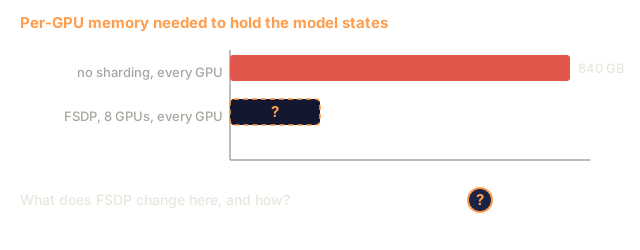
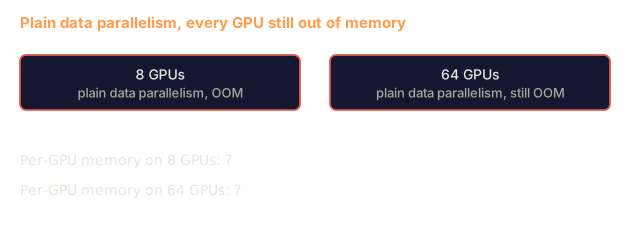
The bad: Every GPU holds a complete copy of the model, optimizer states, and gradients. For a 70B model, each GPU needs 840GB. Data parallelism does nothing to reduce per-GPU memory. It only reduces training time.
The math: Effective batch size = per_gpu_batch_size x N. For N=64 GPUs with per-GPU batch of 16, the effective batch is 1,024. Llama 3 used an effective batch size of 16 million tokens per step.

Tensor Parallelism
Split individual layers across GPUs. A single matrix multiplication is divided among GPUs, each computing part of the result.
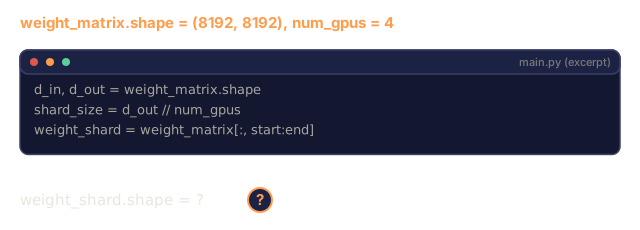
Consider a weight matrix of shape (8192, 8192) in a feedforward layer. With 4-way tensor parallelism, each GPU holds a (8192, 2048) shard. Each GPU multiplies the input by its shard, producing a partial result. The partial results are combined (via all-reduce or all-gather) to produce the full output.
The good: Reduces per-GPU memory for model weights. A 70B model split across 8 GPUs means each GPU holds ~8.75B parameters worth of weights.
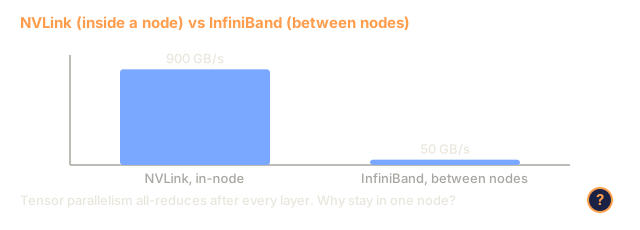
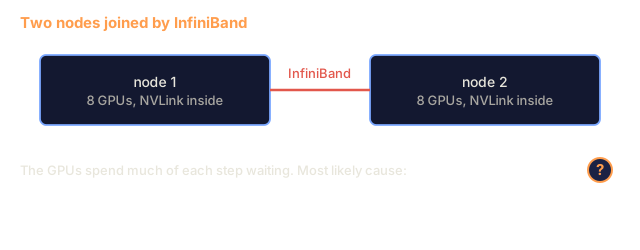
The bad: Requires fast inter-GPU communication after every layer. The all-reduce after each matmul adds latency. This works well with NVLink (900 GB/s between GPUs on the same node) but poorly across nodes connected by InfiniBand (400 Gb/s, about 50 GB/s). In practice tensor parallelism stays within a single node (8 GPUs).
Real usage: Megatron-LM pioneered tensor parallelism. Llama 3 405B uses 8-way tensor parallelism within each node.
Pipeline Parallelism
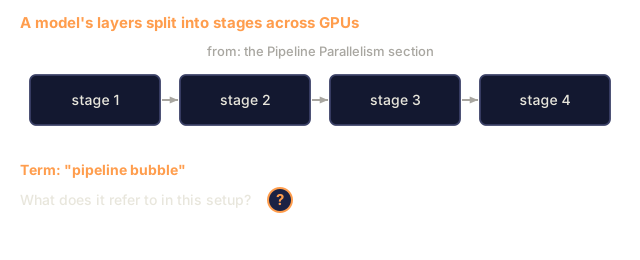
Split the model by layers. GPU 1 runs layers 1-8. GPU 2 runs layers 9-16. GPU 3 runs layers 17-24. GPU 4 runs layers 25-32. Data flows through the pipeline: GPU 1 computes its layers and sends activations to GPU 2, which computes its layers and sends to GPU 3, and so on.
The good: Little communication between GPUs: just the activations at layer boundaries, which are small compared to gradients or weights. Works across nodes because bandwidth requirements are low.
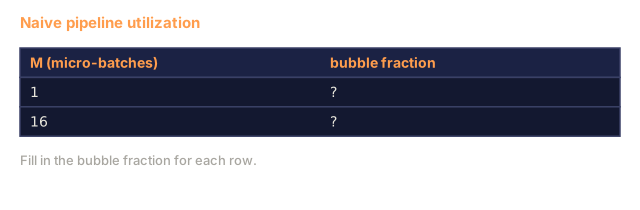
The bad: Pipeline bubbles. When GPU 4 is computing the forward pass on micro-batch 1, GPUs 1, 2, and 3 are idle (they have already forwarded their portion). During backward pass, the pattern reverses. With naive pipelining, GPU utilization is only 1/N for N pipeline stages.
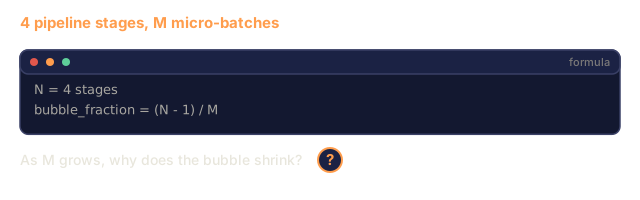
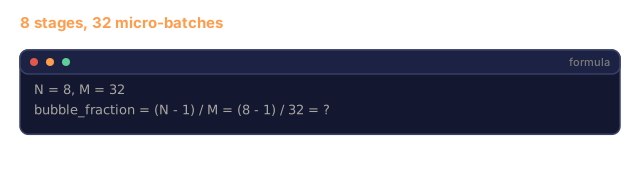
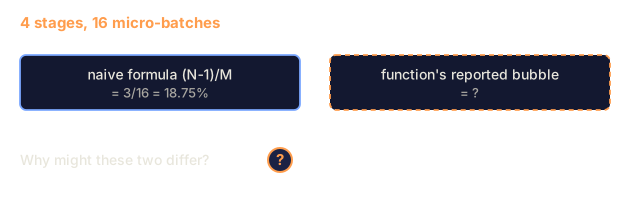
GPipe and PipeDream shrink the bubble by splitting the batch into micro-batches. GPU 1 starts on micro-batch 2 as soon as it finishes forwarding micro-batch 1. This overlaps computation across pipeline stages. With M micro-batches and N stages, the bubble fraction drops to (N-1)/M. Use M=16 micro-batches with N=4 stages and the bubble is 3/16 = 18.75% idle time.
FSDP: Fully Sharded Data Parallel
FSDP combines the scalability of data parallelism with the memory efficiency of sharding. Instead of each GPU holding a complete copy of the model, each GPU holds only 1/N of the parameters, gradients, and optimizer states.
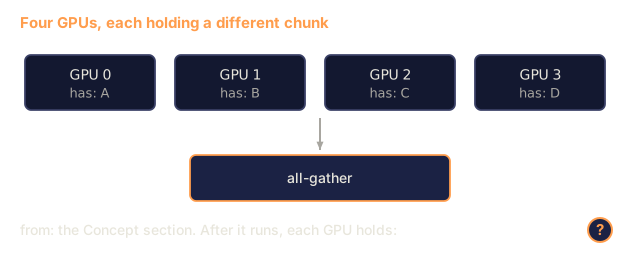
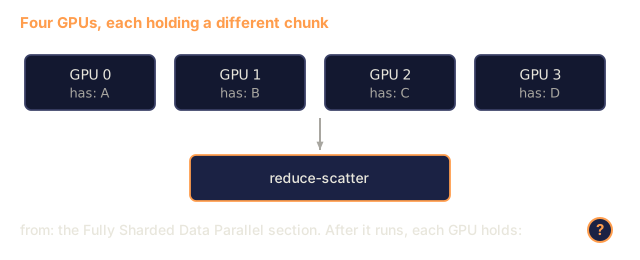
Before a layer's forward pass, FSDP runs an all-gather to collect the full parameters from all GPUs into each GPU's memory. After the forward pass, each GPU discards the non-local parameters. During backward, the all-gather runs again to reconstruct parameters for gradient computation. After the backward pass, a reduce-scatter distributes gradient shards so each GPU only stores 1/N of the gradients.
The math for a 70B model on 8 GPUs:
| Component | Without FSDP | With FSDP |
|---|---|---|
| Weights (FP16) | 140 GB per GPU | 17.5 GB per GPU |
| Adam States (FP32) | 560 GB per GPU | 70 GB per GPU |
| Gradients (FP16) | 140 GB per GPU | 17.5 GB per GPU |
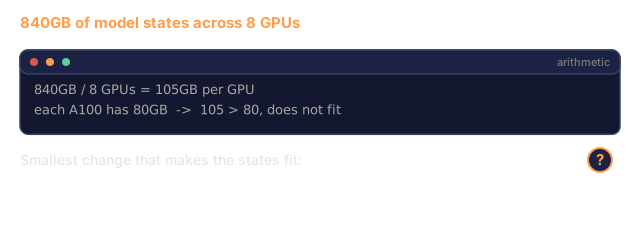
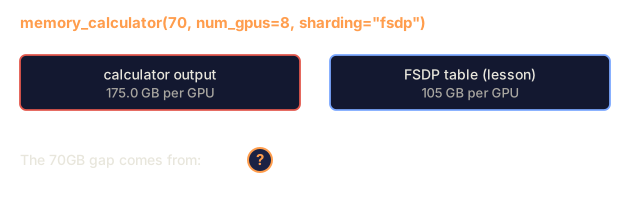
| Total | 840 GB per GPU | 105 GB per GPU |
Without FSDP, you cannot fit a 70B model on a single 80GB GPU. With FSDP on 8 GPUs, each GPU still needs 105GB, which does not fit. Going to 16 GPUs gets you to 52.5GB before activations, and you can also combine FSDP with activation checkpointing (recompute activations during backward instead of storing them).
The communication cost is higher than vanilla data parallelism because of the all-gather before each layer. But the memory savings are what make the larger runs feasible.

DeepSpeed ZeRO
DeepSpeed's ZeRO (Zero Redundancy Optimizer) is conceptually close to FSDP and was developed independently by Microsoft. It defines three stages, each sharding more aggressively:
| Stage | Shards | Memory Savings | Communication |
|---|---|---|---|
| ZeRO-1 | Optimizer states only | ~4x reduction | Same as data parallel |
| ZeRO-2 | + Gradients | ~8x reduction | Slightly more |
| ZeRO-3 | + Parameters | ~Nx reduction (N GPUs) | All-gather per layer |
ZeRO-3 is equivalent to FSDP. The naming is different, the mechanism is the same. PyTorch added FSDP as a native implementation after DeepSpeed proved the concept.
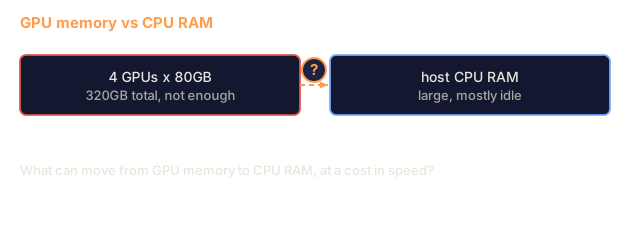
DeepSpeed also introduced ZeRO-Offload (offload optimizer states to CPU RAM, which is cheaper and larger) and ZeRO-Infinity (offload to NVMe SSDs). These trade compute speed for memory capacity: the offloaded operations are slower but free up GPU memory.
Mixed Precision Training
Modern training uses multiple floating-point formats simultaneously:
- Forward pass: FP16 or BF16 (16-bit). Half the memory of FP32. Matmuls run 2x faster on tensor cores.
- Master weights: FP32 (32-bit). Maintained by the optimizer for numerical precision during weight updates.
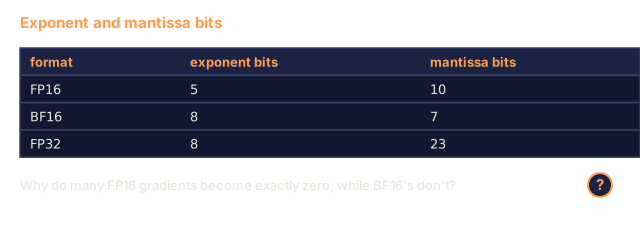
- Loss scaling: Multiply the loss by a large constant before backward pass to prevent FP16 gradients from underflowing to zero. Divide by the same constant before the optimizer step.
BF16 (Brain Float 16) has the same exponent range as FP32 (8 exponent bits) but reduced precision (7 mantissa bits vs FP32's 23). It rarely needs loss scaling because it can represent the same range of values. FP16 has 5 exponent bits and 10 mantissa bits, so it can represent fine-grained values but overflows or underflows at extreme magnitudes.
Google's TPUs use BF16 natively. NVIDIA's A100 and H100 support both FP16 and BF16. The industry has largely moved to BF16 because it removes most of the loss scaling hassle.
Memory comparison for a 7B model:
| Precision | Weights | Optimizer | Gradients | Total |
|---|---|---|---|---|
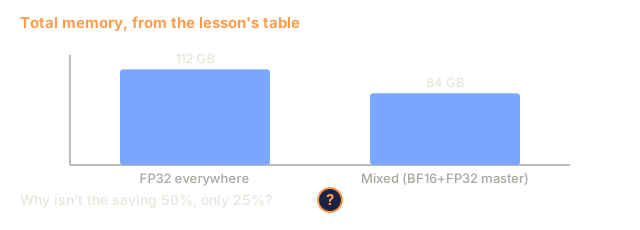
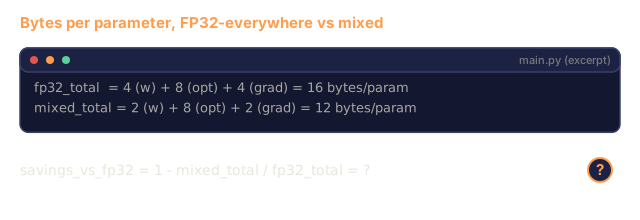
| FP32 everywhere | 28 GB | 56 GB | 28 GB | 112 GB |
| Mixed (BF16 + FP32 master) | 14 GB | 56 GB | 14 GB | 84 GB |
Mixed precision saves 28GB on this model. The optimizer states stay in FP32 regardless of precision, and that is where most of the memory goes.
Megatron-LM and 3D Parallelism
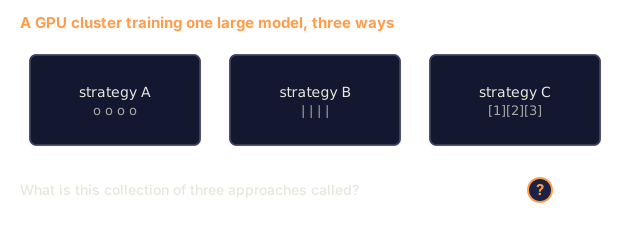
Large-scale training typically combines all three parallelisms:
- Data parallelism across groups of nodes (scale batch size)
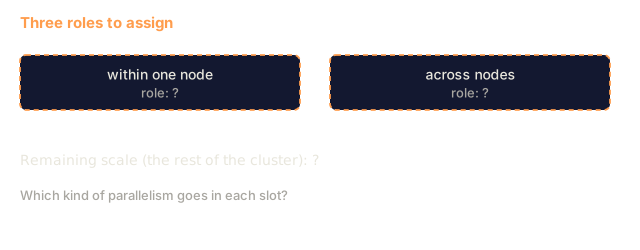
- Tensor parallelism within a node (split layers across 8 GPUs)
- Pipeline parallelism across nodes (split layer groups across machines)
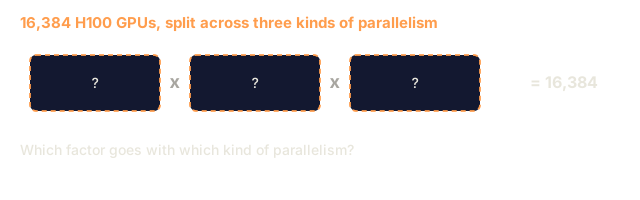
Llama 3 405B on 16,384 H100s:
- 8-way tensor parallelism within each node (8 GPUs per node)
- 16-way pipeline parallelism across nodes (16 pipeline stages)
- 128-way data parallelism across the remaining dimension (16,384 / 8 / 16 = 128)
This 3D decomposition (8 x 16 x 128 = 16,384) is how you scale to thousands of GPUs. Each GPU sees a different data shard (data parallel), holds one slice of each layer (tensor parallel), and computes a different set of layers (pipeline parallel).
DeepSeek V3 took a different approach. Their Mixture of Experts architecture activates only 37B out of 671B parameters per token. This means each GPU only needs to compute (and store activations for) the active parameters. They trained on 2,048 H800 GPUs (less than 1/8 of Meta's GPU count) for $5.6M vs Meta's estimated $100M.

Build It
Step 1: Simulate Data Parallelism
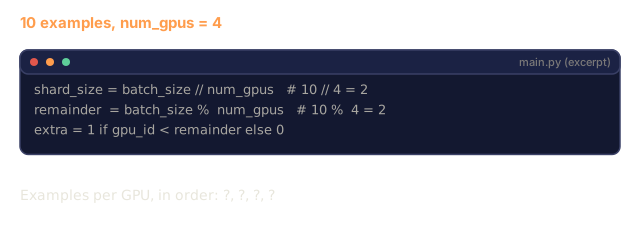
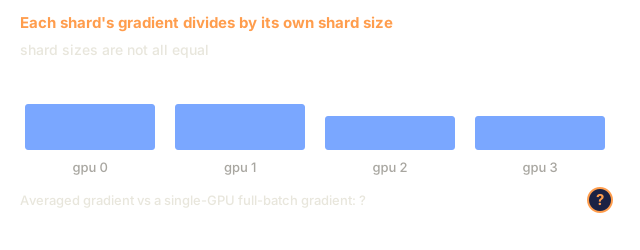
Split a batch across simulated GPUs. Each GPU computes a forward pass on its shard. Average the gradients each shard produces.
import numpy as np

def simulate_data_parallelism(data, num_gpus, model_fn):
    batch_size = len(data)
    shard_size = batch_size // num_gpus
    remainder = batch_size % num_gpus

    gpu_losses = []
    gpu_gradients = []

    offset = 0
    for gpu_id in range(num_gpus):
        extra = 1 if gpu_id < remainder else 0
        shard = data[offset:offset + shard_size + extra]
        offset += shard_size + extra

        loss, grad = model_fn(shard)
        gpu_losses.append(loss)
        gpu_gradients.append(grad)

    avg_loss = np.mean(gpu_losses)
    avg_gradient = np.mean(gpu_gradients, axis=0)

    return avg_loss, avg_gradient
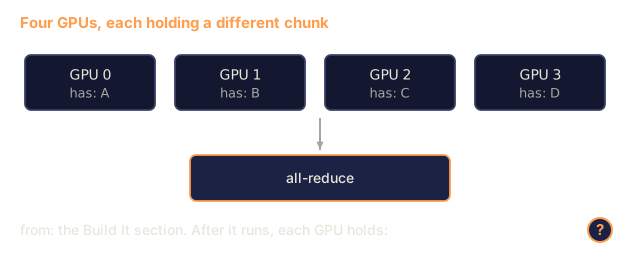
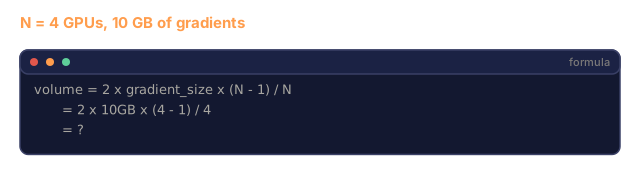
The all-reduce operation (averaging gradients) is the only communication in data parallelism. In practice, this uses the NCCL library on NVIDIA GPUs, which implements ring all-reduce: each GPU sends 1/N of its gradients to its neighbor, receives 1/N from the other neighbor, and after N-1 steps every GPU has the complete average. Total communication volume: 2 x gradient_size x (N-1)/N, approaching 2x the gradient size for large N.
Step 2: Simulate Tensor Parallelism
Split a weight matrix across GPUs. Each GPU computes a partial matrix multiplication. Combine the results.
def simulate_tensor_parallelism(input_data, weight_matrix, num_gpus):
    d_in, d_out = weight_matrix.shape
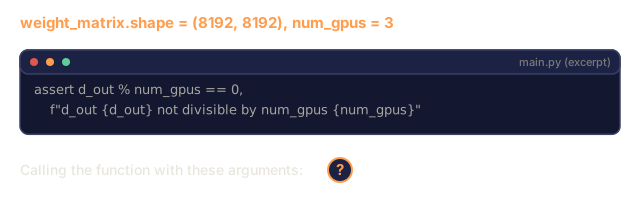
    assert d_out % num_gpus == 0, f"d_out {d_out} not divisible by num_gpus {num_gpus}"
    shard_size = d_out // num_gpus

    partial_results = []
    for gpu_id in range(num_gpus):
        start = gpu_id * shard_size
        end = start + shard_size
        weight_shard = weight_matrix[:, start:end]

        partial = input_data @ weight_shard
        partial_results.append(partial)

    full_output = np.concatenate(partial_results, axis=-1)

    direct_output = input_data @ weight_matrix
    error = np.abs(full_output - direct_output).max()

    return full_output, error
The error should be zero or within machine epsilon. The split is along the output dimension, so each GPU produces a different chunk of columns, and concatenation reconstructs the same result as the full matmul on one GPU.
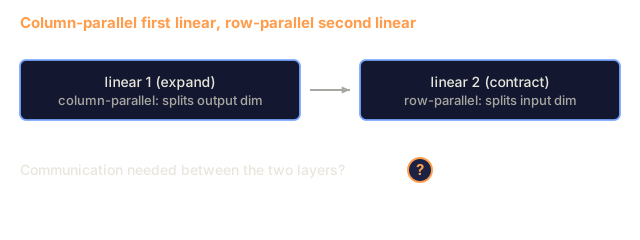
For column-parallel linear layers (splitting the output dimension), you concatenate. For row-parallel (splitting the input dimension), you sum. In a transformer FFN, the first linear (expand) uses column-parallel and the second linear (contract) uses row-parallel. This avoids an all-reduce between the two layers.
Step 3: Simulate Pipeline Parallelism
Split a model's layers across virtual GPUs. Show the bubble problem where early stages sit idle while later stages compute.
def simulate_pipeline_parallelism(num_layers, num_stages, num_microbatches):
    layers_per_stage = num_layers // num_stages

    timeline = {}
    clock = 0

    for mb in range(num_microbatches):
        for stage in range(num_stages):
            start_time = max(
                timeline.get((stage, mb - 1, "fwd"), (0, 0))[1] if mb > 0 else 0,
                timeline.get((stage - 1, mb, "fwd"), (0, 0))[1] if stage > 0 else 0,
            )
            end_time = start_time + layers_per_stage
            timeline[(stage, mb, "fwd")] = (start_time, end_time)

    last_fwd_end = max(v[1] for v in timeline.values())

    for mb in range(num_microbatches - 1, -1, -1):
        for stage in range(num_stages - 1, -1, -1):
            deps = [last_fwd_end]
            if mb < num_microbatches - 1 and (stage, mb + 1, "bwd") in timeline:
                deps.append(timeline[(stage, mb + 1, "bwd")][1])
            if stage < num_stages - 1 and (stage + 1, mb, "bwd") in timeline:
                deps.append(timeline[(stage + 1, mb, "bwd")][1])
            start_time = max(deps)
            end_time = start_time + layers_per_stage
            timeline[(stage, mb, "bwd")] = (start_time, end_time)

    total_time = max(v[1] for v in timeline.values())
    compute_time = num_microbatches * num_stages * layers_per_stage * 2
    bubble_fraction = 1.0 - compute_time / (total_time * num_stages)

    return timeline, total_time, bubble_fraction
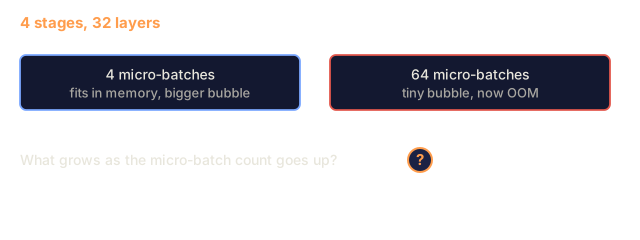
With 4 stages and 1 micro-batch, the bubble fraction is 75%, meaning three out of four GPUs are idle at any time. With 16 micro-batches, the (N-1)/M formula gives about 19%. The simulation counts the backward pass too and reports 15.8%, which matches (N-1)/(M+N-1). The cost of eliminating bubbles is memory: you must store activations for all in-flight micro-batches simultaneously.
Step 4: Memory Calculator
Compute the exact memory requirements for training any model size.
def memory_calculator(
    params_billions,
    precision_bytes=2,
    optimizer="adam",
    num_gpus=1,
    sharding="none",
    sequence_length=2048,
    batch_size_per_gpu=1,
    hidden_dim=None,
    num_layers=None,
):
    params = params_billions * 1e9

    weight_memory = params * precision_bytes

    if optimizer == "adam":
        optimizer_memory = params * 4 * 2
    elif optimizer == "sgd":
        optimizer_memory = params * 4
    else:
        optimizer_memory = 0

    gradient_memory = params * precision_bytes

    total_no_activation = weight_memory + optimizer_memory + gradient_memory

    if hidden_dim and num_layers:
        activation_per_layer = (
            sequence_length * batch_size_per_gpu * hidden_dim * precision_bytes * 4
        )
        activation_memory = activation_per_layer * num_layers
    else:
        activation_memory = params * precision_bytes * 0.5

    if sharding == "fsdp" or sharding == "zero3":
        weight_memory /= num_gpus
        optimizer_memory /= num_gpus
        gradient_memory /= num_gpus
    elif sharding == "zero2":
        optimizer_memory /= num_gpus
        gradient_memory /= num_gpus
    elif sharding == "zero1":
        optimizer_memory /= num_gpus

    per_gpu_total = weight_memory + optimizer_memory + gradient_memory + activation_memory

    return {
        "params_billions": params_billions,
        "weights_gb": weight_memory / 1e9,
        "optimizer_gb": optimizer_memory / 1e9,
        "gradients_gb": gradient_memory / 1e9,
        "activations_gb": activation_memory / 1e9,
        "per_gpu_total_gb": per_gpu_total / 1e9,
        "total_across_gpus_gb": per_gpu_total * num_gpus / 1e9,
        "fits_on_80gb": per_gpu_total / 1e9 <= 80,
        "num_gpus": num_gpus,
        "sharding": sharding,
    }
This calculator answers the question every ML engineer asks: "How many GPUs do I need?" Feed it the model size and see whether it fits. Adjust sharding strategy until the per-GPU total drops below 80GB.
Step 5: Mixed Precision Simulation
Compare memory usage between FP32, FP16, and mixed precision training.
def mixed_precision_comparison(params_billions):
    params = params_billions * 1e9

    fp32_weights = params * 4
    fp32_optimizer = params * 4 * 2
    fp32_gradients = params * 4
    fp32_total = fp32_weights + fp32_optimizer + fp32_gradients

    fp16_weights = params * 2
    fp16_master = params * 4
    fp16_optimizer = params * 4 * 2
    fp16_gradients = params * 2
    fp16_total = fp16_weights + fp16_master + fp16_optimizer + fp16_gradients

    mixed_weights = params * 2
    mixed_optimizer = params * 4 * 2
    mixed_gradients = params * 2
    mixed_total = mixed_weights + mixed_optimizer + mixed_gradients

    return {
        "fp32_total_gb": fp32_total / 1e9,
        "fp16_with_master_gb": fp16_total / 1e9,
        "mixed_bf16_gb": mixed_total / 1e9,
        "savings_vs_fp32": 1 - mixed_total / fp32_total,
    }
The surprise for most people is that mixed precision does not halve the memory. The optimizer states (Adam's m and v) stay in FP32 regardless of precision. For a 7B model, FP32 training uses 112GB. Mixed precision uses 84GB. That is a 25% reduction, not 50%. The optimizer dominates.
Use It
Run All Simulations
def run_all_demos():
    print("=" * 70)
    print("DATA PARALLELISM SIMULATION")
    print("=" * 70)

    np.random.seed(42)
    data = np.random.randn(64, 32)
    weight = np.random.randn(32, 16)

    def model_fn(batch):
        output = batch @ weight
        loss = np.mean(output ** 2)
        grad = 2 * batch.T @ (batch @ weight) / len(batch)
        return loss, grad

    for n_gpus in [1, 2, 4, 8]:
        loss, grad = simulate_data_parallelism(data, n_gpus, model_fn)
        print(f"  {n_gpus} GPUs: loss={loss:.4f}, grad_norm={np.linalg.norm(grad):.4f}")

    print()
    print("=" * 70)
    print("TENSOR PARALLELISM SIMULATION")
    print("=" * 70)

    x = np.random.randn(4, 8192)
    W = np.random.randn(8192, 8192)

    for n_gpus in [1, 2, 4, 8]:
        output, error = simulate_tensor_parallelism(x, W, n_gpus)
        print(f"  {n_gpus} GPUs: output_shape={output.shape}, max_error={error:.2e}")

    print()
    print("=" * 70)
    print("PIPELINE PARALLELISM SIMULATION")
    print("=" * 70)

    for n_mb in [1, 4, 8, 16, 32]:
        _, total_t, bubble = simulate_pipeline_parallelism(32, 4, n_mb)
        print(f"  {n_mb:2d} micro-batches: total_time={total_t:4d}, bubble={bubble:.1%}")

    print()
    print("=" * 70)
    print("MEMORY CALCULATOR")
    print("=" * 70)

    configs = [
        (7, "none", 1),
        (7, "fsdp", 8),
        (70, "none", 1),
        (70, "fsdp", 8),
        (70, "fsdp", 16),
        (405, "fsdp", 64),
        (405, "fsdp", 128),
    ]

    print(f"  {'Model':>8} {'Sharding':>8} {'GPUs':>5} {'Per-GPU':>10} {'Fits 80GB':>10}")
    print("  " + "-" * 50)
    for params, shard, gpus in configs:
        result = memory_calculator(params, num_gpus=gpus, sharding=shard)
        fits = "Yes" if result["fits_on_80gb"] else "No"
        print(f"  {params:>6}B {shard:>8} {gpus:>5} {result['per_gpu_total_gb']:>8.1f}GB {fits:>10}")

    print()
    print("=" * 70)
    print("MIXED PRECISION COMPARISON")
    print("=" * 70)

    for params_b in [7, 13, 70, 405]:
        result = mixed_precision_comparison(params_b)
        print(f"  {params_b}B: FP32={result['fp32_total_gb']:.0f}GB, "
              f"Mixed BF16={result['mixed_bf16_gb']:.0f}GB, "
              f"Savings={result['savings_vs_fp32']:.0%}")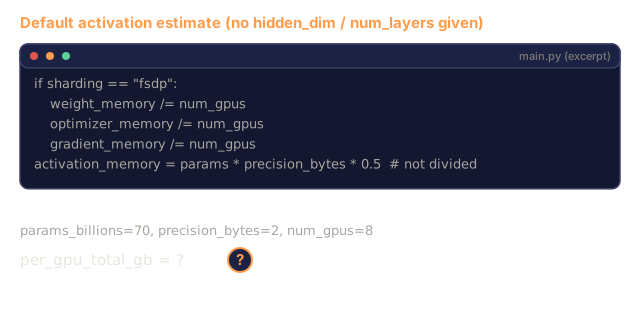
Ship It
This lesson produces outputs/prompt-distributed-training-planner.md, a prompt that takes a model size and available hardware, then produces a complete distributed training plan: parallelism strategy, memory budget, communication overhead, and expected throughput.
I'd run main.py and read the memory table before anything else. The calculator's default activation term is a rough guess, half the weight bytes and not divided across GPUs, so 70B on 8 GPUs prints 175.0GB per GPU where the FSDP table above says 105GB. The gap is the activations, which is a good reminder that sharding the model states does not settle the question by itself. Pass hidden_dim and num_layers if you want an activation number tied to a real shape.
The pipeline simulation is the part I'd poke at. At 16 micro-batches it reports a 15.8% bubble, not the 18.75% from (N-1)/M, because it schedules the backward pass as well and lands on 3/19. Change the stage and micro-batch counts and watch how fast the bubble shrinks.
Everything here is numpy on one CPU. The data-parallel check splits a batch into 1, 2, 4, and 8 shards of a toy loss, and the tensor-parallel split is a column slice, so no GPU communication happens and nothing here tells you what NVLink or InfiniBand would cost. Treat it as a way to check the arithmetic before you pay for hardware.
Exercises
-
Modify the memory calculator to include activation checkpointing. With checkpointing, only store activations at every K-th layer (typical K=1, meaning recompute all). Show the memory-compute tradeoff: how much memory does checkpointing save, and how much does it slow down training (roughly 33% more compute for full checkpointing)?
-
Extend the pipeline parallelism simulation to implement the 1F1B (one forward, one backward) schedule used by PipeDream. Compare the bubble fraction against the naive schedule for 4 stages and 8 micro-batches. The 1F1B schedule should have a smaller peak memory because it starts backward passes earlier.
-
Implement a gradient accumulation simulator. Instead of all-reducing after every micro-batch, accumulate gradients locally for K steps, then all-reduce. Show how this reduces communication by K times but produces identical final gradients (and thus identical training).
-
Build a cost estimator. Given a model size, target token count, GPU type (A100 at $2/hr, H100 at $3.50/hr), and parallelism strategy, estimate the total training cost in dollars. Validate against known costs: Llama 3 405B reportedly cost ~$100M, DeepSeek V3 cost ~$5.6M.
-
Add ZeRO-Offload to the memory calculator. Assume CPU RAM is 512GB per node and NVMe is 2TB. Show how offloading optimizer states to CPU allows a 70B model to train on 4 GPUs instead of 16, at the cost of 30-50% slower optimizer steps.
Key Terms
| Term | What people say | What it actually means |
|---|---|---|
| Data parallelism | "Copy the model to every GPU" | Each GPU processes a different data shard; gradients are averaged via all-reduce after each step |
| Tensor parallelism | "Split a layer across GPUs" | Partition weight matrices so each GPU computes part of the matmul; requires fast NVLink interconnect |
| Pipeline parallelism | "Split layers across GPUs" | Each GPU runs a different group of layers; data flows through the pipeline with micro-batches to reduce bubbles |
| FSDP | "Shard everything" | Fully Sharded Data Parallel -- each GPU holds 1/N of weights, gradients, and optimizer states; all-gather before compute |
| ZeRO | "DeepSpeed's version of FSDP" | Zero Redundancy Optimizer with 3 stages: shard optimizer (Stage 1), + gradients (Stage 2), + parameters (Stage 3) |
| All-reduce | "Average across GPUs" | Collective operation where every GPU ends with the sum (or average) of all GPUs' inputs -- typically implemented as ring all-reduce |
| All-gather | "Collect from all GPUs" | Collective operation where every GPU ends with the concatenation of all GPUs' data -- used in FSDP to reconstruct full parameters |
| Reduce-scatter | "Sum and distribute" | Collective operation that reduces (sums) data and scatters different chunks to different GPUs -- used in FSDP for gradient sharding |
| Mixed precision | "Train in half precision" | Use FP16/BF16 for forward/backward and FP32 for optimizer states -- saves ~25% memory, not 50%, because the optimizer dominates |
| Pipeline bubble | "Idle time in the pipeline" | Fraction of time GPUs sit idle waiting for data from the previous stage -- reduced by using more micro-batches |
Further Reading
- Rajbhandari et al. (2020). ZeRO: Memory Optimizations Toward Training Trillion Parameter Models: the DeepSpeed ZeRO paper that defined the three sharding stages
- Shoeybi et al. (2020). Megatron-LM: Training Multi-Billion Parameter Language Models Using Model Parallelism: NVIDIA's tensor parallelism for transformers
- Narayanan et al. (2021). Efficient Large-Scale Language Model Training on GPU Clusters Using Megatron-LM: 3D parallelism combining data, tensor, and pipeline
- Zhao et al. (2023). PyTorch FSDP: Experiences on Scaling Fully Sharded Data Parallel: PyTorch's native FSDP implementation
- Llama 3 Technical Report: 16,384 GPU training with 3D parallelism details
- DeepSeek-V3 Technical Report: how MoE architecture reduces training cost by an order of magnitude
Code
- main.py (python, 348 lines)