Inference Optimization
Two phases define LLM inference. Prefill processes your prompt in parallel and is compute-bound. Decode generates tokens one at a time and is memory-bound. Every optimization targets one or both.
Learning Objectives
- Implement KV-cache to eliminate redundant computation during autoregressive token generation
- Explain the prefill vs decode phases of LLM inference and why each has different bottlenecks (compute-bound vs memory-bound)
- Implement continuous batching and PagedAttention concepts to maximize GPU utilization under concurrent requests
- Compare inference optimization techniques (KV-cache, speculative decoding, flash attention) and their throughput/latency tradeoffs
The Problem
You deploy Llama 3 70B on 4xA100 GPUs. A single user gets ~50 tokens per second, which feels fast. Then 100 users hit the endpoint at once and throughput drops to 3 tokens/second/user. Your $25,000/month GPU bill is serving responses slower than a human types.
The model does not change between 1 user and 100. Same weights, same architecture, same math. What changes is how you schedule the work. Naive inference wastes 90%+ of available GPU compute: a user waiting on token 47 holds an entire batch slot open while the memory bus sits idle between matmuls, and a new user's 2,000-token prompt could have filled that dead time with useful compute.
So this is a scheduling problem, not a scaling one. The techniques in this lesson (KV caching, continuous batching, PagedAttention, speculative decoding, and prefix caching) are what separate a $25k/month inference bill from a $5k/month one serving the same traffic.
vLLM serving Llama 3 70B on 4xA100-80GB achieves ~50 tokens/second/user at low concurrency, and sustains 15-25 TPS/user at 100 concurrent requests through continuous batching and PagedAttention. Without these optimizations, the same hardware serves 5 TPS/user at that concurrency. Same GPUs, same model, 4x the throughput.
The Concept
Prefill vs Decode
An LLM inference request has two distinct phases.
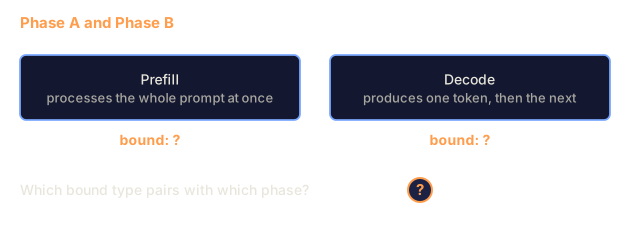
Prefill processes the entire input prompt. All tokens are known, so attention can be computed in parallel across the full sequence. That is a large matrix multiplication, so the GPU cores stay busy. The bottleneck is compute: how many FLOPS your hardware can deliver per second. An A100 does 312 TFLOPS (BF16). Prefill for a 4,096-token prompt on a 70B model takes ~400ms on a single A100.
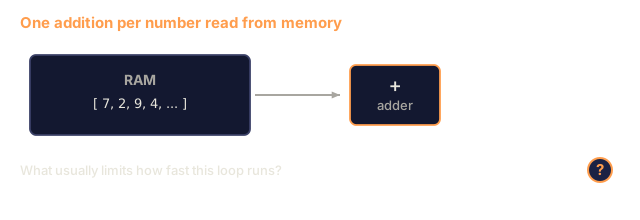
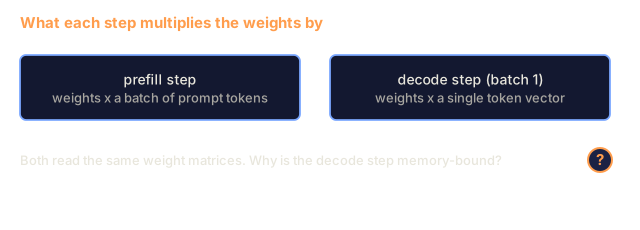
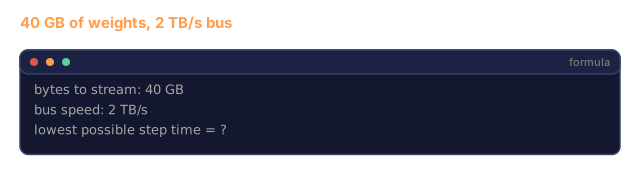
Decode generates output tokens one at a time. Each new token attends to all previous tokens, but only one token is produced per forward pass. The weight matrices are the same size as during prefill, but you are multiplying them by a single vector instead of a matrix. The GPU cores finish in microseconds, then wait for the next batch of weights to arrive from memory. The bottleneck is memory bandwidth: how fast you can stream model weights from HBM to the compute units. An A100 has 2 TB/s bandwidth. A 70B model in FP16 is 140 GB. Reading the full model once takes 70ms, and that is the floor for a single decode step.

The ops:byte ratio (also called arithmetic intensity) captures this tradeoff. It measures how many operations you perform per byte loaded from memory.
ops:byte ratio = FLOPs per token / bytes read from memory
During prefill with a batch of 4,096 tokens, you perform ~4,096 multiply-accumulate operations per weight loaded. The ratio is high, so you are compute-bound. During decode with batch size 1, you perform ~1 operation per weight loaded. The ratio is low, so you are memory-bound.
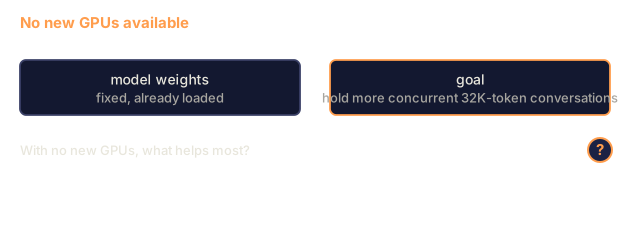
The insight to hold onto: decode is memory-bound because you read the entire model to produce a single token. The optimizations below reduce what you read, raise the number of tokens processed per read, or skip reads.
KV Cache
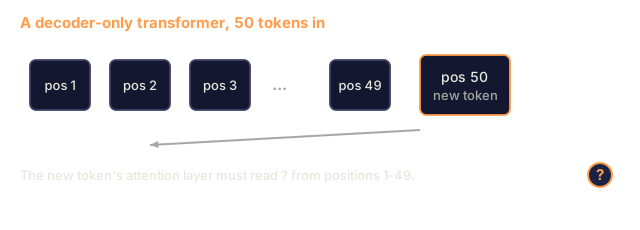
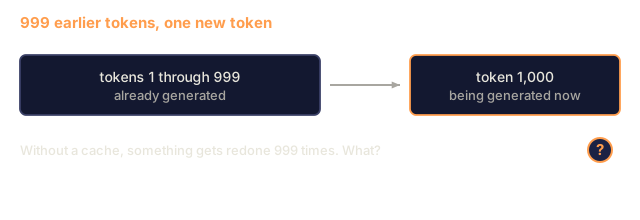
During attention, each token's query attends to every previous token's key and value vectors. Without caching, generating token N requires recomputing the key and value projections for all N-1 preceding tokens. Token 1 gets projected when generating token 2, then again for token 3, then again for token 4. By token 1,000, you have projected token 1 a total of 999 times.
The KV cache stores the key and value projections from all previous tokens. When generating token N, you only compute the key and value for token N, then concatenate them with the cached K/V from tokens 1 through N-1.

Memory formula for KV cache:
KV cache size = 2 * num_layers * num_kv_heads * head_dim * seq_len * bytes_per_param
For Llama 3 70B (80 layers, 8 KV heads with GQA, head_dim=128, BF16):
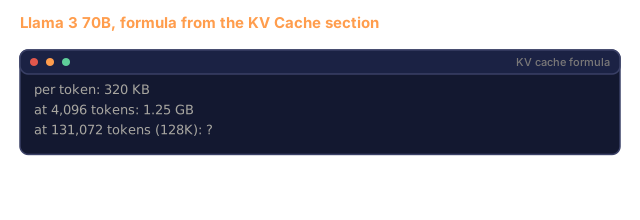
per token: 2 * 80 * 8 * 128 * 2 bytes = 327,680 bytes = 320 KB
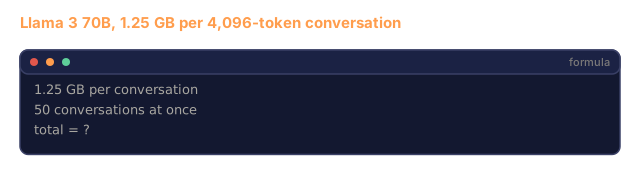
at 4,096 tokens: 320 KB * 4,096 = 1.25 GB
at 128K tokens: 320 KB * 131,072 = 40 GB
A single 128K-context conversation for Llama 3 70B consumes 40 GB of KV cache, half an A100's memory. With 100 concurrent users at 4K tokens each, KV cache alone requires 125 GB. This is why KV cache management is the central challenge of inference optimization.
Continuous Batching
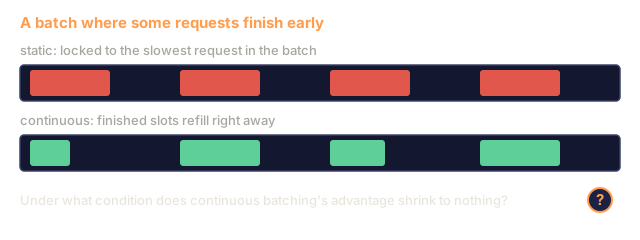
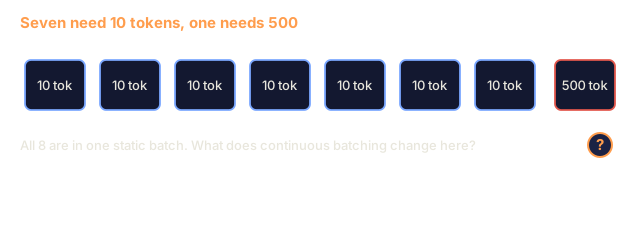
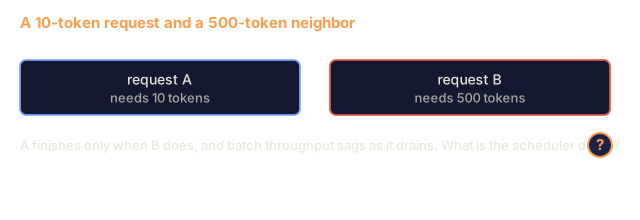
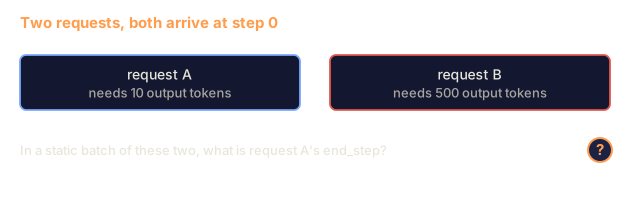
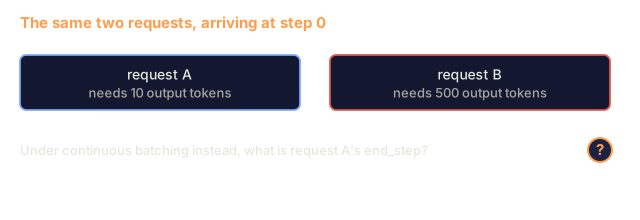
Static batching waits for a batch of N requests to arrive, processes them together, and holds new requests until the whole batch finishes. If one request needs 500 tokens and another needs 10, the short request sits idle for 490 decode steps after it finishes.
Continuous batching (also called iteration-level batching) inserts new requests into the batch as soon as any request completes. The batch is reevaluated at every decode step. A request that finishes after 10 tokens gets replaced by a waiting request on the next step.

The gain depends on how much output lengths vary. With uniform lengths, continuous batching matches static batching. With variable lengths (the common case), it can deliver 2-5x higher throughput because GPU slots never sit empty.
PagedAttention
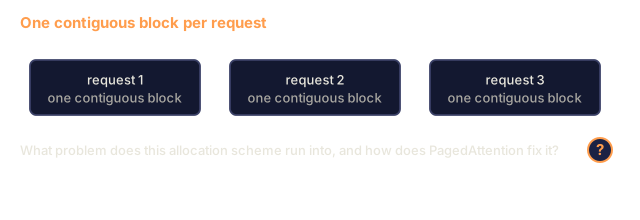
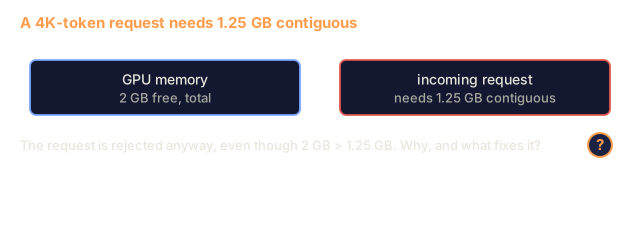
The KV cache for each request is a contiguous block of memory. As requests arrive and depart, memory fragments, the same way RAM does in an operating system. A 4K-token request needs 1.25 GB contiguous. Even if you have 2 GB free total, you might not have 1.25 GB contiguous. You either waste memory or reject the request.
PagedAttention (from vLLM) applies OS-style virtual memory to KV cache. Instead of allocating one contiguous block per request, it allocates fixed-size "pages" (typically 16 tokens each). Pages can be anywhere in physical GPU memory. A page table maps each request's logical sequence positions to physical page locations.

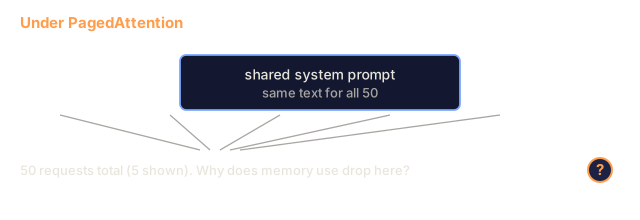
PagedAttention also enables copy-on-write for shared prefixes. If 50 requests share the same system prompt, the KV cache pages for that system prompt are stored once and referenced by all 50 requests. Only when a request diverges (different user messages) does it get its own pages. That cuts memory use sharply for applications with a shared system prompt.
vLLM reports ~4% memory waste with PagedAttention, against ~60-80% in naive allocation.
Speculative Decoding
Decode is slow because it is sequential: you generate one token, feed it back, generate the next. What if you could guess the next 5 tokens cheaply, then verify them all at once?
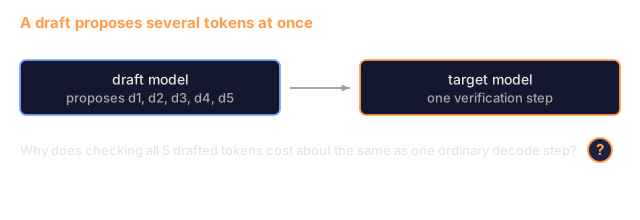
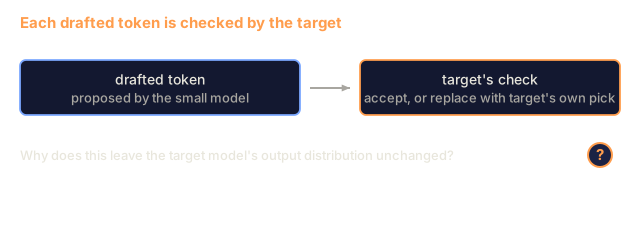
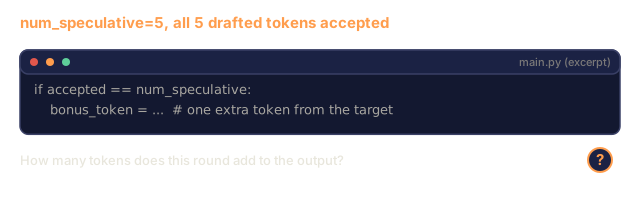
Speculative decoding uses a small, fast draft model to generate K candidate tokens. The large target model then processes all K candidates in a single forward pass (which looks like a prefill: parallel, compute-bound, efficient). If the target model agrees with the draft model's predictions, you accept all K tokens in the time of one target forward pass. If it disagrees at position j, you accept tokens 1 through j-1 and discard the rest.

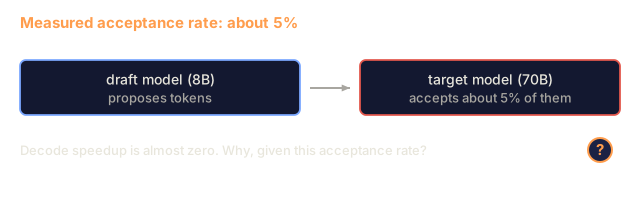
The speedup depends on the acceptance rate, meaning how often the draft model's predictions match the target. For a Llama 3 8B drafting for Llama 3 70B, acceptance rates of 70-85% are typical on natural language. This translates to 2-3x decode speedup.
Three approaches to speculative decoding:
| Method | Draft source | Acceptance rate | Overhead |
|---|---|---|---|
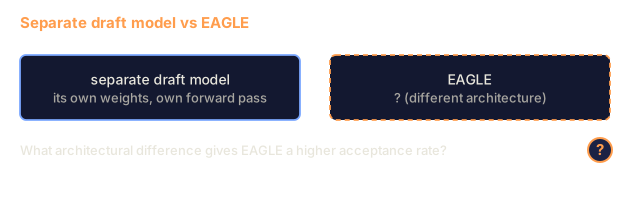
| Draft-target (Leviathan et al.) | Separate small model | 70-85% | Draft model memory |
| EAGLE (Li et al.) | Lightweight head on target | 75-90% | ~1% extra parameters |
| N-gram lookup | Token n-gram table | 40-60% | Negligible |
EAGLE trains a small autoregressive head on top of the target model's hidden states. It predicts the next token's embedding using the target model's second-to-last layer features. Because it works on the target model's own representations instead of a separate model's, it reaches higher acceptance rates with little extra memory. EAGLE-2 adds a dynamic draft tree that adjusts candidate count based on context.
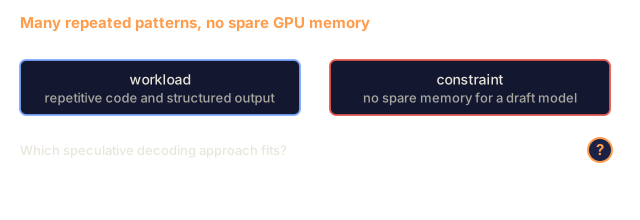
N-gram speculative decoding maintains a table of n-gram continuations from the current context or a prebuilt corpus. If the draft matches what appeared before in the same conversation (repetitive patterns, code, structured output), it fires with zero neural network overhead. Acceptance rates are lower on average, but each speculation costs almost nothing.
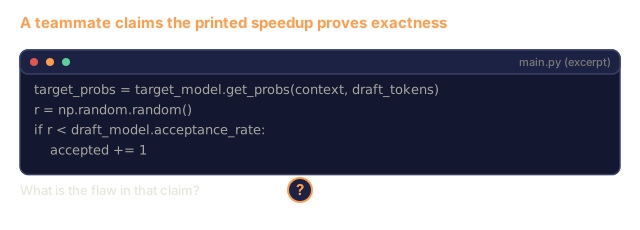
Speculative decoding is mathematically exact: the output distribution matches the target model's distribution, and the verification step keeps each accepted token at the probability the target model would have assigned. It is not an approximation.
Prefix Caching
Many requests share a prefix: a chatbot system prompt, a RAG context block, a few-shot example set. Without prefix caching, each request recomputes the KV cache for those shared tokens from scratch.
Prefix caching stores the KV cache for common prefixes and reuses it across requests. When a new request arrives with a known prefix, the system copies (or references) the cached KV entries and only computes the KV for the unique suffix.
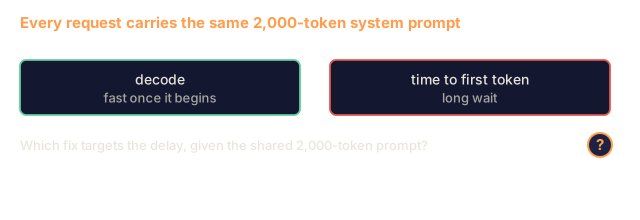
For a 2,000-token system prompt shared across all requests, prefix caching eliminates ~400ms of prefill per request. At 100 requests/second, that saves 40 seconds of GPU compute per second, more than one GPU's worth of work.
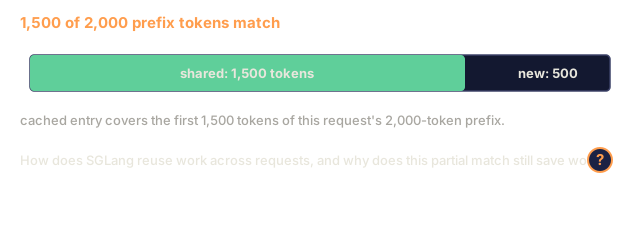
SGLang's RadixAttention implements prefix caching with a radix tree (trie) that indexes prefixes by their token content. A request matching a stored prefix gets its KV cache for free. The tree also handles partial matches: if you share 1,500 of 2,000 prefix tokens with a cached entry, you reuse those 1,500 and recompute only 500.
Inference Engines
Three engines dominate production LLM serving:
| Engine | Key innovation | Best for |
|---|---|---|
| vLLM | PagedAttention, continuous batching | General-purpose serving, highest compatibility |
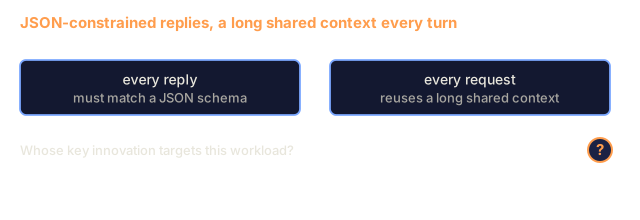
| SGLang | RadixAttention (prefix caching), structured generation | Multi-turn chatbots, constrained decoding |
| TensorRT-LLM | NVIDIA kernel fusion, FP8 quantization | Maximum single-GPU throughput on NVIDIA hardware |
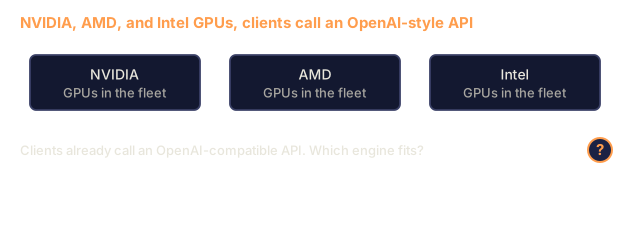
vLLM is the default starting point. It supports the widest range of models, runs on NVIDIA, AMD, and Intel GPUs, and gets strong throughput from PagedAttention plus continuous batching. Its OpenAI-compatible API lets you drop it in where you would call the OpenAI API.
SGLang builds on the same foundations as vLLM but adds RadixAttention for prefix caching and a domain-specific language for structured LLM programs. If your workload involves multi-turn conversations, tool use, or constrained decoding (JSON output, regex-guided generation), SGLang often outperforms vLLM by 2-5x through prefix reuse.
TensorRT-LLM compiles models into optimized NVIDIA GPU kernels. It fuses operations (attention + linear + activation in one kernel), uses FP8 on H100 GPUs, and integrates with NVIDIA Triton Inference Server for production deployment. It reaches the highest single-GPU throughput on NVIDIA hardware, but it takes more setup and only runs on NVIDIA GPUs.
Real-world numbers for Llama 3 70B (4xA100-80GB, BF16):
| Metric | vLLM | SGLang | TensorRT-LLM |
|---|---|---|---|
| Throughput (1 user) | ~50 TPS | ~55 TPS | ~65 TPS |
| Throughput (100 users) | ~2,500 total TPS | ~3,200 total TPS | ~3,000 total TPS |
| Time to first token | ~400ms | ~300ms (prefix hit) | ~350ms |
| Max context | 128K | 128K | 128K |
The Ops:Byte Framework
You cannot optimize what you do not measure. The ops:byte ratio tells you whether you are compute-bound or memory-bound, and that decides which optimizations matter.
Compute roof: peak FLOPS of the GPU
Memory roof:  peak bandwidth * ops:byte ratio
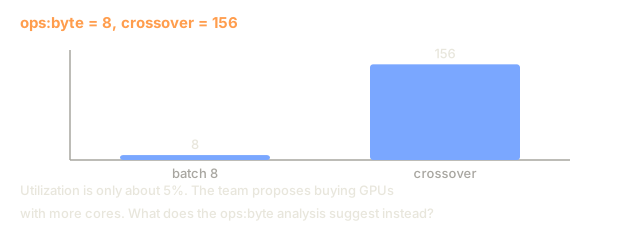
When ops:byte is low (decode, small batches), you hit the memory bandwidth roof. Adding more compute (higher clock, more cores) does not help. You need to reduce memory reads (quantization, KV cache compression) or increase the batch size to amortize reads across more useful work.
When ops:byte is high (prefill, large batches), you hit the compute roof. Memory bandwidth optimization does not help. You need faster GPUs, kernel fusion, or reduced precision to squeeze more FLOPS.
| Scenario | ops:byte | Bound | Optimize with |
|---|---|---|---|
| Prefill, batch=1 | ~4,096 | Compute | Kernel fusion, FP8 |
| Decode, batch=1 | ~1 | Memory | Quantization, KV compression |
| Decode, batch=32 | ~32 | Memory | Larger batch, continuous batching |
| Decode, batch=256 | ~256 | Transitioning | Both matter |
| Decode, batch=1024 | ~1,024 | Compute | Kernel fusion, tensor parallelism |
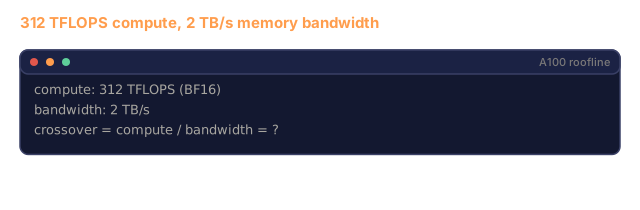
The crossover point on A100 is around ops:byte = 156 (312 TFLOPS / 2 TB/s). Below 156, you are memory-bound. Above 156, you are compute-bound. Continuous batching pushes decode toward this crossover by packing more tokens per iteration.
Build It
Step 1: KV Cache from Scratch
We build a multi-head KV cache that stores key and value projections per layer, per head, and demonstrates the memory growth pattern.
import numpy as np

class KVCache:
    def __init__(self, num_layers, num_heads, head_dim, max_seq_len, dtype=np.float16):
        self.num_layers = num_layers
        self.num_heads = num_heads
        self.head_dim = head_dim
        self.max_seq_len = max_seq_len
        self.dtype = dtype

        self.k_cache = np.zeros(
            (num_layers, num_heads, max_seq_len, head_dim), dtype=dtype
        )
        self.v_cache = np.zeros(
            (num_layers, num_heads, max_seq_len, head_dim), dtype=dtype
        )
        self.seq_len = 0

    def update(self, layer_idx, new_keys, new_values):
        num_new = new_keys.shape[1]
        end = self.seq_len + num_new
        self.k_cache[layer_idx, :, self.seq_len:end, :] = new_keys
        self.v_cache[layer_idx, :, self.seq_len:end, :] = new_values
        return (
            self.k_cache[layer_idx, :, :end, :],
            self.v_cache[layer_idx, :, :end, :]
        )

    def advance(self, num_tokens):
        self.seq_len += num_tokens

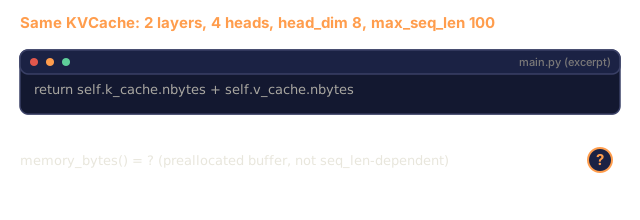
    def memory_bytes(self):
        return self.k_cache.nbytes + self.v_cache.nbytes

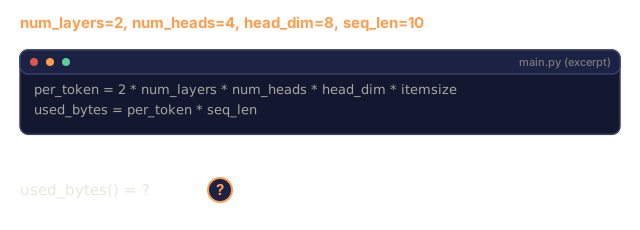
    def used_bytes(self):
        per_token = 2 * self.num_layers * self.num_heads * self.head_dim * np.dtype(self.dtype).itemsize
        return per_token * self.seq_len
Step 2: Attention with KV Cache
A simplified multi-head attention that uses the KV cache for decode steps.
def scaled_dot_product_attention(query, keys, values):
    head_dim = query.shape[-1]
    scores = np.matmul(query, keys.transpose(0, 1, 3, 2)) / np.sqrt(head_dim)
    seq_len_q = scores.shape[-2]
    seq_len_k = scores.shape[-1]
    if seq_len_q > 1:
        mask = np.triu(np.ones((seq_len_q, seq_len_k), dtype=np.float32), k=seq_len_k - seq_len_q + 1)
        scores = scores + mask * (-1e9)
    max_scores = np.max(scores, axis=-1, keepdims=True)
    exp_scores = np.exp(scores - max_scores)
    attn_weights = exp_scores / np.sum(exp_scores, axis=-1, keepdims=True)
    return np.matmul(attn_weights, values)


class MultiHeadAttention:
    def __init__(self, d_model, num_heads):
        self.num_heads = num_heads
        self.head_dim = d_model // num_heads
        scale = np.sqrt(2.0 / d_model)
        self.W_q = np.random.randn(d_model, d_model).astype(np.float32) * scale
        self.W_k = np.random.randn(d_model, d_model).astype(np.float32) * scale
        self.W_v = np.random.randn(d_model, d_model).astype(np.float32) * scale
        self.W_o = np.random.randn(d_model, d_model).astype(np.float32) * scale

    def forward(self, x, kv_cache=None, layer_idx=0):
        batch, seq_len, d_model = x.shape
        Q = np.matmul(x, self.W_q).reshape(batch, seq_len, self.num_heads, self.head_dim).transpose(0, 2, 1, 3)
        K = np.matmul(x, self.W_k).reshape(batch, seq_len, self.num_heads, self.head_dim).transpose(0, 2, 1, 3)
        V = np.matmul(x, self.W_v).reshape(batch, seq_len, self.num_heads, self.head_dim).transpose(0, 2, 1, 3)

        if kv_cache is not None:
            K_full, V_full = kv_cache.update(layer_idx, K[0], V[0])
            K = K_full[np.newaxis, :, :, :]
            V = V_full[np.newaxis, :, :, :]
            if seq_len == 1:
                kv_cache.advance(1)

        attn_out = scaled_dot_product_attention(Q, K, V)
        attn_out = attn_out.transpose(0, 2, 1, 3).reshape(batch, -1, d_model)
        return np.matmul(attn_out, self.W_o)
Step 3: Continuous Batching Simulator
This simulates the scheduling difference between static and continuous batching.
import heapq

class Request:
    def __init__(self, request_id, prompt_tokens, output_tokens, arrival_step):
        self.request_id = request_id
        self.prompt_tokens = prompt_tokens
        self.output_tokens = output_tokens
        self.arrival_step = arrival_step
        self.tokens_generated = 0
        self.start_step = None
        self.end_step = None

    def is_done(self):
        return self.tokens_generated >= self.output_tokens


def simulate_static_batching(requests, batch_size):
    step = 0
    completed = []
    queue = list(requests)
    queue.sort(key=lambda r: r.arrival_step)

    while queue:
        batch = []
        while queue and len(batch) < batch_size:
            r = queue.pop(0)
            r.start_step = max(step, r.arrival_step)
            batch.append(r)

        if batch:
            step = max(step, max(r.start_step for r in batch))
            max_output = max(r.output_tokens for r in batch)
            for r in batch:
                r.tokens_generated = r.output_tokens
                r.end_step = step + max_output
            step += max_output
            completed.extend(batch)

    return completed


def simulate_continuous_batching(requests, batch_size):
    step = 0
    completed = []
    queue = sorted(requests, key=lambda r: r.arrival_step)
    queue_idx = 0
    active = []
    waiting = []

    while queue_idx < len(queue) or active or waiting:
        while queue_idx < len(queue) and queue[queue_idx].arrival_step <= step:
            waiting.append(queue[queue_idx])
            queue_idx += 1

        while waiting and len(active) < batch_size:
            r = waiting.pop(0)
            r.start_step = step
            active.append(r)

        if not active:
            if waiting:
                step += 1
                continue
            elif queue_idx < len(queue):
                step = queue[queue_idx].arrival_step
                continue
            else:
                break

        for r in active:
            r.tokens_generated += 1

        done = [r for r in active if r.is_done()]
        for r in done:
            r.end_step = step + 1
            completed.append(r)
        active = [r for r in active if not r.is_done()]

        step += 1

    return completed


def batching_stats(completed):
    latencies = [r.end_step - r.arrival_step for r in completed]
    total_time = max(r.end_step for r in completed) - min(r.arrival_step for r in completed)
    total_tokens = sum(r.output_tokens for r in completed)
    return {
        "avg_latency": np.mean(latencies),
        "p50_latency": np.median(latencies),
        "p99_latency": np.percentile(latencies, 99),
        "total_time": total_time,
        "throughput": total_tokens / total_time if total_time > 0 else 0,
    }
Step 4: Prefix Cache
A trie-based prefix cache that stores KV entries for shared prefixes.
class TrieNode:
    def __init__(self):
        self.children = {}
        self.kv_data = None
        self.hit_count = 0


class PrefixCache:
    def __init__(self, max_entries=1000):
        self.root = TrieNode()
        self.max_entries = max_entries
        self.total_entries = 0
        self.hits = 0
        self.misses = 0

    def _walk(self, token_ids):
        node = self.root
        depth = 0
        for tid in token_ids:
            if tid not in node.children:
                break
            node = node.children[tid]
            depth += 1
        return node, depth

    def lookup(self, token_ids):
        node, depth = self._walk(token_ids)
        if depth > 0:
            self.hits += 1
            current = self.root
            for tid in token_ids[:depth]:
                current = current.children[tid]
                current.hit_count += 1
            kv_entries = []
            current = self.root
            for tid in token_ids[:depth]:
                current = current.children[tid]
                if current.kv_data is not None:
                    kv_entries.append(current.kv_data)
            return depth, kv_entries
        self.misses += 1
        return 0, []

    def insert(self, token_ids, kv_per_token):
        node = self.root
        for i, tid in enumerate(token_ids):
            if tid not in node.children:
                if self.total_entries >= self.max_entries:
                    return i
                node.children[tid] = TrieNode()
                self.total_entries += 1
            node = node.children[tid]
            if i < len(kv_per_token):
                node.kv_data = kv_per_token[i]
        return len(token_ids)

    def hit_rate(self):
        total = self.hits + self.misses
        return self.hits / total if total > 0 else 0.0
Step 5: Speculative Decoding Simulator
We simulate draft-target speculative decoding with configurable acceptance rates.
class DraftModel:
    def __init__(self, vocab_size, acceptance_rate=0.8):
        self.vocab_size = vocab_size
        self.acceptance_rate = acceptance_rate

    def generate(self, context, num_tokens):
        tokens = np.random.randint(0, self.vocab_size, size=num_tokens)
        return tokens

    def get_probs(self, context, token):
        probs = np.random.dirichlet(np.ones(self.vocab_size))
        return probs


class TargetModel:
    def __init__(self, vocab_size):
        self.vocab_size = vocab_size

    def get_probs(self, context, tokens=None):
        if tokens is not None:
            return [np.random.dirichlet(np.ones(self.vocab_size)) for _ in tokens]
        return np.random.dirichlet(np.ones(self.vocab_size))


def speculative_decode(draft_model, target_model, context, num_speculative=5,
                       draft_cost=1.0, target_cost=10.0, verify_cost=12.0):
    total_tokens = 0
    total_cost = 0.0
    accepted_counts = []
    context = list(context)

    max_tokens = 100

    while total_tokens < max_tokens:
        draft_tokens = draft_model.generate(context, num_speculative)
        total_cost += draft_cost * num_speculative

        target_probs = target_model.get_probs(context, draft_tokens)
        total_cost += verify_cost

        accepted = 0
        for i, token in enumerate(draft_tokens):
            draft_p = draft_model.get_probs(context + list(draft_tokens[:i]), token)
            target_p = target_probs[i]

            r = np.random.random()
            acceptance_prob = min(1.0, target_p[token] / (draft_p[token] + 1e-10))

            if r < draft_model.acceptance_rate:
                accepted += 1
                context.append(token)
                total_tokens += 1
            else:
                new_token = np.random.choice(draft_model.vocab_size, p=target_p)
                context.append(new_token)
                total_tokens += 1
                break

        accepted_counts.append(accepted)

        if accepted == num_speculative:
            bonus_probs = target_model.get_probs(context)
            bonus_token = np.random.choice(draft_model.vocab_size, p=bonus_probs)
            context.append(bonus_token)
            total_tokens += 1

    sequential_cost = total_tokens * target_cost
    return {
        "total_tokens": total_tokens,
        "speculative_cost": total_cost,
        "sequential_cost": sequential_cost,
        "speedup": sequential_cost / total_cost if total_cost > 0 else 1.0,
        "avg_accepted": np.mean(accepted_counts),
        "acceptance_rate": np.mean(accepted_counts) / num_speculative,
    }


def compare_speculation_strategies(vocab_size=1000, num_trials=20):
    results = {}

    for name, acceptance_rate, spec_tokens in [
        ("Draft-target (8B->70B)", 0.78, 5),
        ("EAGLE", 0.85, 6),
        ("N-gram", 0.50, 4),
        ("No speculation", 0.0, 0),
    ]:
        if spec_tokens == 0:
            results[name] = {
                "speedup": 1.0,
                "acceptance_rate": 0.0,
                "avg_accepted": 0.0,
            }
            continue

        trial_results = []
        for _ in range(num_trials):
            draft = DraftModel(vocab_size, acceptance_rate=acceptance_rate)
            target = TargetModel(vocab_size)
            context = list(np.random.randint(0, vocab_size, size=10))
            result = speculative_decode(draft, target, context, num_speculative=spec_tokens)
            trial_results.append(result)

        results[name] = {
            "speedup": np.mean([r["speedup"] for r in trial_results]),
            "acceptance_rate": np.mean([r["acceptance_rate"] for r in trial_results]),
            "avg_accepted": np.mean([r["avg_accepted"] for r in trial_results]),
        }

    return results
Step 6: KV Cache Memory Profiler
Compute KV cache memory requirements for real model configurations.
MODEL_CONFIGS = {
    "Llama-3-8B": {
        "num_layers": 32, "num_kv_heads": 8, "head_dim": 128,
        "model_params_b": 8, "gqa": True,
    },
    "Llama-3-70B": {
        "num_layers": 80, "num_kv_heads": 8, "head_dim": 128,
        "model_params_b": 70, "gqa": True,
    },
    "Llama-3-405B": {
        "num_layers": 126, "num_kv_heads": 8, "head_dim": 128,
        "model_params_b": 405, "gqa": True,
    },
    "Mistral-7B": {
        "num_layers": 32, "num_kv_heads": 8, "head_dim": 128,
        "model_params_b": 7, "gqa": True,
    },
    "GPT-4-est": {
        "num_layers": 120, "num_kv_heads": 96, "head_dim": 128,
        "model_params_b": 1800, "gqa": False,
    },
}


def kv_cache_memory(config, seq_len, dtype_bytes=2):
    per_token = 2 * config["num_layers"] * config["num_kv_heads"] * config["head_dim"] * dtype_bytes
    total = per_token * seq_len
    return {
        "per_token_bytes": per_token,
        "per_token_kb": per_token / 1024,
        "total_bytes": total,
        "total_mb": total / (1024 ** 2),
        "total_gb": total / (1024 ** 3),
    }


def memory_budget(config, gpu_memory_gb, model_dtype_bytes=2, kv_dtype_bytes=2):
    model_memory_gb = config["model_params_b"] * 1e9 * model_dtype_bytes / (1024 ** 3)
    overhead_gb = gpu_memory_gb * 0.1
    available_for_kv = gpu_memory_gb - model_memory_gb - overhead_gb

    if available_for_kv <= 0:
        return {"error": "Model does not fit in GPU memory", "model_memory_gb": model_memory_gb}

    per_token = 2 * config["num_layers"] * config["num_kv_heads"] * config["head_dim"] * kv_dtype_bytes
    max_tokens = int(available_for_kv * (1024 ** 3) / per_token)

    return {
        "gpu_memory_gb": gpu_memory_gb,
        "model_memory_gb": round(model_memory_gb, 1),
        "overhead_gb": round(overhead_gb, 1),
        "available_for_kv_gb": round(available_for_kv, 1),
        "max_total_tokens": max_tokens,
        "max_users_at_2k": max_tokens // 2048,
        "max_users_at_4k": max_tokens // 4096,
        "max_users_at_32k": max_tokens // 32768,
    }
![An excerpt of PrefixCache._walk: it follows the trie's children while each token id matches, counting depth, and stops at the first id that is not a child. A question asks for the resulting depth when looking up [5, 6, 9, 9] after inserting [5, 6, 7].](/quiz-visuals/10-llms-from-scratch/12-inference-optimization/n24.svg)
Use It
With vLLM:
from vllm import LLM, SamplingParams

llm = LLM(
    model="meta-llama/Llama-3-70B-Instruct",
    tensor_parallel_size=4,
    enable_prefix_caching=True,
    max_model_len=8192,
    gpu_memory_utilization=0.9,
)

params = SamplingParams(temperature=0.7, max_tokens=256)
outputs = llm.generate(["Explain inference optimization in one paragraph."], params)
With SGLang for prefix caching + structured output:
import sglang as sgl

@sgl.function
def classify(s, text):
    s += sgl.system("You are a classifier. Output JSON only.")
    s += sgl.user(f"Classify this text: {text}")
    s += sgl.assistant(sgl.gen("result", regex=r'\{"label": "(positive|negative|neutral)"\}'))

runtime = sgl.Runtime(model_path="meta-llama/Llama-3-70B-Instruct", tp_size=4)
sgl.set_default_backend(runtime)

results = classify.run_batch([
    {"text": "This product is amazing!"},
    {"text": "Terrible experience."},
    {"text": "It was okay I guess."},
])
With TensorRT-LLM:
import tensorrt_llm
from tensorrt_llm.runtime import ModelRunner

runner = ModelRunner.from_dir("./llama-70b-trt-engine/", rank=0)

outputs = runner.generate(
    batch_input_ids=[tokenizer.encode("Explain KV caching.")],
    max_new_tokens=256,
    temperature=0.7,
)
Ship It
This lesson produces:
outputs/skill-inference-optimization.md: a skill for diagnosing and optimizing LLM inference serving
I'd start with main.py and read the speculative decoding simulator skeptically. The draft model returns random tokens, and acceptance is a coin flip at acceptance_rate, so the speedup it prints comes from the cost constants (draft_cost, target_cost, verify_cost) and that rate. It shows how the cost accounting works. It does not demonstrate the exactness property from the Concept section, because the draft and target distributions in the simulator are random Dirichlet draws that are never used in the accept decision.
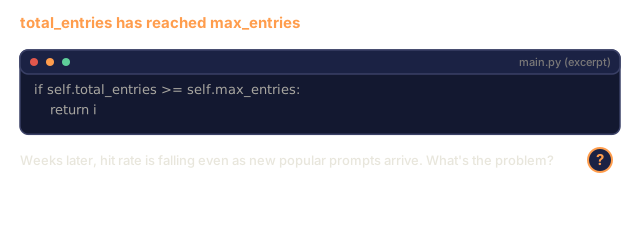
The prefix cache is the other place I'd slow down. It is a trie keyed by token, and once total_entries reaches max_entries, insert stops adding nodes and returns how far it got. Nothing is evicted, so a full cache keeps its earliest prefixes whether or not they are still hot. Exercise 4 asks you to close that gap with LRU.
The part I'd trust most is the KV cache memory profiler, since it is plain arithmetic: per-token bytes times sequence length, plus a budget that subtracts model weights and 10% overhead from GPU memory. Check its output for Llama 3 70B against the 320 KB per token figure in the Concept section before relying on any of the other numbers.
Exercises
-
Modify the KV cache profiler to compare FP16 vs FP8 vs INT4 KV cache quantization. For Llama 3 70B at 4K context, compute the max concurrent users for each on 4xA100-80GB. KV quantization to INT4 should roughly 4x the user capacity.
-
Extend the continuous batching simulator to track GPU utilization (fraction of batch slots filled per step). Plot utilization over time for both static and continuous batching with 50 requests whose output lengths follow a Pareto distribution (shape=1.5, scale=20). Continuous batching should maintain >80% utilization.
-
Implement a grouped-query attention (GQA) version of the KV cache where
num_kv_heads < num_query_heads. Llama 3 70B uses 64 query heads but only 8 KV heads. Compute the memory savings vs full multi-head attention (8x reduction in KV cache size). -
Build a prefix cache that uses LRU eviction. Set max_entries to 500 and generate 1,000 requests where 60% share one of 5 common prefixes. Measure hit rate and compare to unlimited cache. With good eviction, hit rate should stay above 55%.
-
Extend the speculative decoding simulator to implement tree-based speculation (EAGLE-2 style). Instead of a single chain of K draft tokens, generate a tree of candidates (e.g., 2 branches at each of 3 levels = 8 leaf candidates). Compare total tokens accepted per verification round vs linear speculation.
Key Terms
| Term | What people say | What it actually means |
|---|---|---|
| Prefill | "Processing the prompt" | Computing attention over all input tokens in parallel -- compute-bound because the full matrix multiplication keeps GPU cores busy |
| Decode | "Generating tokens" | Producing one token per forward pass, reading the full model weights each time -- memory-bound because compute finishes before the next weights arrive |
| KV cache | "Caching attention states" | Storing the key and value projections for all previous tokens so they are not recomputed at each decode step -- trades memory for compute |
| Continuous batching | "Dynamic batching" | Inserting new requests into the running batch as soon as any request finishes, evaluated at every decode iteration rather than waiting for the whole batch |
| PagedAttention | "Virtual memory for KV cache" | Allocating KV cache in fixed-size pages instead of contiguous blocks, eliminating memory fragmentation and enabling copy-on-write for shared prefixes |
| Speculative decoding | "Draft and verify" | Using a fast draft model to propose multiple tokens, then verifying them all in one target model forward pass -- mathematically exact, 2-3x speedup |
| EAGLE | "Self-speculative decoding" | A speculative decoding variant that trains a lightweight head on the target model's own hidden states, achieving higher acceptance rates than a separate draft model |
| Prefix caching | "Reusing system prompt KV" | Storing computed KV cache entries for common prefixes (system prompts, few-shot examples) and reusing them across requests to skip redundant prefill |
| Ops:byte ratio | "Arithmetic intensity" | The ratio of compute operations to memory bytes read -- determines whether a workload is compute-bound (high ratio) or memory-bound (low ratio) |
| Time to first token | "TTFT" | Latency from receiving a request to producing the first output token -- dominated by prefill time for long prompts |
Further Reading
- Kwon et al., "Efficient Memory Management for Large Language Model Serving with PagedAttention" (2023): the vLLM paper that introduced paged KV cache management, now the industry standard for inference serving
- Leviathan et al., "Fast Inference from Transformers via Speculative Decoding" (2023): the foundational paper proving that draft-verify speculation produces exact target model distributions while achieving 2-3x speedup
- Li et al., "EAGLE: Speculative Sampling Requires Rethinking Feature Uncertainty" (2024): achieves higher acceptance rates by training a head on the target model's own features instead of using a separate draft model
- Zheng et al., "SGLang: Efficient Execution of Structured Language Model Programs" (2024): introduces RadixAttention for prefix caching and a programming model for multi-call LLM programs
- Williams et al., "Roofline: An Insightful Visual Performance Model for Multicore Architectures" (2009): the original roofline paper that formalized the ops:byte framework for reasoning about compute vs memory bottlenecks