Structured Outputs: JSON, Schema Validation, Constrained Decoding
Your LLM returns a string and your application needs JSON. That gap breaks more production pipelines than hallucination does. Structured output is the bridge between natural language and typed data. Get it right and the model behaves like a typed API. Get it wrong and you end up parsing free text with regex at 3am.
Learning Objectives
- Implement JSON-mode and schema-constrained outputs using OpenAI and Anthropic API parameters
- Build a Pydantic validation layer that rejects malformed LLM outputs and retries with error feedback
- Explain how constrained decoding forces valid JSON at the token level without post-processing
- Design robust extraction prompts that reliably convert unstructured text into typed data structures
The Problem
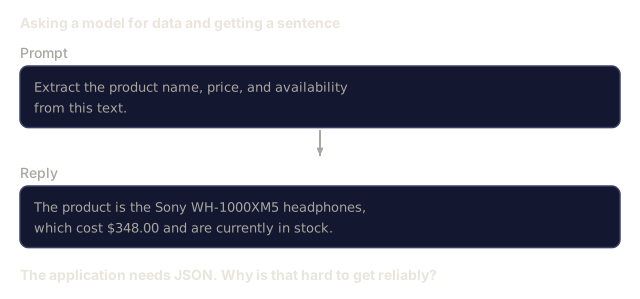
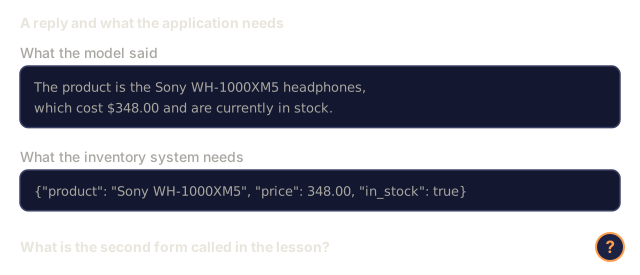
You ask an LLM: "Extract the product name, price, and availability from this text." It responds:
The product is the Sony WH-1000XM5 headphones, which cost $348.00 and are currently in stock.
That answer is correct, and your application can't use it. Your inventory system needs {"product": "Sony WH-1000XM5", "price": 348.00, "in_stock": true}. You need a JSON object with specific keys, types, and value constraints, not a sentence.
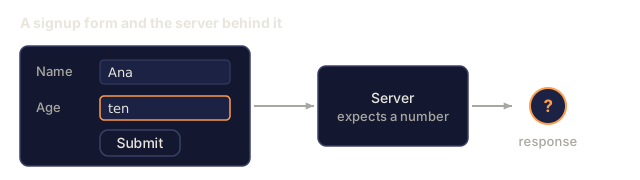
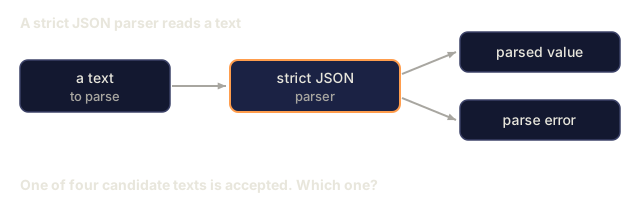
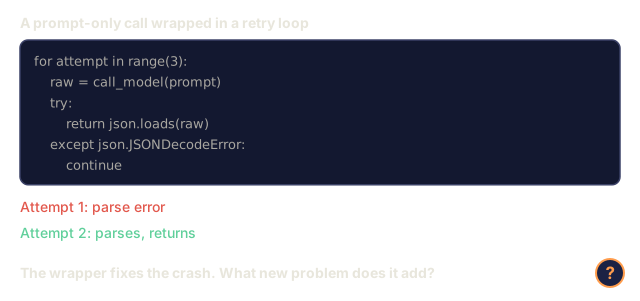
The naive solution: add "Respond in JSON" to your prompt. This works 90% of the time. The other 10% of the time, the model wraps the JSON in markdown code fences, or adds a preamble like "Here's the JSON:", or produces syntactically invalid JSON because it closed a bracket early. The parser crashes and the pipeline breaks, so you add try/except and a retry loop. The retry sometimes returns different data, and now you have a consistency problem on top of the parsing problem.
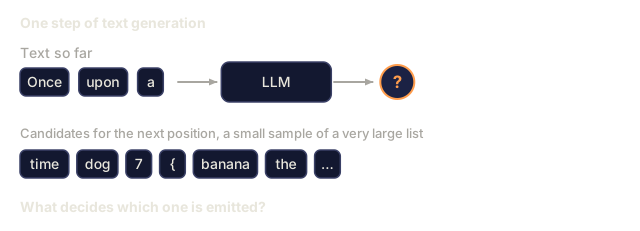
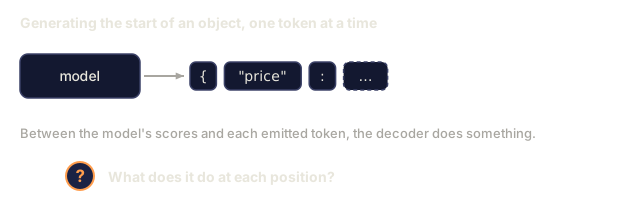
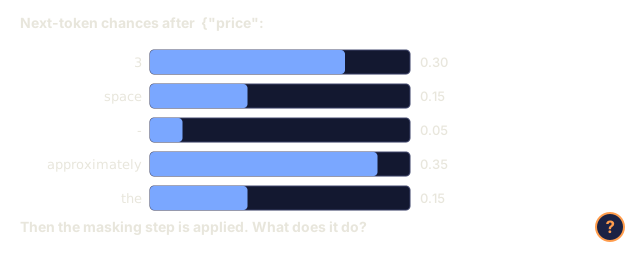
The real problem is decoding, not prompting. The model generates tokens left to right. At each position, it picks the most likely next token from a vocabulary of 100K+ options. At any given position, most of those options would produce invalid JSON. If the model just emitted {"price":, the next token must be a digit, a quote (for string), null, true, false, or a negative sign. Anything else is invalid. Without constraints, the model can pick a perfectly reasonable English word that breaks the syntax.
The Concept
The Structured Output Spectrum
There are four levels of structured output control, and each one is stricter than the last.

Prompt-based ("Respond in valid JSON"): no enforcement. The model usually complies but sometimes does not. Reliability: ~90%. Failure modes: markdown fences, preamble text, truncated output, wrong structure.
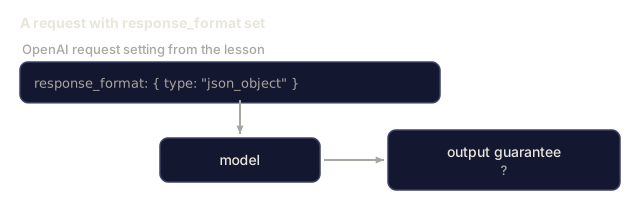
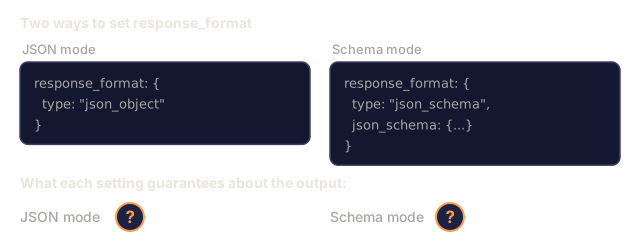
JSON mode: the API guarantees the output is valid JSON. OpenAI's response_format: { type: "json_object" } enables this. The output will parse, but it may not match your schema: extra keys, wrong types, missing fields.
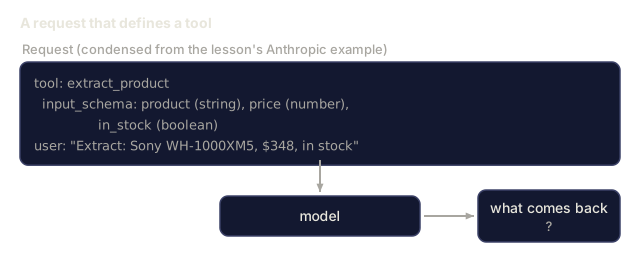
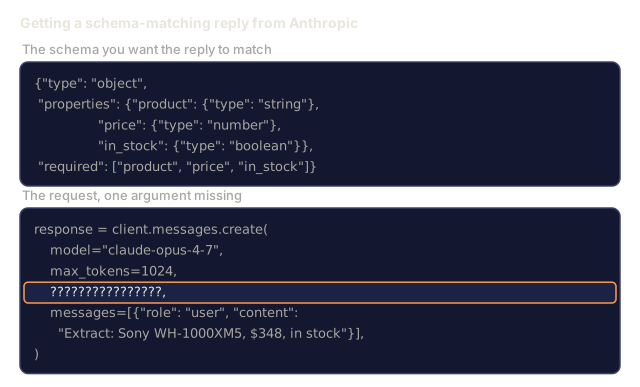
Schema mode: the API takes a JSON Schema and guarantees the output matches it. In 2026 every major provider supports this natively: OpenAI's response_format: { type: "json_schema", json_schema: {...} } (also as tool_choice="required"), Anthropic's tool use with input_schema, and Gemini's response_schema + response_mime_type: "application/json". The output has the exact keys, types, and constraints you specified.
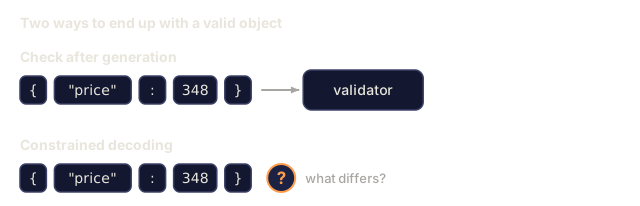
Constrained decoding: at each token position during generation, the decoder masks out all tokens that would produce invalid output. If the schema requires a number and the model is about to emit a letter, that token gets probability zero, so the model can only produce tokens that lead to valid output. OpenAI's structured output mode and libraries like Outlines and Guidance work this way under the hood.
JSON Schema: The Contract Language
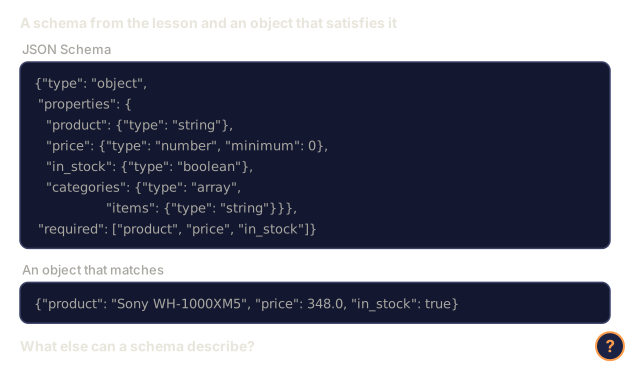
JSON Schema is how you tell the model (or validation layer) what shape the output must have. Every major structured output system uses it.
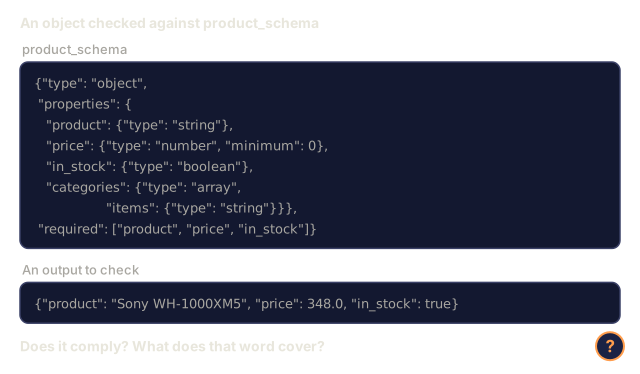
{
  "type": "object",
  "properties": {
    "product": { "type": "string" },
    "price": { "type": "number", "minimum": 0 },
    "in_stock": { "type": "boolean" },
    "categories": {
      "type": "array",
      "items": { "type": "string" }
    }
  },
  "required": ["product", "price", "in_stock"]
}
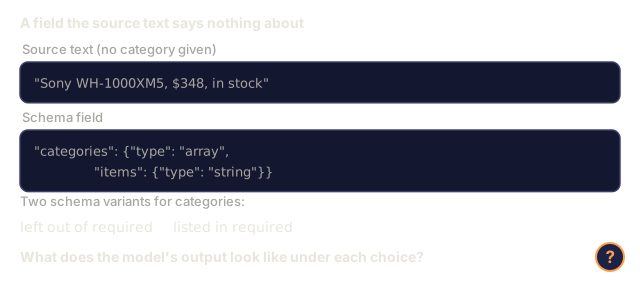
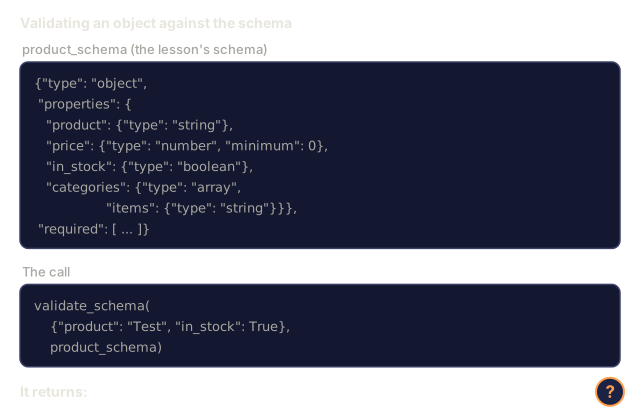
This schema says the output must be an object with a string product, a non-negative number price, a boolean in_stock, and an optional array of strings categories. Anything that doesn't match gets rejected.
Schemas also cover nested objects, arrays with typed items, enums (constrain a string to specific values), pattern matching (regex on strings), and combinators (oneOf, anyOf, allOf for polymorphic outputs).
The Pydantic Pattern
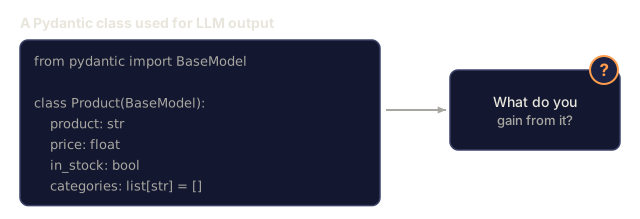
In Python, you rarely write JSON Schema by hand. You define a Pydantic model and it generates the schema.
from pydantic import BaseModel

class Product(BaseModel):
    product: str
    price: float
    in_stock: bool
    categories: list[str] = []
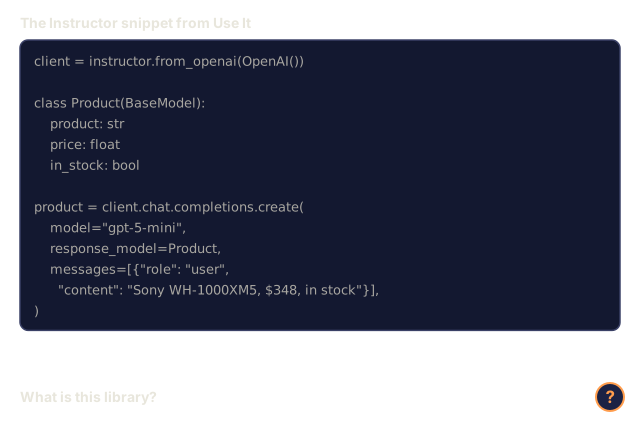
This produces the same JSON Schema as above. The Instructor library (and OpenAI's SDK) accept Pydantic models directly: pass the model class, get back a validated instance. If the LLM output does not match, Instructor retries automatically.
Function Calling / Tool Use
Tool use is a second interface for the same problem. Instead of asking the model to produce JSON directly, you define "tools" (functions) with typed parameters. The model outputs a function call with structured arguments. OpenAI calls this "function calling." Anthropic calls it "tool use." Either way you get structured data.

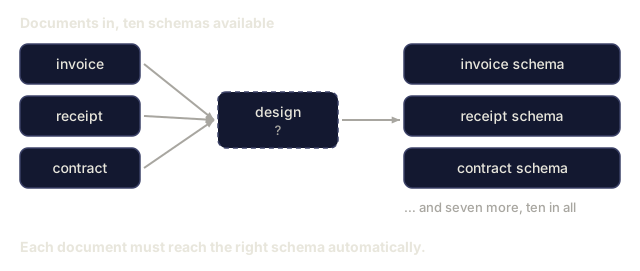
Prefer tool use when the model needs to choose which function to call, not just fill in parameters. If you have 10 different extraction schemas and the model must pick the right one based on the input, tool use gives you both the schema selection and the structured output.
Common Failure Modes
Schema enforcement doesn't remove every failure.
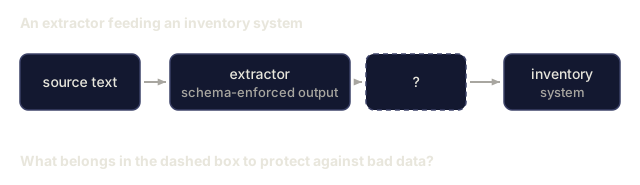
Hallucinated values: the output matches the schema but contains invented data. The model produces {"price": 299.99} when the text says $348. Schema validation can't catch this, because the type is correct and only the value is wrong.
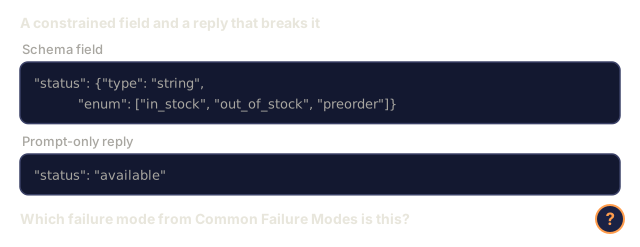
Enum confusion: you constrain a field to ["in_stock", "out_of_stock", "preorder"]. The model outputs "available" which is semantically fine but outside the allowed set. Good constrained decoding prevents this. Prompt-based approaches don't.
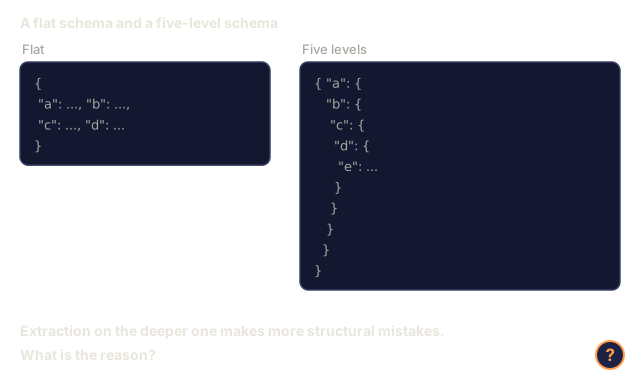
Nested object depth: deeply nested schemas (4+ levels) tend to produce more errors, since each level is another place for the model to lose track of structure.
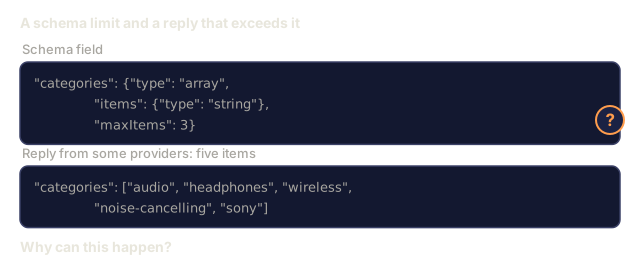
Array length: the model may produce too many or too few items in an array. Schemas support minItems and maxItems, but some providers don't enforce them at the decoding level.
Optional field omission: the model omits fields that are technically optional but semantically important for your use case. Mark them required in the schema even if the data is sometimes missing, which forces the model to produce null explicitly.
![A pipeline: an API call in JSON mode, json.loads succeeding, then data[price] raising KeyError price. A question mark asks why a parsed response still breaks the code.](/quiz-visuals/11-llm-engineering/03-structured-outputs/n28.svg)
Build It
Step 1: JSON Schema Validator
Build a validator from scratch that checks whether a Python object matches a JSON Schema. This is what runs on the output side to verify compliance.
import json

def validate_schema(data, schema):
    errors = []
    _validate(data, schema, "", errors)
    return errors

def _validate(data, schema, path, errors):
    schema_type = schema.get("type")

    if schema_type == "object":
        if not isinstance(data, dict):
            errors.append(f"{path}: expected object, got {type(data).__name__}")
            return
        for key in schema.get("required", []):
            if key not in data:
                errors.append(f"{path}.{key}: required field missing")
        properties = schema.get("properties", {})
        for key, value in data.items():
            if key in properties:
                _validate(value, properties[key], f"{path}.{key}", errors)

    elif schema_type == "array":
        if not isinstance(data, list):
            errors.append(f"{path}: expected array, got {type(data).__name__}")
            return
        min_items = schema.get("minItems", 0)
        max_items = schema.get("maxItems", float("inf"))
        if len(data) < min_items:
            errors.append(f"{path}: array has {len(data)} items, minimum is {min_items}")
        if len(data) > max_items:
            errors.append(f"{path}: array has {len(data)} items, maximum is {max_items}")
        items_schema = schema.get("items", {})
        for i, item in enumerate(data):
            _validate(item, items_schema, f"{path}[{i}]", errors)

    elif schema_type == "string":
        if not isinstance(data, str):
            errors.append(f"{path}: expected string, got {type(data).__name__}")
            return
        enum_values = schema.get("enum")
        if enum_values and data not in enum_values:
            errors.append(f"{path}: '{data}' not in allowed values {enum_values}")

    elif schema_type == "number":
        if not isinstance(data, (int, float)):
            errors.append(f"{path}: expected number, got {type(data).__name__}")
            return
        minimum = schema.get("minimum")
        maximum = schema.get("maximum")
        if minimum is not None and data < minimum:
            errors.append(f"{path}: {data} is less than minimum {minimum}")
        if maximum is not None and data > maximum:
            errors.append(f"{path}: {data} is greater than maximum {maximum}")

    elif schema_type == "boolean":
        if not isinstance(data, bool):
            errors.append(f"{path}: expected boolean, got {type(data).__name__}")

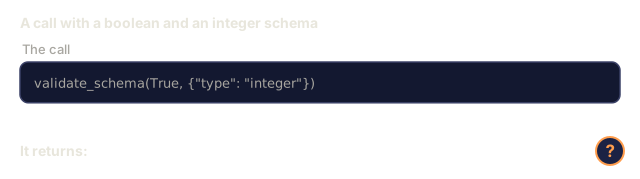
    elif schema_type == "integer":
        if not isinstance(data, int) or isinstance(data, bool):
            errors.append(f"{path}: expected integer, got {type(data).__name__}")
Step 2: Pydantic-Style Model to Schema
Build a minimal class-to-schema converter. Define a Python class and generate its JSON Schema automatically.
class SchemaField:
    def __init__(self, field_type, required=True, default=None, enum=None, minimum=None, maximum=None):
        self.field_type = field_type
        self.required = required
        self.default = default
        self.enum = enum
        self.minimum = minimum
        self.maximum = maximum

def python_type_to_schema(field):
    type_map = {
        str: "string",
        int: "integer",
        float: "number",
        bool: "boolean",
    }

    schema = {}

    if field.field_type in type_map:
        schema["type"] = type_map[field.field_type]
    elif field.field_type == list:
        schema["type"] = "array"
        schema["items"] = {"type": "string"}
    elif isinstance(field.field_type, dict):
        schema = field.field_type

    if field.enum:
        schema["enum"] = field.enum
    if field.minimum is not None:
        schema["minimum"] = field.minimum
    if field.maximum is not None:
        schema["maximum"] = field.maximum

    return schema

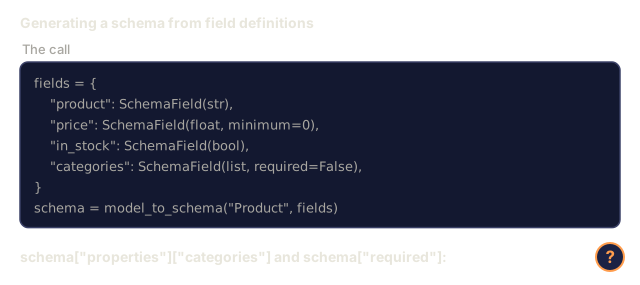
def model_to_schema(name, fields):
    properties = {}
    required = []

    for field_name, field in fields.items():
        properties[field_name] = python_type_to_schema(field)
        if field.required:
            required.append(field_name)

    return {
        "type": "object",
        "properties": properties,
        "required": required,
    }
Step 3: Constrained Token Filter
Simulate constrained decoding. Given a partial JSON string and a schema, determine which token categories are valid at the current position.
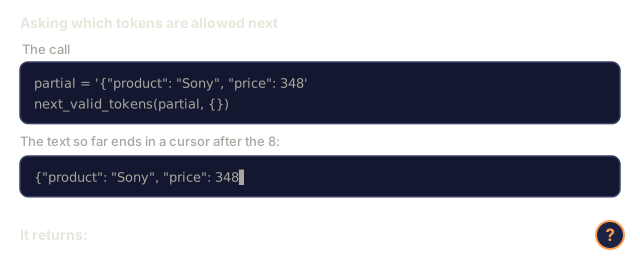
def next_valid_tokens(partial_json, schema):
    stripped = partial_json.strip()

    if not stripped:
        return ["{"]

    try:
        json.loads(stripped)
        return ["<EOS>"]
    except json.JSONDecodeError:
        pass

    last_char = stripped[-1] if stripped else ""

    if last_char == "{":
        return ['"', "}"]
    elif last_char == '"':
        if stripped.endswith('":'):
            return ['"', "0-9", "true", "false", "null", "[", "{"]
        return ["a-z", '"']
    elif last_char == ":":
        return [" ", '"', "0-9", "true", "false", "null", "[", "{"]
    elif last_char == ",":
        return [" ", '"', "{", "["]
    elif last_char in "0123456789":
        return ["0-9", ".", ",", "}", "]"]
    elif last_char == "}":
        return [",", "}", "]", "<EOS>"]
    elif last_char == "]":
        return [",", "}", "<EOS>"]
    elif last_char == "[":
        return ['"', "0-9", "true", "false", "null", "{", "[", "]"]
    else:
        return ["any"]

def demonstrate_constrained_decoding():
    partial_states = [
        '',
        '{',
        '{"product"',
        '{"product":',
        '{"product": "Sony"',
        '{"product": "Sony",',
        '{"product": "Sony", "price":',
        '{"product": "Sony", "price": 348',
        '{"product": "Sony", "price": 348}',
    ]

    print(f"{'Partial JSON':<45} {'Valid Next Tokens'}")
    print("-" * 80)
    for state in partial_states:
        valid = next_valid_tokens(state, {})
        display = state if state else "(empty)"
        print(f"{display:<45} {valid}")
Step 4: Extraction Pipeline
Combine everything into an extraction pipeline: define a schema, simulate an LLM producing structured output, validate the output, and handle retries.
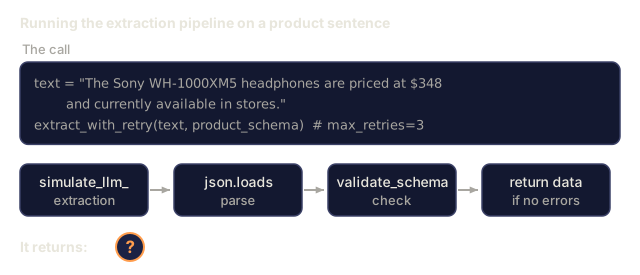
def simulate_llm_extraction(text, schema, attempt=0):
    if "headphones" in text.lower() or "sony" in text.lower():
        if attempt == 0:
            return '{"product": "Sony WH-1000XM5", "price": 348.00, "in_stock": true, "categories": ["audio", "headphones"]}'
        return '{"product": "Sony WH-1000XM5", "price": 348.00, "in_stock": true}'

    if "laptop" in text.lower():
        return '{"product": "MacBook Pro 16", "price": 2499.00, "in_stock": false, "categories": ["computers"]}'

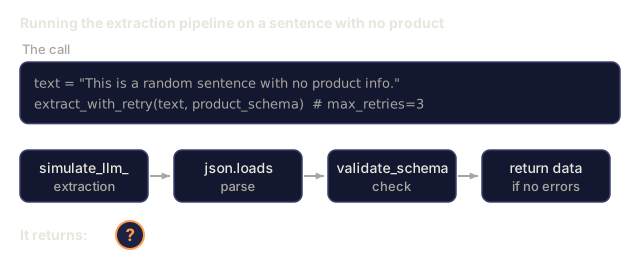
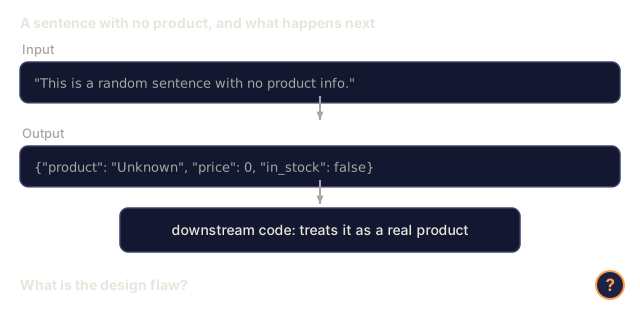
    return '{"product": "Unknown", "price": 0, "in_stock": false}'

def extract_with_retry(text, schema, max_retries=3):
    for attempt in range(max_retries):
        raw = simulate_llm_extraction(text, schema, attempt)

        try:
            data = json.loads(raw)
        except json.JSONDecodeError as e:
            print(f"  Attempt {attempt + 1}: JSON parse error -- {e}")
            continue

        errors = validate_schema(data, schema)
        if not errors:
            return data

        print(f"  Attempt {attempt + 1}: Schema validation errors -- {errors}")

    return None

product_schema = {
    "type": "object",
    "properties": {
        "product": {"type": "string"},
        "price": {"type": "number", "minimum": 0},
        "in_stock": {"type": "boolean"},
        "categories": {"type": "array", "items": {"type": "string"}},
    },
    "required": ["product", "price", "in_stock"],
}
Step 5: Run the Full Pipeline
def run_demo():
    print("=" * 60)
    print("  Structured Output Pipeline Demo")
    print("=" * 60)

    print("\n--- Schema Definition ---")
    product_fields = {
        "product": SchemaField(str),
        "price": SchemaField(float, minimum=0),
        "in_stock": SchemaField(bool),
        "categories": SchemaField(list, required=False),
    }
    generated_schema = model_to_schema("Product", product_fields)
    print(json.dumps(generated_schema, indent=2))

    print("\n--- Schema Validation ---")
    test_cases = [
        ({"product": "Test", "price": 10.0, "in_stock": True}, "Valid object"),
        ({"product": "Test", "price": -5.0, "in_stock": True}, "Negative price"),
        ({"product": "Test", "in_stock": True}, "Missing price"),
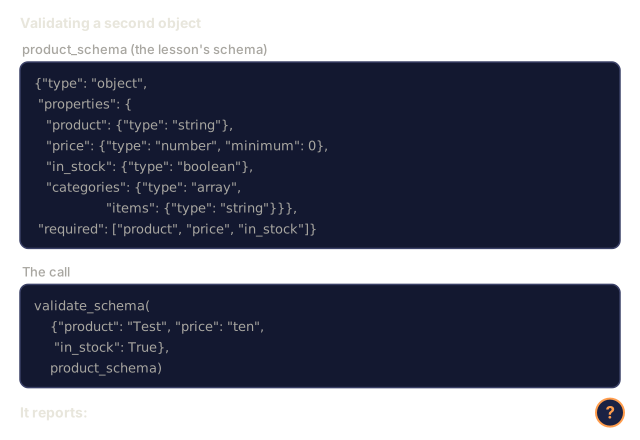
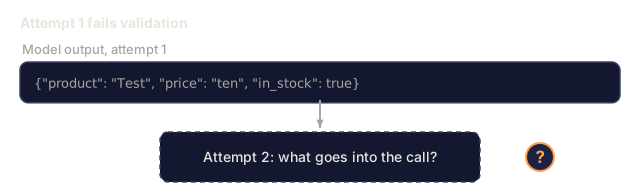
        ({"product": "Test", "price": "ten", "in_stock": True}, "String as price"),
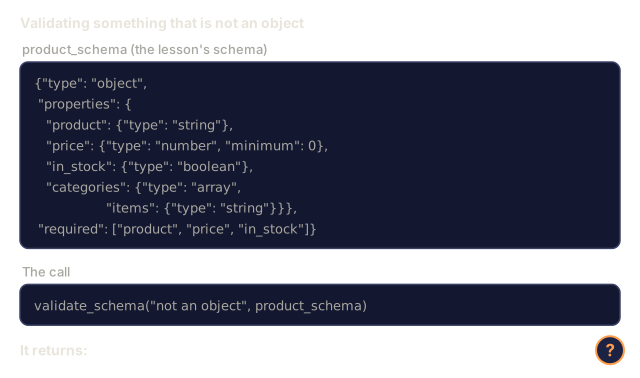
        ("not an object", "String instead of object"),
    ]

    for data, label in test_cases:
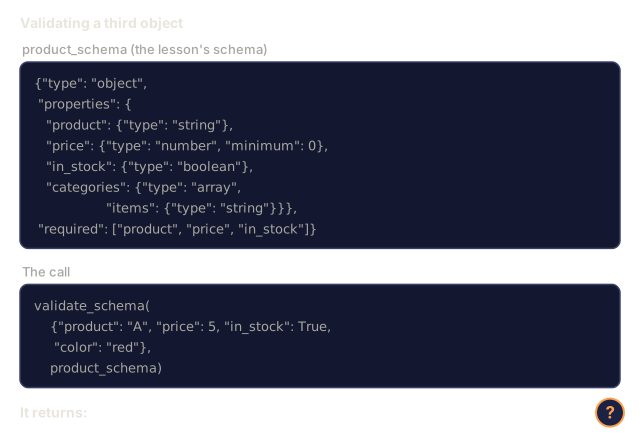
        errors = validate_schema(data, product_schema)
        status = "PASS" if not errors else f"FAIL: {errors}"
        print(f"  {label}: {status}")

    print("\n--- Constrained Decoding Simulation ---")
    demonstrate_constrained_decoding()

    print("\n--- Extraction Pipeline ---")
    texts = [
        "The Sony WH-1000XM5 headphones are priced at $348 and currently available.",
        "The new MacBook Pro 16-inch laptop costs $2499 but is sold out.",
        "This is a random sentence with no product info.",
    ]

    for text in texts:
        print(f"\n  Input: {text[:60]}...")
        result = extract_with_retry(text, product_schema)
        if result:
            print(f"  Output: {json.dumps(result)}")
        else:
            print(f"  Output: FAILED after retries")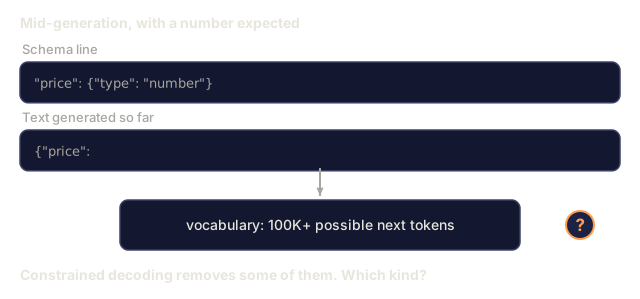
Use It
OpenAI Structured Outputs
# from openai import OpenAI
# from pydantic import BaseModel
#
# client = OpenAI()
#
# class Product(BaseModel):
#     product: str
#     price: float
#     in_stock: bool
#
# response = client.beta.chat.completions.parse(
#     model="gpt-5-mini",
#     messages=[
#         {"role": "system", "content": "Extract product information."},
#         {"role": "user", "content": "Sony WH-1000XM5, $348, in stock"},
#     ],
#     response_format=Product,
# )
#
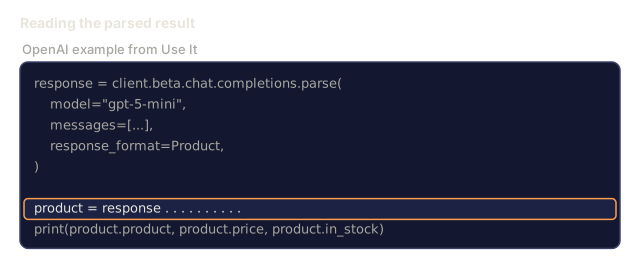
# product = response.choices[0].message.parsed
# print(product.product, product.price, product.in_stock)
OpenAI's structured output mode uses constrained decoding internally. Every token the model generates is guaranteed to produce output matching the Pydantic schema, so you need no retries and no validation. The constraint is part of the decoding process itself.
Anthropic Tool Use
# import anthropic
#
# client = anthropic.Anthropic()
#
# response = client.messages.create(
#     model="claude-opus-4-7",
#     max_tokens=1024,
#     tools=[{
#         "name": "extract_product",
#         "description": "Extract product information from text",
#         "input_schema": {
#             "type": "object",
#             "properties": {
#                 "product": {"type": "string"},
#                 "price": {"type": "number"},
#                 "in_stock": {"type": "boolean"},
#             },
#             "required": ["product", "price", "in_stock"],
#         },
#     }],
#     messages=[{"role": "user", "content": "Extract: Sony WH-1000XM5, $348, in stock"}],
# )
Anthropic gets structured output through tool use. The model emits a tool call whose arguments follow the input_schema. The result is the same with a different API surface.
Instructor Library
# pip install instructor
# import instructor
# from openai import OpenAI
# from pydantic import BaseModel
#
# client = instructor.from_openai(OpenAI())
#
# class Product(BaseModel):
#     product: str
#     price: float
#     in_stock: bool
#
# product = client.chat.completions.create(
#     model="gpt-5-mini",
#     response_model=Product,
#     messages=[{"role": "user", "content": "Sony WH-1000XM5, $348, in stock"}],
# )
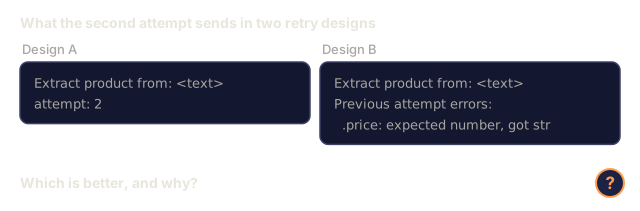
Instructor wraps any LLM client and adds automatic retries with validation. If the first attempt fails validation, it sends the errors back to the model as context and asks it to fix the output. It works with any provider, not just OpenAI.
Ship It
This lesson produces outputs/prompt-structured-extractor.md as a reusable prompt template that extracts structured data from text given a schema definition. Feed it a JSON Schema and unstructured text and it returns validated JSON.
It also produces outputs/skill-structured-outputs.md as a decision framework for choosing a structured output strategy based on your provider, reliability requirements, and schema complexity.
I'd run main.py first and read the output top to bottom. It runs five demos in order: the validator against eight hand-built cases, schema generation from SchemaField definitions, the token filter table, the extraction pipeline on four texts, and a nested order schema with a valid and an invalid example. The failing cases print the exact error path, which is the quickest way to see what the validator does and doesn't check.
The constrained decoding step is the one to read skeptically. next_valid_tokens takes a schema argument and never looks at it. It only inspects the last character of the partial JSON, so it shows the shape of token masking and not schema-aware masking. A real engine tracks grammar state and masks the whole vocabulary against it.
The retry loop has the same kind of gap. extract_with_retry calls the simulated model again with a higher attempt number and does not pass the validation errors back, which is the part that makes Instructor's retries useful. I'd add that before trusting the pipeline shape. Everything the "LLM" returns is canned, so the pipeline demo shows the plumbing and tells you nothing about extraction accuracy.
Exercises
-
Extend the schema validator to support
oneOf(the data must match exactly one of several schemas). This handles polymorphic outputs, for example a field that can be either aProductor aServiceobject with different shapes. -
Build a "schema diff" tool that compares two schemas and identifies breaking changes (removed required fields, changed types) versus non-breaking changes (added optional fields, relaxed constraints). You need this to version extraction schemas in production.
-
Implement a more realistic constrained decoding simulator. Given a JSON Schema and a vocabulary of 100 tokens (letters, digits, punctuation, keywords), walk through generation step by step, masking invalid tokens at each position. Measure what percentage of the vocabulary is valid at each step.
-
Build an extraction eval suite. Create 50 product descriptions with hand-labeled JSON outputs. Run your extraction pipeline on all 50 and measure exact match, field-level accuracy, and type compliance. Identify which fields are hardest to extract correctly.
-
Add "confidence scores" to your extraction pipeline. For each extracted field, estimate how confident the model is (based on token probabilities, or by running extraction 3 times and measuring consistency). Flag low-confidence fields for human review.
Key Terms
| Term | What people say | What it actually means |
|---|---|---|
| JSON mode | "Returns JSON" | API flag that guarantees syntactically valid JSON output, but does not enforce any particular schema |
| Structured output | "Typed JSON" | Output that matches a specific JSON Schema with correct keys, types, and constraints |
| Constrained decoding | "Guided generation" | At each token position, mask out tokens that would produce invalid output -- guarantees 100% schema compliance |
| JSON Schema | "A JSON template" | A declarative language for describing the structure, types, and constraints of JSON data (used by OpenAPI, JSON Forms, etc.) |
| Pydantic | "Python dataclasses+" | Python library that defines data models with type validation, used by FastAPI and Instructor to generate JSON Schemas |
| Function calling | "Tool use" | LLM outputs a structured function invocation (name + typed arguments) instead of free text -- OpenAI and Anthropic both support this |
| Instructor | "Pydantic for LLMs" | Python library that wraps LLM clients to return validated Pydantic instances, with automatic retry on validation failure |
| Token masking | "Filtering the vocabulary" | Setting specific token probabilities to zero during generation so the model cannot produce them |
| Schema compliance | "Matches the shape" | The output has every required field, correct types, values within constraints, and no extra disallowed fields |
| Retry loop | "Try again until it works" | Send validation errors back to the model and ask it to fix the output -- Instructor does this automatically, up to a configurable max |
Further Reading
- OpenAI Structured Outputs Guide -- official documentation for JSON Schema-based constrained decoding in the OpenAI API
- Willard & Louf, 2023 -- "Efficient Guided Generation for Large Language Models" -- the Outlines paper, describing how to compile JSON Schemas into finite state machines for token-level constraints
- Instructor documentation -- the standard library for getting structured outputs from any LLM with Pydantic validation and retries
- Anthropic Tool Use Guide -- how Claude implements structured output via tool use with JSON Schema input_schema
- JSON Schema specification -- the full spec for the schema language used by every major structured output system
- Outlines library -- open-source constrained generation using regex and JSON Schema compiled to finite state machines
- Dong et al., "XGrammar: Flexible and Efficient Structured Generation Engine for Large Language Models" (MLSys 2025) -- the current state-of-the-art grammar engine; pushdown-automaton compilation that masks tokens at ~100 ns / token.
- Beurer-Kellner et al., "Prompting Is Programming: A Query Language for Large Language Models" (LMQL) -- the LMQL paper framing constrained decoding as a query language with type and value constraints.
- Microsoft Guidance (framework docs) -- template-driven constrained generation; vendor-agnostic complement to Outlines and XGrammar.