RAG (Retrieval-Augmented Generation)
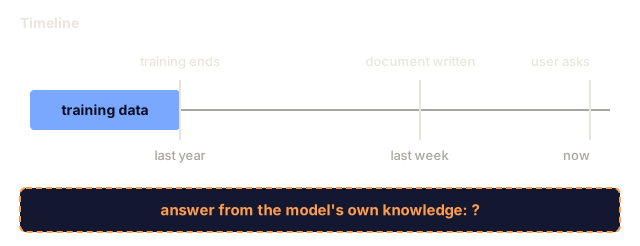
A model only knows what it was trained on, up to its cutoff. Your company's docs, your codebase, and last week's meeting notes aren't in there. RAG fixes that by retrieving the relevant documents and putting them in the prompt. It's the most deployed pattern in production AI, and if you build one thing from this course, build a RAG pipeline.
Learning Objectives
- Build a complete RAG pipeline: document loading, chunking, embedding, vector storage, retrieval, and generation
- Implement semantic search using a vector database (ChromaDB, FAISS, or Pinecone) with proper indexing
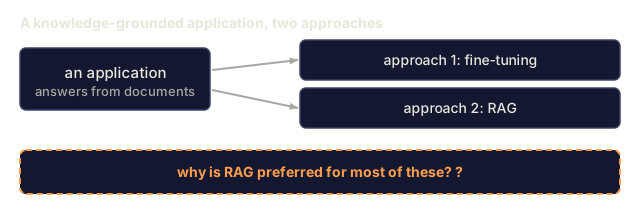
- Explain why RAG is preferred over fine-tuning for knowledge-grounded applications (cost, freshness, attribution)
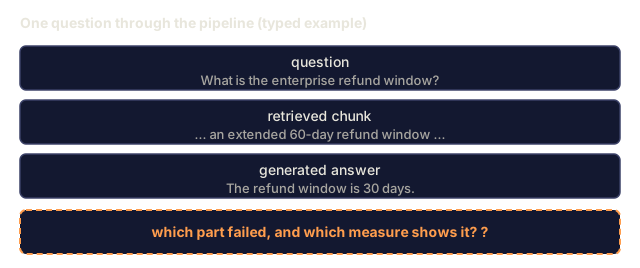
- Evaluate RAG quality using retrieval metrics (precision, recall) and generation metrics (faithfulness, relevance)
The Problem
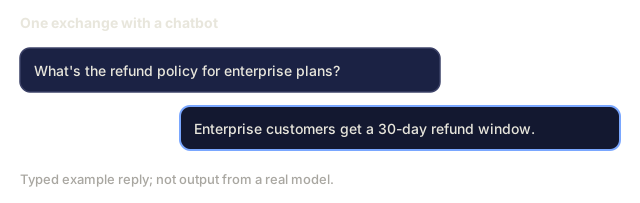
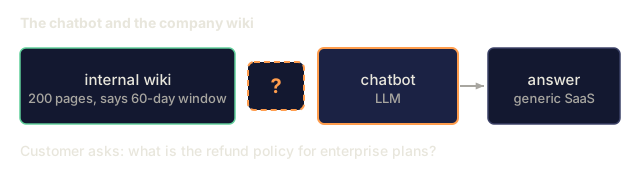
You build a chatbot for your company. A customer asks "What's the refund policy for enterprise plans?" The LLM responds with a generic answer about typical SaaS refund policies. The actual policy, buried in a 200-page internal wiki, says enterprise customers get a 60-day window with pro-rated refunds. The LLM has never seen this document, and it can't know what it wasn't trained on.
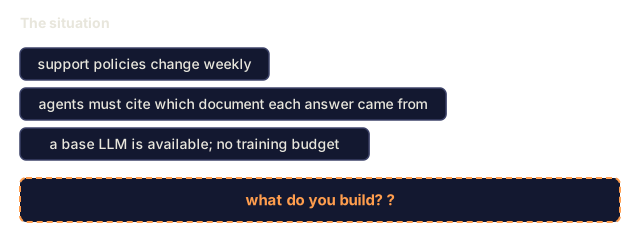
Fine-tuning is one solution. Take the LLM, train it on your internal docs, and deploy the updated model. This works, but it has real costs. Training costs thousands of dollars in compute. The model goes stale the moment a document changes. You can't tell which source an answer drew from. And if the company acquires another product line next month, you train again.
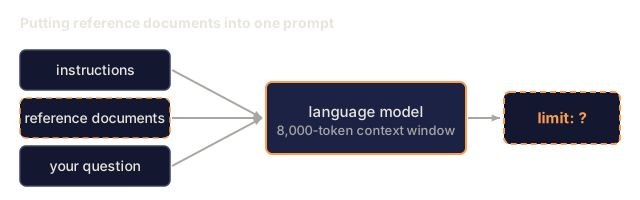
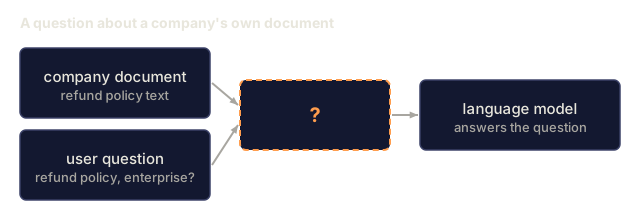
RAG is the other solution. Leave the model untouched. When a question comes in, search your document store for relevant passages, paste them into the prompt before the question, and let the model answer using those passages as context. The document store can be updated in minutes, and you can see which documents were retrieved. The model itself stays the same. That is why RAG is the dominant pattern in production: it's cheaper, fresher, easier to audit, and works with any LLM.
The Concept
The RAG Pattern
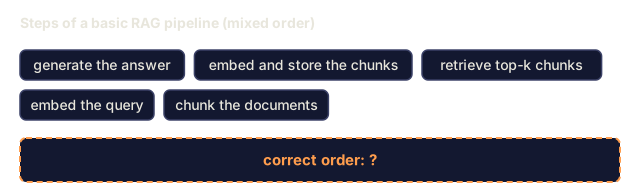
The entire pattern fits in four steps:

Query -> Retrieve -> Augment prompt -> Generate. RAG systems share this shape, and they differ in the details of each step: how you chunk, how you embed, how you search, and how you build the prompt.
Why RAG Beats Fine-Tuning
| Concern | Fine-tuning | RAG |
|---|---|---|
| Cost | $1,000-$100,000+ per training run | $0.01-$0.10 per query (embedding + LLM) |
| Freshness | Stale until retrained | Updated in minutes by re-indexing docs |
| Auditability | Cannot trace answer to source | Can show exact retrieved passages |
| Hallucination | Still hallucinates freely | Grounded in retrieved documents |
| Data privacy | Training data baked into weights | Documents stay in your vector store |
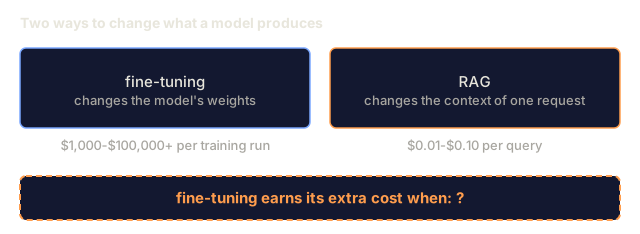
Fine-tuning changes the model's weights. RAG changes the model's context for one request. For most applications, that temporary context is what you want.
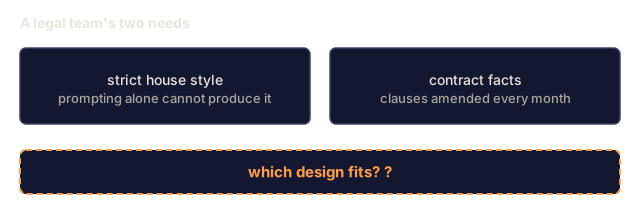
Fine-tuning earns its cost when you need the model to adopt a specific style, tone, or reasoning pattern that prompting alone can't produce. For factual knowledge, RAG wins.
Embedding Models
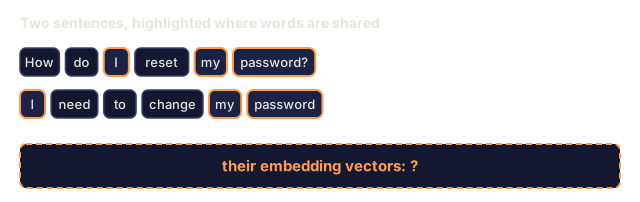
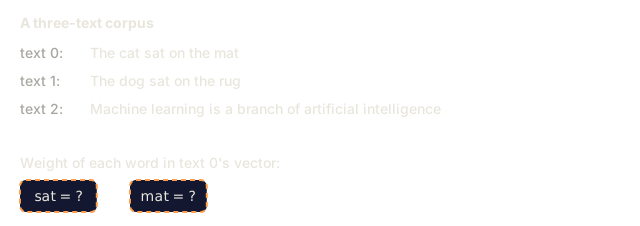
An embedding model converts text into a dense vector. Similar texts produce vectors that are close together in this high-dimensional space. "How do I reset my password?" and "I need to change my password" produce nearly identical vectors even though they share few words. "The cat sat on the mat" produces a very different one.
Common embedding models in the 2026 lineup (see Phase 5 · 22 for the full analysis):
| Model | Dimensions | Provider | Notes |
|---|---|---|---|
| text-embedding-3-small | 1536 (Matryoshka) | OpenAI | Best price/performance for most use cases |
| text-embedding-3-large | 3072 (Matryoshka) | OpenAI | Higher accuracy, truncatable to 256/512/1024 |
| Gemini Embedding 2 | 3072 (Matryoshka) | Top MTEB retrieval; 8K context | |
| voyage-4 | 1024/2048 (Matryoshka) | Voyage AI | Domain variants (code, finance, law) |
| Cohere embed-v4 | 1024 (Matryoshka) | Cohere | Strong multilingual, 128K context |
| BGE-M3 | 1024 (dense + sparse + ColBERT) | BAAI (open-weight) | Three views from one model |
| Qwen3-Embedding | 4096 (Matryoshka) | Alibaba (open-weight) | Top open-weight retrieval score |
| all-MiniLM-L6-v2 | 384 | Open-weight (Sentence Transformers) | Prototyping baseline |
Here we build our own embedding with TF-IDF. Production systems use neural models instead, but TF-IDF makes the idea concrete: text goes in, a vector comes out, and similar texts land close together.
Vector Similarity
How do you measure similarity between two vectors? There are three common options.
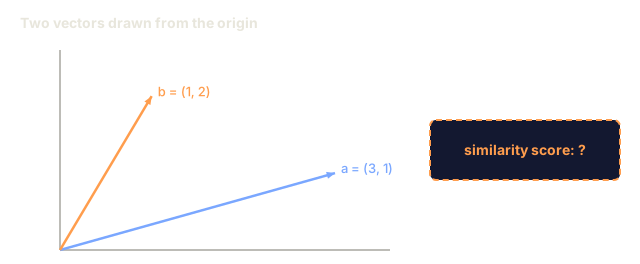
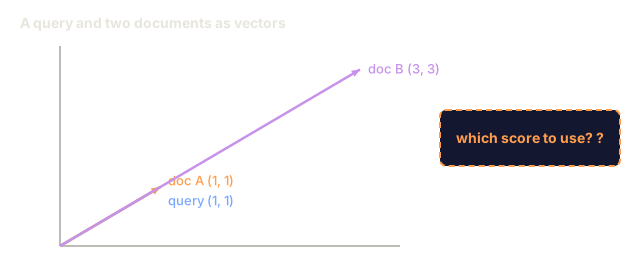
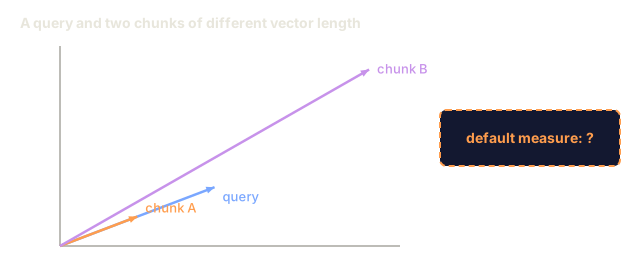
Cosine similarity: the cosine of the angle between two vectors. Ranges from -1 (opposite) to 1 (identical). It ignores magnitude and only looks at direction, and it's the default for RAG.
cosine_sim(a, b) = dot(a, b) / (||a|| * ||b||)
Dot product: the raw inner product. Larger vectors get higher scores. Useful when magnitude carries information (longer documents might be more relevant).
dot(a, b) = sum(a_i * b_i)
L2 (Euclidean) distance: straight-line distance in the vector space. Smaller distance = more similar. Sensitive to magnitude differences.
L2(a, b) = sqrt(sum((a_i - b_i)^2))
Use cosine similarity unless you have a reason not to. It copes with documents of different lengths because it normalizes by magnitude, and "vector search" usually means cosine similarity.
Chunking Strategies
Documents are usually too long to embed as a single vector. A 50-page PDF covers dozens of topics, and one vector for all of them is a poor summary of any. So you split documents into chunks and embed each chunk separately.
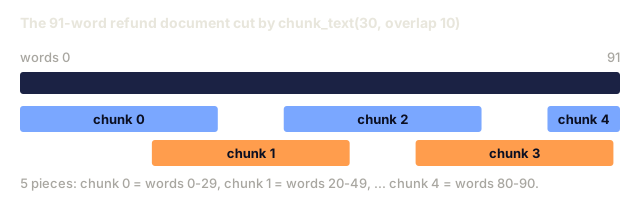
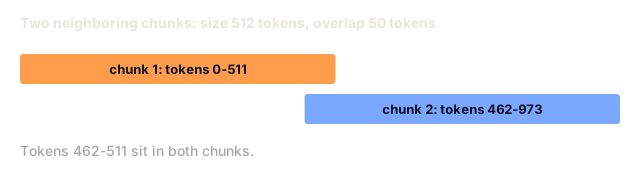
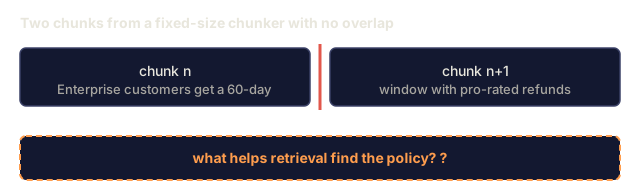
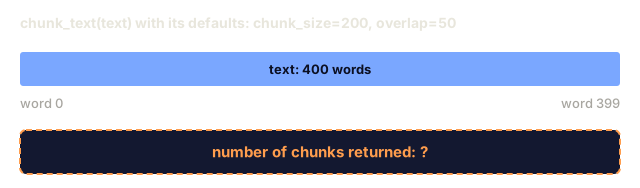
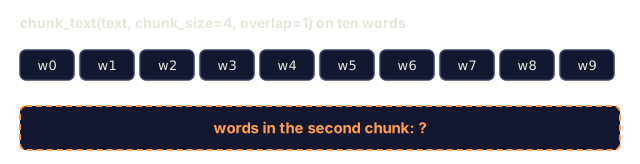
Fixed-size chunking: split every N tokens. Simple and predictable. A 512-token chunk with 50-token overlap means chunk 1 is tokens 0-511, chunk 2 is tokens 462-973, and so on. The overlap keeps a sentence from being cut at an unlucky boundary.
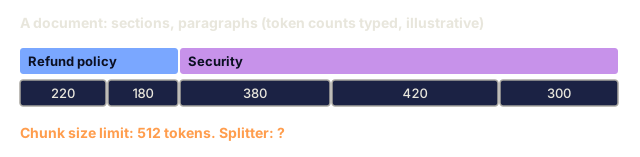
Semantic chunking: split at natural boundaries such as paragraphs, sections, or markdown headers. Each chunk is a coherent unit of meaning. It takes more work to implement and tends to retrieve better.
Recursive chunking: try to split at the largest boundary first (section headers). If a section is still too large, split at paragraph boundaries. If a paragraph is still too large, split at sentence boundaries. This is the approach behind LangChain's RecursiveCharacterTextSplitter, and it works well in practice.
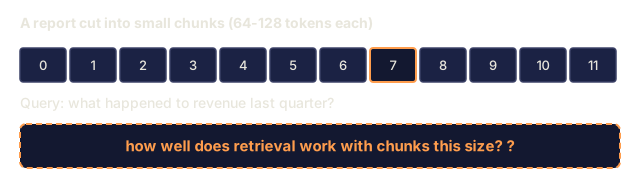
Chunk size matters more than it looks:
- Too small (64-128 tokens): each chunk lacks context. "It increased 15% last quarter" means nothing without knowing what "it" refers to.
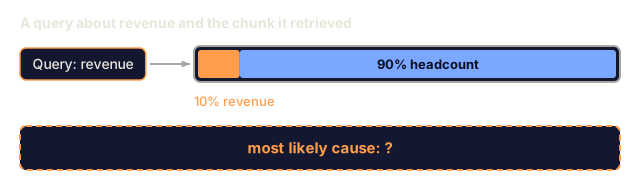
- Too large (2048+ tokens): each chunk covers multiple topics, diluting relevance. When you search for revenue data, you get a chunk that's 10% about revenue and 90% about headcount.
- Sweet spot (256-512 tokens): enough context to be self-contained, focused enough to be relevant.
Most production RAG systems use 256-512 token chunks with 50-token overlap. Anthropic's RAG guidelines recommend this range.
Vector Databases
Once you have embeddings, you need somewhere to store and search them. Here are the common options.
| Database | Type | Best for |
|---|---|---|
| FAISS | Library (in-process) | Prototyping, small to medium datasets |
| Chroma | Lightweight DB | Local development, small deployments |
| Pinecone | Managed service | Production without ops overhead |
| Weaviate | Open source DB | Self-hosted production |
| pgvector | Postgres extension | Already using Postgres |
| Qdrant | Open source DB | High-performance self-hosted |
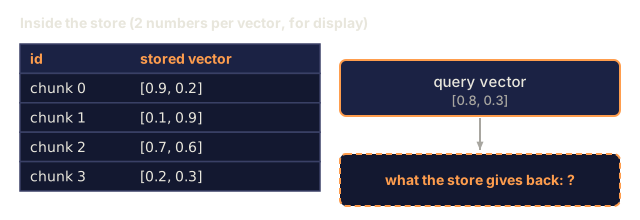
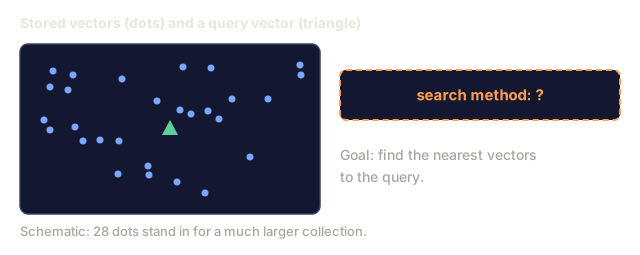
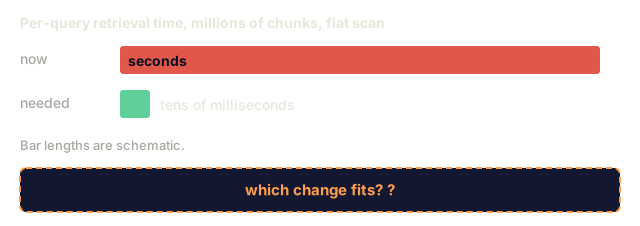
Here we build a simple in-memory vector store. It keeps vectors in a list and runs brute-force cosine similarity over all of them, which is what FAISS does with a flat index. It starts to slow down somewhere around 100,000 vectors. Production systems use approximate nearest neighbor (ANN) algorithms like HNSW to search millions of vectors in milliseconds.
The Full Pipeline

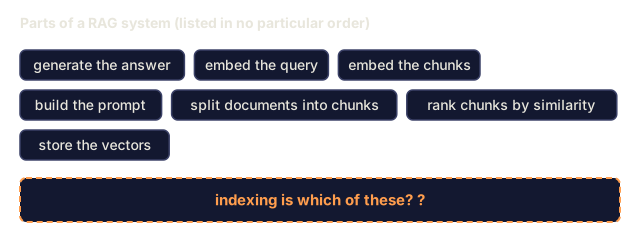
The indexing phase runs once per document, or again when a document changes. The querying phase runs on every user request. In production, indexing can chew through millions of documents over hours, while a query has to come back in under a second.
Real Numbers
Typical production parameters look like this:
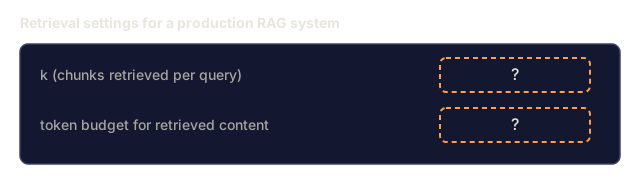
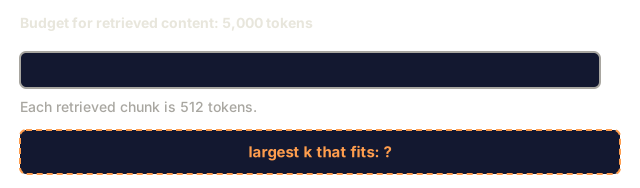
- k = 5 to 10 retrieved chunks per query
- Chunk size = 256 to 512 tokens with 50-token overlap
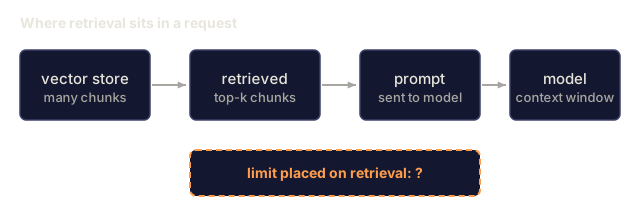
- Context budget: 2,500-5,000 tokens of retrieved content per query
- Total prompt: ~8,000-16,000 tokens (system prompt + retrieved chunks + conversation history + user query)
- Embedding dimension: 384-3072 depending on model
- Indexing throughput: 100-1,000 documents per second with API embeddings
- Query latency: 50-200ms for retrieval, 500-3000ms for generation
Build It
Step 1: Document Chunking
def chunk_text(text, chunk_size=200, overlap=50):
    words = text.split()
    chunks = []
    start = 0
    while start < len(words):
        end = start + chunk_size
        chunk = " ".join(words[start:end])
        chunks.append(chunk)
        start += chunk_size - overlap
    return chunks
Step 2: TF-IDF Embeddings
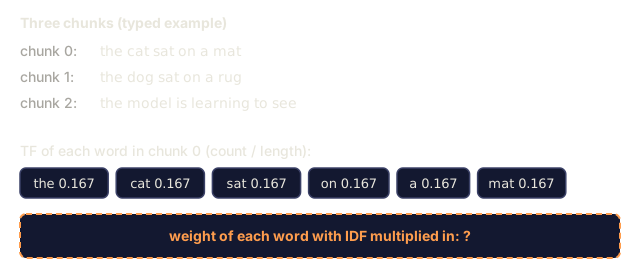
We start with a simple embedding function. TF-IDF (Term Frequency-Inverse Document Frequency) is not a neural embedding, but it does turn text into vectors that capture word importance. Words that are frequent in a document get a higher TF, and words that are rare across the corpus get a higher IDF. Multiply them and the distinctive words end up with the largest values.
import math
from collections import Counter

def build_vocabulary(documents):
    vocab = set()
    for doc in documents:
        vocab.update(doc.lower().split())
    return sorted(vocab)

def compute_tf(text, vocab):
    words = text.lower().split()
    count = Counter(words)
    total = len(words)
    return [count.get(word, 0) / total for word in vocab]

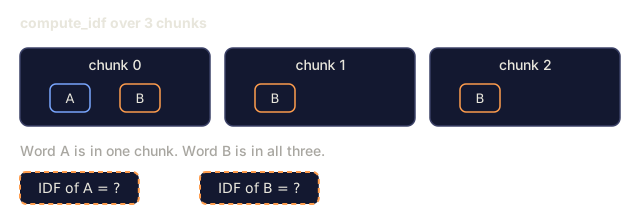
def compute_idf(documents, vocab):
    n = len(documents)
    idf = []
    for word in vocab:
        doc_count = sum(1 for doc in documents if word in doc.lower().split())
        idf.append(math.log((n + 1) / (doc_count + 1)) + 1)
    return idf

def tfidf_embed(text, vocab, idf):
    tf = compute_tf(text, vocab)
    return [t * i for t, i in zip(tf, idf)]
Step 3: Cosine Similarity Search
def cosine_similarity(a, b):
    dot = sum(x * y for x, y in zip(a, b))
    norm_a = math.sqrt(sum(x * x for x in a))
    norm_b = math.sqrt(sum(x * x for x in b))
    if norm_a == 0 or norm_b == 0:
        return 0.0
    return dot / (norm_a * norm_b)

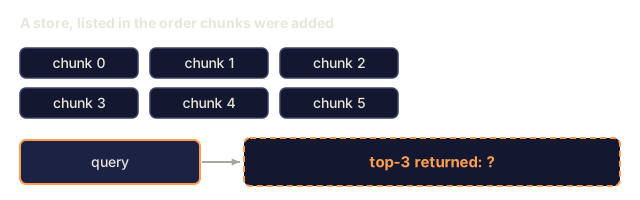
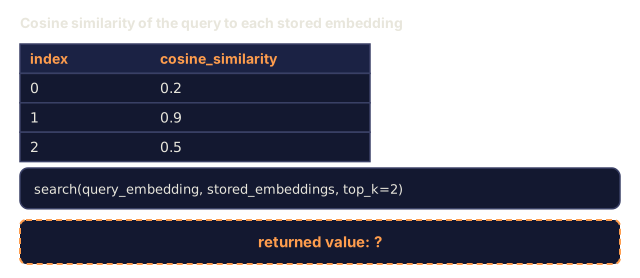
def search(query_embedding, stored_embeddings, top_k=5):
    scores = []
    for i, emb in enumerate(stored_embeddings):
        sim = cosine_similarity(query_embedding, emb)
        scores.append((i, sim))
    scores.sort(key=lambda x: x[1], reverse=True)
    return scores[:top_k]
Step 4: Prompt Construction
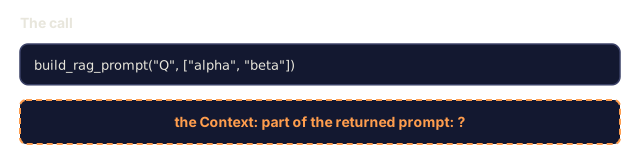
This is the "augmented" part of RAG. Format the retrieved chunks into a prompt and ask the LLM to answer from that context.
def build_rag_prompt(query, retrieved_chunks):
    context = "\n\n---\n\n".join(
        f"[Source {i+1}]\n{chunk}"
        for i, chunk in enumerate(retrieved_chunks)
    )
    return f"""Answer the question based ONLY on the following context.
If the context doesn't contain enough information, say "I don't have enough information to answer that."

Context:
{context}

Question: {query}

Answer:"""
Step 5: The Complete RAG Pipeline
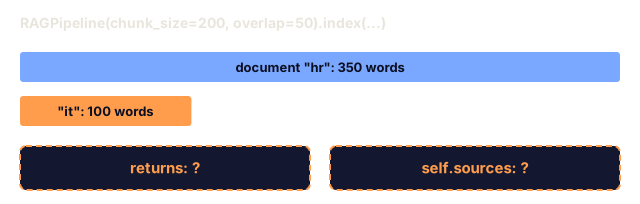
The class ties the steps together. It remembers which source each chunk came from, and query runs retrieval, prompt construction, and the generator from Step 6.
class RAGPipeline:
    def __init__(self, chunk_size=200, overlap=50, top_k=5):
        self.chunk_size = chunk_size
        self.overlap = overlap
        self.top_k = top_k
        self.chunks = []
        self.embeddings = []
        self.vocab = []
        self.idf = []
        self.sources = []

    def index(self, documents, source_names=None):
        all_chunks = []
        all_sources = []
        for i, doc in enumerate(documents):
            doc_chunks = chunk_text(doc, self.chunk_size, self.overlap)
            all_chunks.extend(doc_chunks)
            name = source_names[i] if source_names else f"doc_{i}"
            all_sources.extend([name] * len(doc_chunks))

        self.chunks = all_chunks
        self.sources = all_sources
        self.vocab = build_vocabulary(all_chunks)
        self.idf = compute_idf(all_chunks, self.vocab)
        self.embeddings = [
            tfidf_embed(chunk, self.vocab, self.idf)
            for chunk in all_chunks
        ]
        return len(all_chunks)

    def query(self, question, top_k=None):
        k = top_k or self.top_k
        query_emb = tfidf_embed(question, self.vocab, self.idf)
        results = search(query_emb, self.embeddings, k)

        retrieved = []
        for idx, score in results:
            retrieved.append({
                "chunk": self.chunks[idx],
                "source": self.sources[idx],
                "score": score,
                "index": idx
            })

        chunk_texts = [r["chunk"] for r in retrieved]
        prompt = build_rag_prompt(question, chunk_texts)
        answer = simple_generate(prompt, chunk_texts)

        return {
            "question": question,
            "answer": answer,
            "prompt": prompt,
            "retrieved": retrieved
        }
Step 6: Generation (simulated)
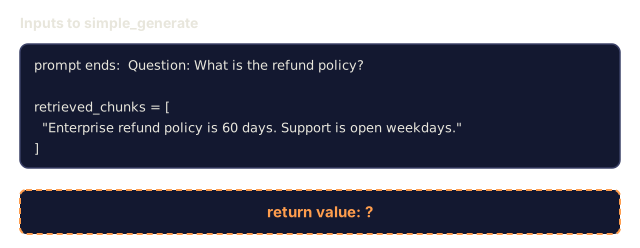
In production this step is an LLM API call. Here we fake it by pulling out the retrieved sentence that shares the most words with the question, after dropping common stop words.
def simple_generate(prompt, retrieved_chunks):
    query_section = prompt.lower().split("question:")[-1]
    query_words = set(query_section.split())
    stop_words = {"the", "a", "an", "is", "are", "was", "were", "what", "how",
                  "why", "when", "where", "do", "does", "for", "of", "in", "to",
                  "and", "or", "on", "at", "by", "it", "its", "this", "that"}
    query_words = query_words - stop_words

    best_sentence = ""
    best_score = 0

    for chunk in retrieved_chunks:
        for sentence in chunk.split("."):
            sentence = sentence.strip()
            if len(sentence) < 10:
                continue
            words = set(sentence.lower().split())
            overlap = len(query_words & words)
            if overlap > best_score:
                best_score = overlap
                best_sentence = sentence

    return best_sentence if best_sentence else "I don't have enough information."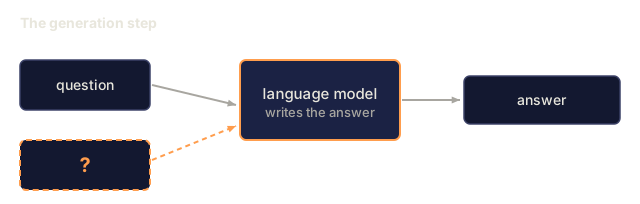
![A prompt with an instruction to answer only from the context, a fallback sentence, a Context block labelled [Source 1], a question and an Answer line.](/quiz-visuals/11-llm-engineering/06-rag/n18.svg)
![Two panels of vectors from the origin: pair 1 is [1, 0] and [3, 0] along the same line, pair 2 is [1, 0] and [0, 1] at right angles, with unknown return values.](/quiz-visuals/11-llm-engineering/06-rag/n26.svg)
Use It
With a real embedding model and LLM, the code changes very little:
from openai import OpenAI

client = OpenAI()

def embed(text):
    response = client.embeddings.create(
        model="text-embedding-3-small",
        input=text
    )
    return response.data[0].embedding

def generate(prompt):
    response = client.chat.completions.create(
        model="gpt-4o-mini",
        messages=[{"role": "user", "content": prompt}],
        temperature=0
    )
    return response.choices[0].message.content
Or with Anthropic:
import anthropic

client = anthropic.Anthropic()

def generate(prompt):
    response = client.messages.create(
        model="claude-sonnet-4-20250514",
        max_tokens=1024,
        messages=[{"role": "user", "content": prompt}]
    )
    return response.content[0].text
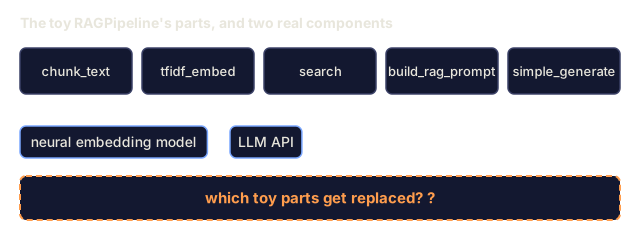
The pipeline keeps its shape. Swap the embedding function, swap the generation function, and the retrieval logic, chunking, and prompt construction stay as they were.
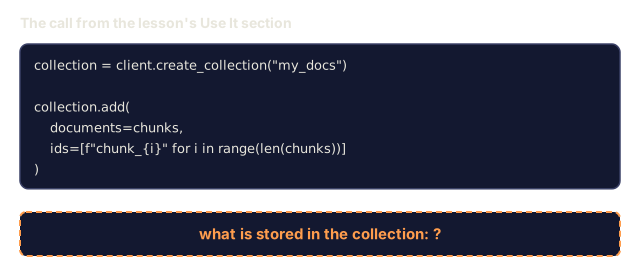
For vector storage at scale, replace the brute-force search with a vector database:
import chromadb

client = chromadb.Client()
collection = client.create_collection("my_docs")

collection.add(
    documents=chunks,
    ids=[f"chunk_{i}" for i in range(len(chunks))]
)

results = collection.query(
    query_texts=["What is the refund policy?"],
    n_results=5
)
Chroma embeds the text for you (it uses all-MiniLM-L6-v2 by default) and stores the vectors in a local database. Same pattern, different plumbing.
Ship It
This lesson produces:
outputs/prompt-rag-architect.md: a prompt for designing RAG systems for specific use casesoutputs/skill-rag-pipeline.md: a skill that teaches agents how to build and debug RAG pipelines
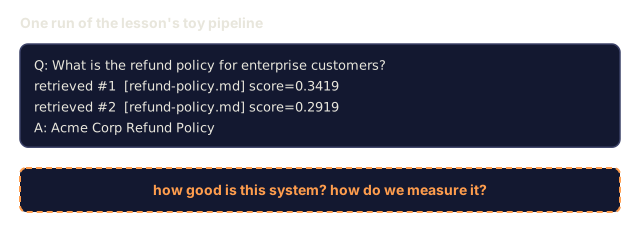
I'd run main.py and spend the most time on STEP 5. It re-indexes the same five documents at chunk sizes of 20, 50, 100, and 200 words and prints the chunk count, the top score, and the answer length for one query. That is the chunk-size tradeoff from the concept section as numbers you can watch change.
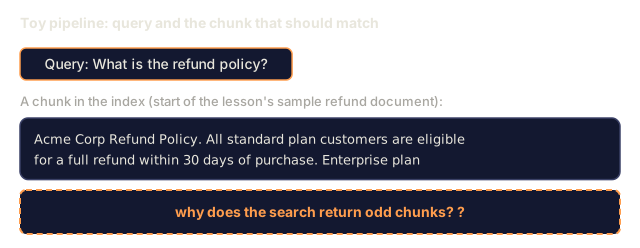
My bet is that the TF-IDF part is worth reading slowly. Tokens come from lower().split(), so "policy?" and "policy" are different vocabulary entries, and every distinct string becomes one dimension of the vector. That is plain to see in a toy, and it explains why the retrieved chunks sometimes look odd. A neural embedding model is what removes that limit.
I'd also keep the toy in proportion. The generator only picks the retrieved sentence that overlaps the question most, and the search loops over every stored embedding. A good answer from main.py tells you the retrieval worked, not that a model reasoned over it. When I move this to real embeddings and an LLM, I'd keep RAGPipeline and swap the embedding and generation functions.
Exercises
-
Replace the TF-IDF embeddings with a simple bag-of-words approach (binary: 1 if word present, 0 if not). Compare retrieval quality on the sample documents. TF-IDF should outperform because it weights rare words higher.
-
Experiment with chunk sizes: try 50, 100, 200, and 500 words on the same document set. For each size, run the same 5 queries and count how many return a relevant chunk in the top-3. Find the sweet spot where retrieval quality peaks.
-
Add metadata to each chunk (source document name, chunk position). Modify the prompt template to include source attribution so the LLM cites its sources.
-
Implement a simple evaluation: given 10 question-answer pairs, run each question through the RAG pipeline, and measure what percentage of retrieved chunks contain the answer. This is retrieval recall at k.
-
Build a conversation-aware RAG pipeline: maintain a history of the last 3 exchanges and include them in the prompt alongside the retrieved chunks. Test with follow-up questions like "What about enterprise?" after asking about pricing.
Key Terms
| Term | What people say | What it actually means |
|---|---|---|
| RAG | "AI that reads your docs" | Retrieve relevant documents, paste them into the prompt, and generate an answer grounded in those documents |
| Embedding | "Convert text to numbers" | A dense vector representation of text where similar meanings produce similar vectors |
| Vector database | "Search engine for AI" | A data store optimized for storing vectors and finding the nearest neighbors by similarity |
| Chunking | "Split docs into pieces" | Breaking documents into smaller segments (typically 256-512 tokens) so each can be embedded and retrieved independently |
| Cosine similarity | "How similar are two vectors" | The cosine of the angle between two vectors; 1 = identical direction, 0 = orthogonal, -1 = opposite |
| Top-k retrieval | "Get the k best matches" | Return the k most similar chunks to the query from the vector store |
| Context window | "How much text the LLM can see" | The maximum number of tokens the LLM can process in a single request; retrieved chunks must fit within this |
| Augmented generation | "Answer using given context" | Generating a response using retrieved documents as context rather than relying solely on trained knowledge |
| TF-IDF | "Word importance scoring" | Term Frequency times Inverse Document Frequency; weights words by how distinctive they are within a corpus |
| Indexing | "Preparing docs for search" | The offline process of chunking, embedding, and storing documents so they can be searched at query time |
Further Reading
- Lewis et al., "Retrieval-Augmented Generation for Knowledge-Intensive NLP Tasks" (2020): the original RAG paper from Facebook AI Research that formalized the retrieve-then-generate pattern
- Anthropic's RAG documentation (docs.anthropic.com): practical guidelines for chunk sizes, prompt construction, and evaluation
- Pinecone Learning Center, "What is RAG?": clear visual explanations of the RAG pipeline with production considerations
- Sentence-BERT: Reimers & Gurevych (2019): the paper behind the all-MiniLM embedding models, showing how to train bi-encoders for semantic similarity
- Karpukhin et al., "Dense Passage Retrieval for Open-Domain Question Answering" (EMNLP 2020) -- the DPR paper that proved dense bi-encoder retrieval beats BM25 on open-domain QA and set the pattern for modern RAG retrievers.
- LlamaIndex High-Level Concepts -- the main concepts to know when building RAG pipelines: data loaders, node parsers, indices, retrievers, response synthesizers.
- LangChain RAG tutorial -- the opposite-flavor orchestrator; chain-of-runnables view of the same retrieve-then-generate pattern.