Production Quantization — AWQ, GPTQ, GGUF K-quants, FP8, MXFP4/NVFP4
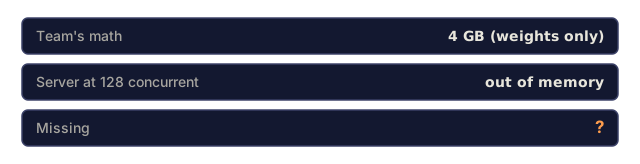
Quantization format is a function of hardware, serving engine, and workload, so there is no universal pick. GGUF Q4_K_M or Q5_K_M owns CPU and edge, delivered through llama.cpp and Ollama. GPTQ wins inside vLLM when you need multi-LoRA on the same base. AWQ with Marlin-AWQ kernels delivers ~741 tok/s on a 7B class model with the best Pass@1 at INT4, which makes it the 2026 default for datacenter production. FP8 is the middle ground on Hopper, Ada, and Blackwell: near-lossless and widely supported. NVFP4 and MXFP4 (Blackwell microscaling) are aggressive and need per-block validation. Two traps bite teams. The calibration dataset has to match the deployment domain, and the KV cache is separate from weight quantization, so "my model is 4 GB now" forgets the tens of GB of KV cache at production batch sizes.
Learning Objectives
- Name the six production quantization formats and their sweet spots in 2026.
- Pick a format given hardware (CPU vs GPU, Hopper vs Blackwell), engine (vLLM, TRT-LLM, llama.cpp), and workload (routine chat, reasoning, multi-LoRA).
- Compute the weight memory saved and the KV cache left untouched for a chosen format.
- Name the calibration-dataset pitfall that degrades quantized models on domain traffic.
The Problem
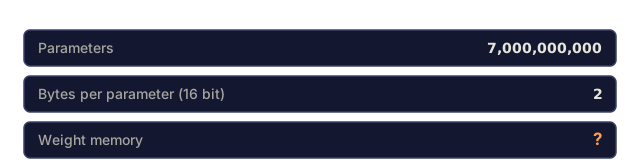
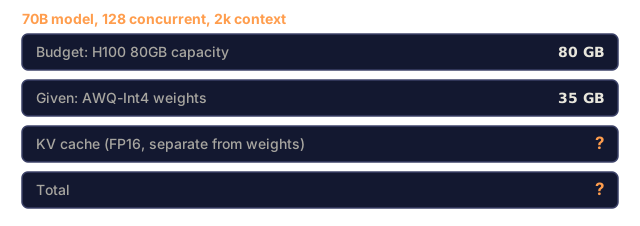
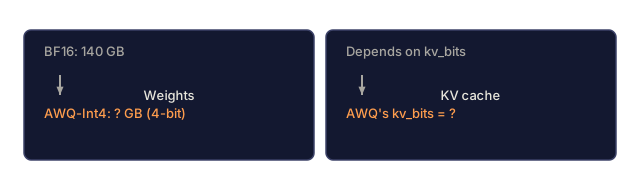
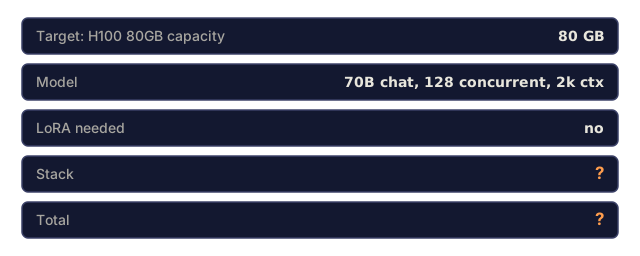
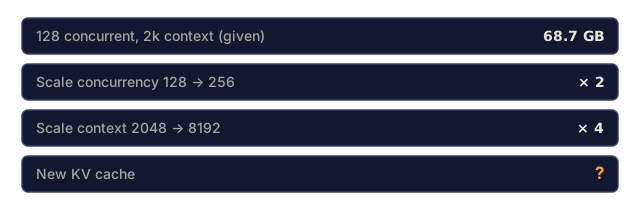
Quantization cuts memory and HBM bandwidth, which is exactly what decode needs. An FP16 70B model is 140 GB of weights. Quantize the weights to INT4 (AWQ or GPTQ) and the model is 35 GB. That fits in one H100 with some room left for KV cache, and the room matters: at 128 concurrent sequences with 2k context, code/main.py puts KV cache alone at 68.7 GB for a 70B-class model.
Quantization costs something, though. Aggressive formats degrade quality, especially on reasoning-heavy tasks. Different formats work with different engines, and different hardware supports different precisions natively. The 2026 format zoo is real, and you can't copy someone else's choice. You pick based on your own stack.
The Concept
The six formats
| Format | Bits | Sweet spot | Engines |
|---|---|---|---|
| GGUF Q4_K_M / Q5_K_M | 4-5 | CPU, edge, laptops | llama.cpp, Ollama |
| GPTQ | 4-8 | Multi-LoRA on vLLM | vLLM, TGI |
| AWQ | 4 | Datacenter GPU production | vLLM (Marlin-AWQ), TGI |
| FP8 | 8 | Hopper/Ada/Blackwell datacenter | vLLM, TRT-LLM, SGLang |
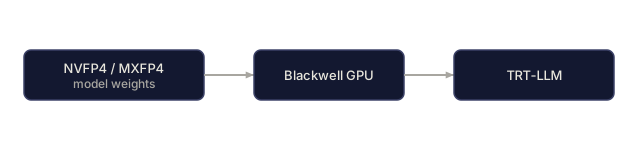
| MXFP4 | 4 | Blackwell multi-user | TRT-LLM |
| NVFP4 | 4 | Blackwell multi-user | TRT-LLM |
GGUF: the CPU/edge default
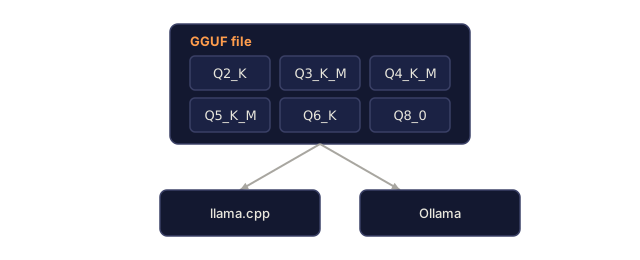
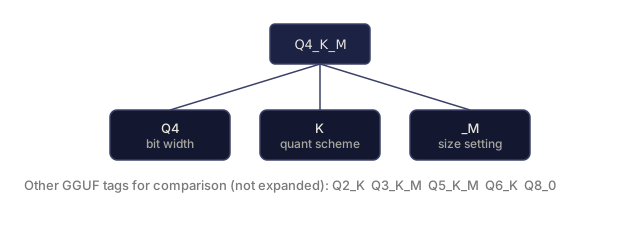
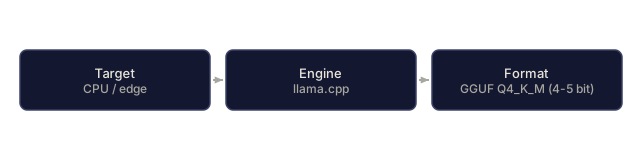
GGUF is a file format rather than a quantization scheme. It bundles the K-quant variants (Q2_K, Q3_K_M, Q4_K_M, Q5_K_M, Q6_K, Q8_0) in one container. Q4_K_M and Q5_K_M are the production defaults, with near-BF16 quality at 4-5 bits. It is the best choice for CPU or edge serving because llama.cpp is by far the fastest CPU inference engine.
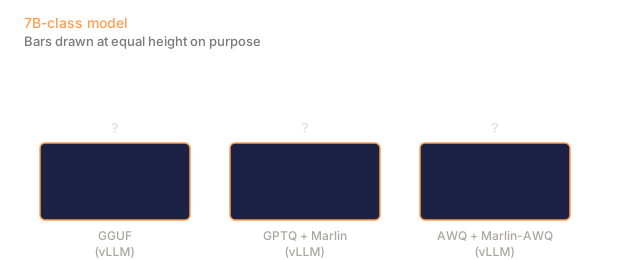
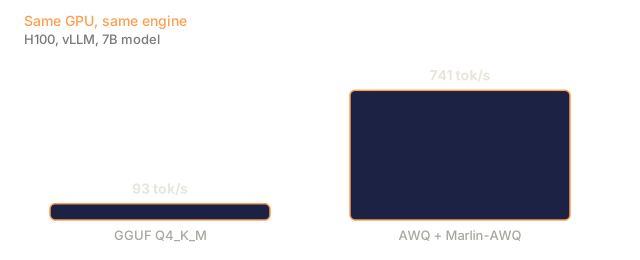
The cost shows up in vLLM, where GGUF runs at ~93 tok/s on 7B because the format isn't optimized for GPU kernels. Use GGUF when the deployment target is CPU or edge, and pick something else on a GPU.
GPTQ: multi-LoRA in vLLM
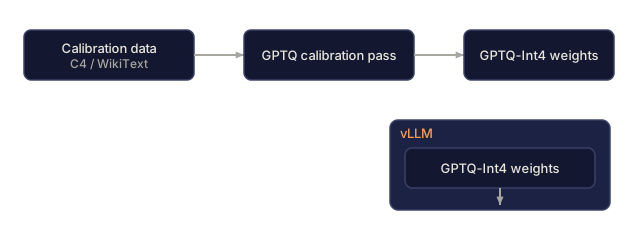
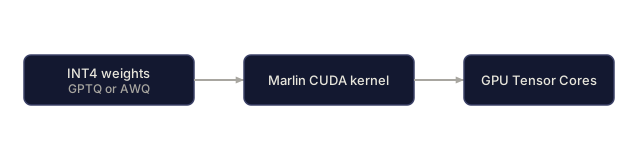
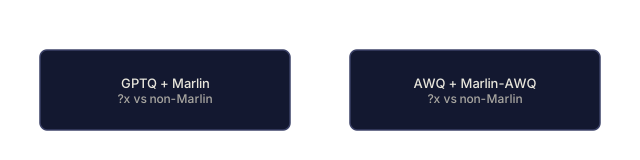
GPTQ is a post-training quantization algorithm with a calibration pass. Marlin kernels make it fast on GPU (2.6x speedup vs non-Marlin GPTQ), at ~712 tok/s on 7B.
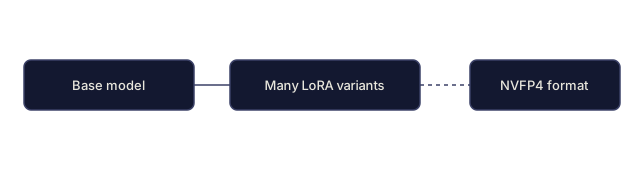
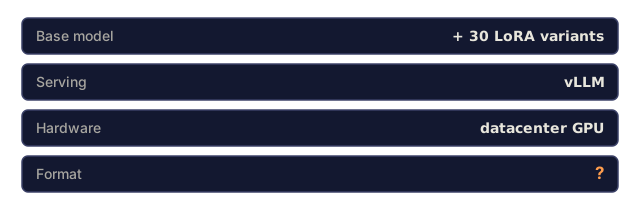
Its distinguishing win is that GPTQ-Int4 supports LoRA adapters in vLLM. If you serve a base model plus 10-50 fine-tuned variants, each as a LoRA, GPTQ is your path. NVFP4 does not support LoRA yet as of early 2026.
AWQ: the datacenter GPU default
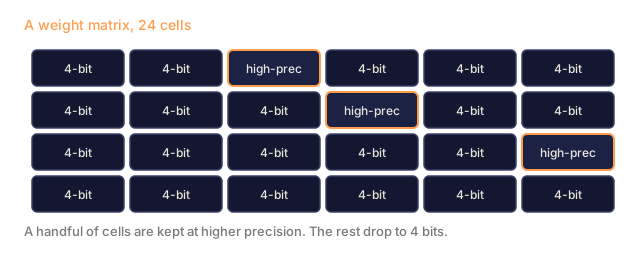
Activation-aware Weight Quantization protects the ~1% most-salient weights during quantization. With Marlin-AWQ kernels it gets a 10.9x speedup vs naive and ~741 tok/s on 7B, with the best Pass@1 among INT4 formats.
Pick AWQ for new GPU serving unless you need multi-LoRA (GPTQ) or aggressive Blackwell FP4 (NVFP4).
FP8: the reliable middle
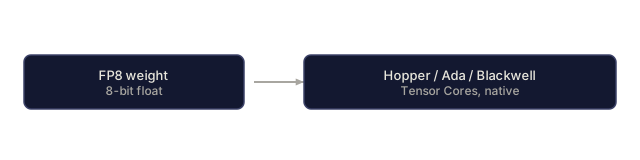
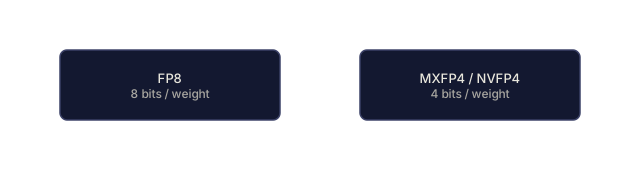
8-bit floating point is near-lossless and widely supported. Hopper Tensor Cores accelerate it natively, and Blackwell inherits that. FP8 is the safe 2026 default when quality matters most (reasoning, medical, code-gen). FP8 weights take twice the memory of INT4 weights, but the quality risk is far lower.
MXFP4 / NVFP4: Blackwell aggressive
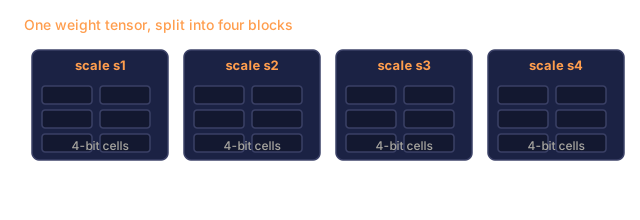
These are microscaling FP4 formats, where each block of weights has its own scale factor. They are aggressive but hardware-accelerated on Blackwell Tensor Cores. They halve the bytes per token versus FP8, which is the economic win in Phase 17 · 07.
Caveats:
- No LoRA support yet (early 2026).
- Quality drop visible on reasoning-heavy workloads.
- Validate on your eval set per model.
The calibration trap
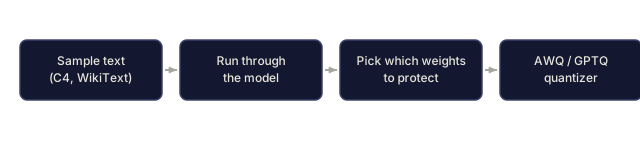
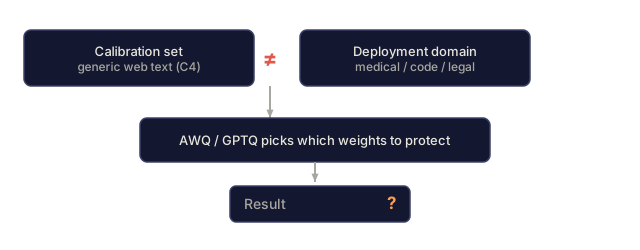
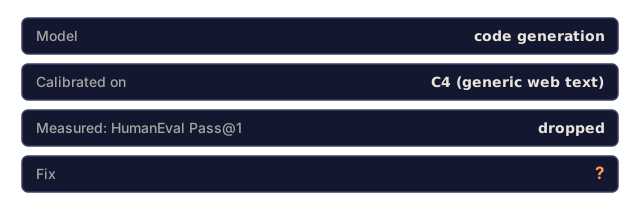
AWQ and GPTQ need a calibration dataset, typically C4 or WikiText. For domain models (code, medical, legal), calibrating on generic web text lets the algorithm make wrong decisions about which weights to protect. Pass@1 on HumanEval can drop several points.
The fix is to calibrate on in-domain data. Hundreds of domain samples is usually enough. Test on the eval set before shipping.
The KV cache trap
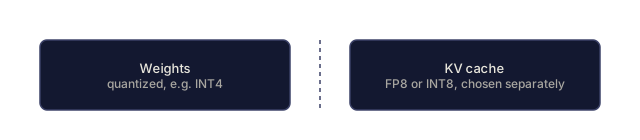
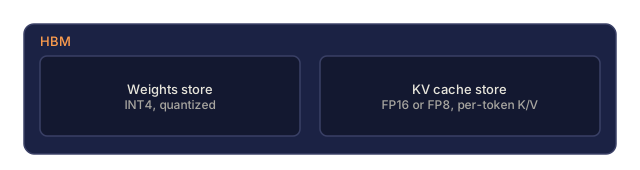
AWQ shrinks weights to 4 bits. KV cache is separate and stays at FP16/FP8. For a 70B model with AWQ:
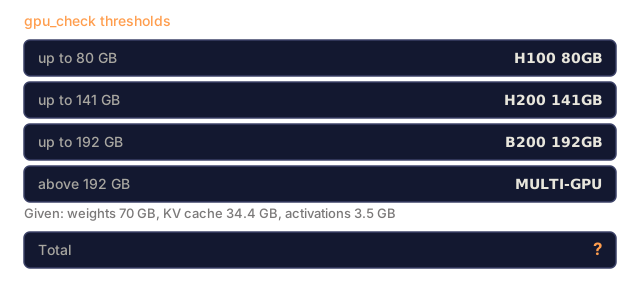
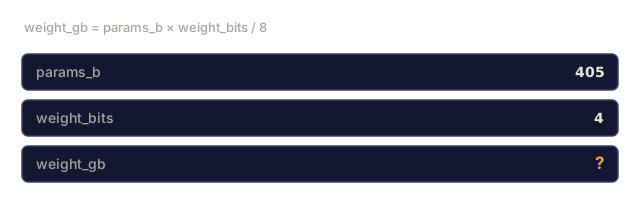
- Weights: ~35 GB (INT4 from 140 GB).
- KV cache at 128 concurrent × 2k context (FP16 KV): ~69 GB.
- Activations: ~3.5 GB.
- Total: ~107 GB, which does not fit an H100 80GB and lands on an H200 141GB.
Quantizing the KV cache to FP8 and the weights to NVFP4 brings the same setting to ~73 GB, which does fit one H100. "I quantized my model to 4 GB" forgets the KV cache, which is tens of GB at production batch sizes. Budget HBM for the whole thing.
KV cache quantization (FP8 KV or INT8 KV) is a separate choice with its own tradeoffs. It affects attention accuracy directly, so it isn't a free win.
AWQ INT4 is hazardous for reasoning
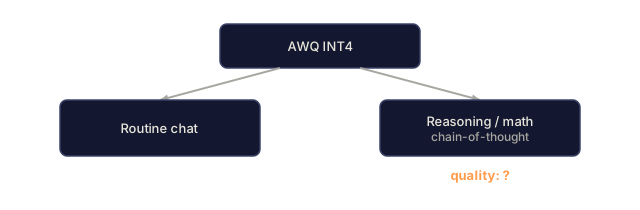
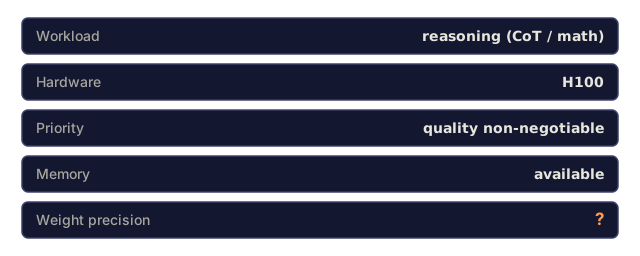
Chain-of-thought, math, and long-context code-gen suffer visibly from aggressive quantization. AWQ INT4 loses ~3-5 points on MATH. For reasoning-heavy workloads, ship FP8 or BF16 and accept the memory cost.
2026 picking guide
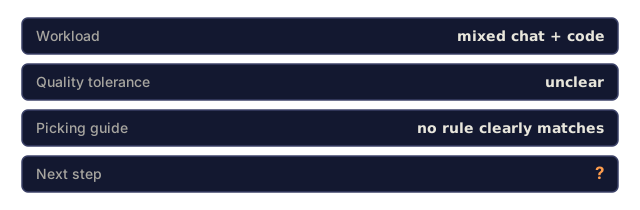
- CPU/edge serve: GGUF Q4_K_M.
- GPU serve, routine chat, no LoRA: AWQ.
- GPU serve, multi-LoRA: GPTQ with Marlin.
- Reasoning workload: FP8.
- Blackwell datacenter, validated quality: NVFP4 + FP8 KV.
- Ambiguous: run a 1,000-sample eval on each candidate format.
Use It
code/main.py computes memory footprint (weights + KV + activations) and relative throughput across the six formats for a range of model sizes. It shows where KV cache dominates, where weight compression pays, and where FP8 is the safe pick.
Ship It
This lesson produces outputs/skill-quantization-picker.md. Given hardware, model size, workload type, and quality tolerance, it picks a format and produces a calibration and validation plan.
I'd run main.py before trusting any single memory number in this lesson, including mine. It prints weights, KV, activations, and a GPU fit for BF16, GGUF Q5/Q4, GPTQ, AWQ, FP8, and NVFP4 at four model and load settings, so the KV trap is something you can read off a table instead of taking on faith.
The KV figures in the body come from that script. It assumes 64 layers scaled by model size, 8 KV heads, head dim 128, and FP16 KV, and prints 68.7 GB for a 70B model at 128 concurrent and 2k context. With AWQ weights that totals 107.2 GB, which lands on an H200, not an H100. In the toy, the only 70B row that fits one H100 80GB is NVFP4 with FP8 KV (72.9 GB), in both 70B settings. Real KV depends on the model's actual layer and head counts, so measure yours before you size hardware.
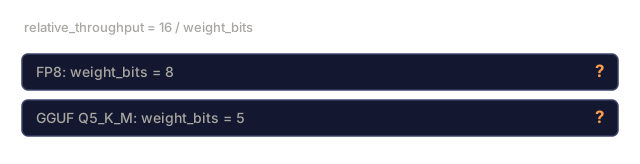
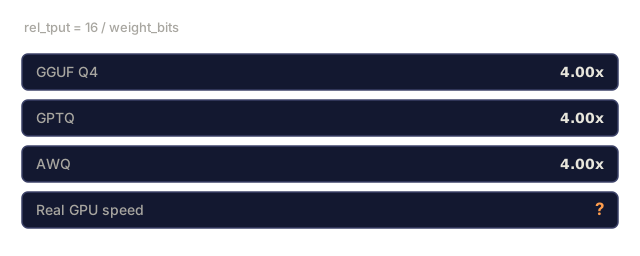
I'd also read the throughput column as a bandwidth argument and nothing more. It is just 16 divided by weight bits, so GGUF Q4, GPTQ, and AWQ all print 4.00x. It says nothing about kernels, which is where the 93, 712, and 741 tok/s figures in the body come from. And the toy has no calibration step at all. Quality is the part you have to measure on your own eval set, and that is what I'd spend the time on before picking a format.
Exercises
- Run
code/main.py. For a 70B model at 128 concurrent with 2k context, compute the total HBM for each format. Which format lets you fit on one H100 80GB? - You have a 7B coding model. Pick a format and justify. If you were wrong about quality tolerance, what is the recovery path?
- Compute the calibration-dataset size needed to calibrate AWQ for a medical domain model. Why is more data not always better?
- Read the Marlin-AWQ kernel paper or release notes. Explain in three sentences why AWQ hits 741 tok/s on 7B while raw GPTQ hits ~712.
- When does it make sense to combine AWQ weights with FP8 KV cache vs keeping KV at BF16?
Key Terms
| Term | What people say | What it actually means |
|---|---|---|
| GGUF | "llama.cpp format" | File format bundling K-quant variants; CPU/edge default |
| Q4_K_M | "Q4 K M" | 4-bit K-quant medium; the production GGUF default |
| GPTQ | "gee pee tee q" | Post-train INT4 with calibration; supports LoRA in vLLM |
| AWQ | "a w q" | Activation-aware INT4; Marlin kernels; best Pass@1 at INT4 |
| Marlin kernels | "fast INT4 kernels" | Custom CUDA kernels for INT4 weights on GPU; 2.6x (GPTQ) to 10.9x (AWQ) speedup |
| FP8 | "eight-bit float" | Safe precision default on Hopper/Ada/Blackwell |
| MXFP4 / NVFP4 | "microscaling four" | Blackwell 4-bit FP with per-block scale factors |
| Calibration dataset | "cal data" | Input text used to pick quantization parameters; must match domain |
| KV cache quantization | "KV INT8" | Separate choice from weights; affects attention accuracy |
Further Reading
- VRLA Tech: LLM Quantization 2026: comparative benchmarks.
- Jarvis Labs: vLLM Quantization Complete Guide: throughput numbers by format.
- PremAI: GGUF vs AWQ vs GPTQ vs bitsandbytes 2026: format-by-format picking.
- vLLM docs: Quantization: supported formats and flags.
- AWQ paper (arXiv:2306.00978): original AWQ formulation.
- GPTQ paper (arXiv:2210.17323): original GPTQ formulation.
Code
- main.py (python, 108 lines)