Your Machine, Configured
Four layers, installed bottom-up, each one isolated from the last. Get this right once and you never think about it again. Skip it and you'll spend the next 500 lessons debugging tooling instead of learning anything.
Learning Objectives
- Set up Python (via uv), Node.js, and Rust toolchains from scratch, and verify GPU access with CUDA/MPS
- Understand the four-layer stack (system, package managers, runtimes, AI libraries) and why isolation lives at the runtime layer
- Create isolated environments with uv, venv, or conda, write a pyproject.toml with optional dependency groups, and generate lockfiles for reproducibility
- Diagnose and fix the common failure modes: global installs, pip/conda mixing, forgotten activations, and CUDA version mismatches
The Problem
You're about to work through this entire curriculum: hundreds of lessons across Python, TypeScript, Rust, and Julia. If your machine isn't configured right, every one of those lessons turns into a fight with tooling instead of a lesson about AI. I've watched people burn entire afternoons on import errors, version conflicts, and missing CUDA drivers before they've written a single meaningful line of code. We're doing this once, and we're doing it properly.
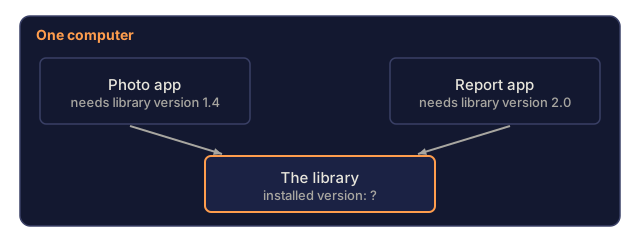
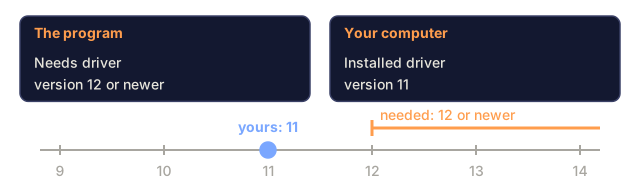
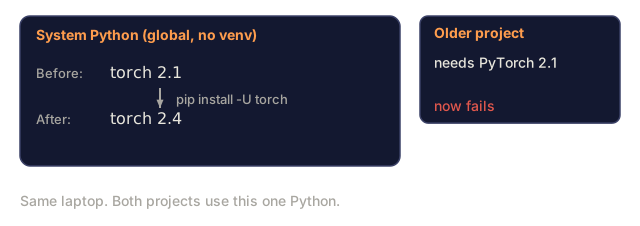
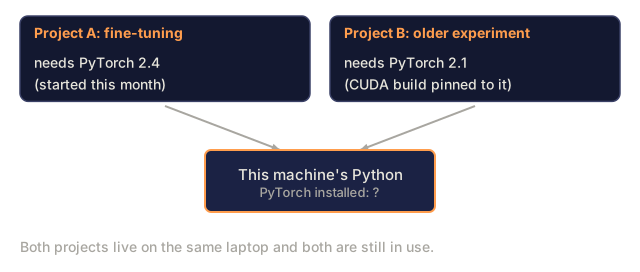
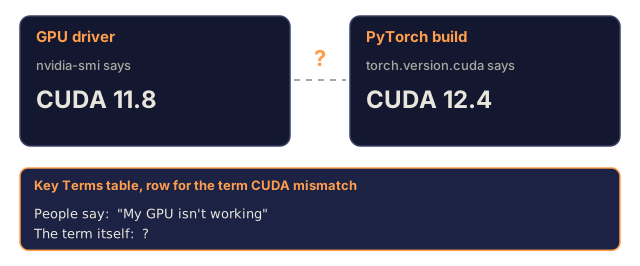
Here's the part most people get wrong. They treat setup as a single event: install Python, install some packages, done. Then two weeks later they install PyTorch 2.4 for a fine-tuning project, and the following week a different project needs PyTorch 2.1 because its CUDA build is pinned to it. Upgrade globally and the first project breaks. Downgrade and the second one breaks. That's dependency hell (two things you depend on needing incompatible versions of the same package), not an edge case: it's the default outcome of treating your machine as one shared bucket of packages. It happens constantly in AI work specifically because PyTorch, JAX, and TensorFlow each ship their own CUDA bindings, model libraries pin exact framework versions, and a PyTorch build for CUDA 12.4 simply will not run on a driver that only supports CUDA 11.8. (The reverse is fine: drivers are forward-compatible, so a CUDA 11.8 build runs on a CUDA 12.x driver.)
The fix for both problems is the same idea applied at different altitudes: get the four foundational layers installed correctly once, and then give every project its own isolated slice of those layers so they can never step on each other.
The Concept
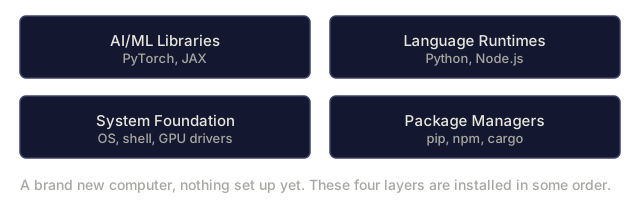
An AI engineering environment has four layers, and they only work if you install them bottom-up, because each one depends on the one below it.

- System foundation: OS, shell, compilers, GPU drivers. Everything else sits on top of this.
- Package managers: pip/uv, npm/pnpm, cargo. How you pull code into a project.
- Language runtimes: the actual Python, Node.js, and Rust installations, at specific versions.
- AI libraries: PyTorch, JAX, transformers, whatever a given lesson needs. The layer that breaks most often, because it's the one with the most version sensitivity.
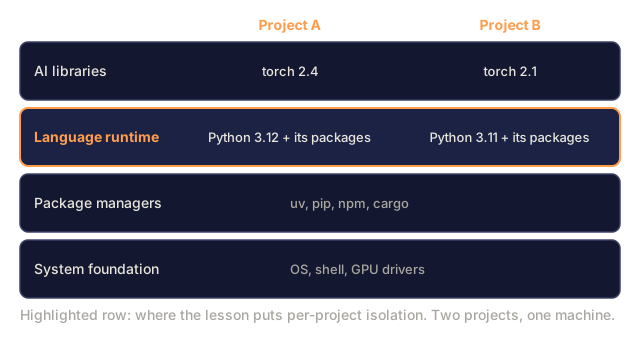
Layer 3 is where isolation actually matters. You don't have "a Python": you have one version, with one set of packages, for one project. Mix that up and you get the dependency hell from above. So layer 3 never gets installed once, globally. It gets installed per project, in its own sandbox (a walled-off space where nothing inside it can affect, or be affected by, anything outside it).

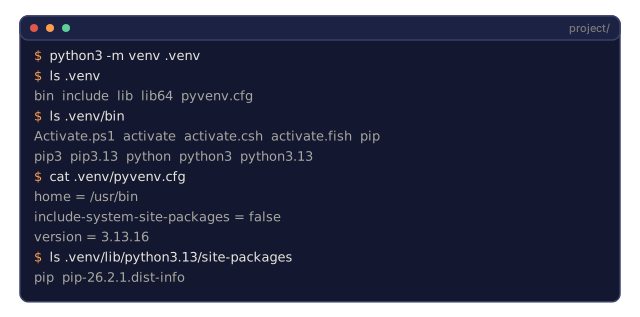
Here's the concrete version of that problem: say two projects on your machine both need the requests library, but one needs version 2.28 and the other needs 2.31. Install requests once, globally, and only one of those two projects can ever be satisfied at a time. The fix is to give each project its own copy of Python and its own copies of every package it needs, so upgrading one project's dependencies never touches another's. That's a virtual environment: an isolated directory holding its own interpreter (the actual python program that runs your code) and its own packages, invisible to every other project on the machine. Everything in the rest of this lesson (uv, venv, conda, lockfiles, the per-phase layout) is machinery for making that isolation reliable and reproducible.
Build It
Step 1: System Foundation
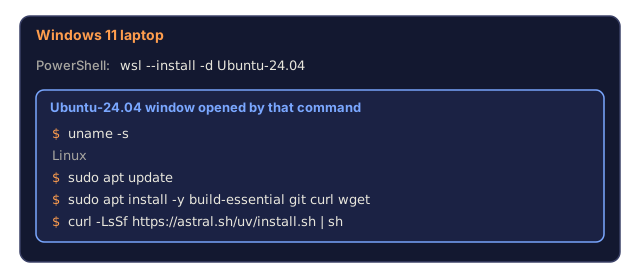
Check your system and install the basics. If you're on Windows, start with WSL2: it runs a real Linux environment inside Windows, and you need it because almost all AI tooling assumes a Linux-like environment and turns into a fight on native Windows.
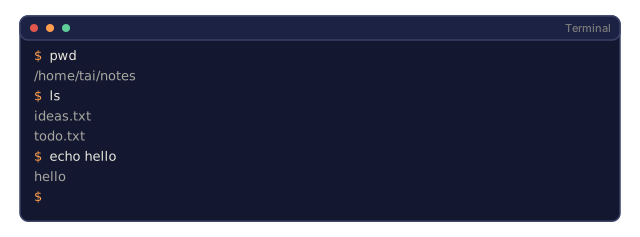
Quick terminal primer, since most of this lesson is commands: a terminal is a text window where you type a command and press Enter to run it. The blocks below show exactly what to type, one line at a time. If you ever see a command example elsewhere prefixed with $ or %, that's just the terminal's own prompt showing it's ready for input, not a character you type yourself. Lesson 4 covers the terminal in full; here's the minimum to get through this one.
# macOS
xcode-select --install
brew install git curl wget

# Ubuntu/Debian
sudo apt update && sudo apt install -y build-essential git curl wget

# Windows (use WSL2)
wsl --install -d Ubuntu-24.04
Step 2: Python, via uv
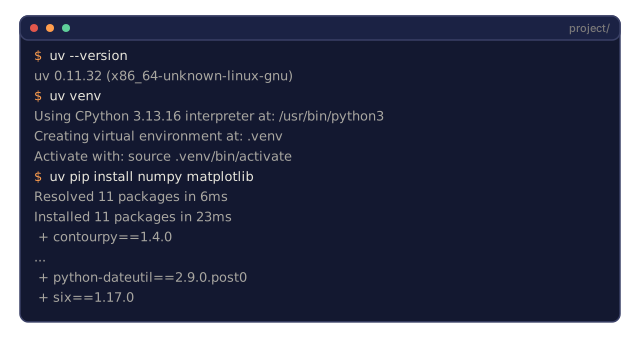
We use uv for Python because it's 10-100x faster than pip (Python's original package installer), and it handles Python versions, virtual environments, and dependency resolution in one tool.
curl -LsSf https://astral.sh/uv/install.sh | sh

uv python install 3.12

uv venv
source .venv/bin/activate  # or .venv\Scripts\activate on Windows

uv pip install numpy matplotlib jupyter
Verify:
import sys
print(f"Python {sys.version}")

import numpy as np
print(f"NumPy {np.__version__}")
a = np.array([1, 2, 3])
print(f"Vector: {a}, dot product with itself: {np.dot(a, a)}")
Or skip the manual venv step and let uv scaffold a whole project, pyproject.toml included:
uv init my-ai-project
cd my-ai-project
uv add torch numpy matplotlib
No uv? Python ships venv built in. It's slower, but it works anywhere Python is installed:
python3 -m venv .venv
source .venv/bin/activate  # Linux/macOS
.venv\Scripts\activate     # Windows

pip install torch numpy
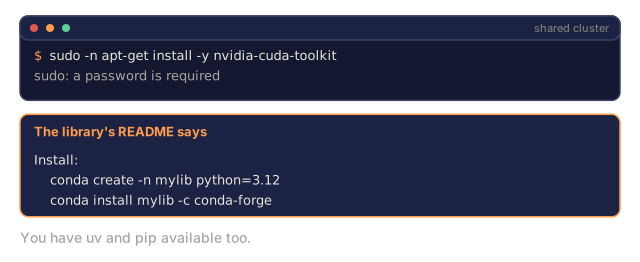
And there's conda, which earns its keep when you need non-Python dependencies (a specific CUDA toolkit, cuDNN, C libraries) without touching the system: you're on a shared cluster where you can't install system packages, or a library's own install instructions say "use conda."
# Install miniconda (not the full Anaconda)
curl -LsSf https://repo.anaconda.com/miniconda/Miniconda3-latest-Linux-x86_64.sh -o miniconda.sh
bash miniconda.sh -b

conda create -n myproject python=3.12
conda activate myproject

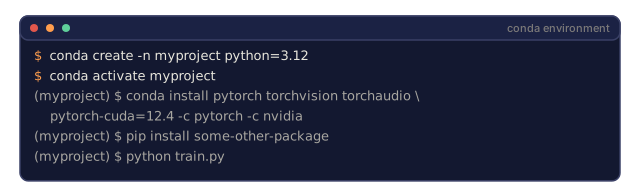
conda install pytorch torchvision torchaudio pytorch-cuda=12.4 -c pytorch -c nvidia
One rule if you go this route: if you use conda for an environment, use conda for every package in it. Mixing pip install into a conda env breaks conda's dependency tracking in ways that are painful to debug later. If a package truly is pip-only, install all your conda packages first and add pip packages last.
Step 3: pyproject.toml Instead of Three Files
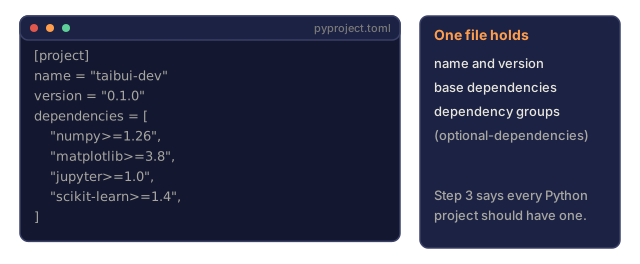
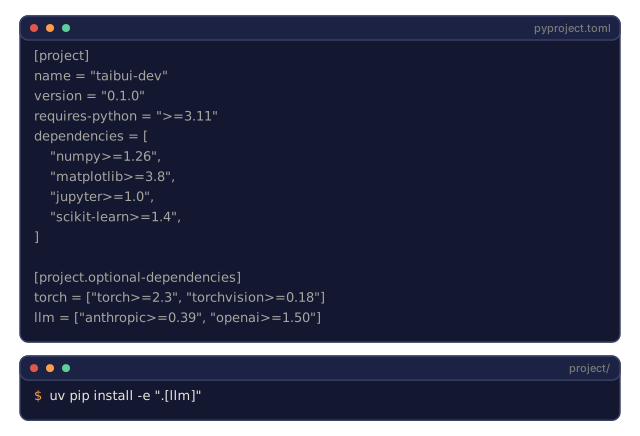
Every Python project should have a pyproject.toml. It replaces setup.py, setup.cfg, and requirements.txt with one file, and it's where optional dependency groups live:
[project]
name = "taibui-dev"
version = "0.1.0"
requires-python = ">=3.11"
dependencies = [
    "numpy>=1.26",
    "matplotlib>=3.8",
    "jupyter>=1.0",
    "scikit-learn>=1.4",
]

[project.optional-dependencies]
torch = ["torch>=2.3", "torchvision>=0.18"]
llm = ["anthropic>=0.39", "openai>=1.50"]
Install exactly the slice you need:
uv pip install -e ".[torch]"     # base + PyTorch
uv pip install -e ".[llm]"       # base + LLM SDKs
uv pip install -e ".[torch,llm]" # everything
Step 4: Lockfiles
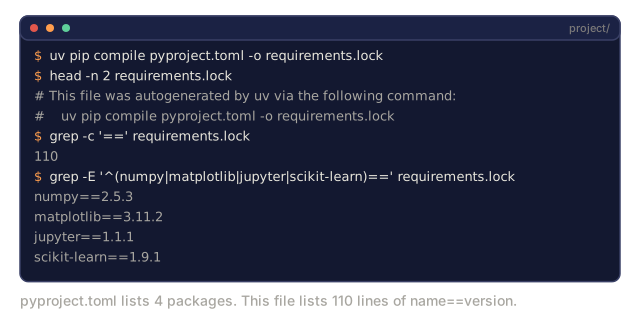
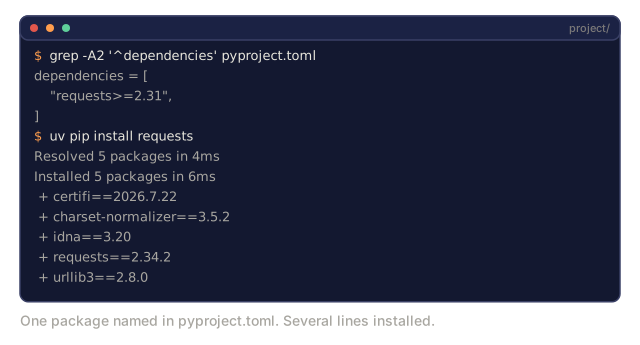
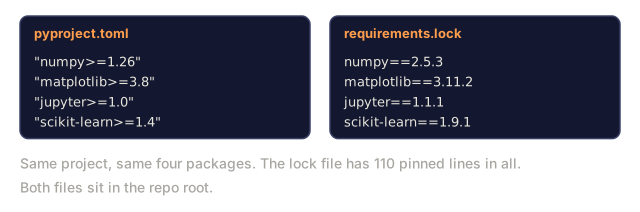
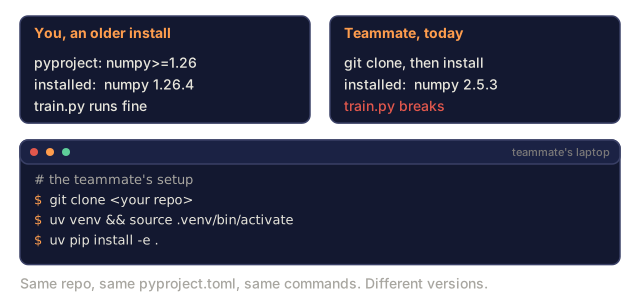
A pyproject.toml says what you want; a lockfile says exactly what you got, down to every transitive dependency (a dependency pulled in automatically because one of your direct dependencies needs it). That's what makes an install reproducible: anyone who installs from your lockfile ends up with identical package versions.
# uv generates uv.lock automatically when using uv add
uv add numpy

# pip-tools-style approach
uv pip compile pyproject.toml -o requirements.lock
uv pip install -r requirements.lock
Commit the lockfile to git alongside pyproject.toml. Never commit .venv/ itself. It's 200MB-2GB of machine-specific binaries that don't travel between machines:
echo ".venv/" >> .gitignoreStep 5: One Environment Per Phase, Not One Environment For Everything
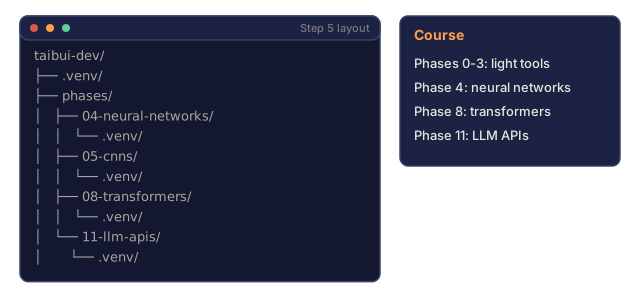
You could build a single environment for this whole course. Don't: different phases need different, sometimes conflicting, dependencies. The layout that actually holds up:
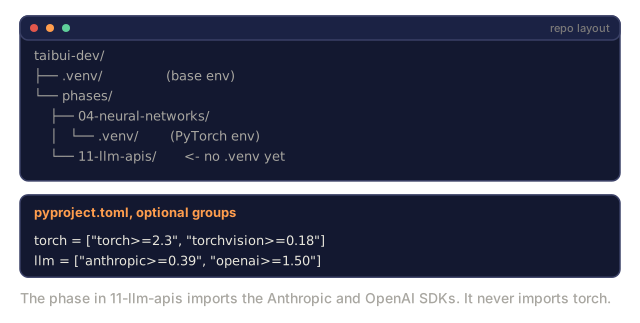
taibui-dev/
├── .venv/                    <-- shared lightweight env for phases 0-3
├── phases/
│   ├── 04-neural-networks/
│   │   └── .venv/            <-- PyTorch env
│   ├── 05-cnns/
│   │   └── .venv/            <-- same PyTorch env (symlink or shared)
│   ├── 08-transformers/
│   │   └── .venv/            <-- might need different transformer versions
│   └── 11-llm-apis/
│       └── .venv/            <-- API SDKs, no torch needed
Step 6: The Mistakes That Actually Happen
Five failure modes account for nearly every environment bug you'll hit:
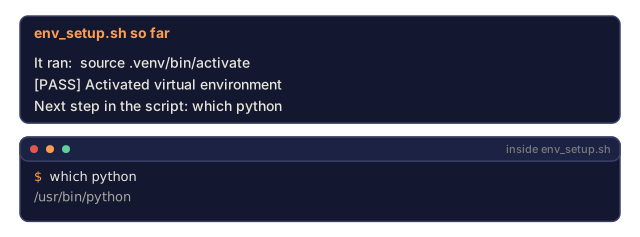
Installing globally. pip install torch with no venv active writes to your system Python, not your project. Activate first, then check:
which python       # should show .venv/bin/python, not /usr/bin/python
which pip           # should show .venv/bin/pip
Mixing pip and conda. Once you conda install pytorch, keep going with conda. A stray pip install some-other-package inside a conda env can silently break conda's own dependency tracking.
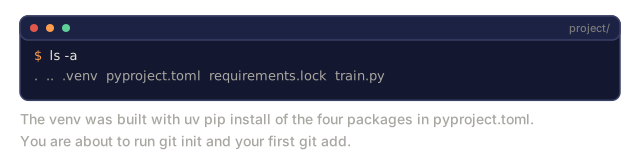
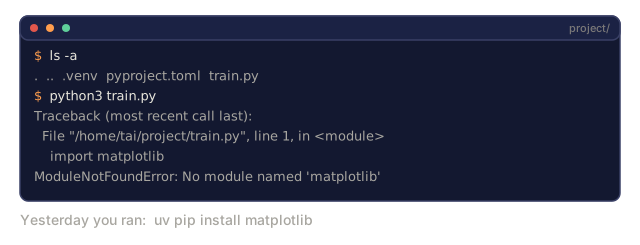
Forgetting to activate. python train.py with no venv active runs against system Python and "can't find" packages you know you installed. Before you trust the run, check that your shell prompt shows the environment name: (.venv) $ python train.py.
Committing .venv/ to git. See Step 4: don't.
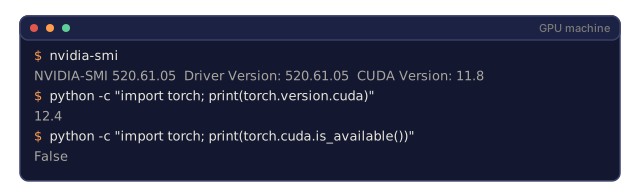
CUDA version mismatch. Your driver and your PyTorch build both claim a CUDA version, and the build's can't be newer than the driver's:
nvidia-smi                                              # driver's CUDA version, e.g. 12.4
python -c "import torch; print(torch.version.cuda)"    # PyTorch's CUDA version

# PyTorch's CUDA version must be <= the driver's.
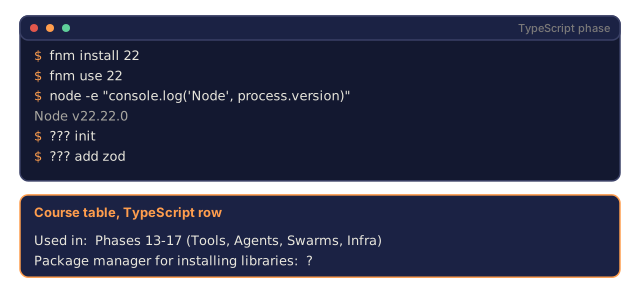
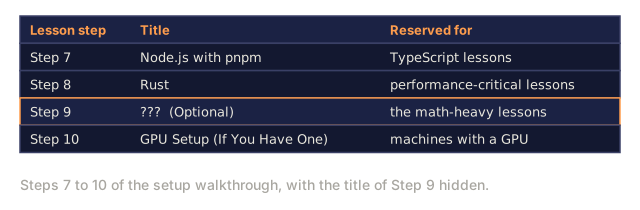
Step 7: Node.js with pnpm
For the TypeScript lessons: agents, MCP servers, web apps.
curl -fsSL https://fnm.vercel.app/install | bash
fnm install 22
fnm use 22

npm install -g pnpm

node -e "console.log('Node', process.version)"
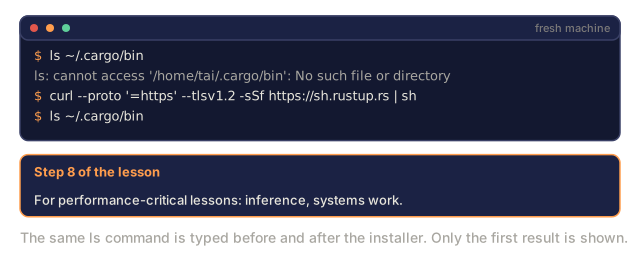
Step 8: Rust
For performance-critical lessons: inference, systems work.
curl --proto '=https' --tlsv1.2 -sSf https://sh.rustup.rs | sh

rustc --version
cargo --version
Step 9: Julia (Optional)
For the math-heavy lessons where Julia earns its place.
curl -fsSL https://install.julialang.org | sh

julia -e 'println("Julia ", VERSION)'
Step 10: GPU Setup (If You Have One)
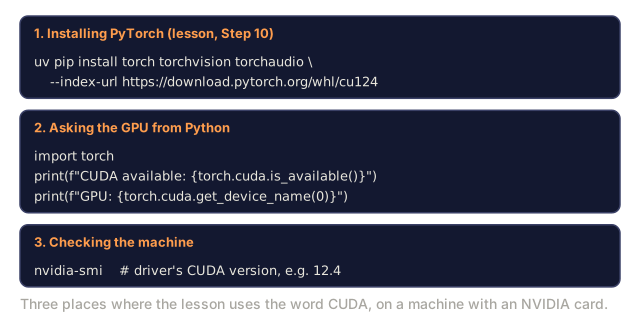
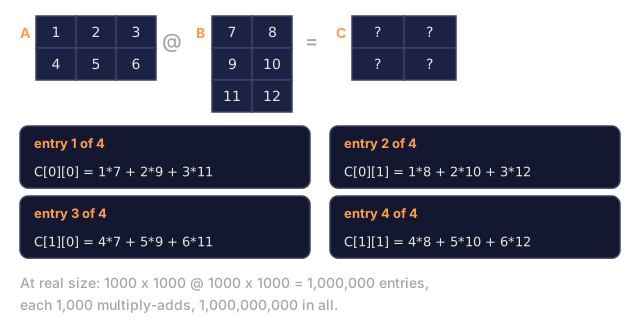
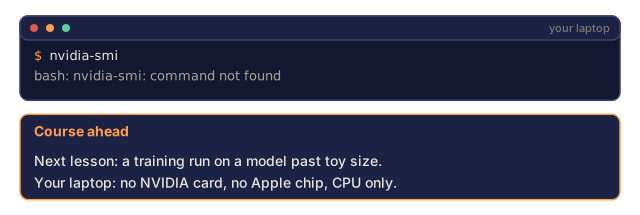
AI workloads are, underneath, huge numbers of small multiply-and-add operations that don't depend on each other. A CPU runs a handful of complex instructions sequentially, very fast; a GPU runs thousands of simple instructions in parallel, which is exactly the shape of the matrix math behind neural networks. That's why training or running anything past a toy model is dramatically faster on a GPU than a CPU.
# NVIDIA
nvidia-smi

# Install PyTorch with CUDA
uv pip install torch torchvision torchaudio --index-url https://download.pytorch.org/whl/cu124import torch
print(f"CUDA available: {torch.cuda.is_available()}")
if torch.cuda.is_available():
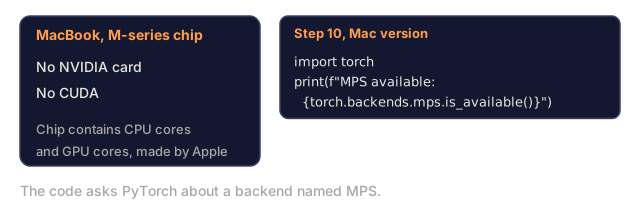
print(f"GPU: {torch.cuda.get_device_name(0)}")On a Mac with an M-series chip, there's no CUDA, but PyTorch still gets GPU acceleration through Apple's Metal Performance Shaders (MPS) backend:
import torch
print(f"MPS available: {torch.backends.mps.is_available()}")
It won't outrun a discrete NVIDIA GPU, but it's a real step up from CPU for anything past a toy model.
No GPU at all? Most lessons run fine on CPU. For the training-heavy ones, use Google Colab or a cloud GPU instead of fighting local drivers.
Step 11: Verify Everything
Run the verification scripts:
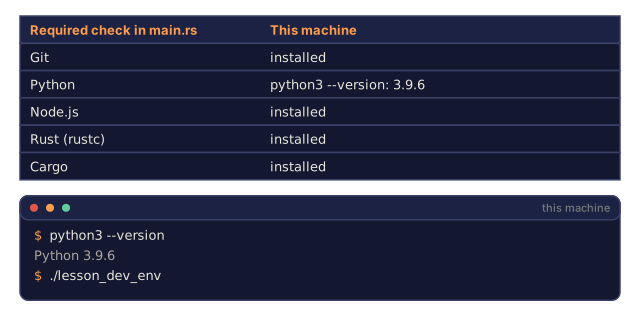
python phases/00-setup-and-tooling/01-your-machine-configured/code/verify.py
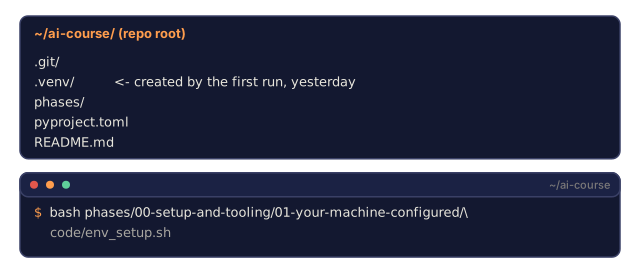
bash phases/00-setup-and-tooling/01-your-machine-configured/code/env_setup.sh
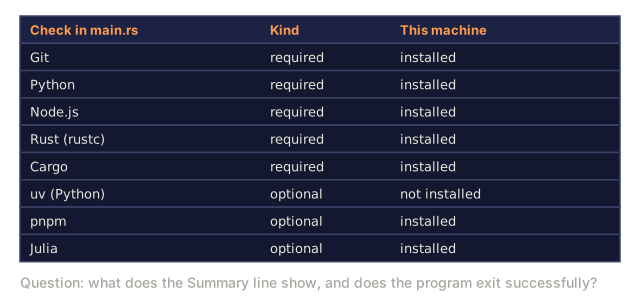
verify.py checks your Python-side stack end to end. env_setup.sh builds and verifies the shared base environment this whole course sits on top of.
![The lesson's pyproject.toml: project metadata, a base dependencies list of numpy, matplotlib, jupyter and scikit-learn, and a [project.optional-dependencies] table with a torch group and an llm group.](/quiz-visuals/00-setup-and-tooling/01-your-machine-configured/post-5.svg)
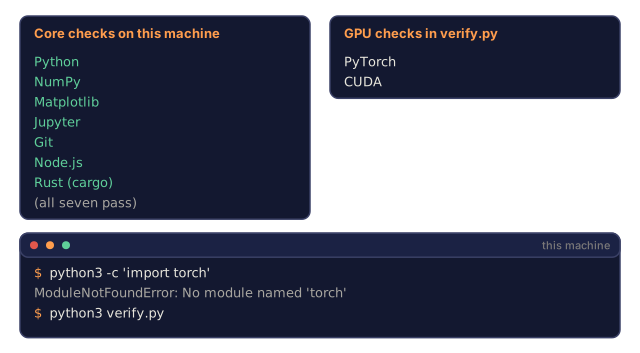
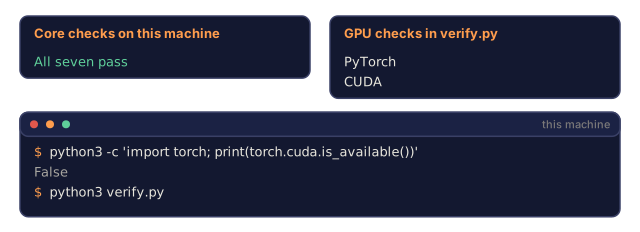
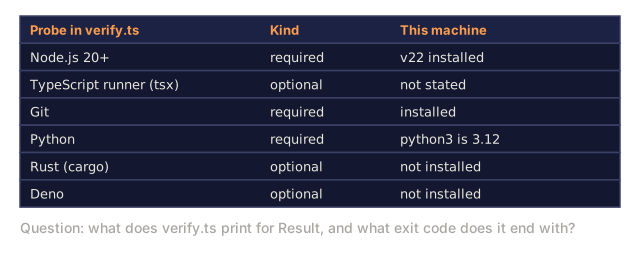
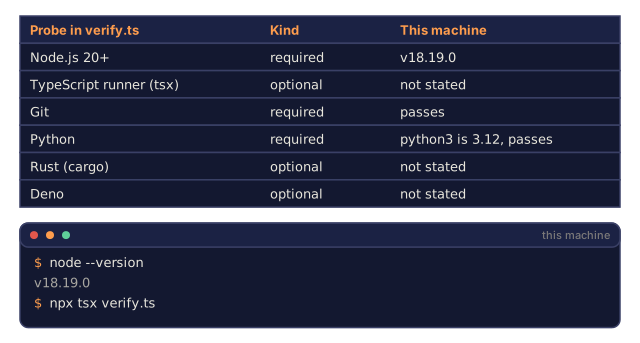
![The lesson's verification snippet creating a = np.array([1, 2, 3]) and printing np.dot(a, a), with the vector a drawn twice as boxes 1, 2, 3 and the result left as a question mark.](/quiz-visuals/00-setup-and-tooling/01-your-machine-configured/n15.svg)
Use It
Your environment is now ready for every lesson in this course. Here's what you'll use where:
| Language | Used In | Package Manager |
|---|---|---|
| Python | Phases 1-12 (ML, DL, NLP, Vision, Audio, LLMs) | uv |
| TypeScript | Phases 13-17 (Tools, Agents, Swarms, Infra) | pnpm |
| Rust | Phases 12, 15-17 (Performance-critical systems) | cargo |
| Julia | Phase 1 (Math foundations) | Pkg |
If you'd rather script the whole base setup in one shot instead of following Step 2 by hand, run:
bash phases/00-setup-and-tooling/01-your-machine-configured/code/env_setup.shThis creates a .venv at the repo root with the core dependencies installed and verified. It's the same baseline every later phase builds on.
Every one of the mistakes in Step 6 is embarrassingly simple in isolation: forgot to activate a venv, let pip touch a conda env, installed something globally by accident. None of them are hard to understand. What makes them expensive is that they don't show up right away. They show up as a torch import error or a silent CPU fallback three lessons later, after you've completely forgotten you ever touched the environment. Spend the 75 minutes now. The alternative is spending an afternoon in week six wondering why your GPU "stopped working," when the real answer is that you never checked which python you were actually running.
Exercises
- Run the verification script(s) and fix any failures.
- Create a virtual environment for this course, install PyTorch, and confirm GPU access if you have one.
- Write a "hello world" in all four languages (Python, TypeScript, Rust, Julia) and run each one.
- Create a second virtual environment, install a different version of numpy in it, and confirm the two environments are isolated from each other.
- Write a
pyproject.tomlfor a project that needs both PyTorch and the Anthropic SDK, using optional dependency groups. - Deliberately install a package globally without activating a venv, notice where it lands, then uninstall it.
Key Terms
| Term | What people say | What it actually means |
|---|---|---|
| Virtual environment | "A venv" | An isolated directory containing a Python interpreter and packages, separate from the system Python |
| uv | "The fast pip" | A Rust-based Python package manager that also handles Python installs and virtual environments, with dependency resolution 10-100x faster than pip |
| Lockfile | "Pinned dependencies" | A file listing every package and its exact version, guaranteeing identical installs across machines |
| pyproject.toml | "The new setup.py" | The standard Python project configuration file, replacing setup.py/setup.cfg/requirements.txt |
| Transitive dependency | "A dependency of a dependency" | Package B depends on C; if you install A which depends on B, C is a transitive dependency of A |
| CUDA | "GPU support" | NVIDIA's parallel computing platform; lets PyTorch and TensorFlow run matrix operations across thousands of GPU cores |
| MPS | "Mac GPU support" | Apple's Metal Performance Shaders backend; how PyTorch uses the GPU on Apple Silicon Macs instead of NVIDIA CUDA |
| CUDA mismatch | "My GPU isn't working" | PyTorch was compiled for a newer CUDA version than your GPU driver supports |
Code
- main.rs (rust, 138 lines)
- verify.py (python, 70 lines)
- verify.ts (typescript, 103 lines)
- env_setup.sh (bash, 173 lines)