Vectors, Matrices & Operations
A neural network layer is a matrix multiply, a bias add, and a nonlinearity, stacked until it's deep enough to call a model.
Learning Objectives
- Build a Matrix class with element-wise operations, matrix multiplication, transpose, determinant, and inverse
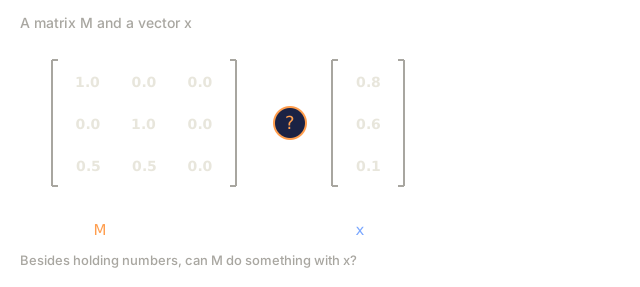
- Distinguish element-wise multiplication from matrix multiplication and explain when each applies
- Implement a single dense neural network layer (`relu(W @ x + b)`) using only the from-scratch Matrix class
- Explain broadcasting rules and how bias addition works in neural network frameworks
The Problem
You want to build a neural network. You read the code and see this:
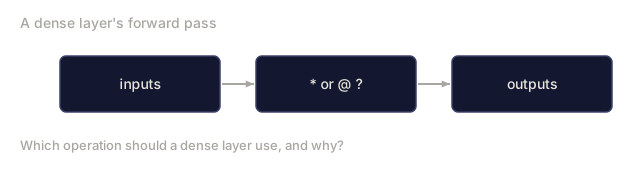
output = activation(weights @ input + bias)
That @ is matrix multiplication. The weights are a matrix. The input is a vector. If you do not know what those operations do, this line is magic. If you do know, it is the entire forward pass of a layer in three operations.
Every image your model processes is a matrix of pixel values. Every word embedding is a vector. Every layer of every neural network is a matrix transformation. You cannot build AI systems without being fluent in matrix operations the same way you cannot write code without understanding variables.
This lesson builds that fluency from scratch.
![Vectors a = [1, 2, 3] and b = [4, 5, 6] shown as number rows, with a question mark and the label dot product equals question mark.](/quiz-visuals/01-math-foundations/02-vectors-matrices-operations/n01.svg)
The Concept
Vectors: a quick callback
Lesson 01 covered what a vector means: a list of numbers that doubles as a point or direction in space. Nothing about that changes here. The notation carries forward unchanged:
v = [3, 4]        -- a 2D vector
w = [1, 0, -2]    -- a 3D vector
This lesson picks up where that left off: what happens when you group vectors into a grid, and the rules for combining those grids.
Matrices: what they look like in code
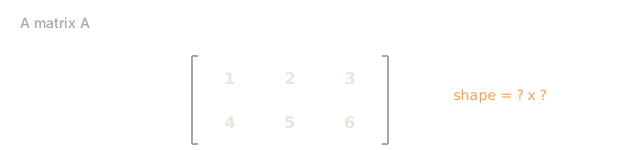
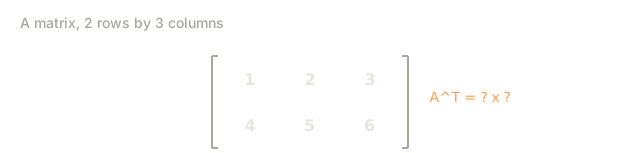
A matrix is a 2D grid of numbers, arranged in rows and columns. An m x n matrix has m rows and n columns.
A = | 1  2  3 |     -- 2x3 matrix (2 rows, 3 columns)
    | 4  5  6 |
In code, a matrix is just a list of rows, the same way lesson 01 showed a vector as a plain list:
A = [[1, 2, 3], [4, 5, 6]]             # plain Python: a list of rows
A = np.array([[1, 2, 3], [4, 5, 6]])   # NumPy -- what you'll actually use
print(A.shape)                         # (2, 3)
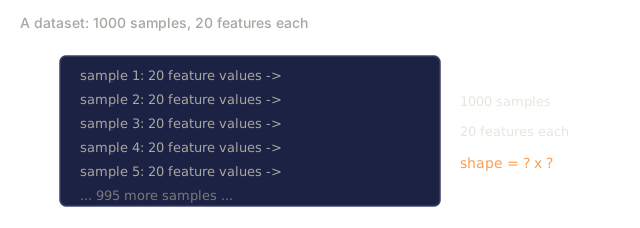
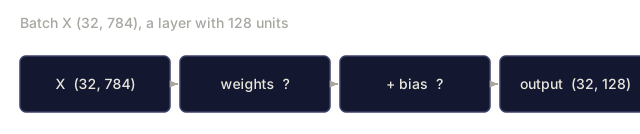
Analogy: think of a matrix as a spreadsheet. Each row is one record (one image, one customer, one sentence), and each column is one attribute of that record (one pixel, one feature, one word position). A batch of 32 images, each flattened to 784 pixel values, is a 32x784 matrix: 32 rows of records, 784 columns of attributes.
In AI, matrices are how you store and move whole batches of numbers at once:
- A batch of embeddings, one row per item, one column per embedding dimension
- A weight layer, a grid of numbers that reshapes an input vector into an output vector
- An image, a matrix of pixel intensities, or three matrices stacked, one per color channel
Why shapes matter for matrix multiplication
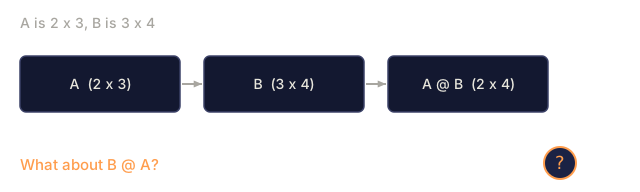
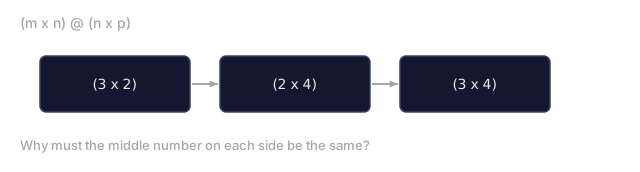
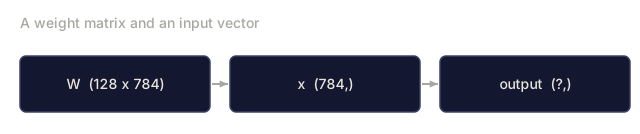
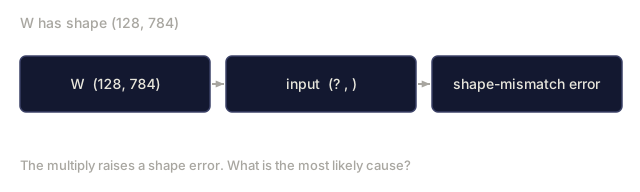
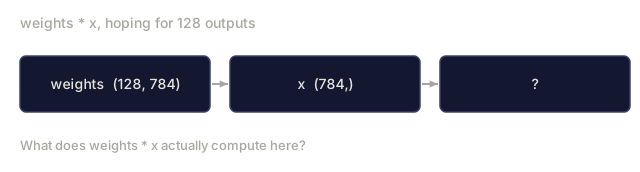
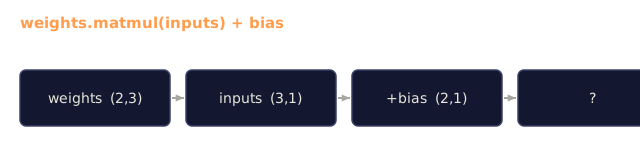
Matrix multiplication has a strict rule: (m x n) @ (n x p) = (m x p). The inner dimensions have to match.
The reason traces straight back to the dot product from lesson 01. Every entry in the result of A @ B is a dot product between one row of A and one column of B, and a dot product only works if both lists it sums over are the same length. That shared length is the n in the rule above: the number of columns in A has to equal the number of rows in B, because that count is exactly how many terms get multiplied and added for every output cell.
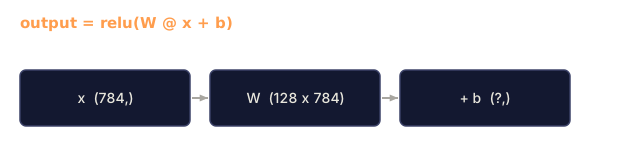
(128 x 784) @ (784 x 1) = (128 x 1)
  weights       input       output

Inner dimensions: 784 = 784  -- valid
Analogy: it's a pair of gears. Two gears only mesh if their teeth line up; a matrix multiply only lines up if the inner dimensions match. Get it wrong and instead of a smooth connection you get a shape error.
A = np.zeros((128, 784))
B = np.zeros((10, 1))
A @ B   # ValueError: matmul, shapes (128,784) and (10,1) not aligned
Order matters too, unlike scalar multiplication. A @ B and B @ A don't even need to have compatible shapes, and when they do, they usually give different answers.
If you ever hit a shape mismatch error in PyTorch, this is why. The same rule governs every batched matrix multiply inside attention, and every weight-loading bug where a saved checkpoint doesn't match the model it's being loaded into.
Element-wise vs. matrix multiplication
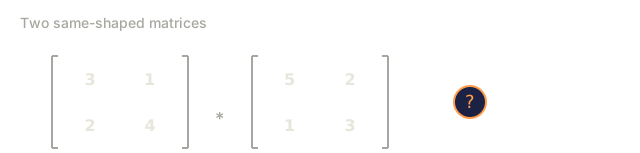
Element-wise multiplication multiplies matching positions; both matrices must already be the same shape.
| 1  2 |   | 5  6 |   | 5  12 |
| 3  4 | * | 7  8 | = | 21 32 |
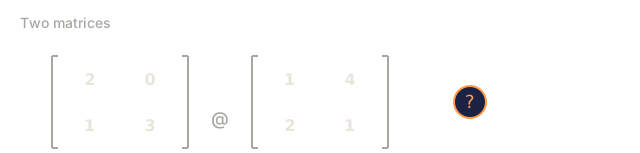
Matrix multiplication takes dot products of rows and columns instead. Only the inner dimensions need to match, and the result usually ends up a different shape than either input.
| 1  2 |   | 5  6 |   | 1*5+2*7  1*6+2*8 |   | 19  22 |
| 3  4 | @ | 7  8 | = | 3*5+4*7  3*6+4*8 | = | 43  50 |
A * B    # element-wise: same shape in, same shape out
A @ B    # matrix multiply: dot products, shape can change
Both operations take two matrices and hand back one matrix, and in NumPy the two are one character apart, * versus @. That's exactly why this pair trips up beginners more than anything else in this lesson: the syntax barely moves, but the math underneath is completely different.
Analogy: element-wise multiplication is two spreadsheets laid side by side, multiplying cell by cell straight down the line; no cell ever talks to a cell outside its own position. Matrix multiplication is more like a round of interviews: every row of the first matrix sits down with every column of the second, and each interview produces one combined number.
Where each one turns up in production code:
- Element-wise: gating in LSTMs, dropout masks, applying an activation function to every value in a layer's output
- Matrix multiply: every dense layer's forward pass, attention score computation, any linear transformation from one space into another
Determinant and inverse
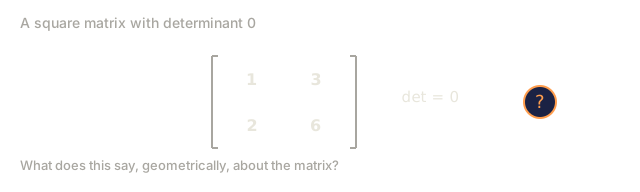
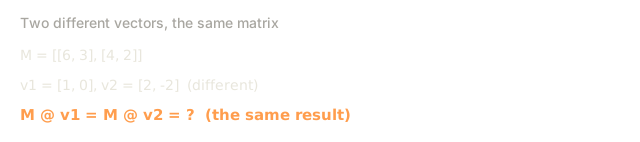
The determinant is a single number computed from a square matrix. It tells you how much the matrix scales area (in 2D) or volume (in 3D), and whether it flips things inside out along the way.
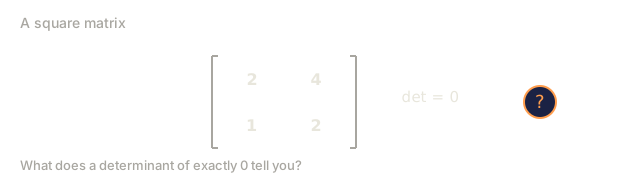
np.linalg.det(np.array([[1, 2], [3, 4]])) # -2.0A determinant of zero means the transformation crushes at least one dimension flat: a 2D square gets squashed onto a line, or a 3D cube onto a plane. This is the same collapse lesson 01 covered under rank: a rank-deficient matrix loses a dimension, and a zero determinant is the 2D/3D symptom of exactly that.

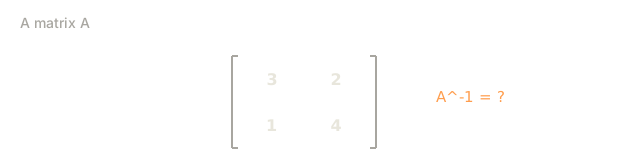
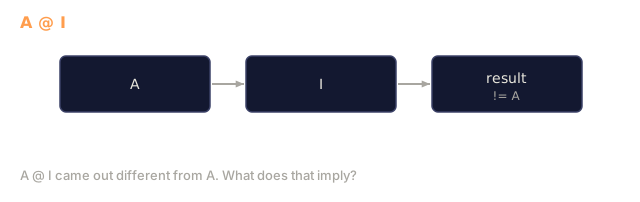
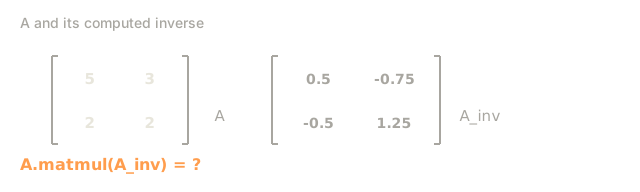
The inverse undoes a matrix's transformation. A @ A_inverse gets you back to the identity matrix, the same way 5 * (1/5) gets you back to 1.
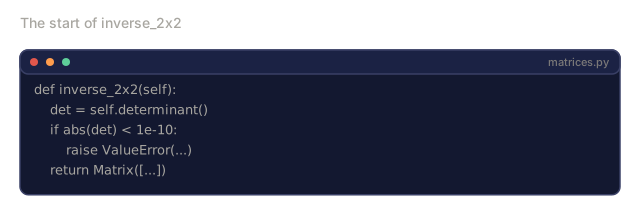
np.linalg.inv(np.array([[1, 2], [3, 4]]))Analogy: think of the inverse as a decoder ring. Whatever scrambling the matrix did to a vector, multiplying by the inverse unscrambles it exactly, but only if the scrambling didn't throw information away in the first place. A zero determinant means it did: two different starting points landed on the same output, so there's no way to look at that output and work out which one you started from. No decoder ring can undo that, which is why inverse_2x2 in the code below checks the determinant first and raises an error if it's zero.
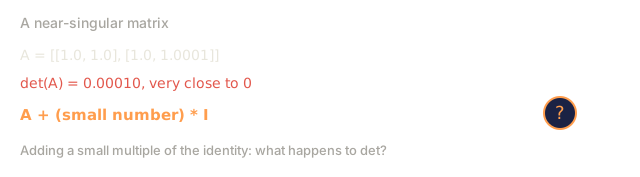
You'll run into this any time you check whether a linear system has a unique solution before solving it, in closed-form linear regression (the normal equations need an invertible matrix), and in ridge regression, which adds a small multiple of the identity matrix specifically to keep a near-singular matrix invertible.
The identity matrix
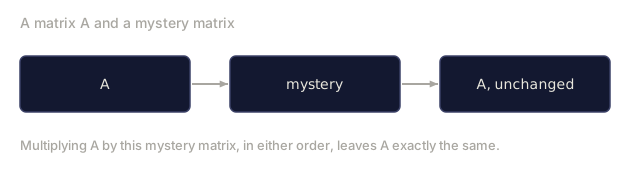
The identity matrix is the matrix version of the number 1: square, with 1s on the diagonal and 0s everywhere else.
I = | 1  0 |
    | 0  1 |
Multiply any matrix by the identity matrix, in either order, and you get the original matrix back unchanged, the same way multiplying any number by 1 changes nothing.
I = np.eye(2)
A = np.array([[3, 1], [0, 2]])
A @ I   # [[3, 1], [0, 2]] -- unchanged
Analogy: it's a matrix that does nothing, on purpose. Useful the same way a do-nothing step is useful anywhere else in a pipeline: a safe default, or a starting point you then modify.
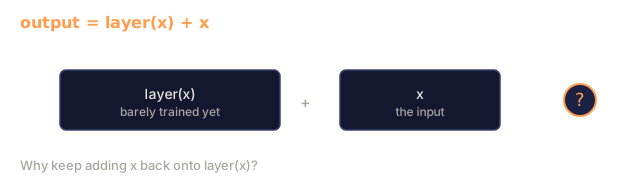
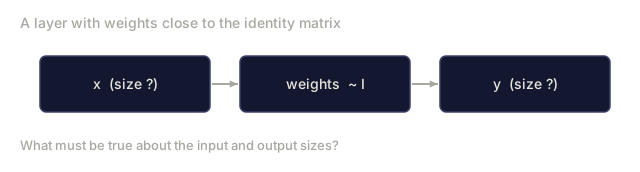
It shows up in weight initialization schemes that start a layer close to identity so it begins as a near-no-op, and in residual connections in ResNets and transformers, which add the input back onto a layer's output (output = layer(x) + x) so information keeps flowing even when the layer hasn't learned anything useful yet.
Broadcasting
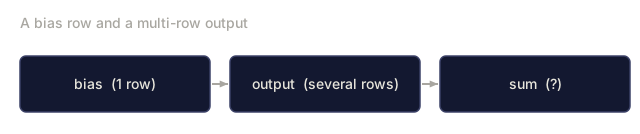
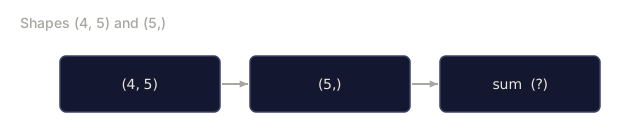
Broadcasting is NumPy's rule for combining two arrays of different shapes without raising an error: it stretches the smaller one to match the larger one, never copying any data to do it. You need the rule the moment you add a bias vector to a matrix of outputs, because those two shapes usually don't match: one row of numbers against several rows of outputs.
| 1  2  3 |   +   [10, 20, 30]
| 4  5  6 |

Broadcasting stretches the vector across rows:

| 1  2  3 |   | 10  20  30 |   | 11  22  33 |
| 4  5  6 | + | 10  20  30 | = | 14  25  36 |
matrix = np.array([[1, 2, 3], [4, 5, 6]])
bias = np.array([10, 20, 30])
matrix + bias   # bias is stretched across both rows
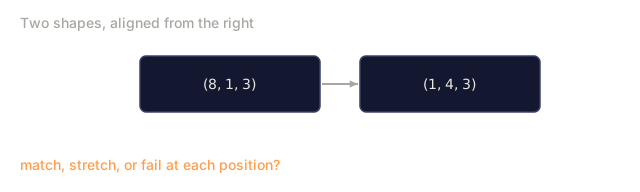
Analogy: it's like handing every table in a restaurant the same menu insert. You only printed one insert, not one per table, but every table still gets to read it. The rule for when this works: line the shapes up from the right, and each pair of dimensions must either match exactly or one of them must be 1, which is the one that gets stretched.
You'll see it everywhere: adding a bias vector to every row of a layer's output, applying one set of normalization statistics across a whole batch, and combining tensors of different ranks anywhere in a deep learning framework without writing a manual loop.
Every operation, at a glance
| Operation | What it does | Neural network use |
|---|---|---|
| Addition | Element-wise combine | Adding bias to output |
| Element-wise multiply | Multiply matching positions | Gating, masking, activations |
| Scalar multiply | Scale every element | Learning rate * gradients |
| Matrix multiply | Dot products of rows and columns | Layer forward pass |
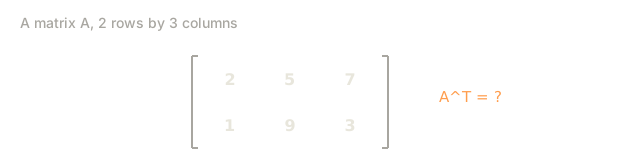
| Transpose | Flip rows and columns | Backpropagation |
| Determinant | Single number summary | Checking invertibility |
| Inverse | Undo a transformation | Solving linear systems |
| Identity | Do-nothing matrix | Initialization, residual connections |
| Broadcasting | Stretch a smaller shape to fit | Bias addition, batch operations |
![The list [4, 2] written as a bracketed column of two numbers, next to the same values plotted as an arrow from the origin to the point (4, 2).](/quiz-visuals/01-math-foundations/02-vectors-matrices-operations/n02.svg)

![A = [[1, 2], [3, 4]] with row 2 highlighted, B = [[5, 6], [7, 8]] with column 1 highlighted, and a question mark for the resulting entry.](/quiz-visuals/01-math-foundations/02-vectors-matrices-operations/n16.svg)
![A times B using the asterisk operator gave [[5, 12], [21, 32]], but [[19, 22], [43, 50]] was expected, with a question mark for the cause.](/quiz-visuals/01-math-foundations/02-vectors-matrices-operations/n24.svg)
Build It
Step 1: Vector class
Start with a minimal Vector class. It needs exactly the operations the concept section leaned on: addition, subtraction, scalar multiplication, the dot product, and magnitude.
class Vector:
    def __init__(self, data):
        self.data = list(data)
        self.size = len(self.data)

    def __repr__(self):
        return f"Vector({self.data})"

    def __add__(self, other):
        return Vector([a + b for a, b in zip(self.data, other.data)])

    def __sub__(self, other):
        return Vector([a - b for a, b in zip(self.data, other.data)])

    def __mul__(self, scalar):
        return Vector([x * scalar for x in self.data])

    def dot(self, other):
        return sum(a * b for a, b in zip(self.data, other.data))

    def magnitude(self):
        return sum(x ** 2 for x in self.data) ** 0.5
Step 2: Matrix class with core operations
A Matrix wraps a list of rows and implements every operation from the table above: element-wise ops, matrix multiply, transpose, determinant, and inverse.
class Matrix:
    def __init__(self, data):
        self.data = [list(row) for row in data]
        self.rows = len(self.data)
        self.cols = len(self.data[0])
        self.shape = (self.rows, self.cols)

    def __repr__(self):
        rows_str = "\n  ".join(str(row) for row in self.data)
        return f"Matrix({self.shape}):\n  {rows_str}"

    def __add__(self, other):
        return Matrix([
            [self.data[i][j] + other.data[i][j] for j in range(self.cols)]
            for i in range(self.rows)
        ])

    def __sub__(self, other):
        return Matrix([
            [self.data[i][j] - other.data[i][j] for j in range(self.cols)]
            for i in range(self.rows)
        ])

    def scalar_multiply(self, scalar):
        return Matrix([
            [self.data[i][j] * scalar for j in range(self.cols)]
            for i in range(self.rows)
        ])

    def element_wise_multiply(self, other):
        return Matrix([
            [self.data[i][j] * other.data[i][j] for j in range(self.cols)]
            for i in range(self.rows)
        ])

    def matmul(self, other):
        return Matrix([
            [
                sum(self.data[i][k] * other.data[k][j] for k in range(self.cols))
                for j in range(other.cols)
            ]
            for i in range(self.rows)
        ])

    def transpose(self):
        return Matrix([
            [self.data[j][i] for j in range(self.rows)]
            for i in range(self.cols)
        ])

    def determinant(self):
        if self.shape == (1, 1):
            return self.data[0][0]
        if self.shape == (2, 2):
            return self.data[0][0] * self.data[1][1] - self.data[0][1] * self.data[1][0]
        det = 0
        for j in range(self.cols):
            minor = Matrix([
                [self.data[i][k] for k in range(self.cols) if k != j]
                for i in range(1, self.rows)
            ])
            det += ((-1) ** j) * self.data[0][j] * minor.determinant()
        return det

    def inverse_2x2(self):
        det = self.determinant()
        if det == 0:
            raise ValueError("Matrix is singular, no inverse exists")
        return Matrix([
            [self.data[1][1] / det, -self.data[0][1] / det],
            [-self.data[1][0] / det, self.data[0][0] / det]
        ])

    @staticmethod
    def identity(n):
        return Matrix([
            [1 if i == j else 0 for j in range(n)]
            for i in range(n)
        ])
Step 3: See it work
Run every operation once and check it against the hand-worked examples above.
A = Matrix([[1, 2], [3, 4]])
B = Matrix([[5, 6], [7, 8]])

print("A + B =", (A + B).data)
print("A @ B =", A.matmul(B).data)
print("A^T =", A.transpose().data)
print("det(A) =", A.determinant())
print("A^-1 =", A.inverse_2x2().data)

I = Matrix.identity(2)
print("A @ A^-1 =", A.matmul(A.inverse_2x2()).data)
Step 4: Connect to neural networks
A dense neural network layer is nothing more than relu(W @ x + b): one matrix multiply, one broadcasted addition, one element-wise nonlinearity. Build it with only the class above, no NumPy, so none of it is hidden magic:
import random

inputs = Matrix([[0.5], [0.8], [0.2]])
weights = Matrix([
    [random.uniform(-1, 1) for _ in range(3)]
    for _ in range(2)
])
bias = Matrix([[0.1], [0.1]])

def relu_matrix(m):
    return Matrix([[max(0, val) for val in row] for row in m.data])

pre_activation = weights.matmul(inputs) + bias
output = relu_matrix(pre_activation)

print(f"Input shape: {inputs.shape}")
print(f"Weight shape: {weights.shape}")
print(f"Output shape: {output.shape}")
print(f"Output: {output.data}")
This is a single dense layer: output = relu(W @ x + b). Every dense layer in every neural network does exactly this.
![The matrix [[1, 2], [3, 4]] with the label det(A) equals question mark.](/quiz-visuals/01-math-foundations/02-vectors-matrices-operations/n18.svg)
![The column [[-0.4], [0.5]] labelled pre_activation, with relu_matrix of it marked as a question mark.](/quiz-visuals/01-math-foundations/02-vectors-matrices-operations/n20.svg)
![The matrix [[2, 1], [1, 1]] with the label inverse equals question mark.](/quiz-visuals/01-math-foundations/02-vectors-matrices-operations/n21.svg)
![The matrix [[1, 2], [2, 4]] with the label dot inverse_2x2 open parenthesis close parenthesis equals question mark.](/quiz-visuals/01-math-foundations/02-vectors-matrices-operations/n22.svg)
Use It
NumPy does everything above in fewer lines and orders of magnitude faster.
import numpy as np

A = np.array([[1, 2], [3, 4]])
B = np.array([[5, 6], [7, 8]])

print("A + B =\n", A + B)
print("A * B (element-wise) =\n", A * B)
print("A @ B (matrix multiply) =\n", A @ B)
print("A^T =\n", A.T)
print("det(A) =", np.linalg.det(A))
print("A^-1 =\n", np.linalg.inv(A))
print("I =\n", np.eye(2))

inputs = np.random.randn(3, 1)
weights = np.random.randn(2, 3)
bias = np.array([[0.1], [0.1]])
output = np.maximum(0, weights @ inputs + bias)

print(f"\nNeural network layer: {weights.shape} @ {inputs.shape} = {output.shape}")
print(f"Output:\n{output}")
The @ operator in Python calls __matmul__. NumPy implements it with optimized BLAS (Basic Linear Algebra Subprograms) routines written in C and Fortran. Same math, 100x faster.
Broadcasting in NumPy:
matrix = np.array([[1, 2, 3], [4, 5, 6]])
bias = np.array([10, 20, 30])
print(matrix + bias)
NumPy automatically broadcasts the 1D bias across both rows. This is how bias addition works in every neural network framework.
![The matrix [[1, 2], [3, 4]] with its second row highlighted, plus the row [10, 20], with the second row of the result marked as a question mark.](/quiz-visuals/01-math-foundations/02-vectors-matrices-operations/n23.svg)
Ship It
This lesson produces a prompt for teaching matrix operations through geometric intuition. See outputs/prompt-matrix-operations.md.
The Matrix class you built here becomes the foundation for the mini neural network framework in Phase 3, Lesson 10.
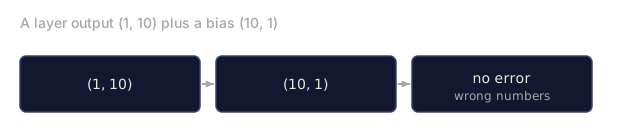
The bug that actually costs you hours here is rarely the math. It's almost always the shapes. I've burned more debugging time on a silently wrong array shape, (10, 1) instead of (1, 10), or a weight matrix transposed one call too early, than on anything conceptually hard in this lesson. NumPy and PyTorch will often broadcast a mismatch into something that runs and returns a wrong number instead of raising an error you'd actually notice. When a model's output looks off for no obvious reason, print every shape in the pipeline before you touch the math. That habit alone has saved me more debugging time than any amount of cleverness.
Exercises
-
Verify the inverse. Multiply
A @ A.inverse_2x2()and confirm you get the identity matrix. Try it with three different 2x2 matrices. What happens when the determinant is zero? -
Implement 3x3 inverse. Extend the Matrix class to compute inverses for 3x3 matrices using the adjugate method. Test it against NumPy's
np.linalg.inv. -
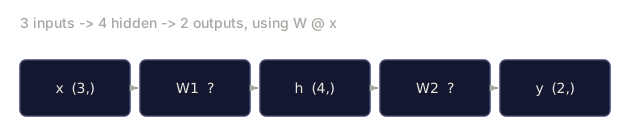
Build a two-layer network. Using only your Matrix class (no NumPy), create a two-layer neural network: input (3) -> hidden (4) -> output (2). Initialize random weights, run a forward pass, and verify all shapes are correct.
Key Terms
| Term | What people say | What it actually means |
|---|---|---|
| Vector | "An arrow" | An ordered list of numbers. In AI: a point in high-dimensional space. |
| Matrix | "A table of numbers" | A linear transformation. It maps vectors from one space to another. |
| Matrix multiply | "Just multiply the numbers" | Dot products between every row of the first matrix and every column of the second. Order matters. |
| Transpose | "Flip it" | Swap rows and columns. Turns an m x n matrix into n x m. Critical in backpropagation. |
| Determinant | "Some number from the matrix" | Measures how much the matrix scales area (2D) or volume (3D). Zero means the transformation crushes a dimension. |
| Inverse | "Undo the matrix" | The matrix that reverses the transformation. Only exists when the determinant is not zero. |
| Identity matrix | "The boring matrix" | The matrix equivalent of multiplying by 1. Used in residual connections (ResNets). |
| Broadcasting | "Magic shape fixing" | Stretching a smaller array to match a larger one by repeating along missing dimensions. |
| Element-wise | "Regular multiplication" | Multiply matching positions. Both arrays must have the same shape (or be broadcastable). |
Further Reading
- 3Blue1Brown: Essence of Linear Algebra - visual intuition for every operation covered here
- NumPy documentation on broadcasting - the exact rules NumPy follows
- Stanford CS229 Linear Algebra Review - concise reference for ML-specific linear algebra
Code
- matrices.jl (text, 158 lines)
- matrices.py (python, 329 lines)