Dimensionality Reduction
High-dimensional data has structure. You just have to look at it from the right angle.
Learning Objectives
- Implement PCA from scratch: center data, compute the covariance matrix, eigendecompose, and project
- Use explained variance ratio and the elbow method to choose the number of principal components
- Compare PCA, t-SNE, and UMAP for visualizing MNIST digits in 2D and explain their tradeoffs
- Apply kernel PCA with an RBF kernel to separate nonlinear data structures that standard PCA cannot handle
The Problem
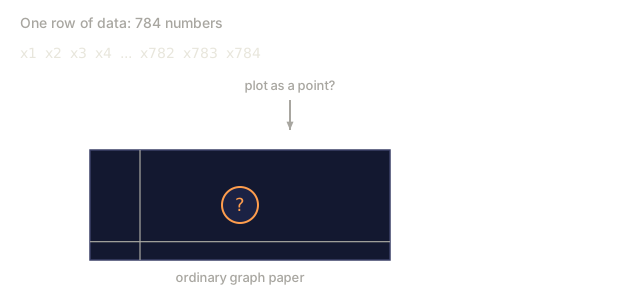
Picture a dataset with 784 features per sample: pixel values from handwritten digits, gene expression levels, user behavior signals, whatever it is. You cannot visualize 784 dimensions, and you cannot hold that many axes in your head at once.
Most of those features are redundant, though. The real information lives on a much smaller surface. A handwritten "7" does not need 784 independent numbers to describe it. A few will do: the angle of the stroke, the length of the crossbar, how much it leans. Everything else is noise.
Dimensionality reduction is the search for that smaller surface. It takes your 784-dimensional data and compresses it down to 2, 10, or 50 dimensions while keeping the structure that actually matters.
The Concept
The curse of dimensionality
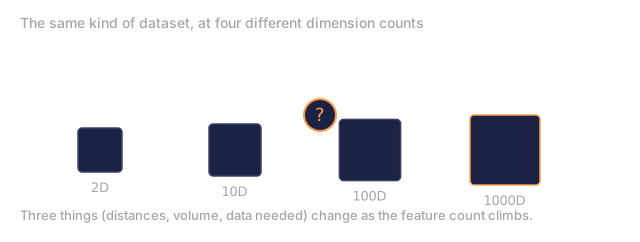
The curse of dimensionality is what happens to geometric intuition once you leave two or three dimensions: it quietly stops applying. Three things go wrong as dimensions grow.
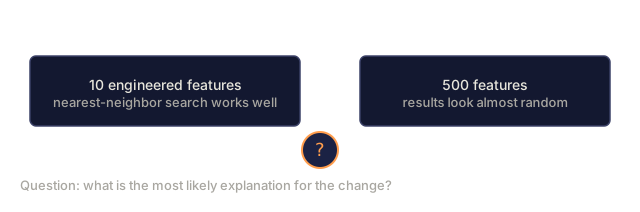
Distance becomes meaningless. In high dimensions, the distance between any two random points converges to the same value. Once every point sits roughly the same distance from every other point, nearest-neighbor search has nothing left to work with.
Dimension    Avg distance ratio (max/min between random points)
2            ~5.0
10           ~1.8
100          ~1.2
1000         ~1.02
Volume concentrates in corners. A unit hypercube in d dimensions has 2^d corners, and in 100 dimensions nearly all of that volume sits in the corners, far from the center. Data points spread out to the edges, and your models end up starved for data in the interior.
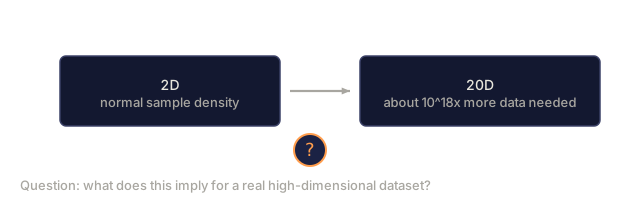
You need exponentially more data. Keeping the same sample density while going from 2D to 20D would take 10^18 times more data than you started with. You will never have that much. Reducing dimensions is what brings the density back down to something workable.
PCA: find the directions that matter
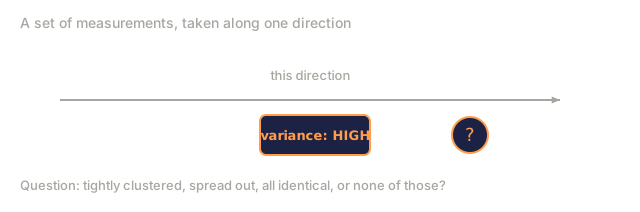
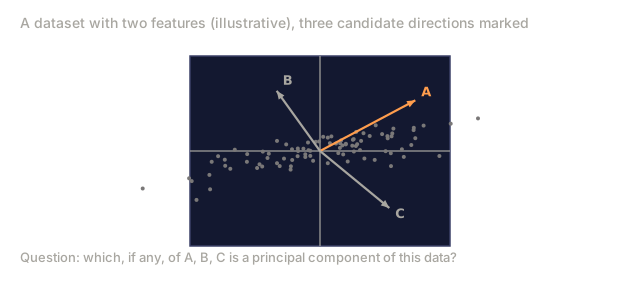
Principal Component Analysis (PCA) finds the axes along which your data varies the most, then rotates your coordinate system to line up with them: the first axis captures the most variance, the second captures whatever is left over, and so on.
The algorithm:
1. Center the data        (subtract the mean from each feature)
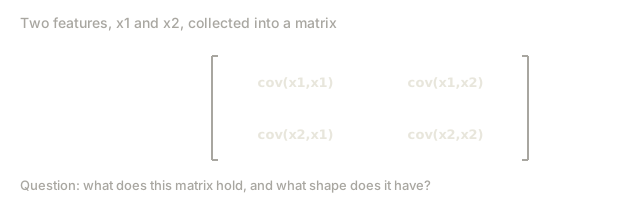
2. Compute covariance     (how features move together)
3. Eigendecomposition     (find the principal directions)
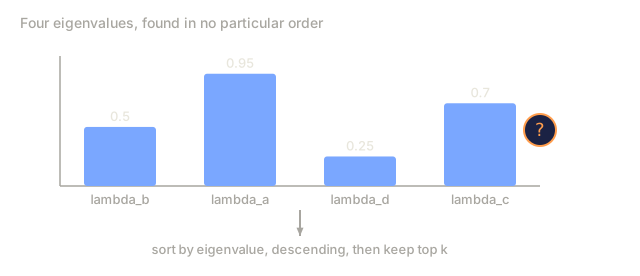
4. Sort by eigenvalue     (biggest variance first)
5. Project               (keep top k eigenvectors, drop the rest)
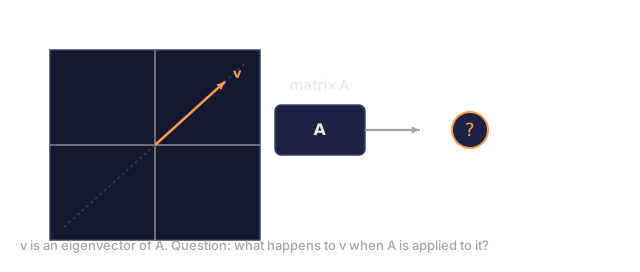
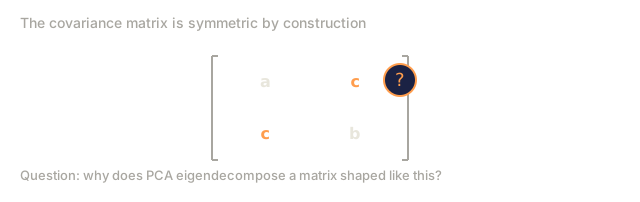
Why eigendecomposition, specifically? The covariance matrix is symmetric, which means its eigenvectors are guaranteed to be orthogonal directions in feature space. The eigenvalues tell you how much variance each of those directions captures, and the eigenvector with the largest eigenvalue points along the direction of maximum variance.

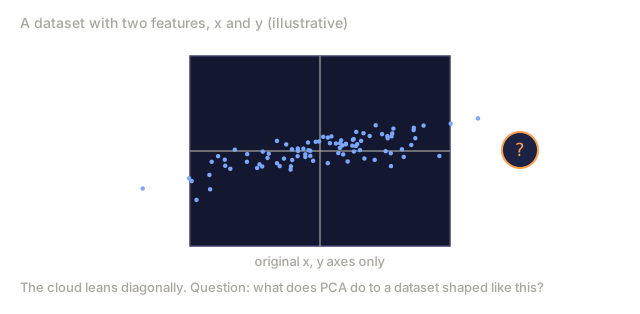
- Before PCA: Data cloud is spread diagonally across both x and y axes
- After PCA: Coordinate system is rotated so PC1 aligns with the direction of maximum variance (elongated spread) and PC2 aligns with the direction of minimum variance (narrow spread)
- Dimensionality reduction: Dropping PC2 projects the data onto PC1, losing very little information
Explained variance ratio
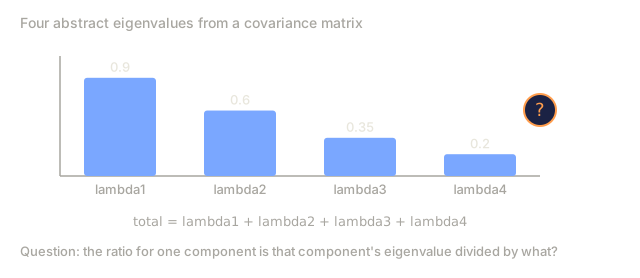
Each principal component captures some fraction of the total variance. The explained variance ratio is just that fraction, spelled out per component.
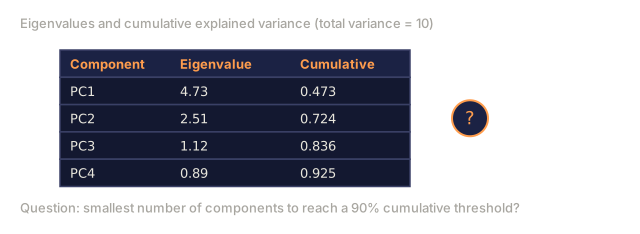
Component    Eigenvalue    Explained ratio    Cumulative
PC1          4.73          0.473              0.473
PC2          2.51          0.251              0.724
PC3          1.12          0.112              0.836
PC4          0.89          0.089              0.925
...
Once cumulative explained variance crosses 0.95, that handful of components already accounts for 95% of the information. Whatever is left over is mostly noise.
Choosing the number of components
Three ways to pick it:
- Threshold. Keep whatever number of components explains 90-95% of the variance.
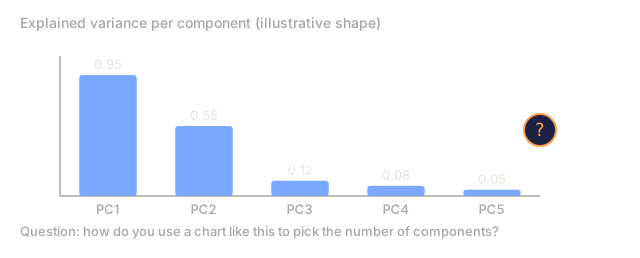
- Elbow method. Plot explained variance per component and look for where it drops off sharply.
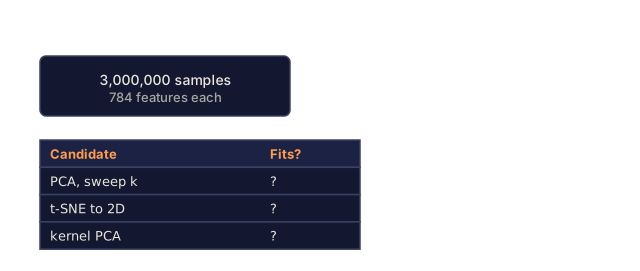
- Downstream performance. Use PCA as a preprocessing step, sweep k, and measure your model's accuracy directly. The best k is wherever accuracy plateaus.
t-SNE: preserve neighborhoods
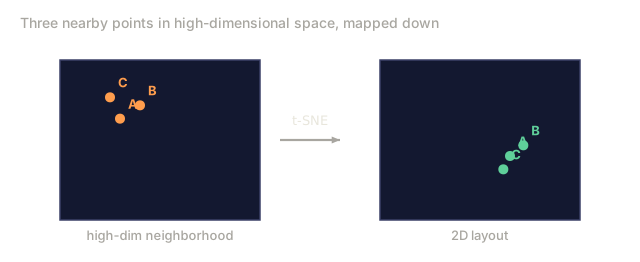
t-SNE (t-Distributed Stochastic Neighbor Embedding) is built for one job: visualization. It maps high-dimensional data down to 2D or 3D while preserving which points sit near each other.
Here is the idea: in the original space, compute a probability distribution over pairs of points based on how close they are. Near points get high probability, far points get low probability. Then search for a 2D arrangement that reproduces roughly the same distribution. Points that were neighbors in 784 dimensions end up neighbors in 2D too.
A few things worth knowing about it:
- It is non-linear, so it can unfold complex manifolds that PCA cannot.
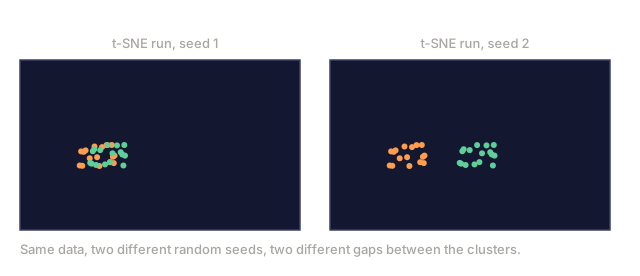
- It is stochastic. Run it twice and you will get two different layouts.
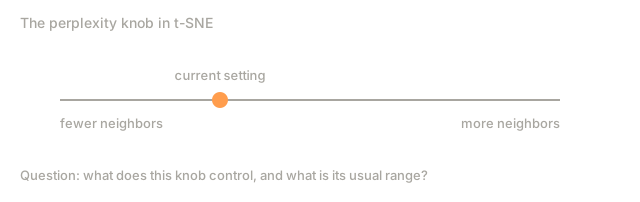
- The perplexity parameter controls how many neighbors it considers (typical range: 5-50).
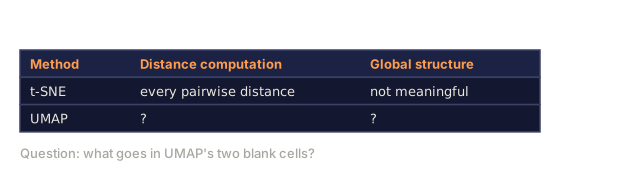
- Distances between clusters in the output are not meaningful. Only the clusters themselves are.
- It is slow on large datasets, O(n^2) by default.
UMAP: faster, better global structure
UMAP (Uniform Manifold Approximation and Projection) does roughly what t-SNE does, but with two advantages:
- It is faster, because it works from approximate nearest-neighbor graphs instead of computing every pairwise distance.
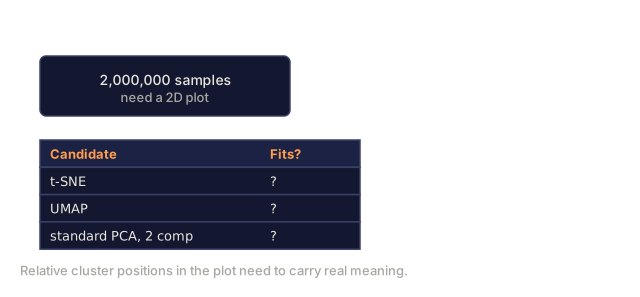
- It preserves more meaningful global structure. The relative positions of clusters in the output tend to actually mean something, unlike in t-SNE.
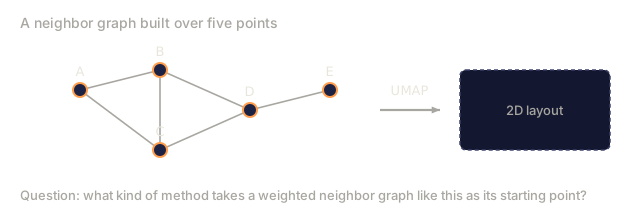
Under the hood, UMAP builds a weighted graph over the high-dimensional data (its "fuzzy topological representation") and then searches for a low-dimensional layout that preserves that graph as closely as possible.
Two parameters worth knowing:
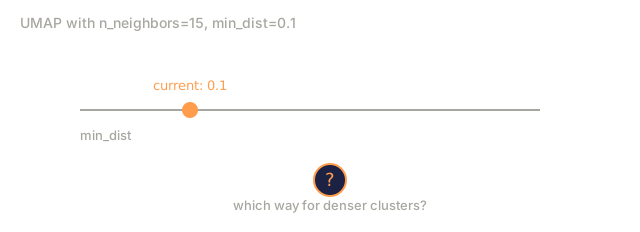
n_neighbors: how many neighbors define local structure (similar to perplexity). Push it higher to preserve more global structure.min_dist: how tightly points can pack together in the output. Lower values produce denser clusters.
When to use which
| Method | Use case | Preserves | Speed |
|---|---|---|---|
| PCA | Preprocessing before training | Global variance | Fast (exact), works on millions of samples |
| PCA | Quick exploratory visualization | Linear structure | Fast |
| t-SNE | Publication-quality 2D plots | Local neighborhoods | Slow (< 10k samples ideal) |
| UMAP | 2D visualization at scale | Local + some global structure | Medium (handles millions) |
| PCA | Feature reduction for models | Variance-ranked features | Fast |
| t-SNE / UMAP | Understanding cluster structure | Cluster separation | Medium to slow |
Rule of thumb: reach for PCA when you are preprocessing or compressing data, and reach for t-SNE or UMAP when you need to actually see the structure in 2D.
Kernel PCA
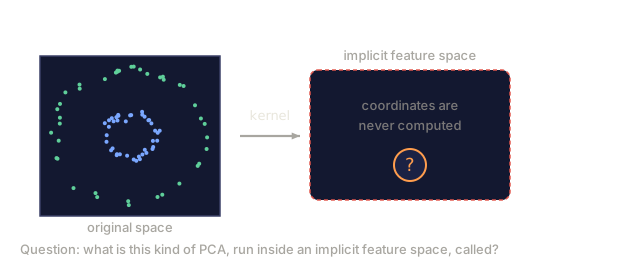
Kernel PCA runs PCA inside a high-dimensional feature space induced by a kernel function, without ever explicitly computing coordinates in that space. This is the kernel trick, the same idea behind SVMs.
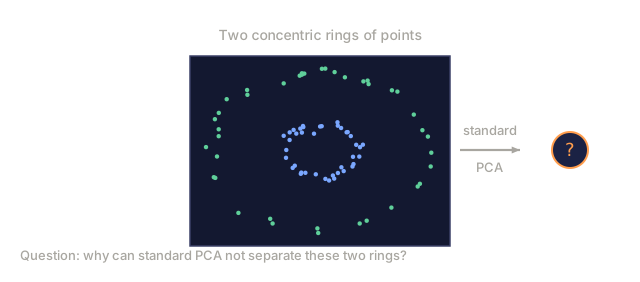
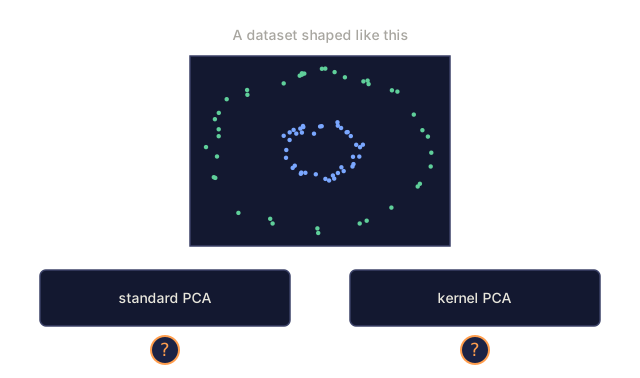
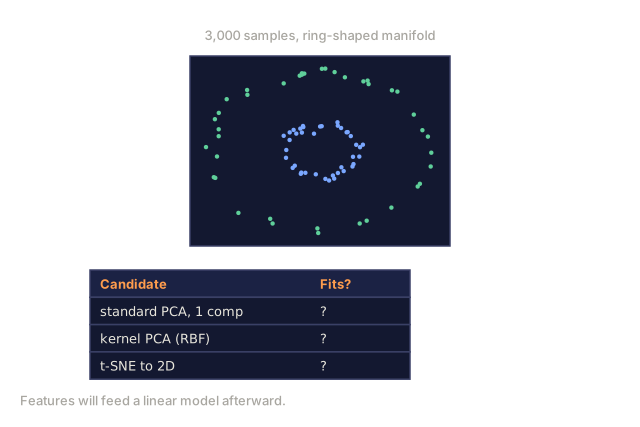
It exists because standard PCA only finds linear subspaces: it rotates your coordinate system and drops axes, full stop. That falls apart the moment your data sits on a nonlinear manifold. A circle in 2D cannot be separated by any line, and standard PCA has no way around that.
The algorithm:
- Compute the kernel matrix K where K_ij = k(x_i, x_j)
- Center the kernel matrix in feature space
- Eigendecompose the centered kernel matrix
- The top eigenvectors (scaled by 1/sqrt(eigenvalue)) are the projections
Common kernel functions:
| Kernel | Formula | Good for |
|---|---|---|
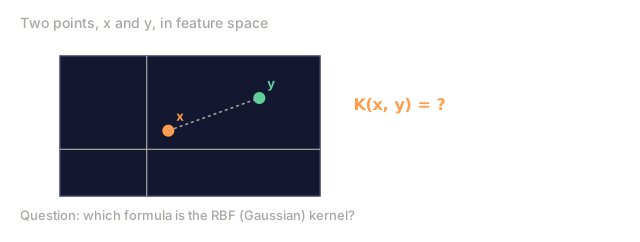
| RBF (Gaussian) | exp(-gamma * ||x - y||^2) | Most nonlinear data, smooth manifolds |
| Polynomial | (x . y + c)^d | Polynomial relationships |
| Sigmoid | tanh(alpha * x . y + c) | Neural network-like mappings |
When to use kernel PCA vs standard PCA:
| Criterion | Standard PCA | Kernel PCA |
|---|---|---|
| Data structure | Linear subspace | Nonlinear manifold |
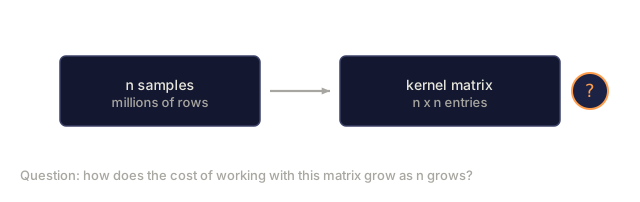
| Speed | O(min(n^2 d, d^2 n)) | O(n^2 d + n^3) |
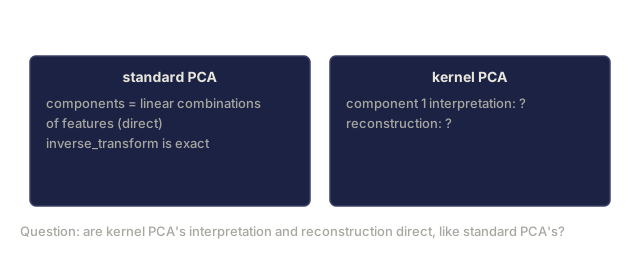
| Interpretability | Components are linear combinations of features | Components lack direct feature interpretation |
| Scalability | Works on millions of samples | Kernel matrix is n x n, memory-limited |
| Reconstruction | Direct inverse transform | Requires pre-image approximation |
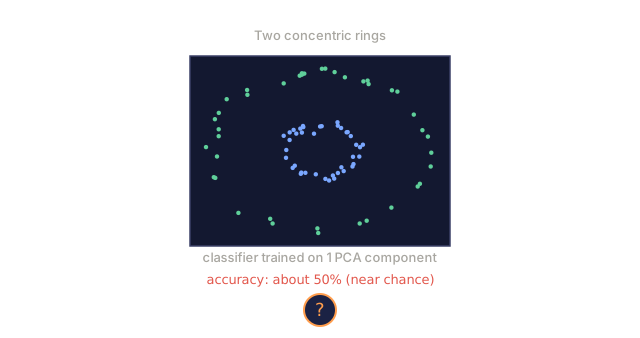
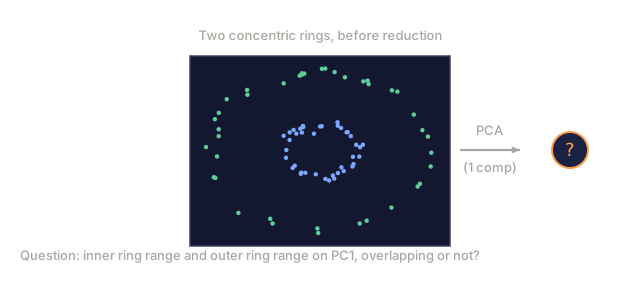
Take the classic example: two concentric rings of points in 2D, one inside the other. Standard PCA projects both onto the same line, which is useless for classification. Kernel PCA with an RBF kernel sends the inner and outer rings to different regions instead, which makes them linearly separable.
Reconstruction Error
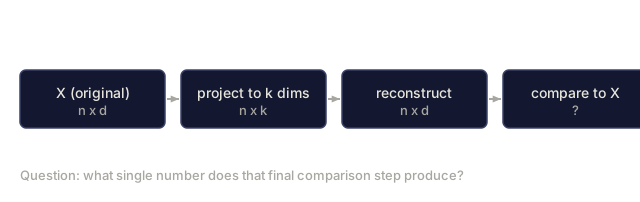
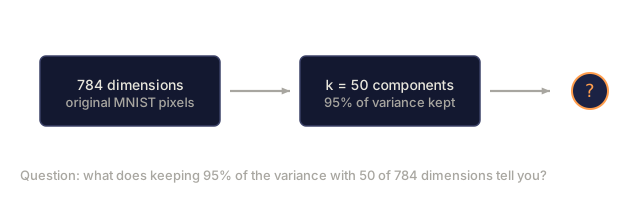
Reconstruction error tells you what you lost when you compressed, say, 784 dimensions down to 50. You measure it in three steps:
- Project data to k dimensions: X_reduced = X @ W_k
- Reconstruct: X_hat = X_reduced @ W_k^T
- Compute MSE: mean((X - X_hat)^2)
For PCA, reconstruction error has a clean relationship to explained variance:
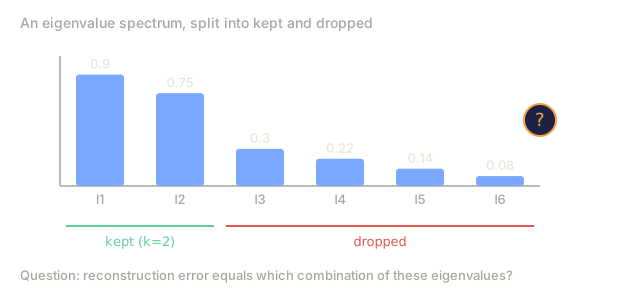
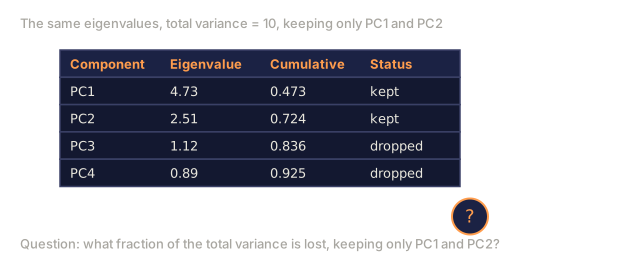
Reconstruction error = sum of eigenvalues NOT included
Total variance = sum of ALL eigenvalues
Fraction lost = (sum of dropped eigenvalues) / (sum of all eigenvalues)
The explained variance ratio for each component is:
explained_ratio_k = eigenvalue_k / sum(all eigenvalues)
Plotting cumulative explained variance against number of components gives you the "elbow" curve. The right number of components is where:
- The curve flattens out (diminishing returns)
- Cumulative variance crosses your threshold (usually 0.90 or 0.95)
- Downstream task performance plateaus
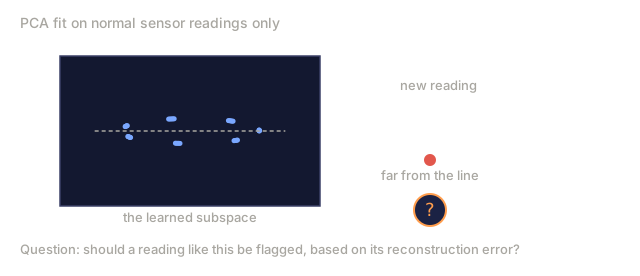
Reconstruction error is not just for choosing k. It doubles as an anomaly detector: samples with high reconstruction error do not fit the subspace the model learned, which marks them as outliers. That is the basis of PCA-based anomaly detection in a lot of production systems.
Build It
Step 1: PCA from scratch
import numpy as np

class PCA:
    def __init__(self, n_components):
        self.n_components = n_components
        self.components = None
        self.mean = None
        self.eigenvalues = None
        self.explained_variance_ratio_ = None

    def fit(self, X):
        self.mean = np.mean(X, axis=0)
        X_centered = X - self.mean

        cov_matrix = np.cov(X_centered, rowvar=False)

        eigenvalues, eigenvectors = np.linalg.eigh(cov_matrix)

        sorted_idx = np.argsort(eigenvalues)[::-1]
        eigenvalues = eigenvalues[sorted_idx]
        eigenvectors = eigenvectors[:, sorted_idx]

        self.components = eigenvectors[:, :self.n_components].T
        self.eigenvalues = eigenvalues[:self.n_components]
        total_var = np.sum(eigenvalues)
        self.explained_variance_ratio_ = self.eigenvalues / total_var

        return self

    def transform(self, X):
        X_centered = X - self.mean
        return X_centered @ self.components.T

    def fit_transform(self, X):
        self.fit(X)
        return self.transform(X)
Step 2: Test on synthetic data
np.random.seed(42)
n_samples = 500

t = np.random.uniform(0, 2 * np.pi, n_samples)
x1 = 3 * np.cos(t) + np.random.normal(0, 0.2, n_samples)
x2 = 3 * np.sin(t) + np.random.normal(0, 0.2, n_samples)
x3 = 0.5 * x1 + 0.3 * x2 + np.random.normal(0, 0.1, n_samples)

X_synthetic = np.column_stack([x1, x2, x3])

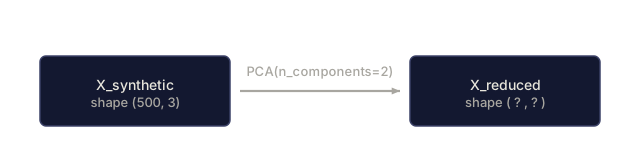
pca = PCA(n_components=2)
X_reduced = pca.fit_transform(X_synthetic)

print(f"Original shape: {X_synthetic.shape}")
print(f"Reduced shape:  {X_reduced.shape}")
print(f"Explained variance ratios: {pca.explained_variance_ratio_}")
print(f"Total variance captured: {sum(pca.explained_variance_ratio_):.4f}")
Step 3: MNIST digits in 2D
from sklearn.datasets import fetch_openml

mnist = fetch_openml("mnist_784", version=1, as_frame=False, parser="auto")
X_mnist = mnist.data[:5000].astype(float)
y_mnist = mnist.target[:5000].astype(int)

pca_mnist = PCA(n_components=50)
X_pca50 = pca_mnist.fit_transform(X_mnist)
print(f"50 components capture {sum(pca_mnist.explained_variance_ratio_):.2%} of variance")

pca_2d = PCA(n_components=2)
X_pca2d = pca_2d.fit_transform(X_mnist)
print(f"2 components capture {sum(pca_2d.explained_variance_ratio_):.2%} of variance")
Step 4: Compare with sklearn
from sklearn.decomposition import PCA as SklearnPCA
from sklearn.manifold import TSNE

sklearn_pca = SklearnPCA(n_components=2)
X_sklearn_pca = sklearn_pca.fit_transform(X_mnist)

print(f"\nOur PCA explained variance:     {pca_2d.explained_variance_ratio_}")
print(f"Sklearn PCA explained variance: {sklearn_pca.explained_variance_ratio_}")

diff = np.abs(np.abs(X_pca2d) - np.abs(X_sklearn_pca))
print(f"Max absolute difference: {diff.max():.10f}")

tsne = TSNE(n_components=2, perplexity=30, random_state=42)
X_tsne = tsne.fit_transform(X_mnist)
print(f"\nt-SNE output shape: {X_tsne.shape}")
Step 5: UMAP comparison
try:
    from umap import UMAP

    reducer = UMAP(n_components=2, n_neighbors=15, min_dist=0.1, random_state=42)
    X_umap = reducer.fit_transform(X_mnist)
    print(f"UMAP output shape: {X_umap.shape}")
except ImportError:
    print("Install umap-learn: pip install umap-learn")
Step 6: Kernel PCA on nonlinear data
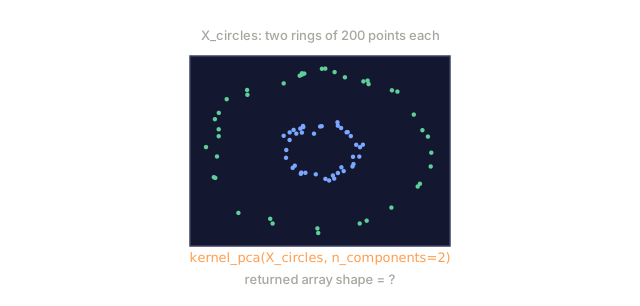
Two concentric rings can't be separated by any straight line, so standard PCA is stuck: it can only rotate and project, never bend space. Kernel PCA with an RBF kernel can, because the kernel implicitly lifts the data into a space where the rings pull apart.
def kernel_pca(X, n_components, kernel="rbf", gamma=1.0):
    n = X.shape[0]
    if kernel == "rbf":
        sq_dists = np.sum(X ** 2, axis=1).reshape(-1, 1) + np.sum(X ** 2, axis=1).reshape(1, -1) - 2 * X @ X.T
        K = np.exp(-gamma * sq_dists)
    else:
        K = X @ X.T

    one_n = np.ones((n, n)) / n
    K_centered = K - one_n @ K - K @ one_n + one_n @ K @ one_n

    eigenvalues, eigenvectors = np.linalg.eigh(K_centered)
    sorted_idx = np.argsort(eigenvalues)[::-1]
    eigenvalues, eigenvectors = eigenvalues[sorted_idx], eigenvectors[:, sorted_idx]

    top_vals = eigenvalues[:n_components]
    top_vecs = eigenvectors[:, :n_components]
    for i in range(n_components):
        if top_vals[i] > 1e-10:
            top_vecs[:, i] = top_vecs[:, i] / np.sqrt(top_vals[i])
    return top_vecs * top_vals[:n_components]


# Two concentric rings -- no straight line separates them
np.random.seed(42)
n_per_ring = 200
theta_inner = np.random.uniform(0, 2 * np.pi, n_per_ring)
r_inner = 1.0 + np.random.normal(0, 0.1, n_per_ring)
inner = np.column_stack([r_inner * np.cos(theta_inner), r_inner * np.sin(theta_inner)])

theta_outer = np.random.uniform(0, 2 * np.pi, n_per_ring)
r_outer = 3.0 + np.random.normal(0, 0.1, n_per_ring)
outer = np.column_stack([r_outer * np.cos(theta_outer), r_outer * np.sin(theta_outer)])

X_circles = np.vstack([inner, outer])
labels = np.array([0] * n_per_ring + [1] * n_per_ring)

# Standard PCA: both rings land in the same range, no separation
pca_linear = PCA(n_components=1)
X_linear = pca_linear.fit_transform(X_circles)
print(f"Linear PCA -- inner ring range: [{X_linear[labels==0].min():.2f}, {X_linear[labels==0].max():.2f}]")
print(f"Linear PCA -- outer ring range: [{X_linear[labels==1].min():.2f}, {X_linear[labels==1].max():.2f}]")

# Kernel PCA with an RBF kernel: the rings pull apart
X_kpca = kernel_pca(X_circles, n_components=2, kernel="rbf", gamma=0.5)
inner_mean = X_kpca[labels == 0, 0].mean()
outer_mean = X_kpca[labels == 1, 0].mean()
print(f"Kernel PCA -- inner ring PC1 mean: {inner_mean:.4f}")
print(f"Kernel PCA -- outer ring PC1 mean: {outer_mean:.4f}")
print(f"Separation on PC1: {abs(outer_mean - inner_mean):.4f}")
Run both and compare: the linear PCA ranges for the two rings overlap almost completely, so a classifier trained on that single component can't tell them apart. The kernel PCA means land far apart on PC1 instead. Same data, same goal, but only one of the two projections actually separates the classes.

Use It
Here is PCA as a preprocessing step before a classifier:
from sklearn.decomposition import PCA as SklearnPCA
from sklearn.linear_model import LogisticRegression
from sklearn.model_selection import train_test_split
from sklearn.metrics import accuracy_score

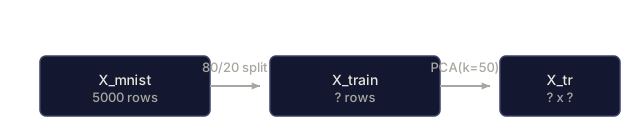
X_train, X_test, y_train, y_test = train_test_split(
    X_mnist, y_mnist, test_size=0.2, random_state=42
)

results = {}
for k in [10, 30, 50, 100, 200]:
    pca_k = SklearnPCA(n_components=k)
    X_tr = pca_k.fit_transform(X_train)
    X_te = pca_k.transform(X_test)

    clf = LogisticRegression(max_iter=1000, random_state=42)
    clf.fit(X_tr, y_train)
    acc = accuracy_score(y_test, clf.predict(X_te))
    var_captured = sum(pca_k.explained_variance_ratio_)
    results[k] = (acc, var_captured)
    print(f"k={k:>3d}  accuracy={acc:.4f}  variance={var_captured:.4f}")
Performance plateaus well before you reach 784 dimensions, and that plateau is your operating point: the k where more components stop buying you anything.
Ship It
This lesson produces:
outputs/skill-dimensionality-reduction.md, a skill for choosing the right dimensionality reduction technique for a given task
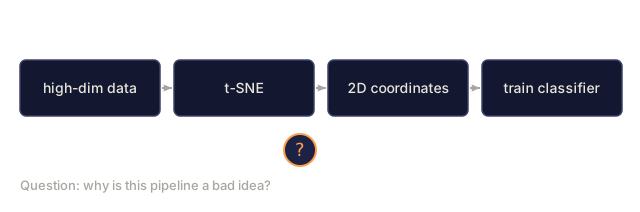
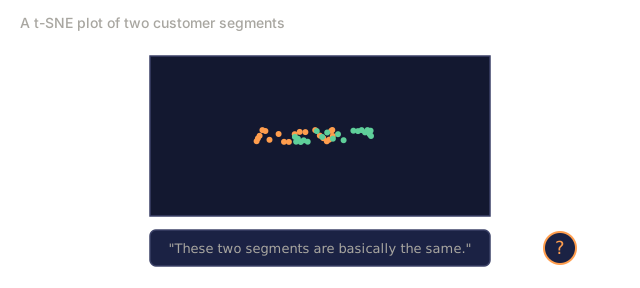
The mistake I see most often with these tools is treating a t-SNE or UMAP plot as ground truth. It is a compressed cartoon, and a good one can still lie to you about how far apart two clusters really are. I once watched a teammate conclude two customer segments were basically the same because their t-SNE clusters overlapped. They were not: a plain PCA scatter on the same data showed a wide gap along PC1 alone. If a plot like this is heading into a slide deck, check it against the explained variance ratio or a linear PCA projection first. The visualization that impresses people most in the room is often the one you should trust least for an actual decision.
Exercises
-
Add
inverse_transformto the PCA class, then reconstruct MNIST digits from 10, 50, and 200 components. Print the reconstruction error (mean squared difference from the original) for each. -
Run t-SNE on the same MNIST subset with perplexity values of 5, 30, and 100. Describe how the output changes, and explain why perplexity affects cluster tightness.
-
Take a dataset with 50 features where only 5 are informative (generate one with
sklearn.datasets.make_classification), apply PCA, and check whether the explained variance curve correctly identifies the data as effectively 5-dimensional.
Key Terms
| Term | What people say | What it actually means |
|---|---|---|
| Curse of dimensionality | "Too many features" | Distances, volumes, and data density all behave counterintuitively as dimensions grow. Models need exponentially more data to compensate. |
| PCA | "Reduce dimensions" | Rotate your coordinate system so the axes align with the directions of maximum variance, then drop the low-variance axes. |
| Principal component | "An important direction" | An eigenvector of the covariance matrix. The direction in feature space along which the data varies most. |
| Explained variance ratio | "How much info this component has" | The fraction of total variance captured by one principal component. Sum the top k ratios to see how much k components preserve. |
| Covariance matrix | "How features correlate" | A symmetric matrix where entry (i,j) measures how feature i and feature j move together. Diagonal entries are individual variances. |
| t-SNE | "That cluster plot" | A nonlinear method that maps high-dimensional data to 2D by preserving pairwise neighborhood probabilities. Good for visualization, not for preprocessing. |
| UMAP | "Faster t-SNE" | A nonlinear method based on topological data analysis. Preserves both local and some global structure. Scales better than t-SNE. |
| Perplexity | "A t-SNE knob" | Controls the effective number of neighbors each point considers. Low perplexity focuses on very local structure. High perplexity captures broader patterns. |
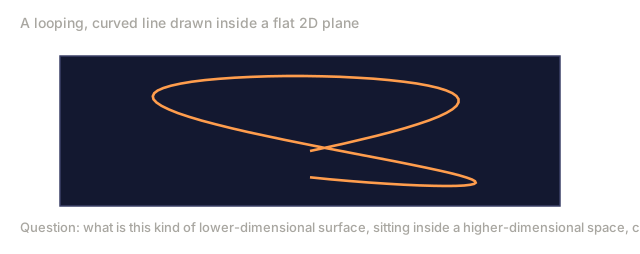
| Manifold | "The surface the data lives on" | A lower-dimensional surface embedded in a higher-dimensional space. A sheet of paper crumpled in 3D is a 2D manifold. |
Further Reading
- A Tutorial on Principal Component Analysis (Shlens) - clear derivation of PCA from the ground up
- How to Use t-SNE Effectively (Wattenberg et al.) - interactive guide to t-SNE pitfalls and parameter choices
- UMAP documentation - theory and practical guidance from the UMAP authors
Code
- dim_reduction.py (python, 334 lines)