Numerical Stability
Floating point is a leaky abstraction. It never bites during code review. It bites three hours into a training run, right when you can least afford it.
Learning Objectives
- Implement numerically stable softmax and log-sum-exp using the max-subtraction trick
- Identify overflow, underflow, and catastrophic cancellation in floating-point computations
- Verify analytical gradients against numerical gradients using centered finite differences
- Explain why bfloat16 is preferred over float16 for training and how loss scaling prevents gradient underflow
The Problem
Your model trains for three hours, then the loss becomes NaN. You add a print statement. The logits are fine at step 9,000. At step 9,001 they are inf. By step 9,002 every gradient is nan and training is dead.
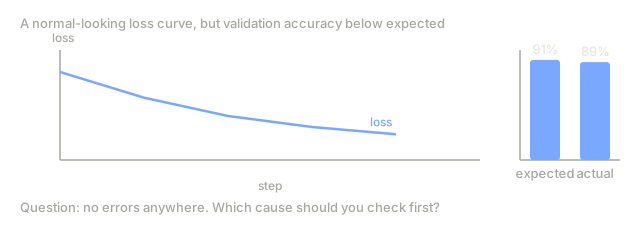
Maybe instead your model trains all the way to completion, but accuracy lands 2% below what the paper reports. You go through everything: architecture matches, hyperparameters match, data matches. The real difference is that the paper trained in float32 and you trained in float16 without the right scaling, so a couple points of accuracy got eaten by rounding error you never saw accumulate.
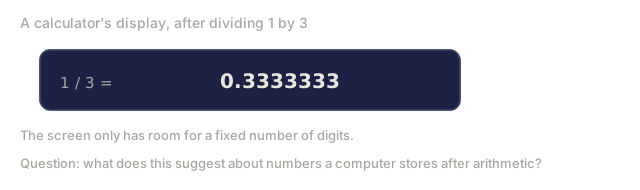
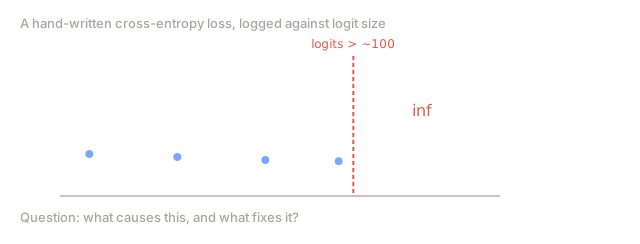
Or you're implementing cross-entropy loss from scratch. It works fine on small logits, then returns inf the moment they exceed 100. The softmax overflowed, because exp(100) is bigger than float32 can hold. Every ML framework has handled this for years with a two-line trick you just didn't know existed.
Numerical stability is not a theoretical concern. It's the difference between a training run that succeeds and one that silently fails. Every serious ML bug you debug eventually comes down to floating point.
The Concept
IEEE 754: How Computers Store Real Numbers
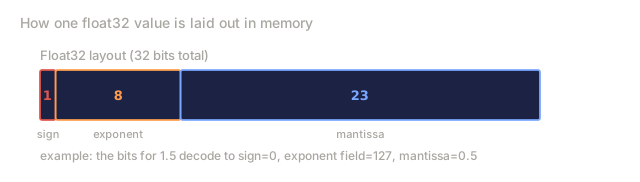
Computers store real numbers as floating point values following the IEEE 754 standard. A float has three parts: a sign bit, an exponent, and a mantissa (significand).
Float32 layout (32 bits total):
[1 sign] [8 exponent] [23 mantissa]

Value = (-1)^sign * 2^(exponent - 127) * 1.mantissa
The mantissa determines precision (how many significant digits). The exponent determines range (how large or small a number can be).
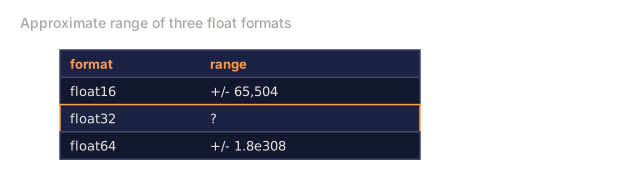
Format     Bits   Exponent  Mantissa  Decimal digits  Range (approx)
float64    64     11        52        ~15-16          +/- 1.8e308
float32    32     8         23        ~7-8            +/- 3.4e38
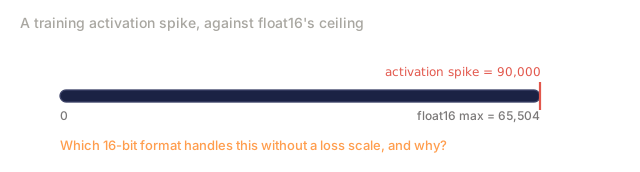
float16    16     5         10        ~3-4            +/- 65,504
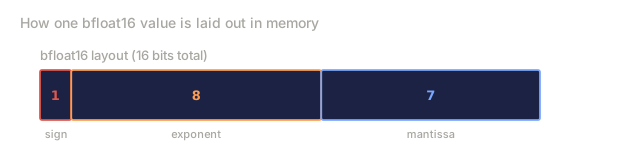
bfloat16   16     8         7         ~2-3            +/- 3.4e38
float32 gives you about 7 decimal digits of precision. That means it can tell apart 1.0000001 and 1.0000002, but not 1.00000001 and 1.00000002. After 7 digits, everything is rounding noise.
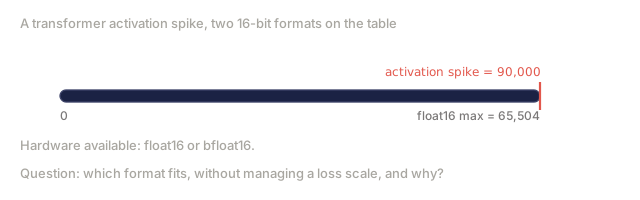
float16 gives you about 3 digits. The largest number it can represent is 65,504. That's disturbingly small for ML, where logits, gradients, and activations routinely exceed it.
bfloat16 is Google's answer to float16's range problem. It has the same 8-bit exponent as float32 (same range, up to 3.4e38) but only 7 mantissa bits (less precision than float16). For training neural networks, range matters more than precision, so bfloat16 usually wins.
Why 0.1 + 0.2 != 0.3
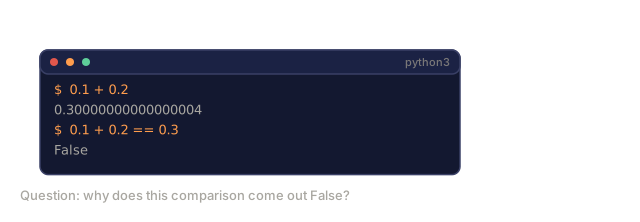
The number 0.1 cannot be represented exactly in binary floating point. In base 2, it is a repeating fraction:
0.1 in binary = 0.0001100110011001100110011... (repeating forever)
Float32 truncates this to 23 bits of mantissa. The stored value is approximately 0.100000001490116. Similarly, 0.2 is stored as approximately 0.200000002980232. Their sum is 0.300000004470348, not 0.3.
In Python:
>>> 0.1 + 0.2
0.30000000000000004

>>> 0.1 + 0.2 == 0.3
False
This matters for ML because:
- Loss comparisons like
if loss < thresholdcan give wrong answers - Accumulating many small values (gradient updates over thousands of steps) drifts from the true sum
- Checksums and reproducibility tests fail if you compare floats with
==
The fix: never compare floats with ==. Use abs(a - b) < epsilon or math.isclose().
Catastrophic Cancellation
When you subtract two nearly equal floating point numbers, the significant digits cancel and you are left with rounding noise promoted to leading digits.
a = 1.0000001    (stored as 1.00000011920929 in float32)
b = 1.0000000    (stored as 1.00000000000000 in float32)

True difference:  0.0000001
Computed:         0.00000011920929

Relative error: 19.2%
That's a 19% relative error from a single subtraction. In ML, this happens whenever you:
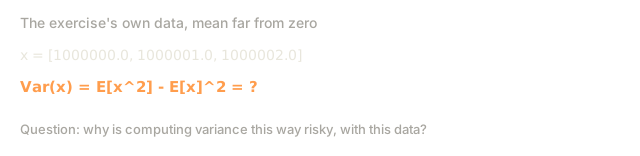
- Compute variance of data with a large mean:
E[x^2] - E[x]^2when E[x] is large - Subtract nearly equal log-probabilities
- Compute finite-difference gradients with too-small epsilon
The fix: rearrange formulas to avoid subtracting large, nearly equal numbers. For variance, use the Welford algorithm or center the data first. For log-probabilities, work in log-space throughout.
Overflow and Underflow
Overflow happens when a result is too large to represent. Underflow happens when it's too small: closer to zero than the smallest representable positive number.
Float32 boundaries:
  Maximum:  3.4028235e+38
  Minimum positive (normal): 1.175e-38
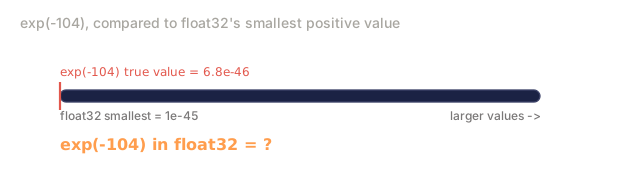
  Minimum positive (denorm): 1.401e-45
  Overflow:  anything > 3.4e38 becomes inf
  Underflow: anything < 1.4e-45 becomes 0.0
The exp() function is the primary source of overflow in ML:
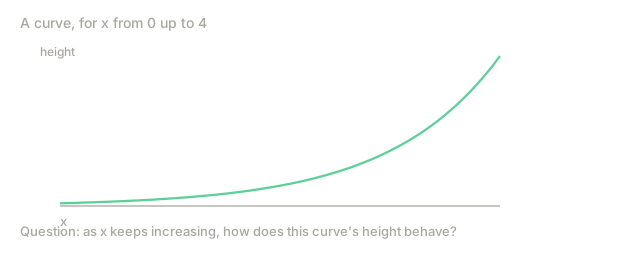
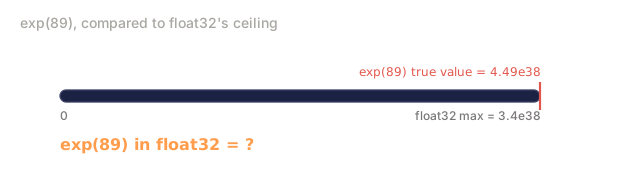
exp(88.7)  = 3.40e+38   (barely fits in float32)
exp(89.0)  = inf         (overflow)
exp(-87.3) = 1.18e-38   (barely above underflow)
exp(-104)  = 0.0         (underflow to zero)
The log() function hits the other direction:
log(0.0)   = -inf
log(-1.0)  = nan
log(1e-45) = -103.3      (fine)
log(1e-46) = -inf        (input underflowed to 0, then log(0) = -inf)
In ML, exp() appears in softmax, sigmoid, and probability computations. log() appears in cross-entropy, log-likelihoods, and KL divergence. The combination log(exp(x)) is a minefield without the right tricks.
The Log-Sum-Exp Trick
Computing log(sum(exp(x_i))) directly is numerically dangerous. If any x_i is large, exp(x_i) overflows. If all x_i are very negative, every exp(x_i) underflows to zero and log(0) is -inf.
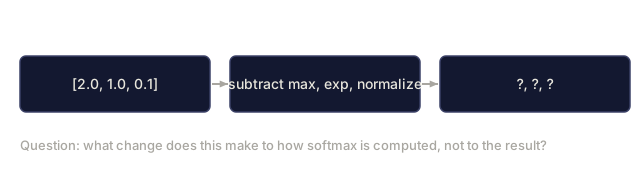
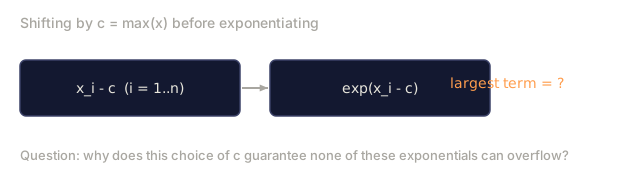
The trick: subtract the maximum value before exponentiating.
log(sum(exp(x_i))) = max(x) + log(sum(exp(x_i - max(x))))
Why this works: after subtracting max(x), the largest exponent is exp(0) = 1. No overflow is possible. At least one term in the sum is 1, so the sum is at least 1, and log(1) = 0. No underflow to -inf is possible.
Proof:
log(sum(exp(x_i)))
= log(sum(exp(x_i - c + c)))                    (add and subtract c)
= log(sum(exp(x_i - c) * exp(c)))               (exp(a+b) = exp(a)*exp(b))
= log(exp(c) * sum(exp(x_i - c)))               (factor out exp(c))
= c + log(sum(exp(x_i - c)))                    (log(a*b) = log(a) + log(b))
Set c = max(x) and overflow is eliminated.
This trick appears everywhere in ML:
- Softmax normalization
- Cross-entropy loss computation
- Log-probability summation in sequence models
- Mixture of Gaussians
- Variational inference
Why Softmax Needs the Max-Subtraction Trick
Softmax converts logits to probabilities:
softmax(x_i) = exp(x_i) / sum(exp(x_j))
Without the trick, logits of [100, 101, 102] overflow in float32 the moment you exponentiate them:
exp(100) = 2.69e43
exp(101) = 7.31e43
exp(102) = 1.99e44
sum      = 2.99e44
Those are the true values, and every one of them is far past float32's ceiling of about 3.4e38 (exp(88.7) is already at it). So a float32 register never holds them: all three exps come back as inf, and the softmax computes inf / inf, which is nan for every entry, giving [nan, nan, nan].
Python's own floats are float64, which tops out near 1.8e308, so math.exp(100) works and the naive softmax on these logits happens to return the right answer. Float64 only delays the problem. Try [1000, 1001, 1002] and math.exp(1000) raises OverflowError (NumPy returns inf and then nan instead).
With the trick, subtract max(x) = 102:
exp(100 - 102) = exp(-2) = 0.135
exp(101 - 102) = exp(-1) = 0.368
exp(102 - 102) = exp(0)  = 1.000
sum = 1.503

softmax = [0.090, 0.245, 0.665]
The probabilities are mathematically identical either way. The difference is that once the logits are big enough, one version returns a number and the other returns garbage, so this isn't an optimization you can skip when you're in a hurry: it's the only correct implementation.
NaN and Inf: Detection and Prevention
nan (Not a Number) and inf (infinity) propagate virally through computation. One nan in a gradient update makes the weight nan, which makes every subsequent output nan. Training is dead within one step.
How inf appears:
exp()of a large positive number- Division by zero:
1.0 / 0.0 float32overflow in accumulations
How nan appears:
0.0 / 0.0inf - infinf * 0sqrt()of a negative numberlog()of a negative number- Any arithmetic involving an existing
nan
Detection:
import math

math.isnan(x)       # True if x is nan
math.isinf(x)       # True if x is +inf or -inf
math.isfinite(x)    # True if x is neither nan nor inf
Prevention strategies:
- Clamp inputs to
exp():exp(clamp(x, -80, 80)) - Add epsilon to denominators:
x / (y + 1e-8) - Add epsilon inside
log():log(x + 1e-8) - Use stable implementations (log-sum-exp, stable softmax)
- Gradient clipping to prevent weight explosion
- Check for
nan/infafter every forward pass during debugging
Numerical Gradient Checking
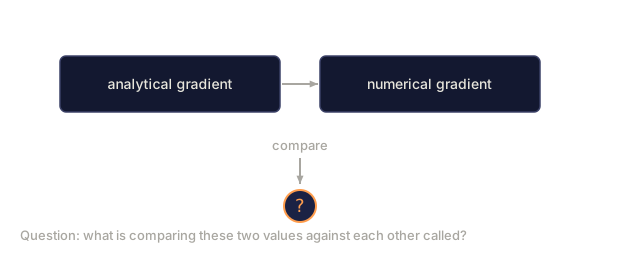
Analytical gradients (from backpropagation) can have bugs. Numerical gradient checking verifies them by computing gradients with finite differences.
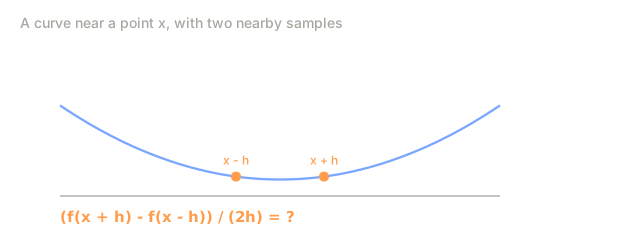
The centered difference formula:
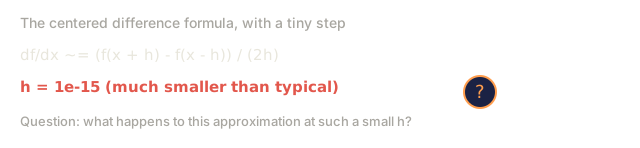
df/dx ~= (f(x + h) - f(x - h)) / (2h)
This is O(h^2) accurate, much better than the forward difference (f(x+h) - f(x)) / h which is only O(h).
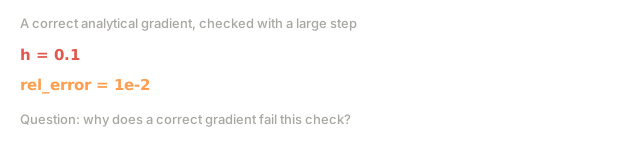
Choosing h: too large and the approximation is wrong. Too small and catastrophic cancellation destroys the answer. h = 1e-5 to 1e-7 is typical.
The check: compute the relative difference between analytical and numerical gradients.
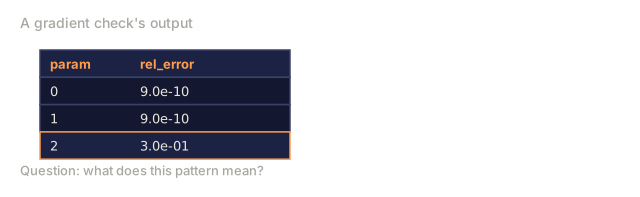
relative_error = |grad_analytical - grad_numerical| / max(|grad_analytical|, |grad_numerical|, 1e-8)
Rules of thumb:
- relative_error < 1e-7: perfect, gradient is correct
- relative_error < 1e-5: acceptable, probably correct
- relative_error > 1e-3: something is wrong
- relative_error > 1: gradient is completely wrong
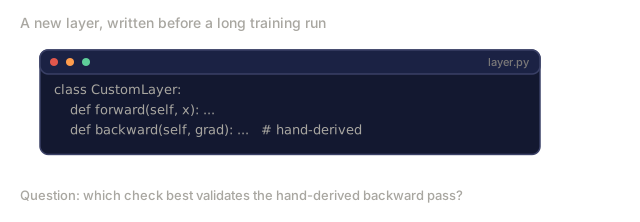
Always check gradients when implementing a new layer or loss function. PyTorch provides torch.autograd.gradcheck() for this.
Mixed Precision Training
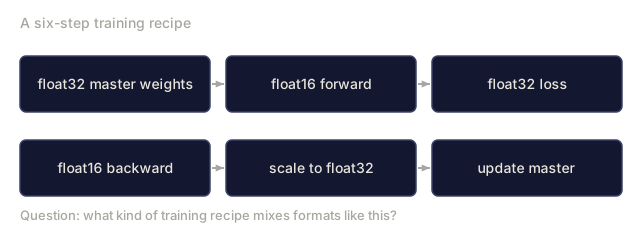
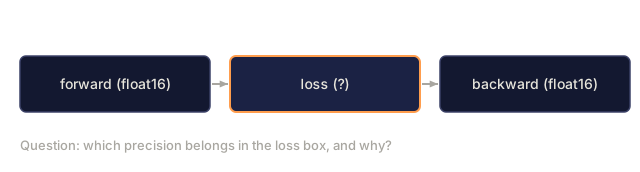
Mixed precision training runs the speed-critical parts of the forward and backward pass in float16 while keeping a float32 master copy of the weights, so you get float16's speed without giving up float32's range where it actually matters. It exists because modern GPUs have specialized hardware (Tensor Cores) that compute float16 matrix multiplications 2-8x faster than float32. The recipe:
1. Maintain float32 master copy of weights
2. Forward pass in float16 (fast)
3. Compute loss in float32 (prevents overflow)
4. Backward pass in float16 (fast)
5. Scale gradients to float32
6. Update float32 master weights
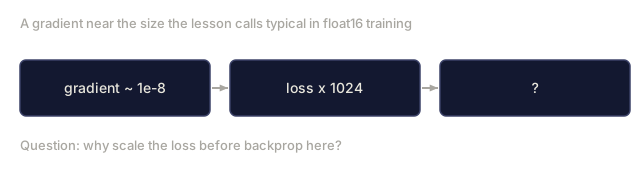
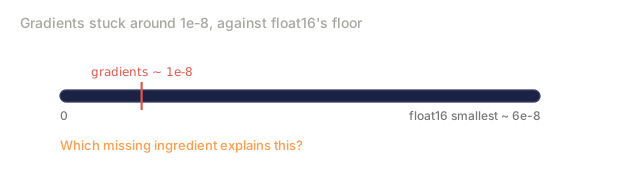
The problem with pure float16 training: gradients are often very small (1e-8 or smaller). Float16 underflows anything below ~6e-8 to zero. Your model stops learning because all gradient updates are zero.
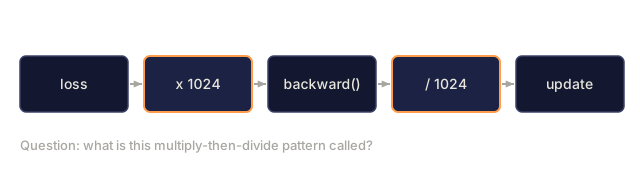
The fix is loss scaling:
1. Multiply loss by a large scale factor (e.g., 1024)
2. Backward pass computes gradients of (loss * 1024)
3. All gradients are 1024x larger (pushed above float16 underflow)
4. Divide gradients by 1024 before updating weights
5. Net effect: same update, but no underflow
Dynamic loss scaling adjusts the scale factor automatically. Start with a large value (65536). If gradients overflow to inf, halve it. If N steps pass without overflow, double it.
bfloat16 vs float16: Why bfloat16 Wins for Training
float16:   [1 sign] [5 exponent]  [10 mantissa]
bfloat16:  [1 sign] [8 exponent]  [7 mantissa]
float16 has more precision (10 mantissa bits vs 7) but limited range (max ~65,504). bfloat16 has less precision but the same range as float32 (max ~3.4e38).
For training neural networks:
- Activations and logits regularly exceed 65,504 during training spikes. float16 overflows; bfloat16 handles it.
- Loss scaling is required with float16 but usually unnecessary with bfloat16 because its range covers the gradient magnitude spectrum.
- bfloat16 is a simple truncation of float32: drop the bottom 16 bits of the mantissa. Conversion is trivial and lossless in the exponent.
float16 is preferred for inference where values are bounded and precision matters more. bfloat16 is preferred for training where range matters more. This is why TPUs and modern NVIDIA GPUs (A100, H100) have native bfloat16 support.
Gradient Clipping
Gradient clipping caps the size of a gradient update before it reaches the weights, so one bad batch can't wreck weeks of training in a single step. It matters most when gradients grow exponentially through many layers, which is normal in RNNs, deep networks, and transformers, where a single oversized gradient can corrupt every weight at once.
Two types of clipping:
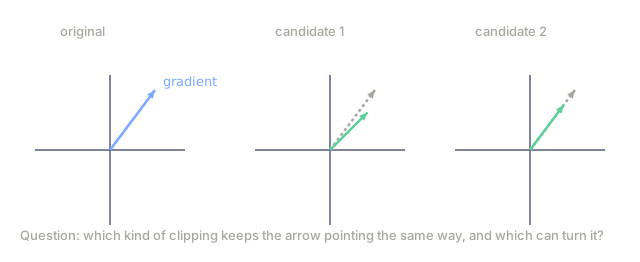
Clip by value: clamp each gradient element independently.
grad = clamp(grad, -max_val, max_val)
Simple, but it can change the direction of the gradient vector.
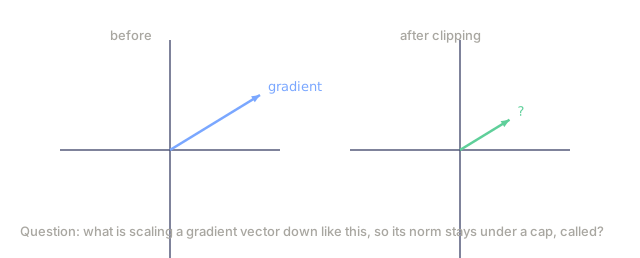
Clip by norm: scale the entire gradient vector so its norm doesn't exceed a threshold.
if ||grad|| > max_norm:
    grad = grad * (max_norm / ||grad||)
This preserves the direction of the gradient, which is exactly what torch.nn.utils.clip_grad_norm_() does, and why it's the standard choice.
Typical values: max_norm=1.0 for transformers, max_norm=0.5 for RL, max_norm=5.0 for simpler networks. Skip clipping entirely and a single outlier batch can produce a gradient large enough to undo weeks of training.
Normalization Layers as Numerical Stabilizers
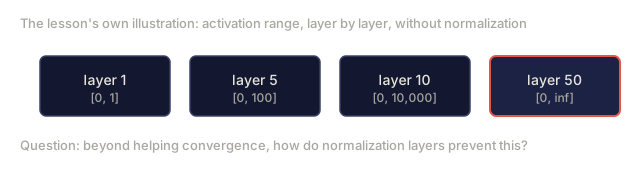
Normalization layers recenter and rescale activations at every layer, and that single mechanism is what keeps a deep network numerically alive. Batch normalization, layer normalization, and RMS normalization usually get billed as regularizers that help training converge, which is true, but the numerical story matters just as much. Without them, activations can grow or shrink exponentially through layers:
Layer 1: values in [0, 1]
Layer 5: values in [0, 100]
Layer 10: values in [0, 10,000]
Layer 50: values in [0, inf]
The fix is the same formula regardless of which norm variant you pick:
LayerNorm(x) = (x - mean(x)) / (std(x) + epsilon) * gamma + beta
The epsilon (typically 1e-5) prevents division by zero when all activations are identical. The learned parameters gamma and beta let the network restore any scale it needs.
This keeps values in a numerically safe range throughout the network, preventing both overflow in the forward pass and gradient explosion in the backward pass.
Common ML Numerical Bugs
Bug: Loss is NaN after a few epochs. Cause: logits grew too large, softmax overflowed. Or learning rate is too high and weights diverged. Fix: use stable softmax (max subtraction), reduce learning rate, add gradient clipping.
Bug: Loss is stuck at log(num_classes). Cause: model outputs are near-uniform probabilities. Often means gradients are vanishing or the model is not learning at all. Fix: check that data labels are correct, verify the loss function, check for dead ReLUs.
Bug: Validation accuracy is lower than expected by 1-3%. Cause: mixed precision without proper loss scaling. Gradient underflow silently zeroes out small updates. Fix: enable dynamic loss scaling, or switch to bfloat16.
Bug: Gradient norms are 0.0 for some layers. Cause: dead ReLU neurons (all inputs negative), or float16 underflow. Fix: use LeakyReLU or GELU, use gradient scaling, check weight initialization.
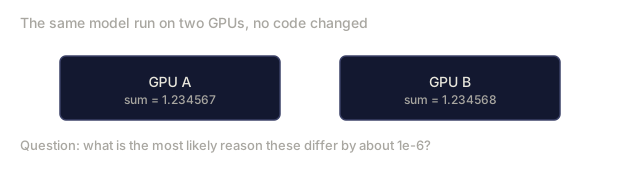
Bug: Model works on one GPU but gives different results on another.
Cause: non-deterministic floating point accumulation order. GPU parallel reductions sum in different orders on different hardware, and floating point addition is not associative.
Fix: accept small differences (1e-6), or set torch.use_deterministic_algorithms(True) and accept the speed penalty.
Bug: exp() returns inf in loss computation.
Cause: raw logits passed to exp() without the max-subtraction trick.
Fix: use torch.nn.functional.log_softmax() which implements log-sum-exp internally.
Bug: Training diverges after switching from float32 to float16. Cause: float16 cannot represent gradient magnitudes below 6e-8 or activations above 65,504. Fix: use mixed precision with loss scaling (AMP), or use bfloat16 instead.







Build It
Step 1: Demonstrate floating point precision limits
print("=== Floating Point Precision ===")
print(f"0.1 + 0.2 = {0.1 + 0.2}")
print(f"0.1 + 0.2 == 0.3? {0.1 + 0.2 == 0.3}")
print(f"Difference: {(0.1 + 0.2) - 0.3:.2e}")
Step 2: Implement naive vs stable softmax
import math

def softmax_naive(logits):
    exps = [math.exp(z) for z in logits]
    total = sum(exps)
    return [e / total for e in exps]

def softmax_stable(logits):
    max_logit = max(logits)
    exps = [math.exp(z - max_logit) for z in logits]
    total = sum(exps)
    return [e / total for e in exps]

safe_logits = [2.0, 1.0, 0.1]
print(f"Naive:  {softmax_naive(safe_logits)}")
print(f"Stable: {softmax_stable(safe_logits)}")

dangerous_logits = [100.0, 101.0, 102.0]
print(f"Stable: {softmax_stable(dangerous_logits)}")
# softmax_naive(dangerous_logits) returns [nan, nan, nan] in float32; in float64 it survives until logits near 710
Step 3: Implement stable log-sum-exp
def logsumexp_naive(values):
    return math.log(sum(math.exp(v) for v in values))

def logsumexp_stable(values):
    c = max(values)
    return c + math.log(sum(math.exp(v - c) for v in values))

safe = [1.0, 2.0, 3.0]
print(f"Naive:  {logsumexp_naive(safe):.6f}")
print(f"Stable: {logsumexp_stable(safe):.6f}")

large = [500.0, 501.0, 502.0]
print(f"Stable: {logsumexp_stable(large):.6f}")
# logsumexp_naive(large) returns inf
Step 4: Implement stable cross-entropy
def cross_entropy_naive(true_class, logits):
    probs = softmax_naive(logits)
    return -math.log(probs[true_class])

def cross_entropy_stable(true_class, logits):
    max_logit = max(logits)
    shifted = [z - max_logit for z in logits]
    log_sum_exp = math.log(sum(math.exp(s) for s in shifted))
    log_prob = shifted[true_class] - log_sum_exp
    return -log_prob

logits = [2.0, 5.0, 1.0]
true_class = 1
print(f"Naive:  {cross_entropy_naive(true_class, logits):.6f}")
print(f"Stable: {cross_entropy_stable(true_class, logits):.6f}")
Step 5: Gradient checking
def numerical_gradient(f, x, h=1e-5):
    grad = []
    for i in range(len(x)):
        x_plus = x[:]
        x_minus = x[:]
        x_plus[i] += h
        x_minus[i] -= h
        grad.append((f(x_plus) - f(x_minus)) / (2 * h))
    return grad

def check_gradient(analytical, numerical, tolerance=1e-5):
    for i, (a, n) in enumerate(zip(analytical, numerical)):
        denom = max(abs(a), abs(n), 1e-8)
        rel_error = abs(a - n) / denom
        status = "OK" if rel_error < tolerance else "FAIL"
        print(f"  param {i}: analytical={a:.8f} numerical={n:.8f} "
              f"rel_error={rel_error:.2e} [{status}]")

def f(params):
    x, y = params
    return x**2 + 3*x*y + y**3

def f_grad(params):
    x, y = params
    return [2*x + 3*y, 3*x + 3*y**2]

point = [2.0, 1.0]
analytical = f_grad(point)
numerical = numerical_gradient(f, point)
check_gradient(analytical, numerical)



Use It
Mixed precision simulation
import struct

def float32_to_float16_round(x):
    packed = struct.pack('f', x)
    f32 = struct.unpack('f', packed)[0]
    packed16 = struct.pack('e', f32)
    return struct.unpack('e', packed16)[0]

def simulate_bfloat16(x):
    packed = struct.pack('f', x)
    as_int = int.from_bytes(packed, 'little')
    truncated = as_int & 0xFFFF0000
    repacked = truncated.to_bytes(4, 'little')
    return struct.unpack('f', repacked)[0]
Gradient clipping
def clip_by_norm(gradients, max_norm):
    total_norm = math.sqrt(sum(g**2 for g in gradients))
    if total_norm > max_norm:
        scale = max_norm / total_norm
        return [g * scale for g in gradients]
    return gradients

grads = [10.0, 20.0, 30.0]
clipped = clip_by_norm(grads, max_norm=5.0)
print(f"Original norm: {math.sqrt(sum(g**2 for g in grads)):.2f}")
print(f"Clipped norm:  {math.sqrt(sum(g**2 for g in clipped)):.2f}")
print(f"Direction preserved: {[c/clipped[0] for c in clipped]} == {[g/grads[0] for g in grads]}")
NaN/Inf detection
def check_tensor(name, values):
    has_nan = any(math.isnan(v) for v in values)
    has_inf = any(math.isinf(v) for v in values)
    if has_nan or has_inf:
        print(f"WARNING {name}: nan={has_nan} inf={has_inf}")
        return False
    return True

check_tensor("good", [1.0, 2.0, 3.0])
check_tensor("bad",  [1.0, float('nan'), 3.0])
check_tensor("ugly", [1.0, float('inf'), 3.0])
See code/numerical.py for complete implementations with all edge cases demonstrated.


Ship It
This lesson produces:
code/numerical.pywith stable softmax, log-sum-exp, cross-entropy, gradient checking, and mixed precision simulationoutputs/prompt-numerical-debugger.mdfor diagnosing NaN/Inf and numerical issues in training
These stable implementations reappear in Phase 3 when building the training loop and in Phase 4 when implementing attention mechanisms.
The NaN crash is the easy bug. Training stops, you get a stack trace pointing at the exact step, and you fix it in an afternoon. The one that costs real time is the quiet 2% accuracy gap from bad mixed precision, because nothing errors. The run finishes, the loss curve looks fine, and you spend a week rereading your architecture, second-guessing your hyperparameters, and blaming the dataset before it occurs to you to check dtypes.
My rule now: any time a result underperforms a paper or a previous run by a small, consistent margin, check the numerics before checking anything else. It's the cheapest thing to rule out, and it's the answer more often than I'd like to admit.
Exercises
-
Catastrophic cancellation. Compute the variance of [1000000.0, 1000001.0, 1000002.0] using the naive formula
E[x^2] - E[x]^2in float32. Then compute it using Welford's online algorithm. Compare the errors against the true variance (0.6667). -
Precision hunt. Find the smallest positive float32 value
xsuch that1.0 + x == 1.0in Python. This is the machine epsilon. Verify it matchesnumpy.finfo(numpy.float32).eps. -
Log-sum-exp edge cases. Test your
logsumexp_stablefunction with: (a) all values equal, (b) one value much larger than the rest, (c) all values very negative (-1000). Verify it gives correct results where the naive version fails. -
Gradient checking a neural network layer. Implement a single linear layer
y = Wx + band its analytical backward pass. Usenumerical_gradientto verify correctness for a 3x2 weight matrix. -
Loss scaling experiment. Simulate training with float16: create random gradients in the range [1e-9, 1e-3], convert to float16, and measure what fraction become zero. Then apply loss scaling (multiply by 1024), convert to float16, scale back, and measure the zero fraction again.
Key Terms
| Term | What people say | What it actually means |
|---|---|---|
| IEEE 754 | "The float standard" | International standard defining binary floating point formats, rounding rules, and special values (inf, nan). Every modern CPU and GPU implements it. |
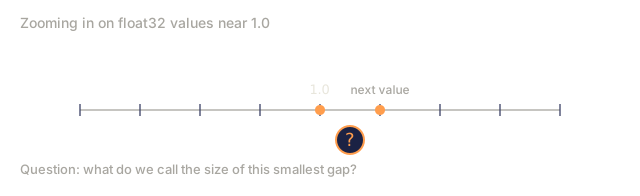
| Machine epsilon | "The precision limit" | The smallest value e such that 1.0 + e != 1.0 in a given float format. For float32, it is about 1.19e-7. |
| Catastrophic cancellation | "Precision loss from subtraction" | When subtracting nearly equal floating point numbers, significant digits cancel and rounding noise dominates the result. |
| Overflow | "Number too big" | A result exceeds the maximum representable value and becomes inf. exp(89) overflows float32. |
| Underflow | "Number too small" | A result is closer to zero than the smallest representable positive number and becomes 0.0. exp(-104) underflows float32. |
| Log-sum-exp trick | "Subtract the max first" | Computing log(sum(exp(x))) by factoring out exp(max(x)) to prevent overflow and underflow. Used in softmax, cross-entropy, and log-probability math. |
| Stable softmax | "Softmax that does not explode" | Subtracting max(logits) before exponentiating. Numerically identical result, no overflow possible. |
| Gradient checking | "Verify your backprop" | Comparing analytical gradients from backpropagation against numerical gradients from finite differences to catch implementation bugs. |
| Mixed precision | "Float16 forward, float32 backward" | Using lower-precision floats for speed-critical operations and higher-precision floats for numerically sensitive operations. Typical speedup is 2-3x. |
| Loss scaling | "Prevent gradient underflow" | Multiplying the loss by a large constant before backprop so gradients stay in float16's representable range, then dividing by the same constant before weight updates. |
| bfloat16 | "Brain floating point" | Google's 16-bit format with 8 exponent bits (same range as float32) and 7 mantissa bits (less precision than float16). Preferred for training. |
| Gradient clipping | "Cap the gradient norm" | Scaling the gradient vector so its norm does not exceed a threshold. Prevents exploding gradients from ruining weights. |
| NaN | "Not a Number" | Special float value from undefined operations (0/0, inf-inf, sqrt(-1)). Propagates through all subsequent arithmetic. |
| Inf | "Infinity" | Special float value from overflow or division by zero. Can combine to produce NaN (inf - inf, inf * 0). |
| Numerical gradient | "Brute force derivative" | Approximating a derivative by evaluating f(x+h) and f(x-h) and dividing by 2h. Slow but reliable for verification. |
Further Reading
- What Every Computer Scientist Should Know About Floating-Point Arithmetic (Goldberg 1991) -- the definitive reference, dense but complete
- Mixed Precision Training (Micikevicius et al., 2018) -- the NVIDIA paper that introduced loss scaling for float16 training
- AMP: Automatic Mixed Precision (PyTorch docs) -- practical guide to mixed precision in PyTorch
- bfloat16 format (Google Cloud TPU docs) -- why Google chose this format for TPUs
- Kahan Summation (Wikipedia) -- algorithm for reducing rounding error in floating point sums
Code
- numerical.py (python, 720 lines)