Inpainting, Outpainting & Image Editing
Text-to-image makes new things. Inpainting fixes old ones. In production, 70% of billable image work is editing: swap a background, remove a logo, extend the canvas, regenerate a hand. Inpainting is where diffusion earns its keep.
Learning Objectives
- Tell inpainting, outpainting, and whole-image editing apart, and pick the pipeline from the Use It table that fits each task.
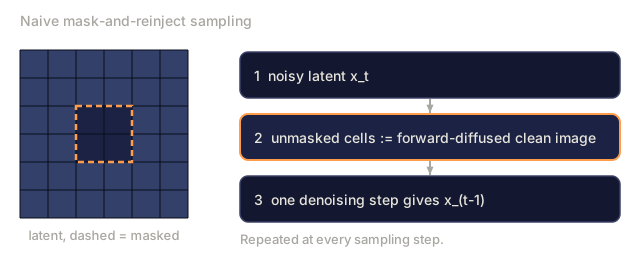
- Explain why the naive mask-and-reinject approach leaves seams and how the 9-channel inpainting U-Net fixes it.
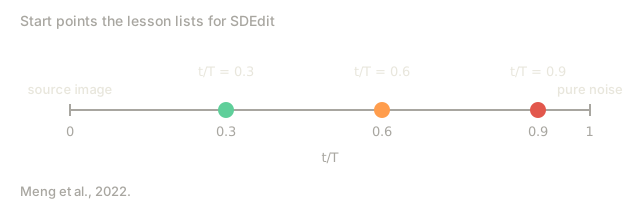
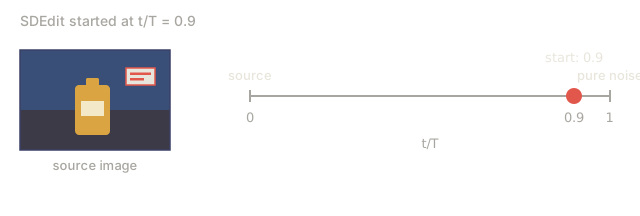
- Compare SDEdit, InstructPix2Pix, and RePaint, including the fidelity versus freedom trade-off set by SDEdit's starting t/T.
- Implement mask-aware reverse diffusion on 5-D toy data and reuse one function for both inpainting and outpainting.
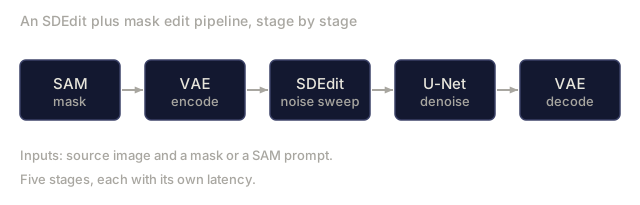
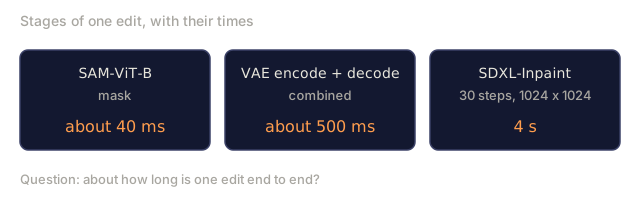
- Budget the latency of an edit pipeline stage by stage across SAM, VAE encode/decode, and the U-Net.
The Problem
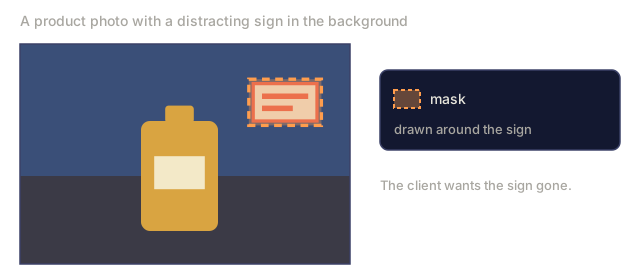
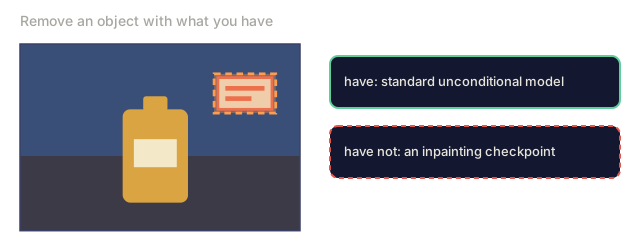
A client sends a perfect product photo with a distracting sign in the background. You want to erase the sign and leave everything else pixel-identical. Running text-to-image from scratch won't work, because the result comes back with a different color, different lighting, and a different product angle. You want to regenerate only the masked region, and you want the regeneration to respect the surrounding context.
That is inpainting. Variants:
- Inpainting. Regenerate inside a mask, keep outside pixels.
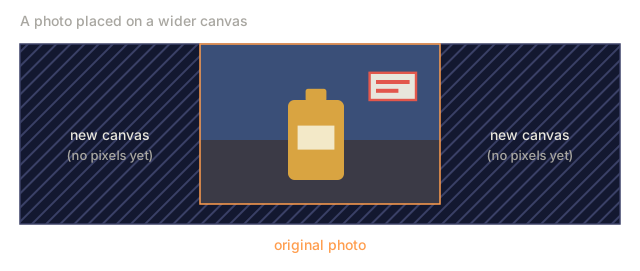
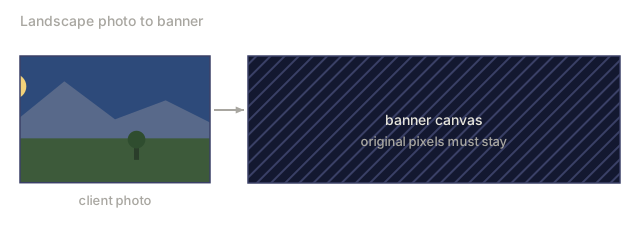
- Outpainting. Regenerate outside a mask (or beyond the canvas), keep inside.
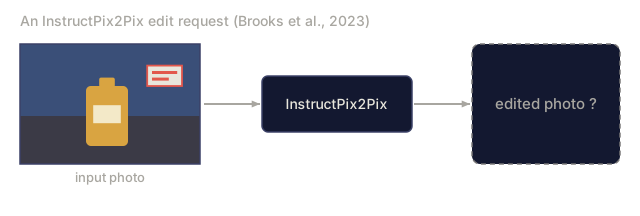
- Image editing. Regenerate the whole image but keep semantic or structural fidelity to the original (SDEdit, InstructPix2Pix).
Most diffusion pipelines in 2026 ship an inpainting mode: Flux.1-Fill, Stable Diffusion Inpaint, SDXL-Inpaint, DALL-E 3 Edit. They share one principle.
The Concept

The naive approach (and why it falls short)
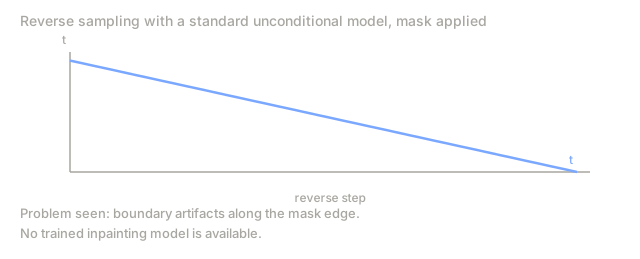
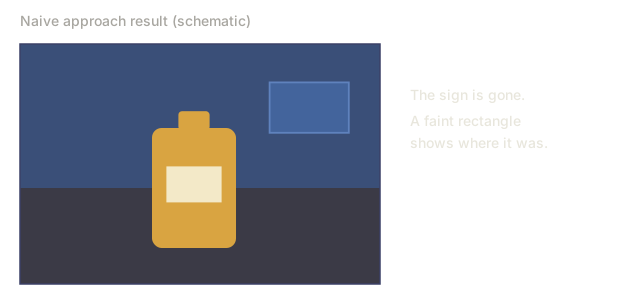
Run standard text-to-image with a mask. At each sampling step, replace the unmasked region of the noisy latent with the forward-diffused clean image. It runs, but the results are poor. Boundary artifacts bleed through because the model has no information about what is in the masked region.
The proper inpainting model
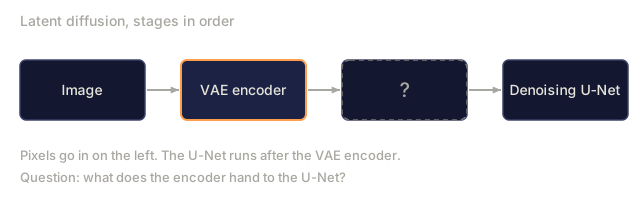
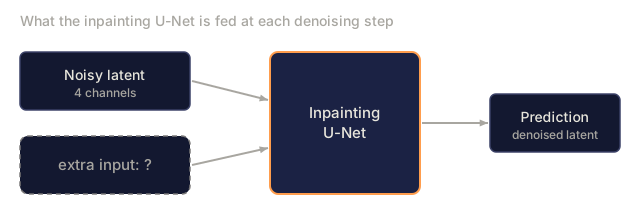
Train a modified U-Net that takes 9 input channels instead of 4:
input = concat([ noisy_latent (4ch), encoded_image (4ch), mask (1ch) ], dim=channel)
The extra channels are a copy of the VAE-encoded source image plus a single-channel mask. At training time, you randomly mask regions of the image and train the model to denoise only the masked region while the unmasked region is given as a clean conditioning signal. At inference, the model can "see" what surrounds the masked region and produces coherent completions.
SD-Inpaint, SDXL-Inpaint, Flux-Fill all use this 9-channel (or analog) input. In diffusers, look at StableDiffusionInpaintPipeline and FluxFillPipeline.
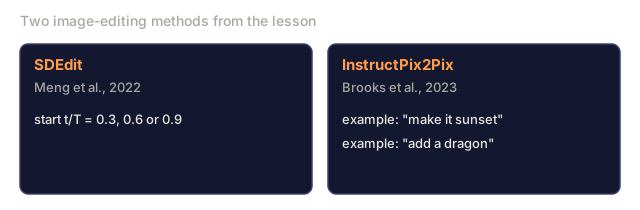
SDEdit (Meng et al., 2022): free editing
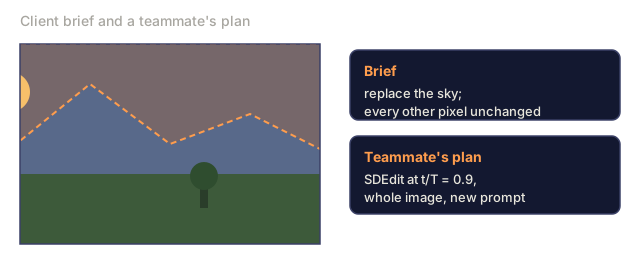
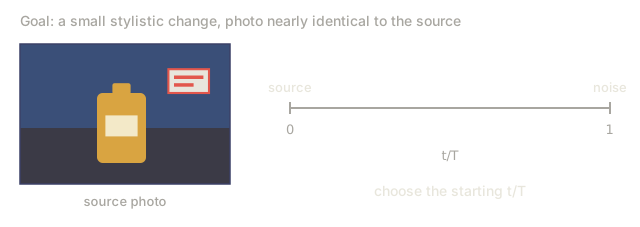
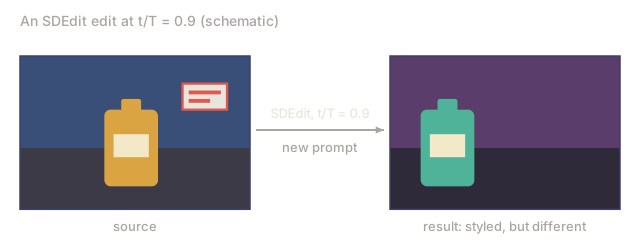
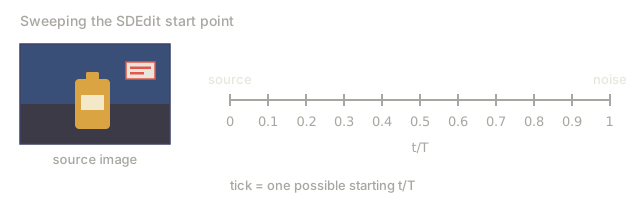
Add noise to the source image up to some intermediate t, then run the reverse chain from t down to 0 with a new prompt. No retraining. The choice of starting t trades fidelity for creative freedom:
t/T = 0.3→ nearly identical to source, small stylistic changest/T = 0.6→ moderate edits, preserves coarse structuret/T = 0.9→ generated from near-noise, little of the source survives
InstructPix2Pix (Brooks et al., 2023)
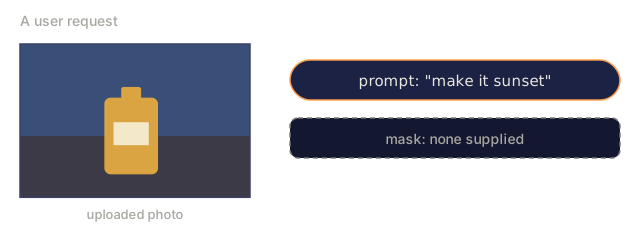
Fine-tune a diffusion model on (input_image, instruction, output_image) triples. At inference, condition on both the input image and a text instruction ("make it sunset", "add a dragon"). Two CFG scales: image scale and text scale.
RePaint (Lugmayr et al., 2022)
Keep a standard unconditional diffusion model. At each reverse step, resample: occasionally jump back to a noisier state and regenerate. This reduces boundary artifacts, and it is what you reach for when you don't have a trained inpainting model.
Build It
code/main.py implements a toy inpainting scheme on 5-dimensional data. We train a DDPM on 5-D mixture data where each sample is 5 floats from one of two clusters. At inference, we "mask" 2 of the 5 dimensions, inject the noisy-forward version of the unmasked three at each step, and regenerate only the masked dimensions.
Step 1: 5-D DDPM data
def sample_data(rng, d=5):
    cluster = rng.choice([0, 1])
    center = [-1.0 if cluster == 0 else 1.0] * d
    return [c + rng.gauss(0, 0.2) for c in center], cluster
Step 2: train denoiser over all 5 dims
Standard DDPM. The net outputs a 5-D noise prediction for a 5-D noisy input.
Step 3: at inference, mask-aware reverse
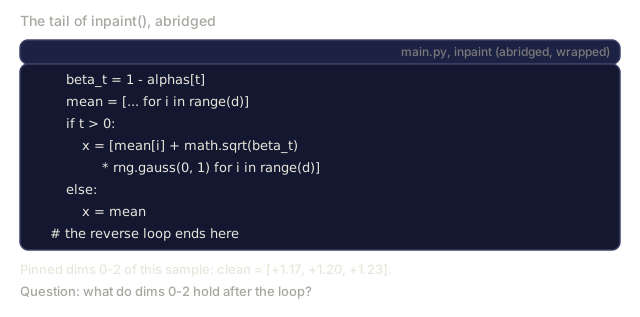
def inpaint(net, alphas, alpha_bars, T, t_dim, d, clean, mask, rng):
    x = [rng.gauss(0, 1) for _ in range(d)]
    for t in range(T - 1, -1, -1):
        a_bar = alpha_bars[t]
        for i in range(d):
            if not mask[i]:
                x[i] = math.sqrt(a_bar) * clean[i] + math.sqrt(1 - a_bar) * rng.gauss(0, 1)
        # ...then run the normal reverse step on x
    for i in range(d):
        if not mask[i]:
            x[i] = clean[i]
    return x
mask[i] == True means dim i is regenerated. Unmasked dims are overwritten with a freshly noised copy of the clean source before every network call, then reset to the exact clean values at the end. This is the naive approach, and it is enough for toy 5-D data. Real image inpainting uses the 9-channel input because texture coherence matters more.
Step 4: outpainting
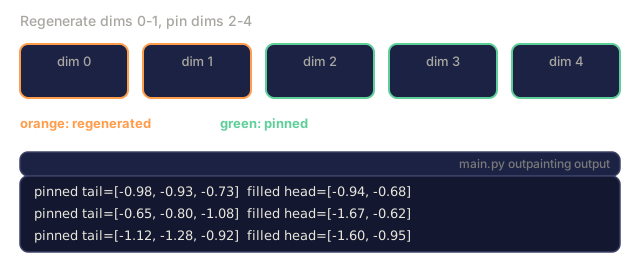
Outpainting reuses the same inpaint function with a different mask. main.py regenerates dims 0-1 and pins dims 2-4, which stands in for new canvas next to known content. The training objective stays the same.
![Eight lines of code from main.py's inpaint: the reverse loop, a_bar lookup, and for each unmasked dim x[i] set to sqrt(a_bar) times clean[i] plus sqrt(1 minus a_bar) times a Gaussian draw, followed by the network call.](/quiz-visuals/08-generative-ai/09-inpainting-outpainting-editing/n8.svg)
![A row of boxes x[0], x[1], an ellipsis and x[d-1] for one sample, with notes that a sample is d floats from one of two clusters, True means regenerated and False means pinned.](/quiz-visuals/08-generative-ai/09-inpainting-outpainting-editing/check-7.svg)
![Five slots dim 0 to dim 4 with mask values False, False, True, True, True, and four lines of inpaint code that overwrite x[i] when not mask[i].](/quiz-visuals/08-generative-ai/09-inpainting-outpainting-editing/n11.svg)
Pitfalls
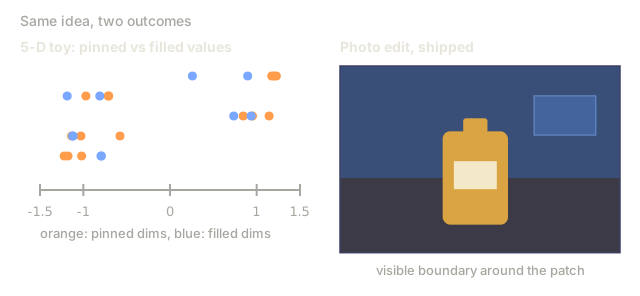
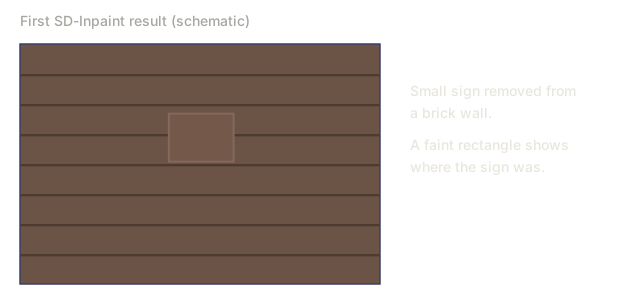
- Seams. The naive approach leaves visible boundaries because the model has no signal about the masked region. Fix: dilate the mask by 8-16 pixels, or use a proper inpainting model.
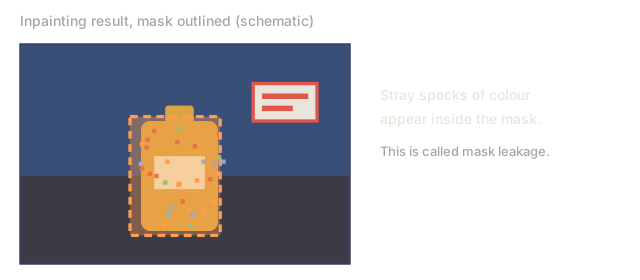
- Mask leakage. If the conditioning image's unmasked region is low-quality or noisy, it pollutes the generation inside the mask. Denoise or blur slightly.
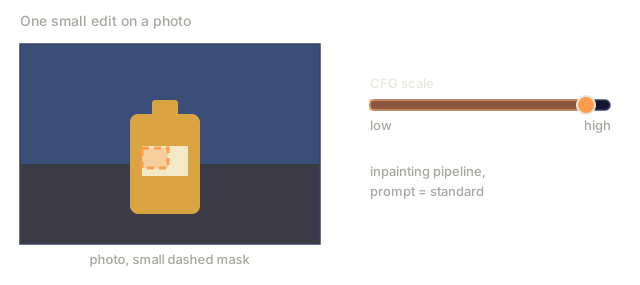
- CFG interacts with mask size. High CFG on a small mask = saturated patch. Reduce CFG for small edits.
- SDEdit fidelity cliff. Going from
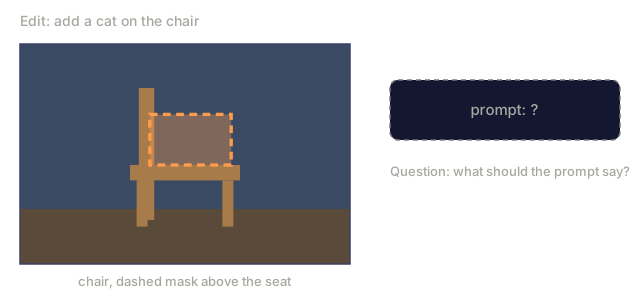
t/T = 0.5tot/T = 0.6can lose the subject's identity. Sweep the range and save checkpoints. - Prompt mismatch. The prompt should describe the whole image, not just the new content. "A cat sitting on a chair" not "a cat".
Use It
| Task | Pipeline |
|---|---|
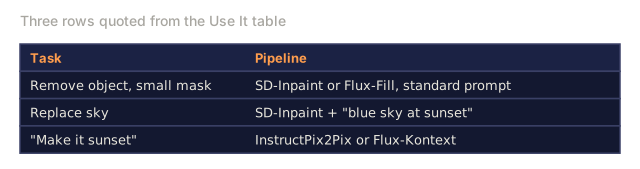
| Remove object, small mask | SD-Inpaint or Flux-Fill, standard prompt |
| Replace sky | SD-Inpaint + "blue sky at sunset" |
| Extend canvas | SDXL outpaint mode (8px feather) or Flux-Fill with outpaint mask |
| Regenerate hand / face | SD-Inpaint with prompt re-describing the subject + ControlNet-Openpose |
| Change style of one region | SDEdit at t/T=0.5 on masked region |
| "Make it sunset" | InstructPix2Pix or Flux-Kontext |
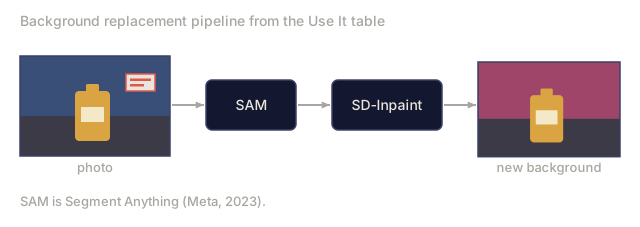
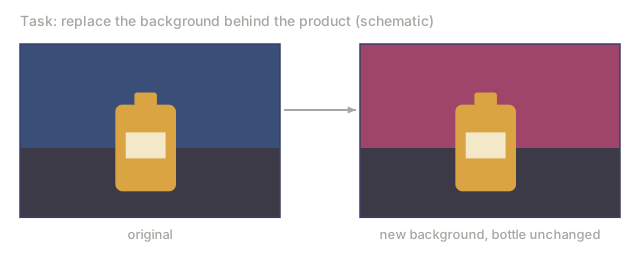
| Background replacement | SAM mask → SD-Inpaint |
| Ultra-high-fidelity | Flux-Fill or GPT-Image (hosted) for hardest cases |
SAM (Meta's Segment Anything, 2023) plus diffusion inpaint is the standard 2026 background-removal pipeline. SAM 2 (2024) works on video.
Ship It
Save outputs/skill-editing-pipeline.md. Skill takes an original image + edit description + optional mask (or SAM prompt) and outputs: mask-generation approach, base model, CFG scales (image + text), SDEdit-t or inpainting mode, and QA checklist.
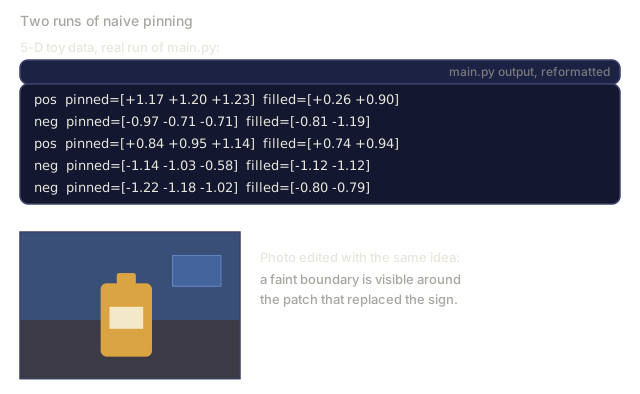
I'd run main.py and read the output before touching the 9-channel diagram. It trains a small 5-D DDPM on two clusters, pins dims 0-2 while regenerating dims 3-4, then masks dims 0-1 and pins dims 2-4 for the outpainting run. Each line prints the pinned values next to the filled ones, so you can check by eye that the filled dims land on the same side of zero as the pinned ones.
The part worth rereading is the pinning inside the inpaint loop. At every step, the unmasked dims are overwritten with sqrt(a_bar) * clean + sqrt(1 - a_bar) * noise before the network runs, so the net always sees a context at the right noise level. After the loop, the pinned dims are reset to the exact clean values. Outpainting needs no new code: it is the same function called with a different mask.
I'd keep the toy in proportion. Every dimension of a sample shares one cluster center, so the pinned dims tell the net a lot about the masked ones. Real images give weaker hints, which is why naive pinning shows seams there and the 9-channel input exists.
Exercises
- Easy. In
code/main.py, vary the fraction of dimensions masked from 0.2 to 0.8. At what fraction does the inpaint quality (residual in masked dims) equal unconditional generation? - Medium. Implement RePaint: at every 10th reverse step, jump back 5 steps (add noise) and re-denoise. Measure whether it reduces boundary residual at the mask edge.
- Hard. Use Hugging Face diffusers to compare: SD 1.5 Inpaint + ControlNet-Openpose vs Flux.1-Fill on 20 face-regeneration tasks. Score pose adherence and identity preservation separately.
Key Terms
| Term | What people say | What it actually means |
|---|---|---|
| Inpainting | "Fill the hole" | Regenerate inside a mask; keep outside pixels. |
| Outpainting | "Extend the canvas" | Regenerate outside the canvas; keep inside. |
| 9-channel U-Net | "Proper inpainting model" | U-Net with noisy | encoded-source | mask as input. |
| SDEdit | "Img2img with noise level" | Noise to time t, denoise with new prompt. |
| InstructPix2Pix | "Text-only edits" | Fine-tuned diffusion on (image, instruction, output) triples. |
| RePaint | "No retraining" | Re-noise periodically during reverse to reduce seams. |
| SAM | "Segment Anything" | Mask generator by clicks or boxes; pairs with inpaint. |
| Flux-Kontext | "Edit with context" | Flux variant that accepts a reference image + instruction for edits. |
Production note: edit pipelines are latency-sensitive
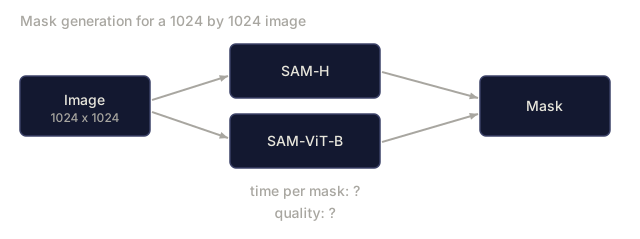
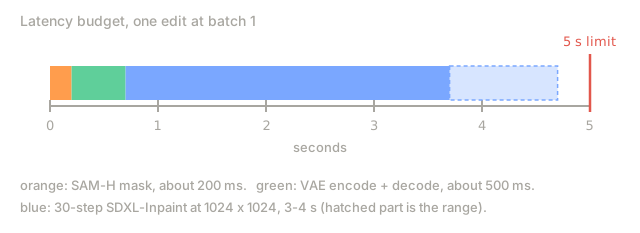
Users editing an image expect sub-5-second round trips. A 30-step SDXL-Inpaint at 1024² is 3-4 s on an L4, plus SAM mask generation (~200 ms) and VAE encode/decode (~500 ms combined). In production terms this is latency-bound rather than throughput-bound: batch 1, low concurrency, so trim every stage.
- SAM-H is the slow one. SAM-H at 1024² is ~200 ms; SAM-ViT-B is ~40 ms with minor quality loss. SAM 2 (video) adds temporal overhead, so skip it for single-image edits.
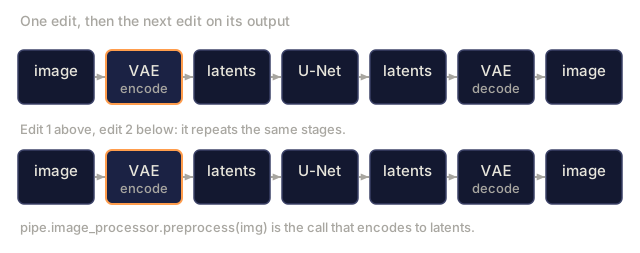
- Skip the encode when possible.
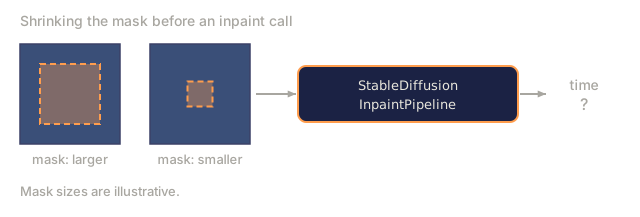
pipe.image_processor.preprocess(img)encodes to latents. If you have the latents from the previous generation (typical in iterative-edit UIs), pass them directly vialatents=...to skip one VAE encode. - Mask dilation matters for throughput too. A small mask means most of the U-Net forward pass is wasted (the unmasked pixels are clamped anyway).
diffusers'StableDiffusionInpaintPipelineruns the full U-Net regardless. - Flux-Kontext is the 2025 answer. It makes a single forward pass over
(source_image, instruction), with no separate mask and no SDEdit noise sweep. On an H100 it ships an edit in ~1.5 s. The takeaway is to collapse the stages.
Further Reading
- Lugmayr et al. (2022). RePaint: Inpainting using Denoising Diffusion Probabilistic Models: training-free inpainting.
- Meng et al. (2022). SDEdit: Guided Image Synthesis and Editing with Stochastic Differential Equations: SDEdit.
- Brooks, Holynski, Efros (2023). InstructPix2Pix: text-instruction editing.
- Kirillov et al. (2023). Segment Anything: SAM, the mask source.
- Ravi et al. (2024). SAM 2: Segment Anything in Images and Videos: video SAM.
- Hertz et al. (2022). Prompt-to-Prompt Image Editing with Cross-Attention Control: attention-level editing.
- Black Forest Labs (2024). Flux.1-Fill and Flux.1-Kontext: 2024 tooling.
Code
- main.py (python, 198 lines)