Stable Diffusion — Architecture & Fine-Tuning
Strip away the demo and Stable Diffusion is a DDPM running in the latent space of a frozen VAE, steered by text through cross-attention, pushed toward the prompt by classifier-free guidance, and sampled with a fast deterministic ODE solver.
Learning Objectives
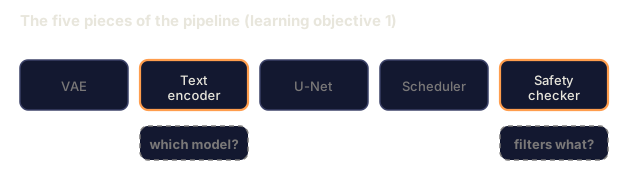
- Trace the five pieces of a Stable Diffusion pipeline: VAE, text encoder, U-Net, scheduler, safety checker — and what each of them actually does
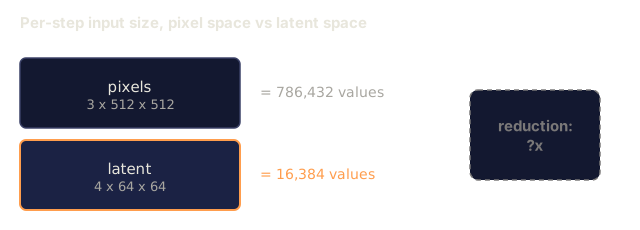
- Explain latent diffusion and why training in a 4x64x64 latent space (instead of a 3x512x512 image) reduces compute by 48x without quality loss
- Use `diffusers` to generate images, run image-to-image, inpainting, and ControlNet-guided generation
- Fine-tune Stable Diffusion with LoRA on a small custom dataset and load the LoRA adapter at inference
The Problem
Training a DDPM directly on 512x512 RGB images is expensive. Every training step backprops through a U-Net that sees 3x512x512 = 786,432 input values, and sampling needs 50 or more forward passes through that same network. At Stable Diffusion 1.5's quality level (released 2022), pixel-space diffusion would cost roughly 256 GPU-months to train and 10 to 30 seconds per image on a consumer GPU.
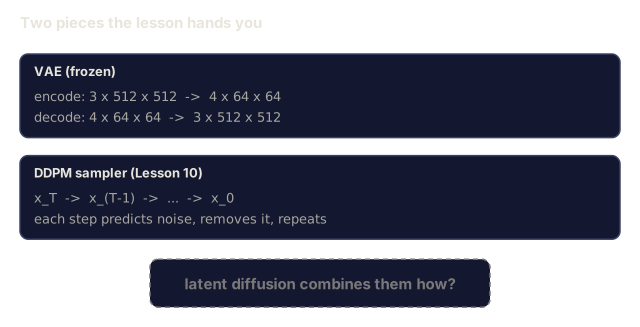
The trick that made open-weight text-to-image practical was latent diffusion (Rombach et al., CVPR 2022): train a VAE that maps a 3x512x512 image to a 4x64x64 latent tensor and back, then run the diffusion process in that latent space instead. Compute drops by (3*512*512)/(4*64*64) = 48x, and sampling time drops from tens of seconds to under two seconds on the same GPU.
Nearly every modern image-generation model (SDXL, SD3, FLUX, HunyuanDiT, Wan-Video) is a latent diffusion model at heart, differing mainly in the autoencoder, the denoiser (U-Net or DiT), and how text conditioning gets injected. Learn Stable Diffusion and you've learned the template the rest of the field builds on.
The Concept
The pipeline

- VAE: a frozen autoencoder. The encoder turns an image into latents (used for img2img and training); the decoder turns latents back into an image.
- Text encoder: a CLIP text encoder (SD 1.x/2.x), CLIP-L + CLIP-G (SDXL), or T5-XXL (SD3/FLUX). Produces a sequence of token embeddings.
- U-Net: the denoiser. Cross-attention layers attend from the latents to the text embedding at every resolution level.
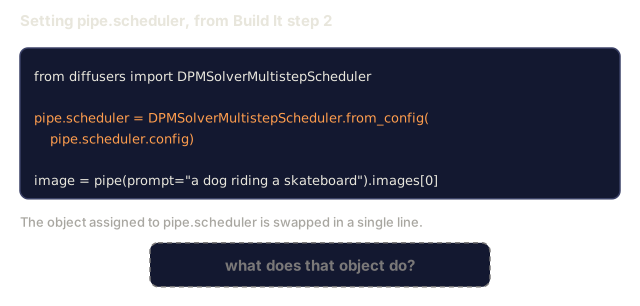
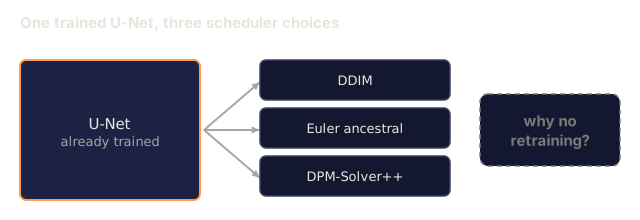
- Scheduler: the sampling algorithm (DDIM, Euler, DPM-Solver++). Picks sigmas and blends predicted noise back into the latent.
- Safety checker: an optional NSFW / illegal-content filter on the output image.
Classifier-free guidance (CFG)
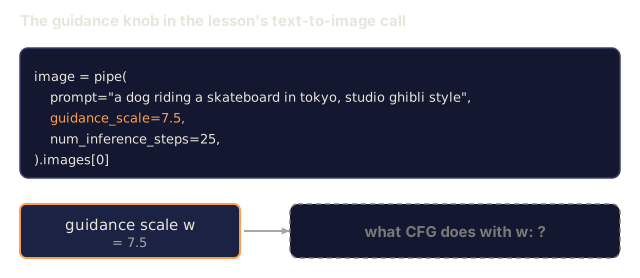
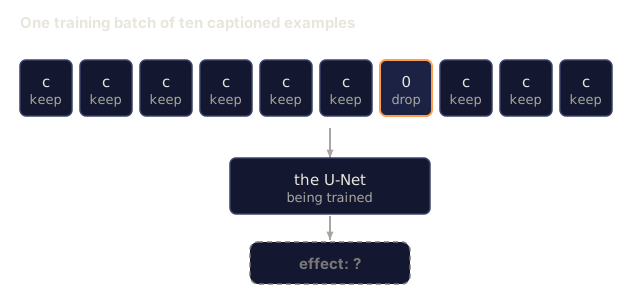
Plain text conditioning learns epsilon_theta(x_t, t, c) for every prompt c. CFG trains that same network with c dropped 10% of the time (swapped for an empty embedding), so one model ends up predicting both the conditional and the unconditional noise. At inference:
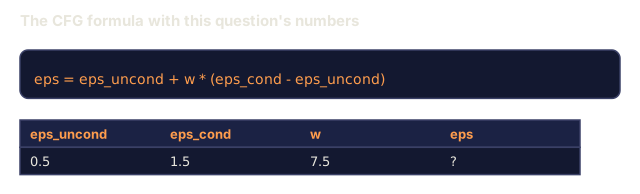
eps = eps_uncond + w * (eps_cond - eps_uncond)
w is the guidance scale. w=0 gives you the unconditional prediction, w=1 the plain conditional one, and w>1 exaggerates the prompt's pull at the cost of sample diversity. SD's default is w=7.5.
CFG is why text-to-image works at production quality at all. Without it, the prompt barely nudges the output. With it, the prompt drives.
Latent space geometry
The VAE's 4-channel latent is a manifold, not just a compressed image: arithmetic on it roughly tracks semantic edits (prompt engineering and interpolation both live here), and it's the only region the diffusion U-Net was ever trained to work in. Decode a random 4x64x64 latent instead of one the model produced, and you don't get a random-looking image. You get garbage, because only a specific submanifold of latents decodes into anything valid.
Two consequences follow:
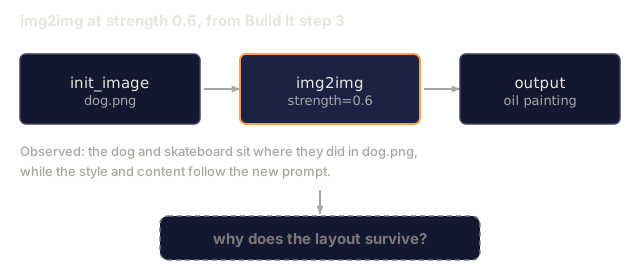
- Img2img encodes the image into a latent, adds partial noise, runs the denoiser, and decodes back. Structure survives because encoding is nearly invertible; content shifts with the prompt.
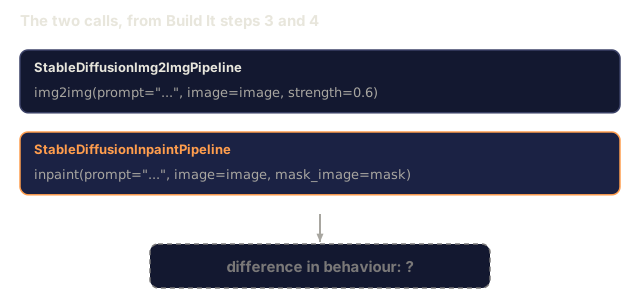
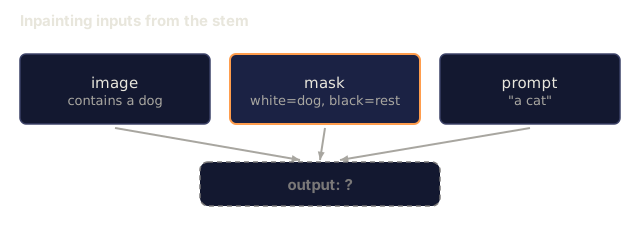
- Inpainting works the same way, except the denoiser only updates the masked region. Unmasked pixels stay locked to their original encoded latent.
The U-Net architecture
The SD U-Net is the TinyUNet from Lesson 10, scaled up, with three additions:
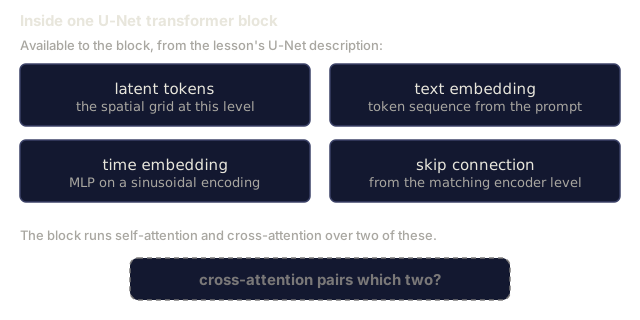
- Transformer blocks at every spatial resolution, containing self-attention plus cross-attention to the text embedding.
- Time embedding via an MLP on top of a sinusoidal encoding.
- Skip connections between encoder and decoder at matching resolutions.
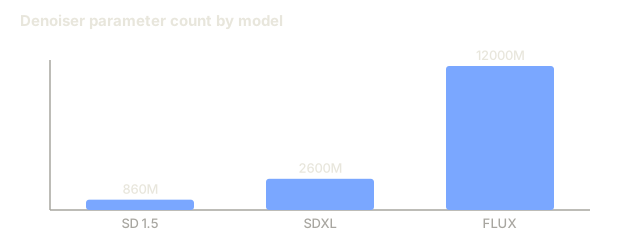
Parameter counts: roughly 860M for SD 1.5, 2.6B for SDXL, 12B for FLUX. Most of that growth sits in the attention layers, not the convolutions.
LoRA fine-tuning
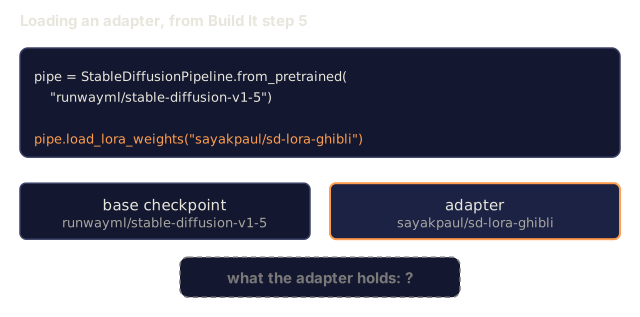
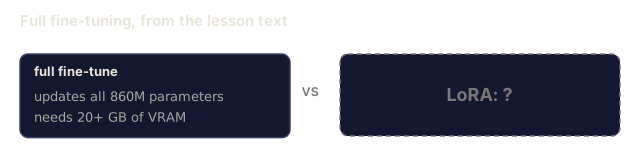
Full fine-tuning of Stable Diffusion needs 20+ GB of VRAM and updates all 860M parameters. LoRA (Low-Rank Adaptation) freezes the base model and injects small rank-decomposition matrices into the attention layers instead. A LoRA adapter for SD typically runs 10-50 MB, trains in 10-60 minutes on a single consumer GPU, and loads at inference time as a drop-in modification.
Original: W_q : (d_in, d_out)   frozen
LoRA:     W_q + alpha * (A @ B)   where A : (d_in, r), B : (r, d_out)

r is typically 4-32.
LoRA is how nearly every community fine-tune gets distributed. CivitAI and Hugging Face host millions of them.
Schedulers you will see
- DDIM: deterministic, about 50 steps, simple.
- Euler ancestral: stochastic, 30-50 steps, slightly more creative samples.
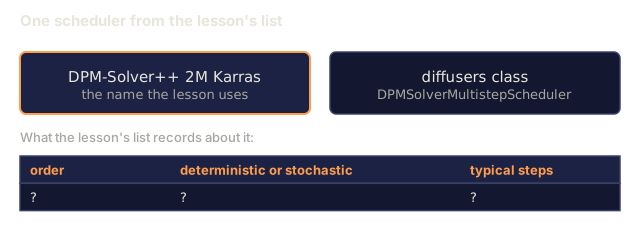
- DPM-Solver++ 2M Karras: deterministic, 20-30 steps, the production default.
- LCM / TCD / Turbo: consistency models and distilled variants, 1-4 steps at the cost of some quality.
Swapping schedulers is a one-line change in diffusers, and it sometimes fixes sample issues with zero retraining.
Build It
This lesson runs diffusers end-to-end instead of rebuilding Stable Diffusion from scratch. The pieces you'd need to rebuild (VAE, text encoder, U-Net, scheduler) each get their own lesson elsewhere; the goal here is fluency with the production API.
Step 1: Text-to-image
import torch
from diffusers import StableDiffusionPipeline

pipe = StableDiffusionPipeline.from_pretrained(
    "runwayml/stable-diffusion-v1-5",
    torch_dtype=torch.float16,
).to("cuda")

image = pipe(
    prompt="a dog riding a skateboard in tokyo, studio ghibli style",
    guidance_scale=7.5,
    num_inference_steps=25,
    generator=torch.Generator("cuda").manual_seed(42),
).images[0]
image.save("dog.png")
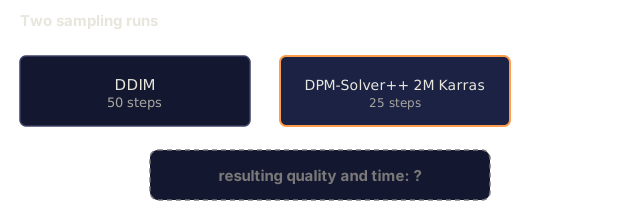
float16 halves VRAM with no visible quality loss. num_inference_steps=25 with the default DPM-Solver++ matches num_inference_steps=50 with DDIM.
Step 2: Swap the scheduler
from diffusers import DPMSolverMultistepScheduler, EulerAncestralDiscreteScheduler

pipe.scheduler = DPMSolverMultistepScheduler.from_config(pipe.scheduler.config)
pipe.scheduler = EulerAncestralDiscreteScheduler.from_config(pipe.scheduler.config)
Scheduler state is decoupled from the U-Net's weights, so you can train with DDPM and sample with whichever scheduler fits the job.
Step 3: Image-to-image
from diffusers import StableDiffusionImg2ImgPipeline
from PIL import Image

img2img = StableDiffusionImg2ImgPipeline.from_pretrained(
    "runwayml/stable-diffusion-v1-5",
    torch_dtype=torch.float16,
).to("cuda")

init_image = Image.open("dog.png").convert("RGB").resize((512, 512))
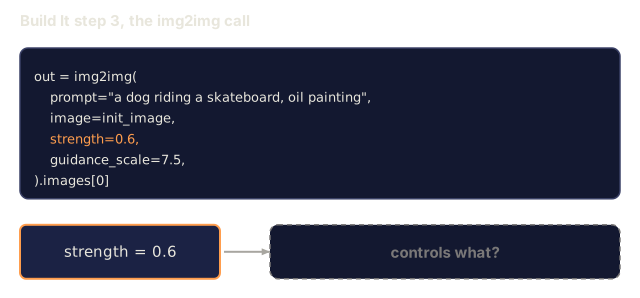
out = img2img(
    prompt="a dog riding a skateboard, oil painting",
    image=init_image,
    strength=0.6,
    guidance_scale=7.5,
).images[0]
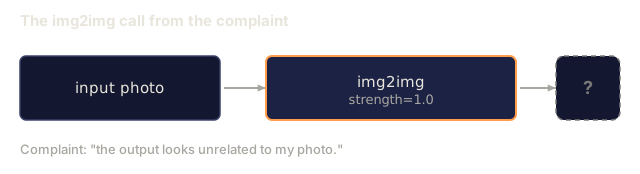
strength is how much noise to add before denoising (0.0 = unchanged, 1.0 = full regeneration). 0.5-0.7 is the standard range for style transfer.
Step 4: Inpainting
from diffusers import StableDiffusionInpaintPipeline

inpaint = StableDiffusionInpaintPipeline.from_pretrained(
    "runwayml/stable-diffusion-inpainting",
    torch_dtype=torch.float16,
).to("cuda")

image = Image.open("dog.png").convert("RGB").resize((512, 512))
mask = Image.open("dog_mask.png").convert("L").resize((512, 512))

out = inpaint(
    prompt="a cat",
    image=image,
    mask_image=mask,
    guidance_scale=7.5,
).images[0]
White pixels in the mask are the area to regenerate. Black pixels are preserved.
Step 5: LoRA loading
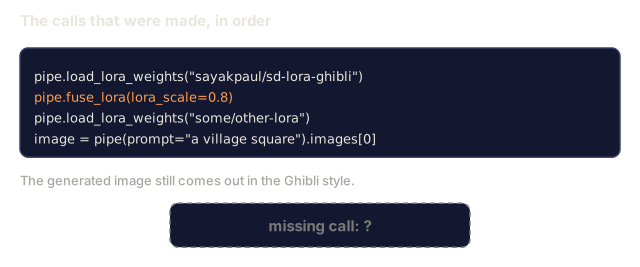
pipe.load_lora_weights("sayakpaul/sd-lora-ghibli")
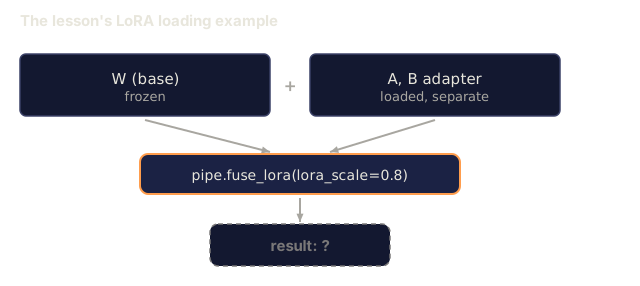
pipe.fuse_lora(lora_scale=0.8)

image = pipe(prompt="a village square in ghibli style").images[0]
lora_scale controls strength; 0.0 = no effect, 1.0 = full effect. fuse_lora bakes the adapter into the weights in place for speed, but prevents swapping. Call pipe.unfuse_lora() before loading a different adapter.
Step 6: LoRA training (sketch)
Real LoRA training lives in peft or diffusers.training. Here's the outline:
# Pseudocode
for step, batch in enumerate(dataloader):
    images, prompts = batch
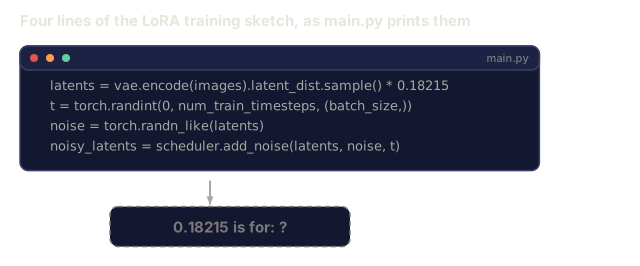
    latents = vae.encode(images).latent_dist.sample() * 0.18215

    t = torch.randint(0, num_train_timesteps, (batch_size,))
    noise = torch.randn_like(latents)
    noisy_latents = scheduler.add_noise(latents, noise, t)

    text_emb = text_encoder(tokenizer(prompts))

    pred_noise = unet(noisy_latents, t, text_emb)  # LoRA weights injected here

    loss = F.mse_loss(pred_noise, noise)
    loss.backward()
    optimizer.step()
Only the LoRA matrices receive gradient; the base U-Net, VAE, and text encoder are frozen. With a batch size of 1 and gradient checkpointing this fits in 8 GB of VRAM.
Step 7: ControlNet-guided generation
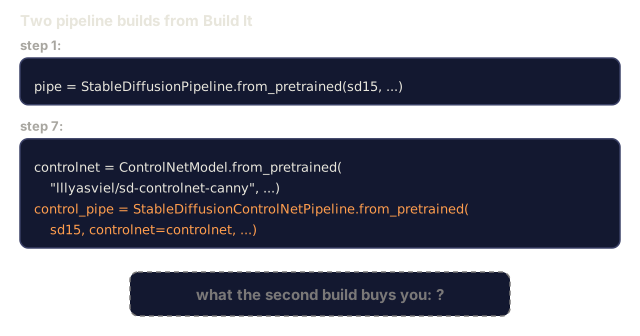
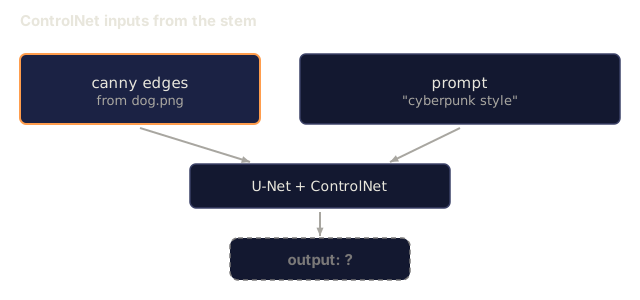
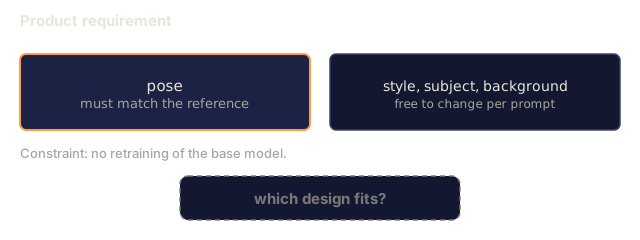
A text prompt alone doesn't pin down composition. ControlNet adds a second conditioning input, an edge map, depth map, or pose skeleton, that constrains the U-Net's output at every denoising step, without retraining the base model.
import cv2
import numpy as np
from diffusers import ControlNetModel, StableDiffusionControlNetPipeline

controlnet = ControlNetModel.from_pretrained(
    "lllyasviel/sd-controlnet-canny",
    torch_dtype=torch.float16,
)
control_pipe = StableDiffusionControlNetPipeline.from_pretrained(
    "runwayml/stable-diffusion-v1-5",
    controlnet=controlnet,
    torch_dtype=torch.float16,
).to("cuda")

source = np.array(Image.open("dog.png").convert("RGB"))
edges = cv2.Canny(source, 100, 200)
edge_image = Image.fromarray(edges).convert("RGB")

image = control_pipe(
    prompt="a dog riding a skateboard, cyberpunk style",
    image=edge_image,
    guidance_scale=7.5,
).images[0]
The canny edges fix where the dog and skateboard sit; the prompt is free to change everything else. Swap the checkpoint for lllyasviel/sd-controlnet-depth or -openpose to condition on depth or a pose skeleton instead.
Use It
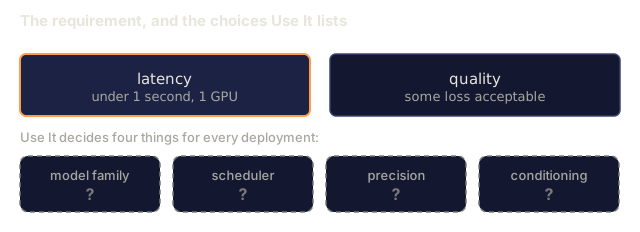
In production, here's what you're actually deciding:
- Model family: SD 1.5 for open-source community fine-tunes, SDXL for higher fidelity, SD3 / FLUX for state of the art and strict licensing requirements.
- Scheduler: DPM-Solver++ 2M Karras for 20-30 steps, LCM-LoRA when latency is under 1s.
- Precision:
float16on 4080/4090,bfloat16on A100 and newer,int8(viabitsandbytesorcompel) when VRAM is tight. - Conditioning: plain text works; for stronger control, add ControlNet (canny, depth, pose) on top of the base pipeline.
For batch generation, AUTO1111 / ComfyUI are the community tools; for production APIs, diffusers + accelerate or optimum-nvidia with TensorRT compilation.
Ship It
This lesson produces:
outputs/prompt-sd-pipeline-planner.md: a prompt that picks SD 1.5 / SDXL / SD3 / FLUX plus scheduler and precision given a latency budget, fidelity target, and licensing constraint.outputs/skill-lora-training-setup.md: a skill that writes a full LoRA training config for a custom dataset, including captions, rank, batch size, and learning rate.
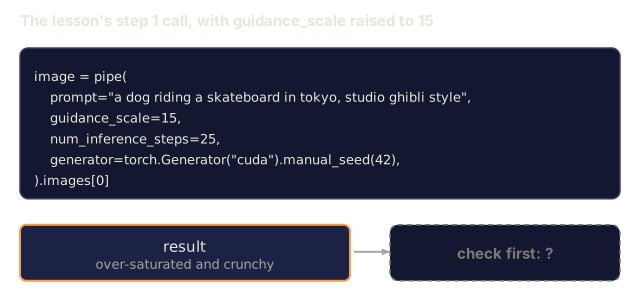
The setting people misuse most here is guidance_scale. It's tempting to crank it to 12-15 on the assumption that higher always means "more faithful to my prompt." It does, for a while, and then the image degrades into the same over-saturated, crunchy look you get from over-sharpening a photo. If a generation reads as unmistakably "AI-ish" in that specific burned-out way, drop guidance before you touch anything else — it's almost always the first thing to check.
The other thing worth knowing going in: most of what changed between SD 1.5 and FLUX is capacity and conditioning, not the underlying idea. Once you've traced through this pipeline once, reading a new model's paper is mostly a matter of finding which box got bigger.
Exercises
- (Easy) Generate the same prompt with
guidance_scalein[1, 3, 5, 7.5, 10, 15]. Describe how the image changes. At what guidance value do artefacts appear? - (Medium) Take any real photograph, run it through
StableDiffusionImg2ImgPipelineatstrengthin[0.2, 0.4, 0.6, 0.8, 1.0]. Which strength preserves composition while changing style? Why does 1.0 ignore the input entirely? - (Hard) Train a LoRA on 10-20 images of a single subject (a pet, a logo, a character) and generate novel scenes with that subject in them. Report the LoRA rank and training steps that produced the best identity preservation without overfitting to the input images.
Key Terms
| Term | What people say | What it actually means |
|---|---|---|
| Latent diffusion | "Diffuse in latents" | Run the entire DDPM in the VAE latent space (4x64x64) instead of pixel space (3x512x512); 48x compute saving |
| VAE scale factor | "0.18215" | Constant that rescales the VAE's raw latent to roughly unit variance; hardcoded in every SD pipeline |
| Classifier-free guidance | "CFG" | Mix conditional and unconditional noise predictions; the single most impactful inference knob |
| Scheduler | "Sampler" | The algorithm that turns noise + model predictions into a denoised latent trajectory |
| LoRA | "Low-rank adapter" | Small rank-decomposition matrices that fine-tune attention layers without touching base weights |
| Cross-attention | "Text-image attention" | Attention from latent tokens to text tokens; injects prompt information at every U-Net level |
| ControlNet | "Structure conditioning" | A separately-trained adapter that steers SD with an extra input (canny, depth, pose, segmentation) |
| DPM-Solver++ | "The default scheduler" | Second-order deterministic ODE solver; best quality at low step counts (20-30) in 2026 |
Further Reading
- High-Resolution Image Synthesis with Latent Diffusion (Rombach et al., 2022): the Stable Diffusion paper, with every ablation that justifies the design
- Classifier-Free Diffusion Guidance (Ho & Salimans, 2022): the CFG paper
- LoRA: Low-Rank Adaptation of Large Language Models (Hu et al., 2021): LoRA started in NLP and transferred to SD almost unchanged
- diffusers documentation: the reference for every SD / SDXL / SD3 / FLUX pipeline
Code
- main.py (python, 89 lines)