Fuel: APIs and Data
Your code doesn't create intelligence — it borrows it, from a model API and from a pile of data you didn't generate yourself. Get sloppy with either one and everything you build on top of it inherits the sloppiness.
Learning Objectives
- Store API keys securely and make your first LLM call through both an SDK and raw HTTP
- Diagnose the API errors you'll actually hit, like bad auth and rate limits, before they cost you an afternoon
- Load, stream, and cache datasets with the Hugging Face `datasets` library, and convert between CSV, JSON, Parquet, and Arrow
- Build reproducible train/val/test splits and keep large model and data files out of git with .gitignore, Git LFS, or DVC
The Problem
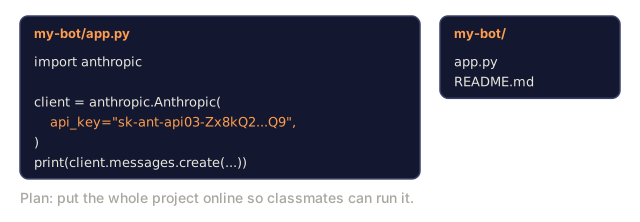
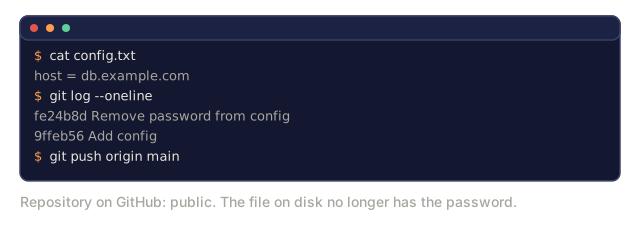
Starting in Phase 11 you call LLM APIs: Anthropic, OpenAI, Google. Starting in Phase 4 you pull in datasets to tokenize, train on, and evaluate against. Neither of these is something your code produces itself. Both are raw material you're borrowing from outside the repo, and both fail in the same boring, avoidable ways if you don't set them up right: a leaked key, a rate limit you didn't see coming, a dataset that won't fit in memory, an experiment nobody else can reproduce because the split wasn't seeded.
You need two things before any of the later phases make sense: a safe way to store and call API keys, and a repeatable workflow for finding, loading, splitting, and versioning data instead of hand-rolling it every time.
The Concept
Every AI project pulls in exactly two things from outside your own code: a model API and a dataset. Almost everything else you write either calls one or feeds the other.

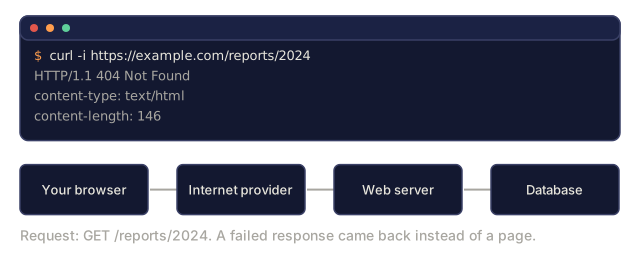
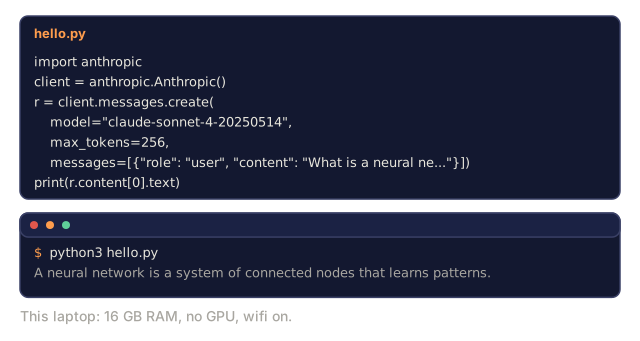
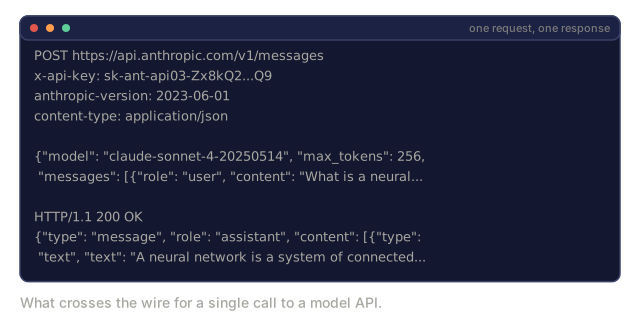
Your code never runs the AI model itself. The model lives on a computer that belongs to Anthropic, OpenAI, or Google, sitting in a data center you'll never see. Calling an API means sending a message from your computer to theirs over the internet, then waiting for a message to come back. That round trip out and back is the entirety of what "calling an API" means.
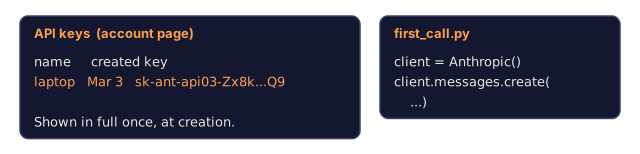
An API call is four things: an endpoint (a URL), an API key (who's asking), a request body (what you want), and a response body (what you get back). Anthropic, OpenAI, and Google all follow this shape; the field names differ, the pattern doesn't. Step 2 in Build It below turns this exact shape into runnable code.

Data follows its own version of the same discipline: find it, load it, convert it if the format's wrong for your pipeline, split it into train/val/test, cache it so you're not re-downloading gigabytes on every run, and version it so the experiment is reproducible on someone else's machine. The Hugging Face datasets library is the standard tool here because it handles downloading, caching, format conversion, and streaming out of the box, so you're not writing that plumbing yourself.
Build It
Step 1: Store API keys safely
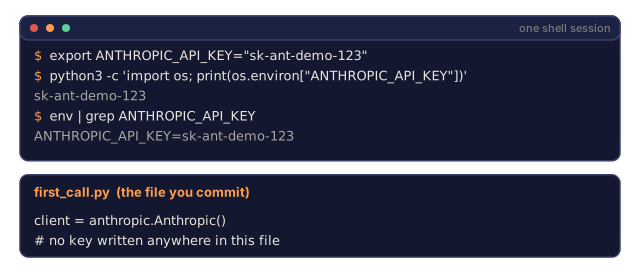
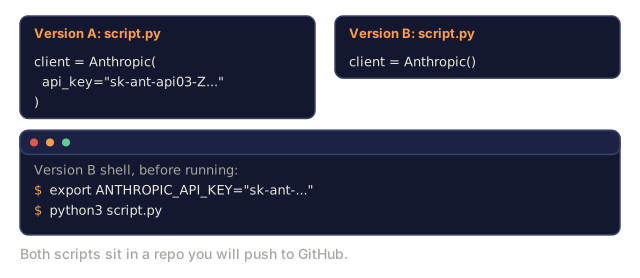
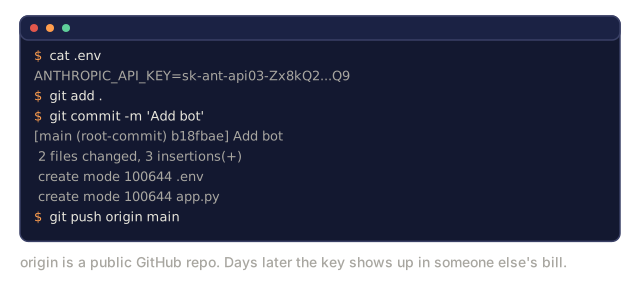
Never put API keys in code. Use environment variables instead.
An environment variable is a named value your operating system keeps available to any program you run, not just the one that set it. Set ANTHROPIC_API_KEY once in your shell and every script you run afterward can read it, without that key ever being written into a file you might commit to git.
export ANTHROPIC_API_KEY="sk-ant-..."
export OPENAI_API_KEY="sk-..."
Or use a .env file (add it to .gitignore):
ANTHROPIC_API_KEY=sk-ant-...
OPENAI_API_KEY=sk-...
Step 2: First API call (Python)
import anthropic

client = anthropic.Anthropic()

response = client.messages.create(
    model="claude-sonnet-4-20250514",
    max_tokens=256,
    messages=[{"role": "user", "content": "What is a neural network in one sentence?"}]
)

print(response.content[0].text)
Step 3: First API call (TypeScript)
import Anthropic from "@anthropic-ai/sdk";

const client = new Anthropic();

const response = await client.messages.create({
  model: "claude-sonnet-4-20250514",
  max_tokens: 256,
  messages: [{ role: "user", content: "What is a neural network in one sentence?" }],
});

console.log(response.content[0].text);
Step 4: Raw HTTP, no SDK
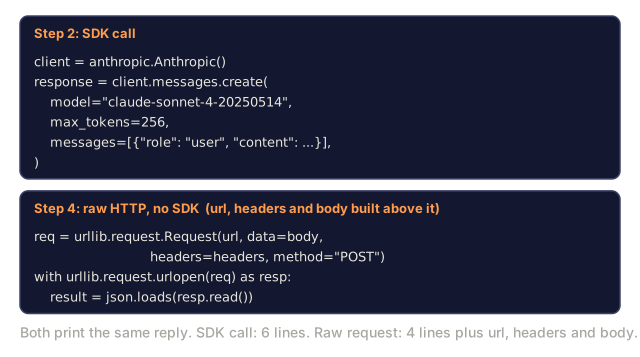
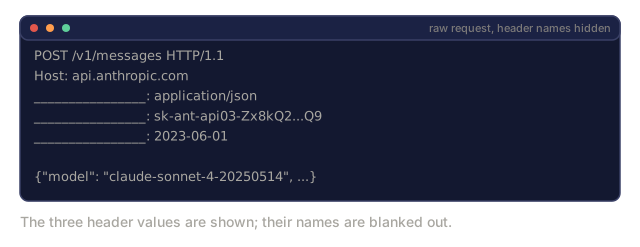
Every SDK call in Step 2 and Step 3 is a wrapper around one HTTP request. Seeing that request directly, with no library in between, is what lets you read the raw response yourself when an SDK error message doesn't tell you enough.
import os
import urllib.request
import json

url = "https://api.anthropic.com/v1/messages"
headers = {
    "Content-Type": "application/json",
    "x-api-key": os.environ["ANTHROPIC_API_KEY"],
    "anthropic-version": "2023-06-01",
}
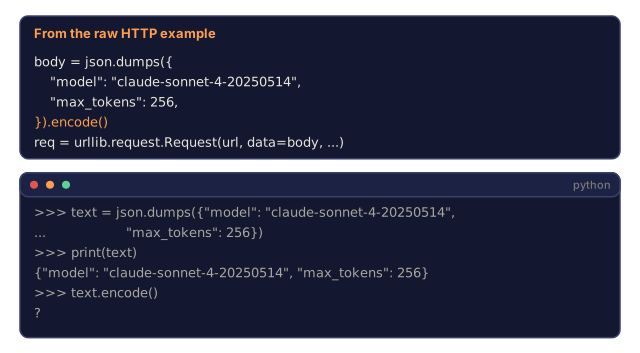
body = json.dumps({
    "model": "claude-sonnet-4-20250514",
    "max_tokens": 256,
    "messages": [{"role": "user", "content": "What is a neural network in one sentence?"}],
}).encode()

req = urllib.request.Request(url, data=body, headers=headers, method="POST")
with urllib.request.urlopen(req) as resp:
    result = json.loads(resp.read())
    print(result["content"][0]["text"])
.encode() turns the JSON text into raw bytes, which is the form data actually travels in over a network connection. json.loads() on the other end does the reverse: bytes back into a Python object.
Step 5: Handle rate limits and errors with backoff
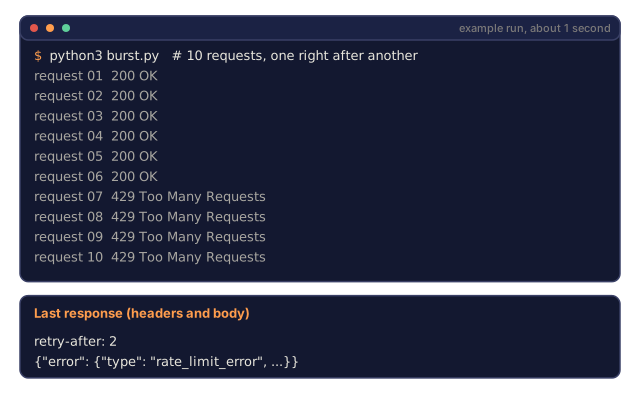
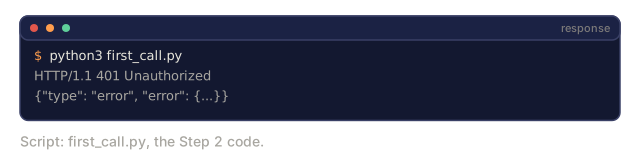
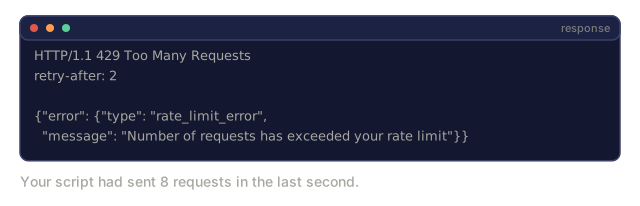
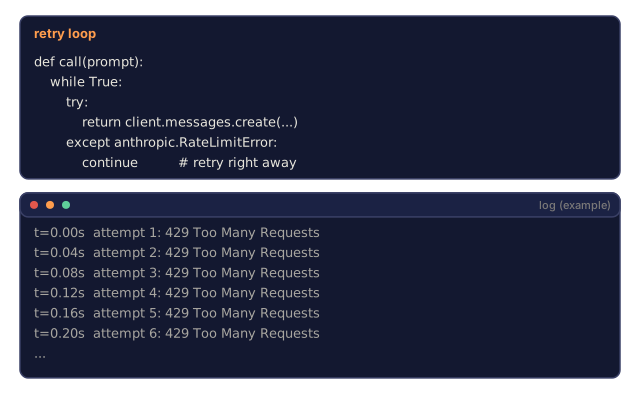
The API calls above assume the request just works. In practice you'll hit two failures constantly: bad auth (HTTP 401, your key is wrong or missing) and rate limits (HTTP 429, you sent too many requests too fast). Both come back as an HTTP status code plus a JSON body describing what went wrong, not a crash.
A 429 response looks roughly like this:
HTTP/1.1 429 Too Many Requests
retry-after: 2

{"error": {"type": "rate_limit_error", "message": "Number of requests has exceeded your rate limit"}}
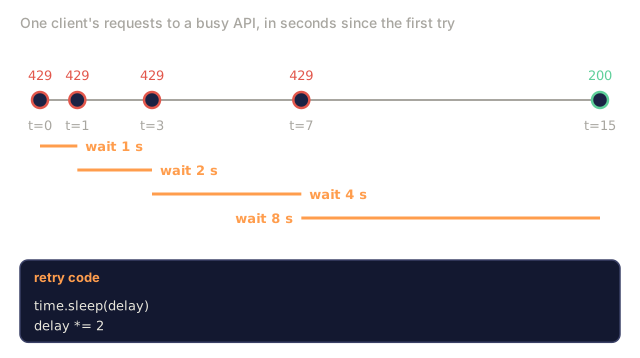
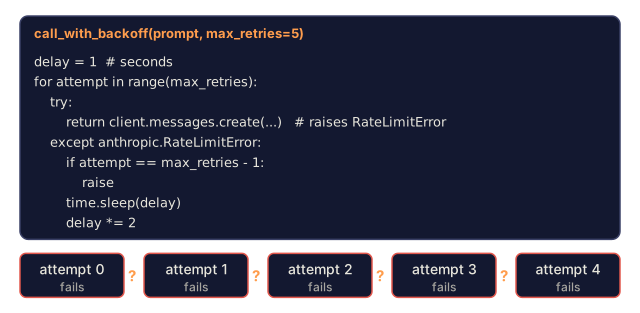
The fix isn't to give up on the first 429. It's to wait, then try again, and wait longer each time it keeps failing. That pattern is called exponential backoff: the delay doubles (or grows some other multiple) after each failed attempt, so a brief traffic spike clears itself without you hammering the API every millisecond.
import time
import anthropic

client = anthropic.Anthropic()

def call_with_backoff(prompt, max_retries=5):
    delay = 1  # seconds
    for attempt in range(max_retries):
        try:
            return client.messages.create(
                model="claude-sonnet-4-20250514",
                max_tokens=256,
                messages=[{"role": "user", "content": prompt}],
            )
        except anthropic.RateLimitError:
            if attempt == max_retries - 1:
                raise
            time.sleep(delay)
            delay *= 2

response = call_with_backoff("What is a neural network in one sentence?")
print(response.content[0].text)
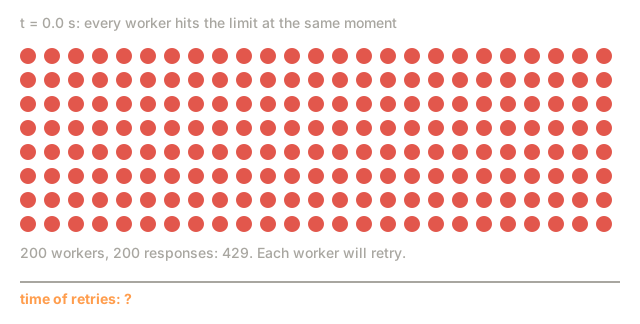
This is a teaching version, not a production retry library. Real systems add jitter (a small random offset) so a fleet of clients doesn't all retry at the exact same moment, and they cap the maximum delay instead of doubling forever. The Anthropic and OpenAI SDKs already retry rate limits and transient server errors for you by default; the pattern above is what's happening inside that retry logic.
Step 6: Install and load a dataset
pip install datasets huggingface_hubfrom datasets import load_dataset
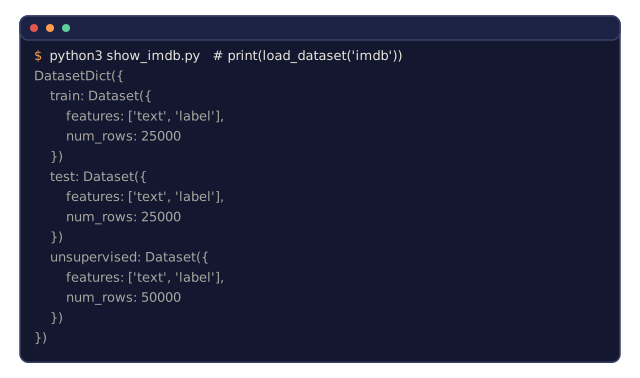
dataset = load_dataset("imdb")
print(dataset)
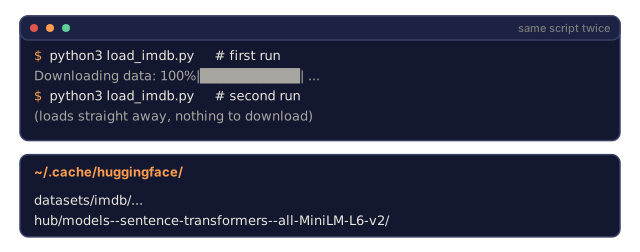
print(dataset["train"][0])This downloads the IMDB movie review dataset. After the first download it loads from cache at ~/.cache/huggingface/datasets/.
Step 7: Stream large datasets
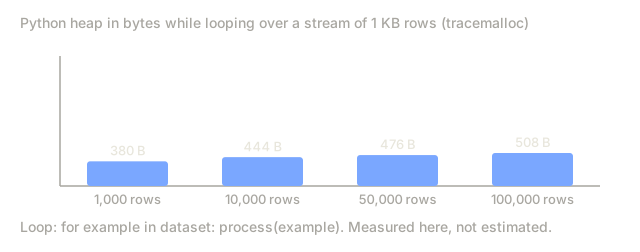
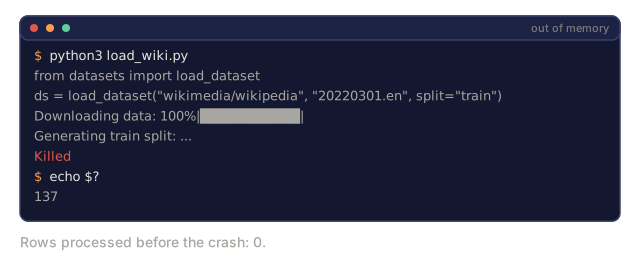
Some datasets don't fit on disk, and even the ones that do can be too big to fit in memory all at once. Loading an entire large dataset into RAM before you've processed a single row can exhaust your machine's memory before your program even gets started. Streaming avoids that by loading rows one at a time instead of downloading the full thing up front.
dataset = load_dataset("wikimedia/wikipedia", "20220301.en", split="train", streaming=True)

for i, example in enumerate(dataset):
    print(example["title"])
    if i >= 4:
        break
Streaming gives you an IterableDataset. You process rows as they arrive, and memory usage stays flat no matter how big the dataset is.
Step 8: Dataset formats
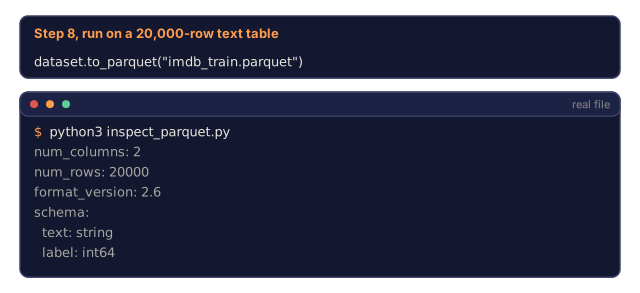
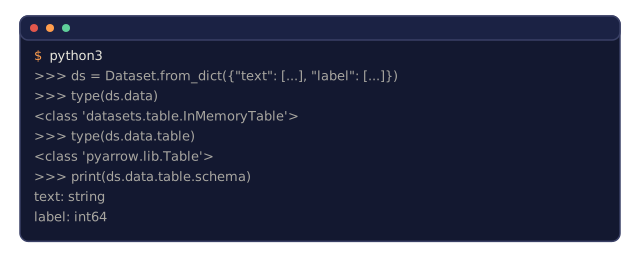
The datasets library uses Apache Arrow under the hood. Convert to other formats depending on what your pipeline needs.
dataset = load_dataset("imdb", split="train")

dataset.to_csv("imdb_train.csv")
dataset.to_json("imdb_train.json")
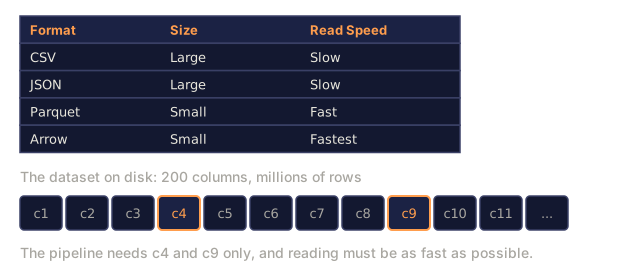
dataset.to_parquet("imdb_train.parquet")| Format | Size | Read Speed | Best For |
|---|---|---|---|
| CSV | Large | Slow | Human readability, spreadsheets |
| JSON | Large | Slow | APIs, nested data |
| Parquet | Small | Fast | Analytics, columnar queries |
| Arrow | Small | Fastest | In-memory processing (what datasets uses internally) |
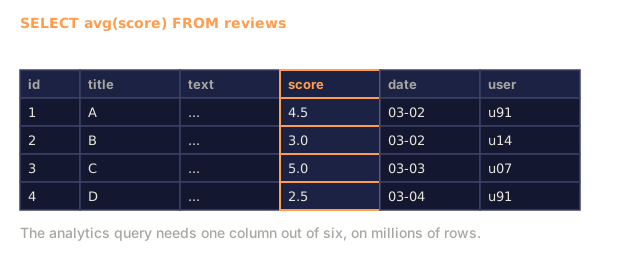
Parquet and Arrow are fast for the same underlying reason: they're columnar. CSV and JSON store data row by row, so reading one column means scanning past every other column in every row to find it. A columnar format stores all the values of one column together, so reading just the columns you need out of a huge dataset touches far less data.
Parquet is the storage format I'd default to. Arrow is what you're working with in memory whether you asked for it or not. CSV and JSON exist for interchange with tools that don't speak either.
Step 9: Data splits
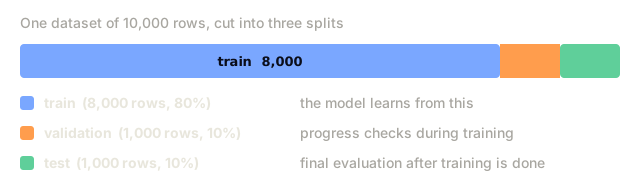
Every ML project needs three splits:
- Train: the model learns from this (typically 80%)
- Validation: you check progress during training (typically 10%)
- Test: final evaluation after training is done (typically 10%)
Some datasets come pre-split. When they don't, split them yourself:
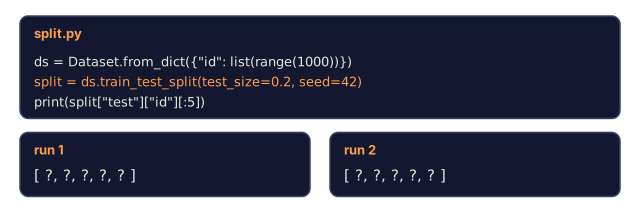
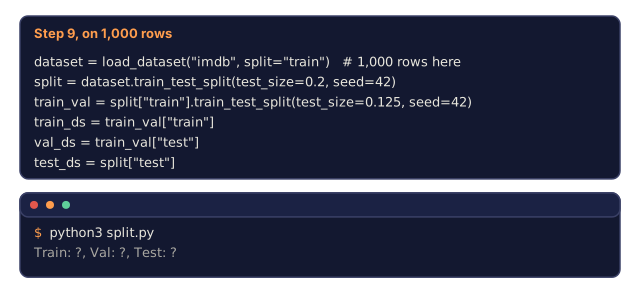
dataset = load_dataset("imdb", split="train")

split = dataset.train_test_split(test_size=0.2, seed=42)
train_val = split["train"].train_test_split(test_size=0.125, seed=42)

train_ds = train_val["train"]
val_ds = train_val["test"]
test_ds = split["test"]

print(f"Train: {len(train_ds)}, Val: {len(val_ds)}, Test: {len(test_ds)}")
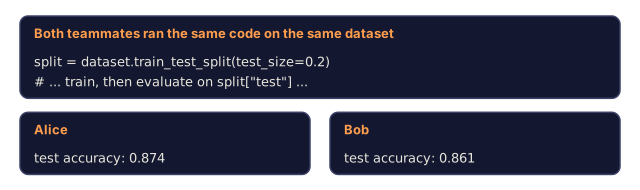
Always set a seed. The same seed produces the same split every time. Without one, you can't reproduce your own results next week.
Step 10: Download and cache models
Models are large files. huggingface_hub handles downloading and caching them the same way datasets handles data.
from huggingface_hub import hf_hub_download, snapshot_download

model_path = hf_hub_download(
    repo_id="sentence-transformers/all-MiniLM-L6-v2",
    filename="config.json"
)
print(f"Cached at: {model_path}")

model_dir = snapshot_download("sentence-transformers/all-MiniLM-L6-v2")
print(f"Full model at: {model_dir}")
Models cache to ~/.cache/huggingface/hub/. Once downloaded, they load instantly on later runs.
Step 11: Keep large files out of git
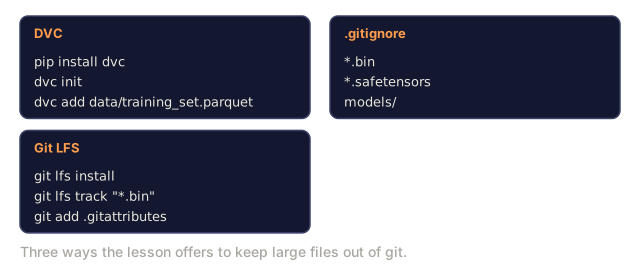
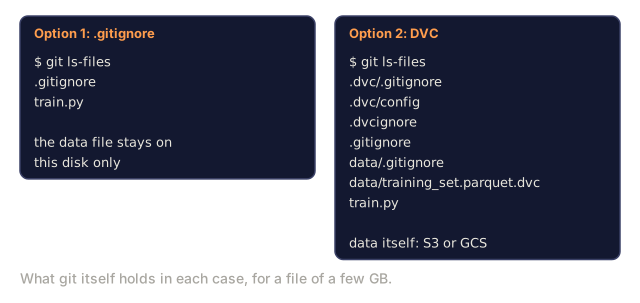
Model weights and large datasets don't belong in git. Three options, in order of how much machinery they bring with them.
Option A: .gitignore (simplest)
*.bin
*.safetensors
*.pt
*.onnx
data/*.parquet
data/*.csv
models/
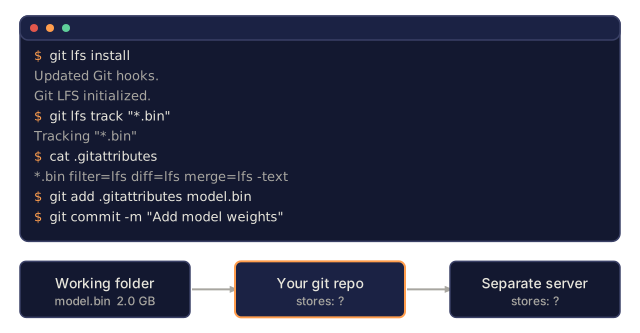
Option B: Git LFS (track large files in git)
git lfs install
git lfs track "*.bin"
git lfs track "*.safetensors"
git add .gitattributes
Git LFS stores pointers in your repo and the actual files on a separate server. GitHub gives you 1 GB free.
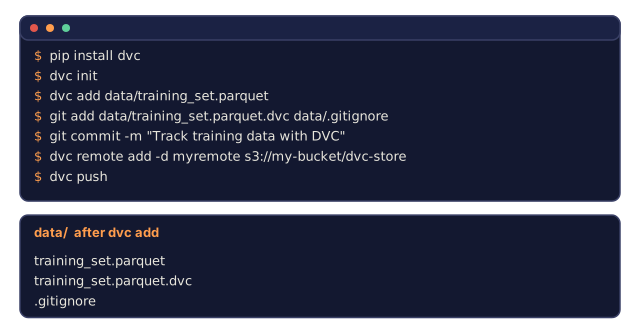
Option C: DVC (data version control)
pip install dvc
dvc init
dvc add data/training_set.parquet
git add data/training_set.parquet.dvc data/.gitignore
git commit -m "Track training data with DVC"
DVC creates small .dvc files that point to your data. The data itself lives in S3, GCS, or another remote storage backend.
| Approach | Complexity | Best For |
|---|---|---|
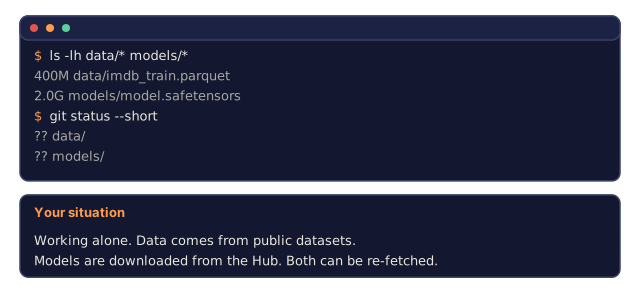
| .gitignore | Low | Personal projects, downloaded data you can re-fetch |
| Git LFS | Medium | Teams sharing model weights via git |
| DVC | High | Reproducible experiments, large datasets, teams |
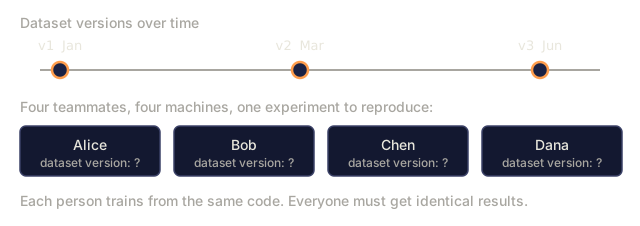
For this course, .gitignore is enough. Reach for DVC when you need to reproduce an exact experiment across machines.
Step 12: Storage patterns
Local storage works for datasets under roughly 10 GB, which the Hugging Face cache handles automatically. Anything bigger, or shared across machines, goes to cloud storage:
import os

local_path = os.path.expanduser("~/.cache/huggingface/datasets/")

# s3_path = "s3://my-bucket/datasets/"
# gcs_path = "gs://my-bucket/datasets/"
DVC integrates with S3 and GCS directly:
dvc remote add -d myremote s3://my-bucket/dvc-store
dvc push
Local storage is sufficient for this course. Cloud storage becomes relevant once you're fine-tuning on remote GPU instances.
![Two versions of the same load_dataset call for wikimedia/wikipedia 20220301.en, split train: the second adds streaming=True, followed by a for loop printing example["title"].](/quiz-visuals/00-setup-and-tooling/06-fuel-apis-and-data/check-2.svg)
![The streaming Wikipedia loop with enumerate, print(example["title"]) and a break when i >= 4, above a strip of rows labelled row 0 to row 7 with a caption calling them the first eight rows of the stream.](/quiz-visuals/00-setup-and-tooling/06-fuel-apis-and-data/n15.svg)
Use It
You don't need every API or every dataset right now. Set each up when the lesson in front of you actually requires it.
| API | When you need it | Free tier |
|---|---|---|
| Anthropic (Claude) | Phases 11-16 (agents, tools) | $5 credit on signup |
| OpenAI | Phase 11 (comparison) | $5 credit on signup |
| Hugging Face | Phases 4-10 (models, datasets) | Free |
The data side follows the same pattern. This course leans on a handful of well-known datasets, each sized to teach one specific thing:
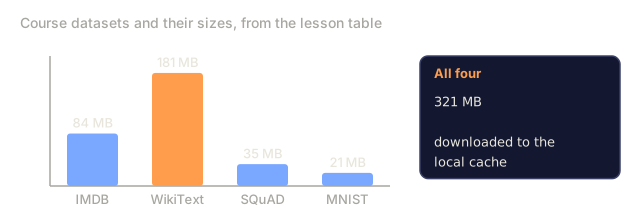
| Dataset | Lessons | Size | What It Teaches |
|---|---|---|---|
| IMDB | Tokenization, classification | 84 MB | Text classification basics |
| WikiText | Language modeling | 181 MB | Next-token prediction |
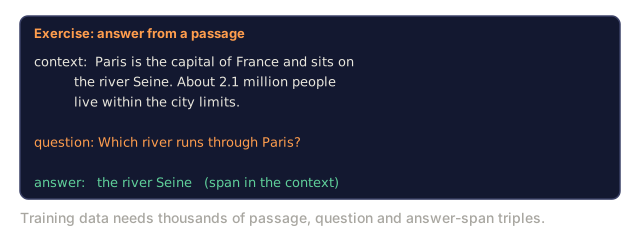
| SQuAD | QA systems | 35 MB | Question answering, spans |
| Common Crawl (subset) | Embeddings | Varies | Large-scale text processing |
| MNIST | Vision basics | 21 MB | Image classification fundamentals |
| COCO (subset) | Multimodal | Varies | Image-text pairs |
Run the utility script to verify your setup works end to end:
python code/data_utils.pyThis downloads a small dataset, converts it, splits it, and prints a summary. If that runs clean, both halves of this lesson, the API side and the data side, are wired up correctly.
Ship It
This lesson produces:
code/data_utils.py: reusable data loading, conversion, and caching utilityoutputs/prompt-api-troubleshooter.md: diagnose common API errorsoutputs/prompt-data-helper.md: find and load the right dataset for a task
I used to treat "handle my API key" and "handle my dataset" as two unrelated chores: one's a security habit, the other's a data-engineering habit. They're the same habit. Both are about respecting stuff that isn't yours: a key you didn't generate and can't afford to leak, a dataset you didn't create and can't afford to silently corrupt with an unseeded split or a lossy format conversion. The projects that go sideways later almost never do it because of a bad model choice. They do it because someone committed a key to a public repo, or because two people on a team got different train/test splits and spent a week arguing about whose eval number was real.
Exercises
- Get an Anthropic API key and make your first API call.
- Try the raw HTTP version and compare the response format to the SDK version.
- Intentionally use a wrong API key and read the error message.
- Load the
gluedataset with themrpcconfig and inspect the first 5 examples. - Stream the
c4dataset and count how many examples you can process in 10 seconds. - Create a 70/15/15 train/val/test split with a fixed seed, verify the sizes, then convert the train split to Parquet and compare the file size against CSV.
Key Terms
| Term | What people say | What it actually means |
|---|---|---|
| API key | "Password for the API" | A unique string that identifies your account and authorizes requests |
| Rate limit | "They're throttling me" | Maximum requests per minute/hour to prevent abuse and ensure fair usage |
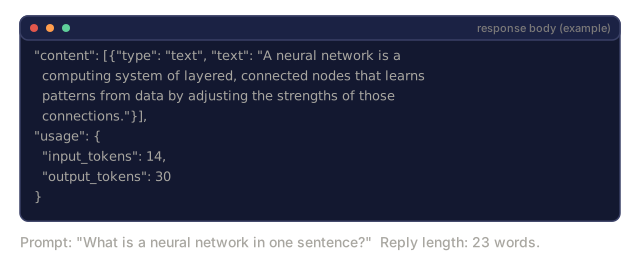
| Token | "A word" (in API context) | A billing unit: input and output tokens are counted and charged separately |
| Streaming | "Real-time" or "lazy loading" | Receiving data piece by piece, whether response text or dataset rows, instead of waiting for or downloading the whole thing up front |
| Dataset split | "Training data" | A named subset (train/val/test) used at different stages of the ML lifecycle |
| Parquet | "Compressed CSV" | A columnar file format optimized for analytical queries and storage efficiency |
| Arrow | "Fast dataframe" | An in-memory columnar format used internally by the datasets library for zero-copy reads |
| Git LFS | "Git for big files" | An extension that stores large files outside the git repo while keeping pointers in version control |
| DVC | "Git for data" | A version control system for datasets and models that integrates with cloud storage |
| Cache | "Already downloaded" | A local copy of previously fetched data or models, stored at ~/.cache/huggingface/ by default |
Code
- first_api_call.py (python, 54 lines)
- first_api_call.ts (typescript, 124 lines)
- data_utils.py (python, 191 lines)